Morphic MCP
Your studio, in your chat

Images, video and sound, saved to your Morphic library.

1Run the command

Paste it into a terminal, from any folder.

Run in your terminal
claude mcp add --transport http --scope user morphic https://mcp.morphic.com/mcp
2Approve Morphic

Run /mcp, select morphic, choose Authenticate, then pick your organization and click Allow.

3Ask for your projects

Ask your assistant to list your Morphic projects. A list means you are connected.

Server URLhttps://mcp.morphic.com/mcpRequest an app

Live results

Results land in the chat

Make two 16:9 shots of a woman with her morning coffee.

Morphic

Generating 2 images…

Morning coffee 1
Morning coffee 2
PromptA woman with her morning coffee in a bright kitchen, soft window light, natural colour.16:9·2 variations

Apps without cards get the same results as links.

What you can make

Make it, then put it together

From first frame to final cut, in one chat.

Image setsFour takes per prompt, ready to edit or upscale.

Video clipsMotion from text, a still, or first and last frames.


Timeline

Voice and musicVoiceover, dialogue, music and effects, with lip sync.

Good morning
0s2s4s6s8s

Edit and captionCuts, transitions, overlays and burned-in captions.

Subject
Matches the briefOn-screen textNoneFramingMedium wideDefectsNone found

Clip reviewA second look at any clip, checked against your brief.

Brand campaignsAllImagesVideo
New
Voiceover.mp3Audio

Your libraryEvery file saved to your project, beside the rest of your work.

Use cases

What teams make with it

16:9
1:1
9:16
Campaigns from one brief
Ask once for product shots, a short clip and every placement size. It all lands in one project, ready for review.
Pitch frames and review cuts
Build a mood board of frames, then cut a review with captions. See the credit estimate before anything runs.
Warm interiors
Shot 1
From boards to moving shots
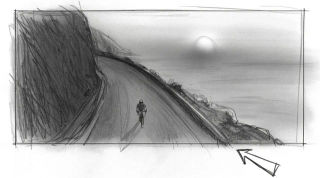
Turn pencil boards into moving shots, then lay scene sound under them, in the order you ask.

For admins

You control access and spend

Your assistant wants to access Morphic
OrganizationMorphic Org
  • View your projects
  • View your assets
  • Add files to your assets library
  • Generate images and videos with your credits
DenyAllow
  • One switch for everyone

    MCP is on by default. Turn it off and every connection pauses. Each change is logged.

  • Nothing connects unasked

    Each app shows its permissions and picks one organization before anyone approves it.

  • It adds, never deletes

    Apps can view, add and generate. Every result is a new file and originals stay untouched.

  • Spend stays on your plan

    Same credits and member limits as in Morphic, and generations cost the same. No separate budget.

  • Your model rules apply

    On Enterprise, the model access you set in Morphic applies to every app too.

  • Cut off any app

    Members see their connected apps and can revoke one. Access stops right away.
FAQs

What is Morphic MCP?
It connects your AI assistant to Morphic. Ask in plain words, and it makes images, video and audio in your Morphic project.
Which AI apps does it work with?
Claude, Claude Code, VS Code, Codex, Codex CLI and Zed, plus other MCP apps that identify themselves at sign-in. Working in ChatGPT? Connect through Codex. Want another app? Email support@morphic.com.
How do I connect it? Do I need an API key?
No key. Add https://mcp.morphic.com/mcp to your app, sign in with Morphic, approve, and pick your organization. Then ask for a list of your Morphic projects: if one comes back, you are connected. Steps for each app are in the MCP guide.
Does it cost extra?
No. It is on every plan, including Free. Generations use your organization’s credits at the same rates as in Morphic, within each member’s credit limits.
Can I see the cost before anything runs?
up to 20 steps, the model each step would use and a credit estimate, with nothing charged. Once a generation starts, it runs to the end.
Which models can I use?
More than 80 image, video and audio models. Name one, or Morphic picks one for you. Your plan and your organization’s model settings decide what is available.
Where do my results go?
Into your Morphic project library, each with a short link and an Open in Morphic link. Apps that show cards display a live card in the chat; others show the links.
Can it use my own files, References and past work?
Yes. It can browse your projects, assets, References and past generations, and build on them. Bring new files in by link, or upload them where your app supports it.
Is it secure? What can a connected app do?
Each app asks for four permissions: view projects, view assets, add files and generate with your credits. It works in one organization, cannot delete or overwrite your files, and tells your assistant to treat text inside your files as content, never as instructions.
What can admins control?
MCP is on for every member by default. Admins can switch it off for the whole organization, and each change is logged. Members can revoke their own apps at any time.
When should I work in Morphic directly?
For Canvas, Compose timelines, video-to-video, saving a new Reference or running a saved workflow. Your assistant can list your workflows and read what each one needs, and everything it makes is already in your Morphic library.
My app won’t connect. What should I check?
Make sure MCP is on in , and that you picked the right organization when you approved. On a Claude Team or Enterprise plan, an owner adds the connector first. Apps connect when they identify themselves at sign-in; for any other app, email support@morphic.com.
chair
Direct your next shot from the chat
Connect once, then ask. Every image, clip and track lands in your Morphic library.