> For the complete documentation index, see [llms.txt](https://morphic.com/docs/llms.txt). Markdown versions of documentation pages are available by appending `.md` to page URLs; this page is available as [Markdown](https://morphic.com/docs/fr/how-tos/storyboarding/storyboarding-using-a-script.md).
# Story-board à l’aide d’un script
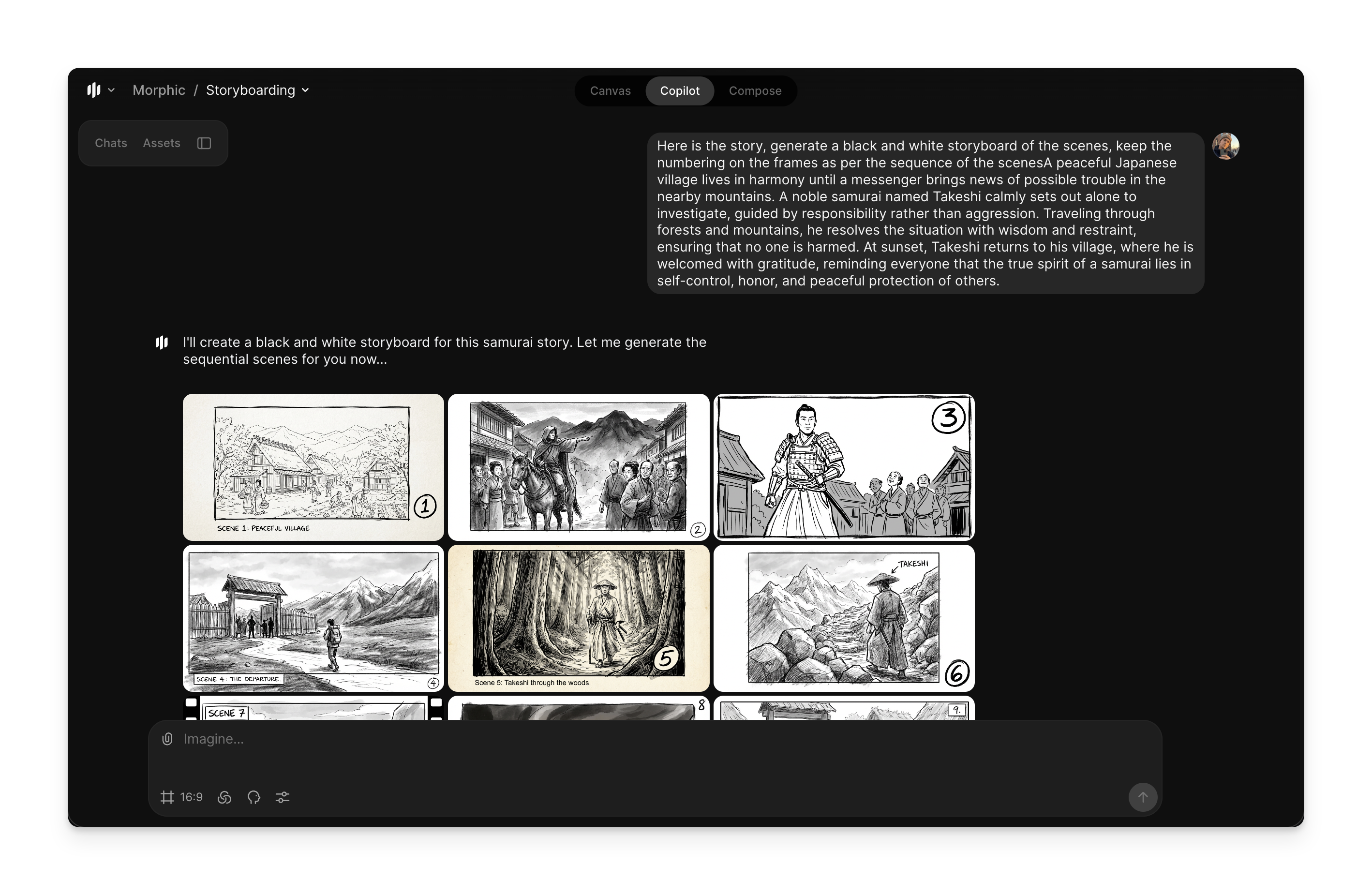
Cette méthode est utile lorsque vous souhaitez que Copilot génère une histoire ou lorsque vous avez déjà un script et que vous voulez le visualiser sous forme d’images de story-board.
Voici un bref tutoriel sur la façon de créer des storyboards à l’aide d’un script sur Morphic :
1. Allez à [Copilot](https://studio.morphic.com/chat) sur Morphic
2. Saisissez une invite telle que « Générez un storyboard en noir et blanc de ces scènes… »
3. Vous pouvez également inclure les actions des personnages, les angles de caméra, l’ambiance ou l’environnement
4. Cliquez sur le bouton bleu dans la barre de prompt pour créer votre storyboard
Copilot créera des vignettes de storyboard en décomposant l’histoire ou le script généré en scènes visuelles claires. C’est ainsi que vous pouvez créer des storyboards à l’aide d’un script sur Morphic. Cela aide à transformer des scripts écrits en scènes visuelles claires.
***
Si vous rencontrez le moindre problème ou si vous avez des questions, n'hésitez pas à nous contacter. Nous serons ravis de vous aider. Écrivez-nous à [**support@morphic.com**](mailto:support@morphic.com)**.**
---
# Agent Instructions
This documentation is published with GitBook. GitBook is the documentation platform designed so that both humans and AI agents can read, navigate, and reason over technical content effectively. Learn more at gitbook.com.
## Querying This Documentation
If you need additional information that is not directly available in this page, you can query the documentation dynamically by asking a question.
Perform an HTTP GET request on the current page URL with the `ask` query parameter, and the optional `goal` query parameter:
```
GET https://morphic.com/docs/fr/how-tos/storyboarding/storyboarding-using-a-script.md?ask=&goal=
```
`ask` is the immediate question: it should be specific, self-contained, and written in natural language.
`goal` is optional and describes the broader end goal you are ultimately trying to accomplish on behalf of the user. GitBook uses it to tailor the answer towards what is most useful for that goal.
The response will contain a direct answer to the question and relevant excerpts and sources from the documentation.
Use this mechanism when the answer is not explicitly present in the current page, you need clarification or additional context, or you want to retrieve related documentation sections.