Storyboarding using a grid
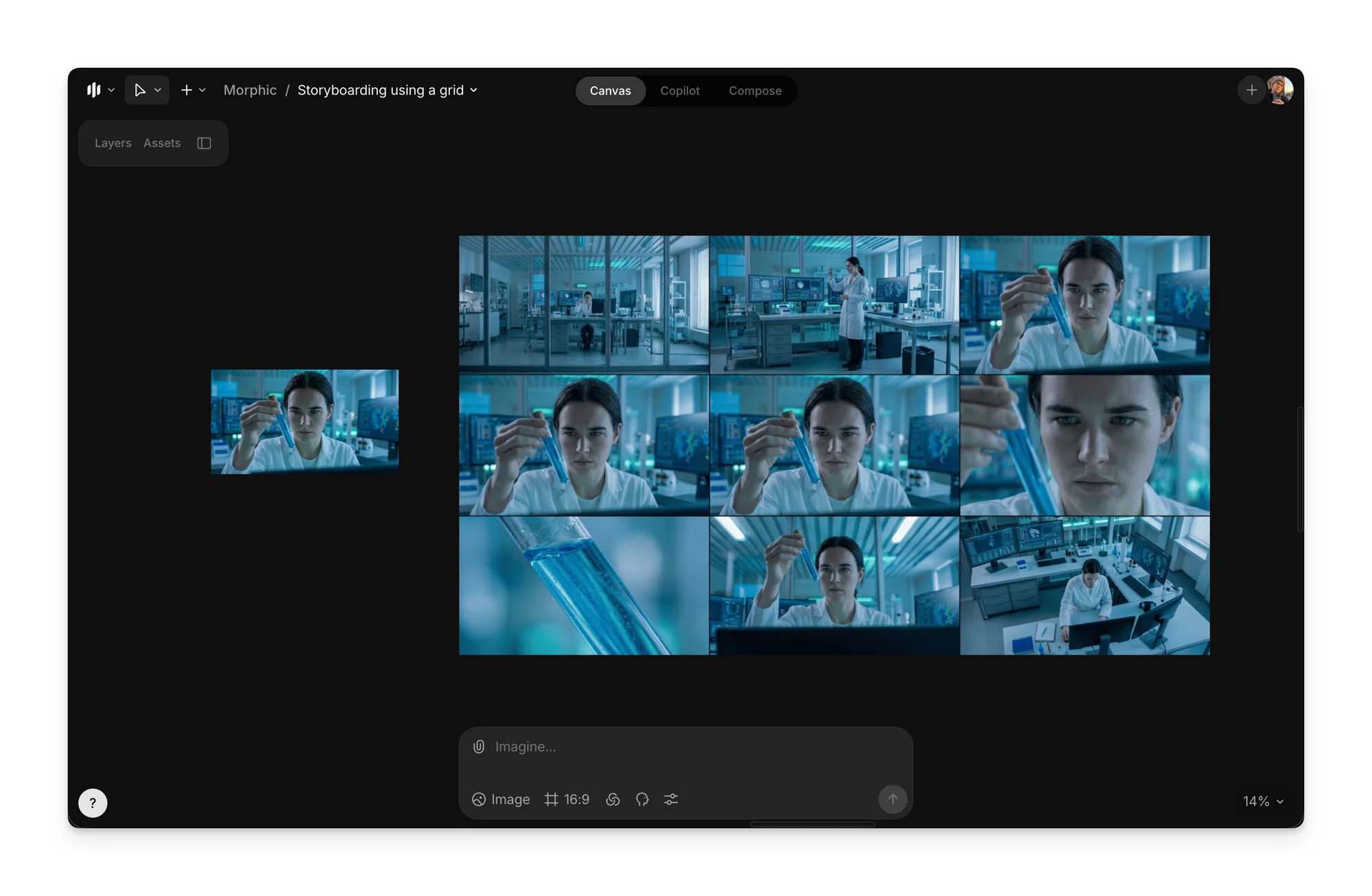
Storyboarding using grids breaks a scene into multiple frames for coverage planning. This lets you explore different camera framings while keeping the subject, environment, and lighting consistent.
Here’s a step-by-step guide on how to create storyboards using grids on Morphic:
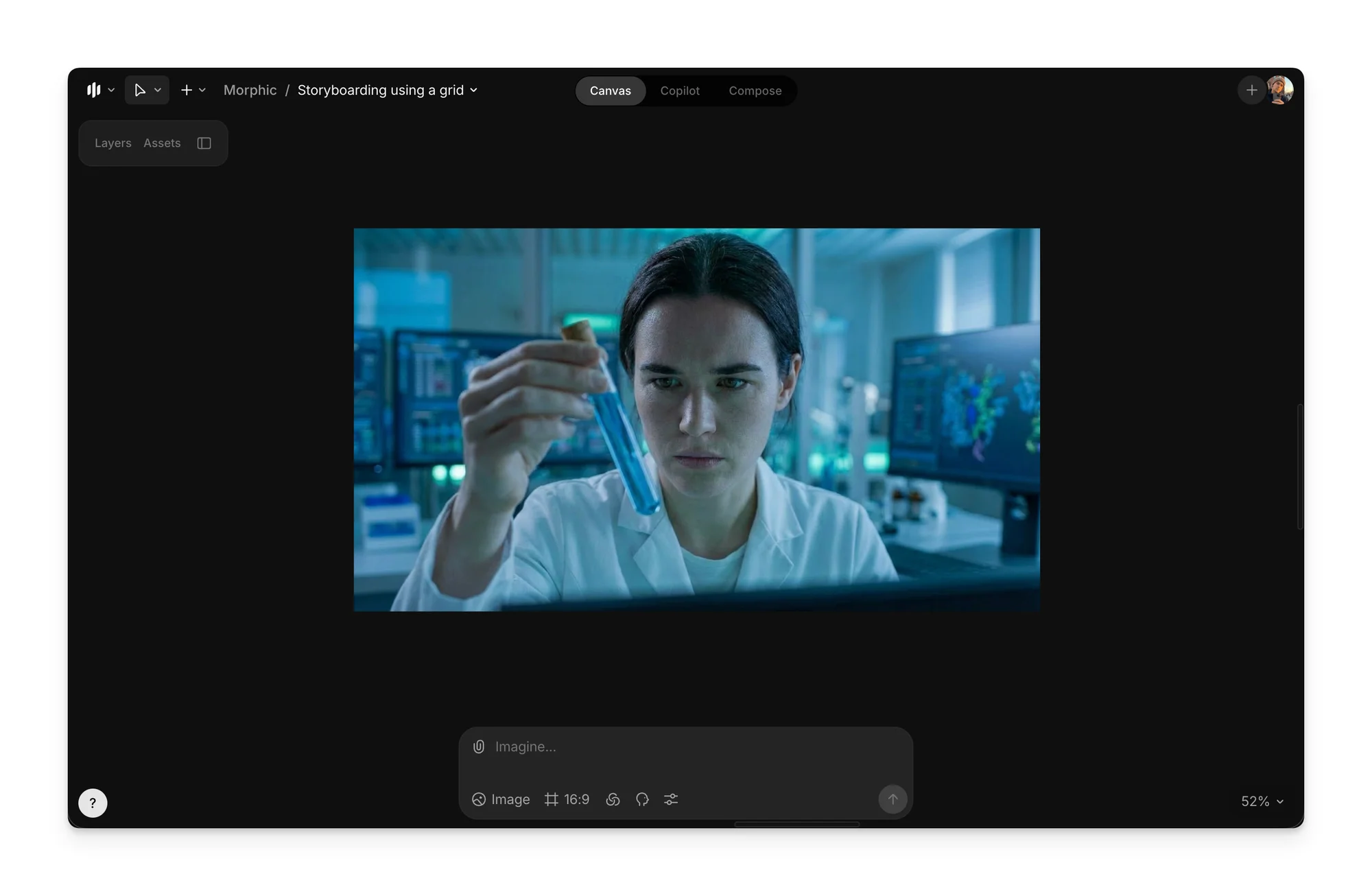
- Create a starting frame
a. Open the Canvas and either upload a reference image or generate an initial frame using a detailed prompt
b. Ensure the subject, environment, and lighting are clearly defined, as this starting frame anchors the entire grid
- Generate the 3×3 cinematic grid
a. Select the starting frame in the Canvas
b. Paste the following prompt into the prompt bar
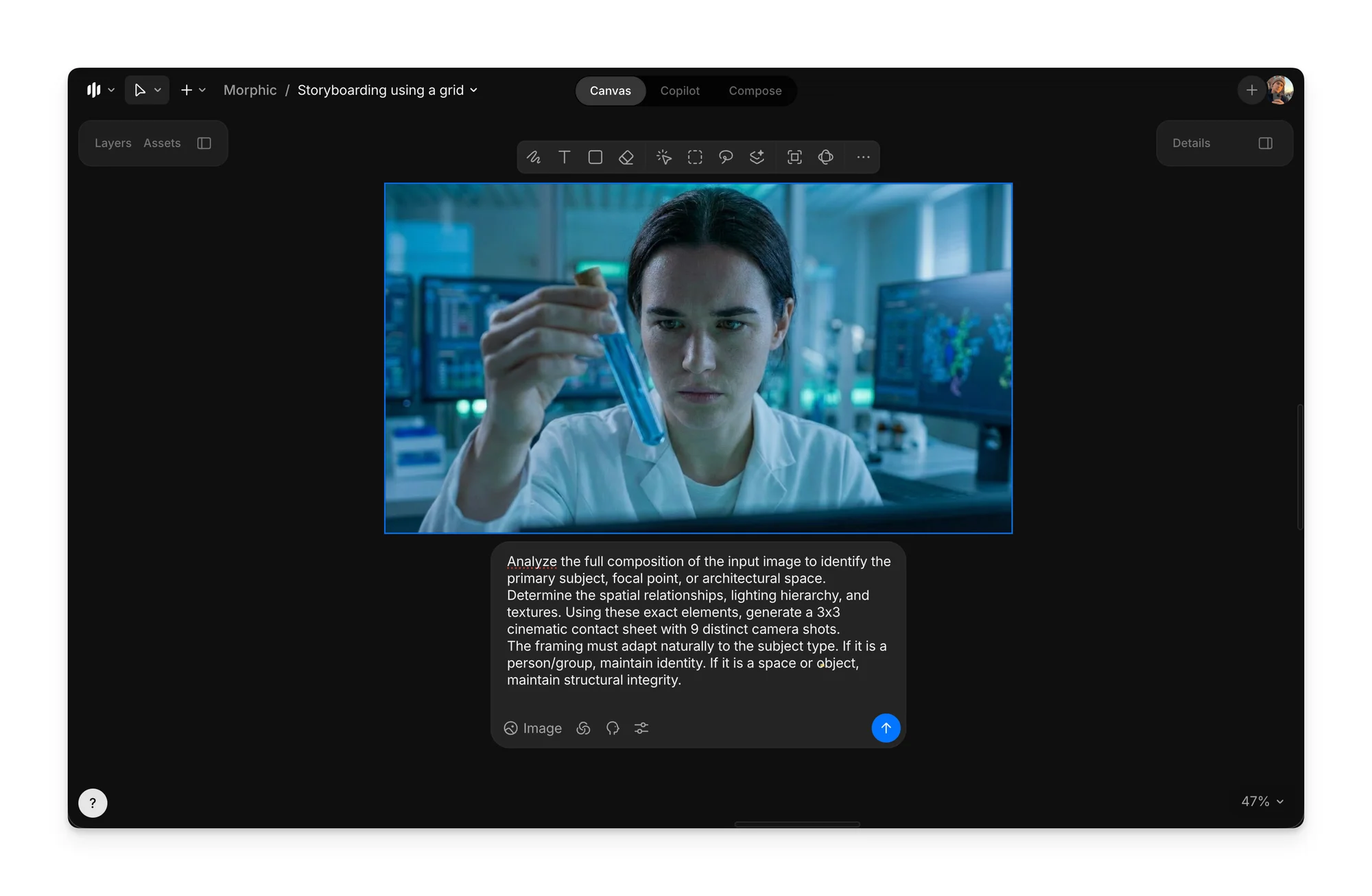
Analyze the full composition of the input image to identify the primary subject, focal point, or architectural space.
Determine the spatial relationships, lighting hierarchy, and textures. Using these exact elements, generate a 3x3 cinematic contact sheet with 9 distinct camera shots.
The framing must adapt naturally to the subject type. If it is a person/group, maintain identity. If it is a space or object, maintain structural integrity.
Row 1: Context and Scale
- Extreme Long Shot: A vast view showing the subject or architecture minute within the wider environment/landscape.
- Long Shot: The full view of the subject (head-to-toe) or the complete architectural structure/room from floor to ceiling.
- Medium Long Shot: A balanced composition showing the primary subject with significant background context (e.g., American Shot or architectural 3/4 view).
Row 2: Core Focus
- Medium Shot: Framed to capture the central mass of the subject or the core function of the space, balancing detail with context.
- Medium Close-Up: Tighter framing on the most expressive part of the subject (e.g., chest-up) or a specific furniture arrangement/architectural feature.
- Close-Up: Isolating the primary focal point (e.g., face, headlight, or intricate design element) to capture emotion or craftsmanship.
Row 3: Texture and Perspective
- Extreme Close-Up: Macro focus on a specific texture, material, eye, or minute detail, blurring all context.
- Low Angle Shot: Captured from ground level looking up to emphasize height, dominance, or ceiling details.
- High Angle Shot: Captured from above, looking down to reveal layout, floor plans, or vulnerability.
Constraints:
Maintain strict consistency across all nine panels. The subject matter, textures, environment, and lighting must remain unchanged.
Depth of field should adjust naturally: use a deep focus for wide shots and a shallow depth of field (bokeh) for close-ups.
The result must be a professional 3x3 cinematic storyboard grid.
Generate an image in 4K resolution.
c. Click the blue button in the prompt bar to create a single image containing nine distinct camera shots
- Extract individual storyboard frames
a. Select the 3×3 grid image
b. Paste the following frame extraction prompt to separate the 3x3 grid into individual frames
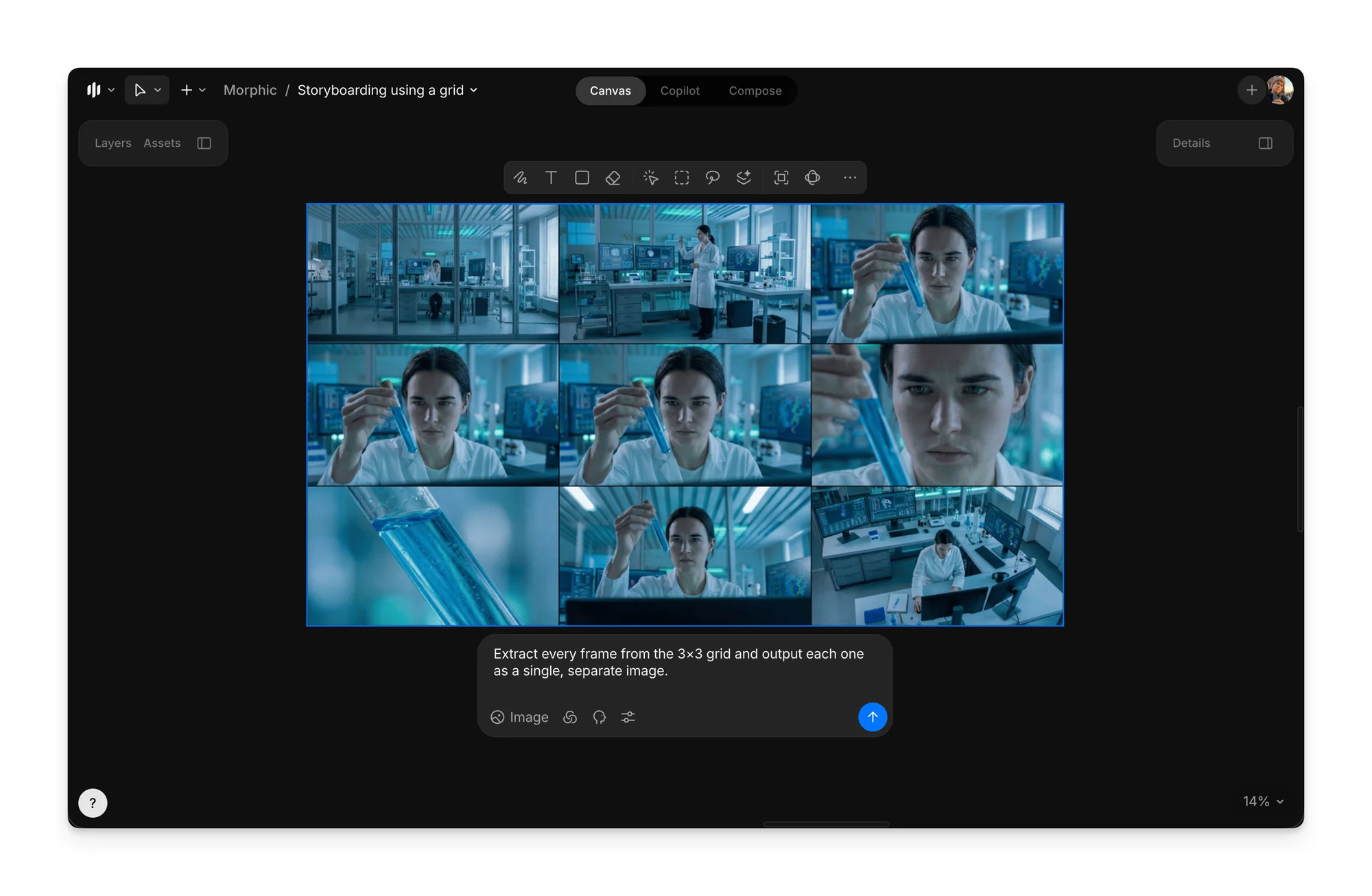
Extract every frame from the 3×3 grid and output each one as a single, separate image.- Use the extracted frames to add motion, pacing, or transitions
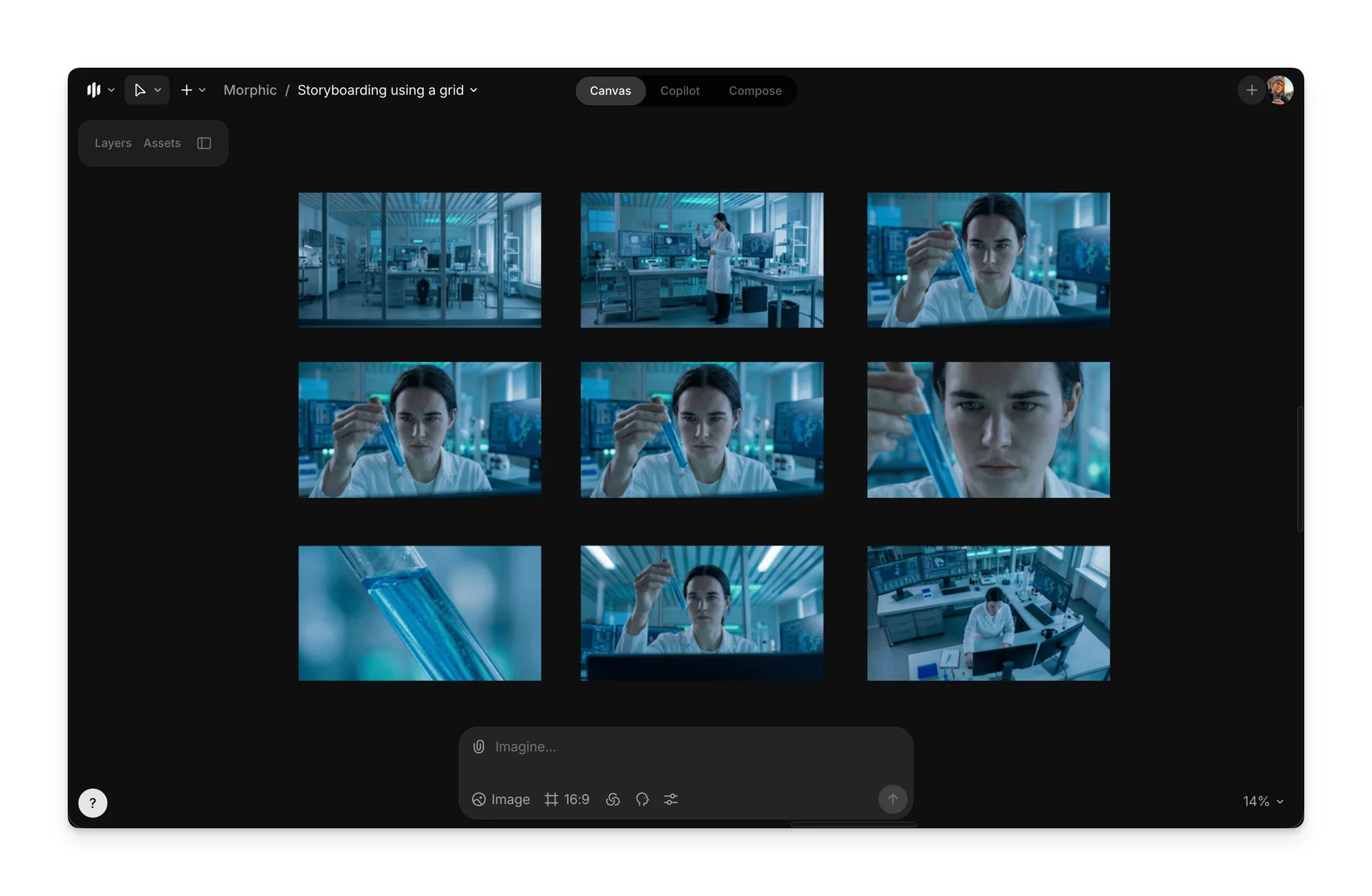
That’s how you use grids for storyboarding on Morphic. This helps you plan how a scene will look across shots in a clear and structured way.
If you have any trouble or have any questions, feel free to reach out. We're happy to help. Write to us at support@morphic.com.