Shoot Ambrotype images in your browser with Morphic's AI image generator. Render a calm Victorian sitter, a hand-tinted cheek, or a quiet parlor still-life with soft milky highlights against a velvety black ground. Hold that muted register across a set with the Style Transfer workflow.

Ambrotype subjects you can create

Ambrotype compositions you can produce

Wide Victorian-portrait establishing

A landscape frame of a composed sitter against a velvety black ground, soft milky highlights and gentle low contrast, the glassy depth of an image on glass, with title space reserved to one side.

Prompt'u düzenleyin
Wide Victorian-portrait establishing

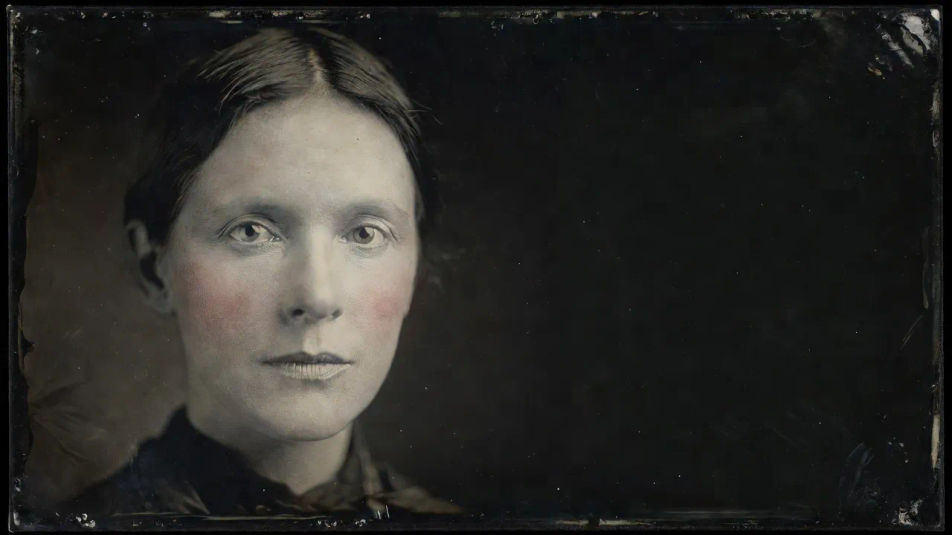
Hero tinted-detail panel

A close landscape composition of a face with a delicate hand-tinted blush, creamy highlights and soft grey glass tones, the background sinking to deep black, room reserved for a caption to one side.

Prompt'u düzenleyin
Hero tinted-detail panel

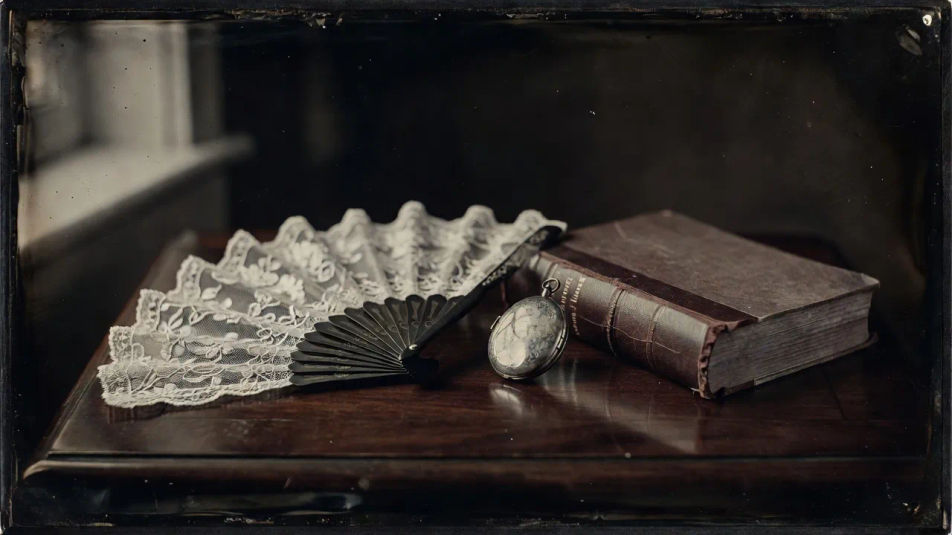
Parlor still-life spread

A wide composition of a lace fan, a locket and a book on a table, rendered in soft glassy greys with milky bright spots, the dark varnish backing pooling velvety shadow around the whole group.

Prompt'u düzenleyin
Parlor still-life spread

Seated-couple establishing shot

An establishing landscape frame of two figures posed close and calm against a plain dark backdrop, matched soft highlights across both faces, gentle low contrast and the quiet keepsake mood of glass.

Prompt'u düzenleyin
Seated-couple establishing shot

Ambrotype üç adımda oluşturun

  1. 01

    Ambrotype açıklayın

    İstediğiniz Ambrotype öğesini sade sözcüklerle açıklayın.

  2. 02

    Görseli oluşturun

    Morphic, tuvalinizde saniyeler içinde temiz, yayına hazır bir görsel oluşturur.

  3. 03

    Ambrotype iyileştirin

    Prompt'ta ince ayar yapın, varyasyonları yeniden oluşturun, ardından kareyi indirin veya paylaşın.

İlgili Workflow'lar

Şunları da beğenebilirsiniz

Basit fiyatlandırma

Bugün ücretsiz başlayın, istediğiniz zaman yükseltme veya iptal etme seçeneğiyle.

Basic

$9/ ay
şu şekilde faturalandırılır $0 yıl başına

900 aylık kredi

1 yalnızca kullanıcı

Tüm modeller

Workflows

Standard

$24/ ay
şu şekilde faturalandırılır $0 yıl başına

3200 aylık kredi

1 yalnızca kullanıcı

Tüm modeller

Workflows

Pro

$45/ ay
şu şekilde faturalandırılır $0 yıl başına

6200 paylaşılan aylık kredi

1 kullanıcı

+ en fazla 4 ek ücret karşılığında daha fazlası

Tüm modeller

Workflows

Pro Max

$170/ ay
şu şekilde faturalandırılır $0 yıl başına

24000 paylaşılan aylık kredi

1 kullanıcı

+ en fazla 9 ek ücret karşılığında daha fazlası

Tüm modeller

Workflows

Enterprise

Daha yüksek limitler için

Özel

fiyatlandırma ve faturalandırma koşulları

High-volume credits
Özel koltuk limitleri
Tüm modeller
Workflows
Pricing Gradient

Free

Denemek için

$0

kalıcı olarak ücretsiz

En fazla 20 kredi
Yalnızca 1 kullanıcı
Sınırlı modeller
Workflows

SSS

What is an Ambrotype?
An Ambrotype is a glass-negative image backed with dark varnish so it reads as a positive. It is known for soft milky highlights, gentle low contrast, and a velvety black ground, giving a quieter, warmer feel than the mirror-bright Daguerreotype.
Where can I make Ambrotype images with AI?
You can create Ambrotype images with AI on Morphic, right in your browser. Open the Image tool, describe the sitter, the milky highlights, and the black backing, and Morphic renders the glass-plate look. No collodion, glass, or varnish needed.
How do I get the milky glass-plate look?
Ask for it plainly: "glass negative on dark backing, soft milky highlights, gentle low contrast, velvety black ground." Naming the creamy highlights and the dark backing is what gives an Ambrotype its softer register, distinct from a reflective silver plate.
How do I keep a set of Ambrotypes consistent?
Use Morphic's Style Transfer workflow to lock the milky highlights, low contrast, and black ground from your first plate, then apply it across the set. Each image can show a different sitter or still-life while the whole series holds one muted register.
Can I add a title or caption to an Ambrotype?
Yes. Generate the plate with open dark-ground space reserved, then open the Canvas to place a title or caption as a layer. Keeping the type separate lets you adjust the wording without regenerating the glass-plate portrait underneath.
Do I need glass plates to make an Ambrotype?
No. Morphic runs in your browser and works from plain-language prompts, so you do not need glass, collodion, or varnish. Describing the milky highlights and dark backing is enough to produce a finished Ambrotype-style image.