AI Depth of Field Effect videos

Direct cinematic focus in your browser with Morphic's depth of field effect AI video generator. Generate a subject snapping into razor focus as the room dissolves behind them, or a rack focus sliding to a distant face. Pair with Music to time the focus pull, then stitch the shots on the Canvas.

Depth of field variations you can direct

Depth of field sequences you can stage

Cafe conversation rack

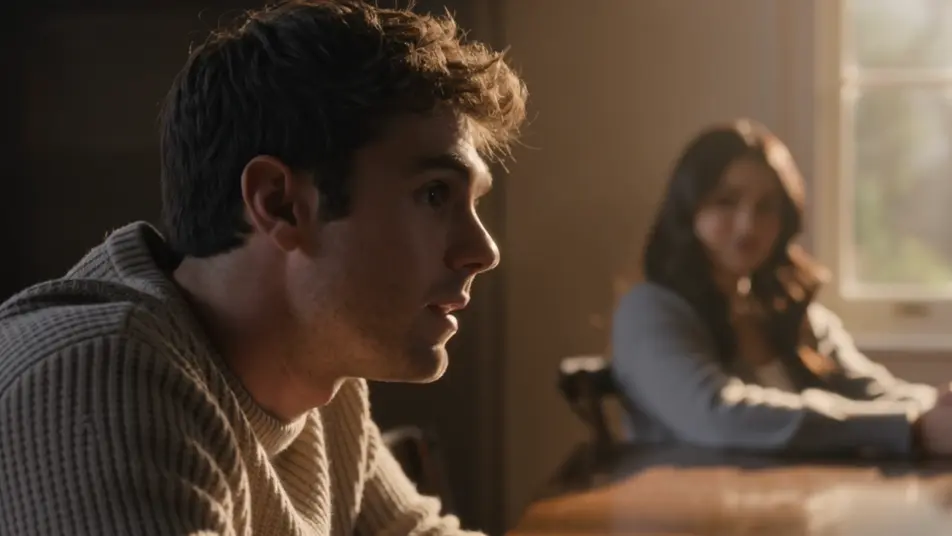
Two-person table scene where focus racks between a sharp foreground listener and a distant speaker as each takes a turn, warm window light, shallow plane, slow deliberate pulls timed to the beats of the exchange.

Prompt'u düzenleyin
Portrait in a crowd

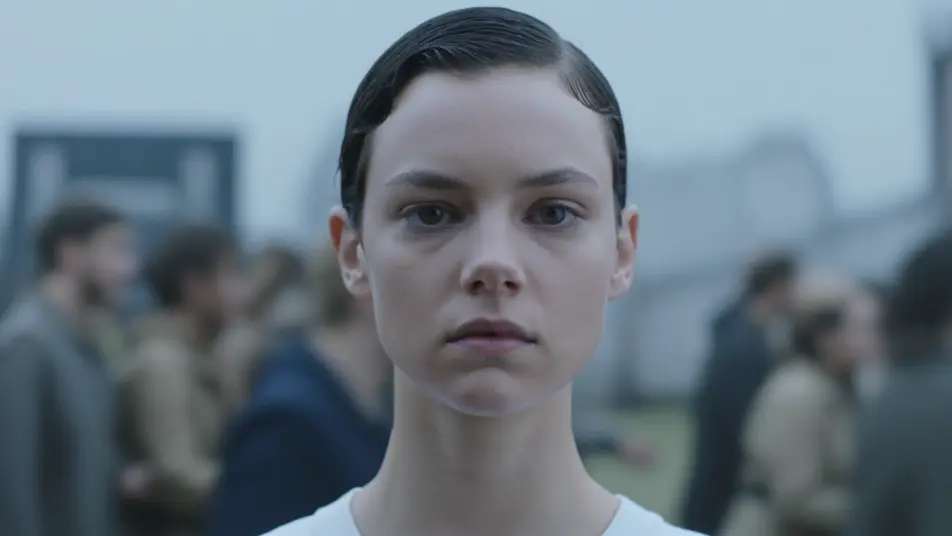
Close shallow shot of one still face held razor sharp while a churning crowd behind dissolves into soft shapes and drifting color, cool overcast key, subtle push-in that deepens the isolation.

Prompt'u düzenleyin

Tilt-shift city from above

High overhead of a busy intersection where a sharp central band turns cars and pedestrians into a moving miniature, top and bottom melting into blur, bright midday light, slow lateral drift across the toy world.

Prompt'u düzenleyin

Runner through the park

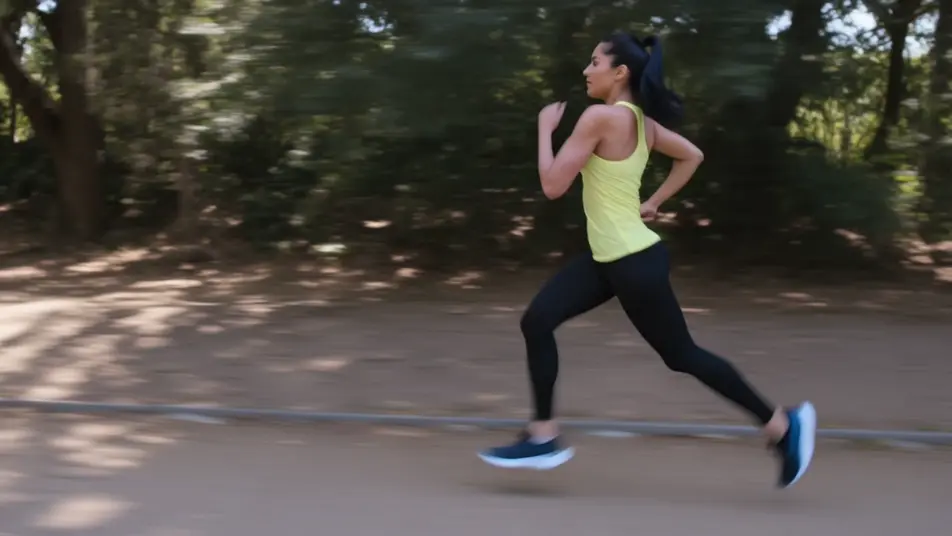
Side tracking shot of a runner held in continuous sharp focus while the tree line and path smear into speed blur on either side, dappled morning light, camera pacing alongside at a steady clip.

Prompt'u düzenleyin

depth of field effect videolarını üç adımda oluşturun

  1. 01

    depth of field effect sahnenizi açıklayın

    İstediğiniz depth of field effect sahnesini sade sözcüklerle yazın.

  2. 02

    Videoyu oluşturun

    Morphic, tuvalinizde saniyeler içinde sinematik, kareye hazır bir klip oluşturur.

  3. 03

    depth of field effect videonuzu iyileştirin

    Prompt'ta ince ayar yapın, varyasyonları yeniden oluşturun, ardından çekimi indirin veya paylaşın.

İlgili Workflow'lar

Şunları da beğenebilirsiniz

Basit fiyatlandırma

Bugün ücretsiz başlayın, istediğiniz zaman yükseltme veya iptal etme seçeneğiyle.

Basic

$9/ ay
şu şekilde faturalandırılır $0 yıl başına

900 aylık kredi

1 yalnızca kullanıcı

Tüm modeller

Workflows

Standard

$24/ ay
şu şekilde faturalandırılır $0 yıl başına

3200 aylık kredi

1 yalnızca kullanıcı

Tüm modeller

Workflows

Pro

$45/ ay
şu şekilde faturalandırılır $0 yıl başına

6200 paylaşılan aylık kredi

1 kullanıcı

+ en fazla 4 ek ücret karşılığında daha fazlası

Tüm modeller

Workflows

Pro Max

$170/ ay
şu şekilde faturalandırılır $0 yıl başına

24000 paylaşılan aylık kredi

1 kullanıcı

+ en fazla 9 ek ücret karşılığında daha fazlası

Tüm modeller

Workflows

Enterprise

Daha yüksek limitler için

Özel

fiyatlandırma ve faturalandırma koşulları

High-volume credits
Özel koltuk limitleri
Tüm modeller
Workflows
Pricing Gradient

Free

Denemek için

$0

kalıcı olarak ücretsiz

En fazla 20 kredi
Yalnızca 1 kullanıcı
Sınırlı modeller
Workflows

SSS

Where can I make depth of field videos with AI?
You can create depth of field videos directly in your browser on Morphic. Open the Text to Video tool, describe what stays sharp, what blurs, and whether the focus should pull, and Morphic generates the clip with the depth baked in. No fast prime lens and no manual focus rig needed.
What kinds of depth of field shots work best with AI video?
Shots with a clear focus story read best: a subject isolated against a soft background, a rack focus that hands attention from foreground to distance, a deep-focus scene with layered sharpness, or a tilt-shift miniature. The strongest ones make the focus plane part of the storytelling.
How do I write a good prompt for a depth of field video?
Name what is sharp, what is blurred, and any focus move. A prompt like "sharp foreground cup, rack focus to a person seated behind" gives Morphic more than "shallow depth of field." Adding the direction of the pull and the softness of the background tunes the result.
How do I keep the focus consistent between scenes?
Keep the focus plane and blur strength described the same way across shots, and note where each pull starts and ends. On the Canvas you can line up focus clips side by side and refine each until the shallow look and pull timing match into one continuous style.
Can I add music and narration to my depth of field videos?
Yes. The Music tool produces an original soundtrack, and a focus pull lands hardest when it resolves on a musical swell. The Speech tool generates narration in the voice you choose, layered onto the clip so a rack-focus conversation or portrait sequence can carry a voiceover.
Do I need video editing experience to make a depth of field video?
No. Morphic runs in your browser and you direct it with plain-language prompts. If you can say what stays sharp and what melts into blur, you can produce the clip. The prompts on this page are written so anyone can paste and run.