AI Security explainer videos

Produce a security explainer video in your browser with Morphic's security explainer video generator, no crew required. Turn a trust page into an encryption walkthrough, a data-flow diagram, and clean compliance-badge beats. Voice the walkthrough with Speech, then assemble the segments into one continuous explainer on the Canvas.

Security-explainer segments you can direct

Trust-explainer sequences you can stage

An encryption flow, shown at the desk

Over the shoulder of an engineer at a workstation, the monitor glows as abstract blocks of colored light travel along a bright channel and reassemble on the far side, reading as a clear secure moment.

Prompt'u düzenleyin
A data-flow schematic

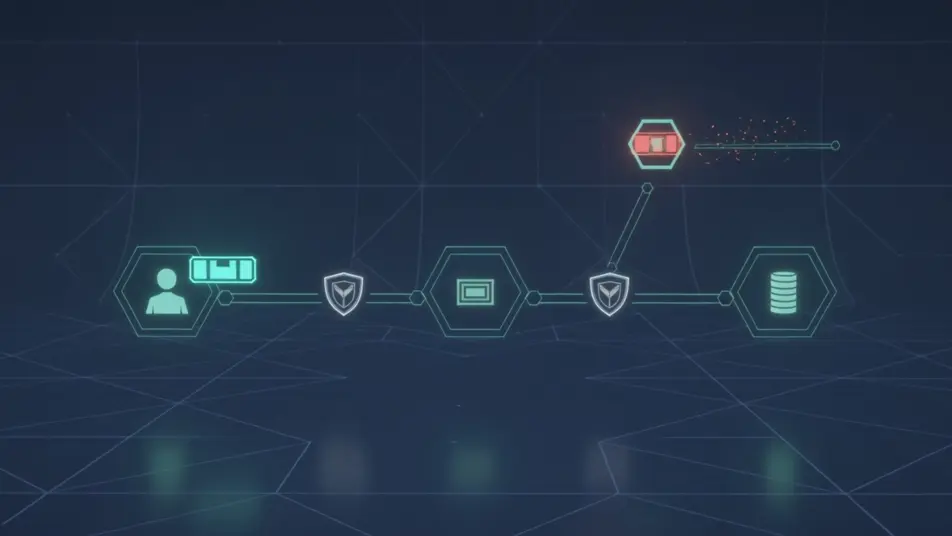
A tidy animated schematic where information moves between labeled nodes for user, app, and storage, each safeguard marked as the path lights up, the camera steady so the whole system is legible.

Prompt'u düzenleyin

A compliance badge lineup

A minimal branded frame where certification marks appear as clean labeled cards one at a time, generous space and soft shadows giving each standard its own beat.

Prompt'u düzenleyin

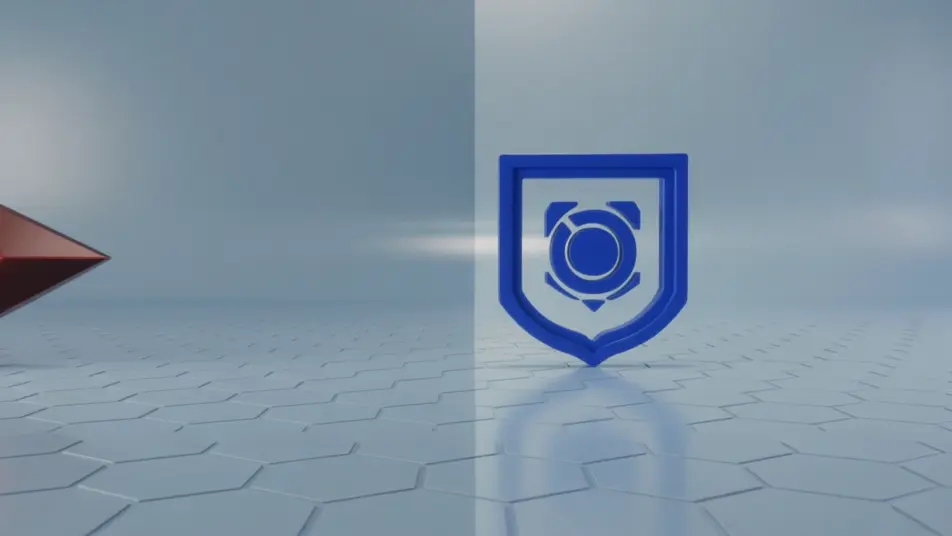
A threat-blocked-by-defense shot

A matched split frame under a calm palette where an attempted intrusion is stopped by a clear safeguard, the contrast immediate and the motion controlled so the defense reads reassuring.

Prompt'u düzenleyin

security explainer video videolarını üç adımda oluşturun

  1. 01

    security explainer video sahnenizi açıklayın

    İstediğiniz security explainer video sahnesini sade sözcüklerle yazın.

  2. 02

    Videoyu oluşturun

    Morphic, tuvalinizde saniyeler içinde sinematik, kareye hazır bir klip oluşturur.

  3. 03

    security explainer video videonuzu iyileştirin

    Prompt'ta ince ayar yapın, varyasyonları yeniden oluşturun, ardından çekimi indirin veya paylaşın.

Basit fiyatlandırma

Bugün ücretsiz başlayın, istediğiniz zaman yükseltme veya iptal etme seçeneğiyle.

Basic

$9/ ay
şu şekilde faturalandırılır $0 yıl başına

900 aylık kredi

1 yalnızca kullanıcı

Tüm modeller

Workflows

Standard

$24/ ay
şu şekilde faturalandırılır $0 yıl başına

3200 aylık kredi

1 yalnızca kullanıcı

Tüm modeller

Workflows

Pro

$45/ ay
şu şekilde faturalandırılır $0 yıl başına

6200 paylaşılan aylık kredi

1 kullanıcı

+ en fazla 4 ek ücret karşılığında daha fazlası

Tüm modeller

Workflows

Pro Max

$170/ ay
şu şekilde faturalandırılır $0 yıl başına

24000 paylaşılan aylık kredi

1 kullanıcı

+ en fazla 9 ek ücret karşılığında daha fazlası

Tüm modeller

Workflows

Enterprise

Daha yüksek limitler için

Özel

fiyatlandırma ve faturalandırma koşulları

Yüksek hacimli krediler
Özel koltuk limitleri
Tüm modeller
Workflows
Pricing Gradient

Free

Denemek için

$0

kalıcı olarak ücretsiz

En fazla 20 kredi
Yalnızca 1 kullanıcı
Sınırlı modeller
Workflows

SSS

Where can I make a security explainer video with AI?
You can produce a security explainer video directly in your browser on Morphic, no crew required. Open the Text to Video tool, describe the encryption walkthrough, the data-flow diagram, and the compliance beats, and it generates each segment. On the Canvas you assemble them into one continuous explainer.
What segments work best in a security explainer video?
An encryption walkthrough, a data-flow diagram, a compliance badge beat, and an access-control scene each carry one point cleanly. Making an abstract safeguard visible, then contrasting a threat with its defense, is what turns a trust page into an explainer a buyer follows.
How do I write a good prompt for a security explainer?
Reduce each safeguard to one idea and prompt it in a consistent diagram style. Name how the flow should animate, whether data scrambles or a gate opens, and keep the palette steady. Describing one safeguard per beat is what makes a technical topic read clearly.
How do I keep the explainer consistent across scenes?
Reuse the same diagram style, palette, and motion descriptors in every prompt so no segment breaks the look. Generate options on the Canvas, compare them side by side, then keep the frames that match your trust-page design and time each transition to the narration.
Can I add narration to a security explainer video?
Yes. The Speech tool generates a clear walkthrough track in the voice you choose to carry each safeguard and standard. Keep any bed from the Music tool subtle so the explanation and the voiceover stay in focus across the explainer.