صورة ليلية بالنيون
لقطة قريبة لوجه تحت نيون رطب حيث تنقسم كل حافة ساطعة إلى أشباح حمراء وسماوية، والحاشية تتضخّم نحو الزوايا، ضوء رئيسي بارد مشبّع، تقريب بطيء يسمح لنزيف اللون بأن يشتدّ.
تعديل الأمر النصي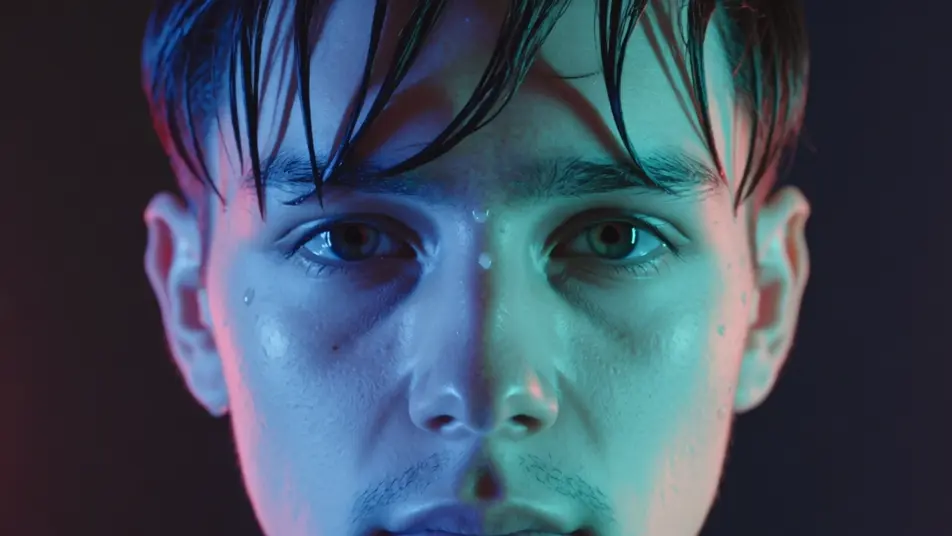
أخرج صورًا ذات حواف ملوّنة وانقسام RGB داخل متصفحك مع مولّد فيديو الزيغ اللوني بالذكاء الاصطناعي من Morphic. أنشئ لافتة نيون تلطّخ حوافها بأشباح حمراء وسماوية، أو وجهًا ينبض منقسمًا إلى قنوات لونية عند ضربة باص. اقرنها بأداة Music لضبط الانقسام على الإيقاع على Canvas.
لقطة قريبة لوجه تحت نيون رطب حيث تنقسم كل حافة ساطعة إلى أشباح حمراء وسماوية، والحاشية تتضخّم نحو الزوايا، ضوء رئيسي بارد مشبّع، تقريب بطيء يسمح لنزيف اللون بأن يشتدّ.
تعديل الأمر النصيتأطير ضيّق على شخص ثابت تمامًا حتى تندفع القنوات متباعدة عند السقوط وتعود بسرعة، طعنات RGB حادّة تنقّط القطع، ضوء مسرح مظلم، إطار ثابت كي يُقرأ الانقسام نقيًا.
تعديل الأمر النصي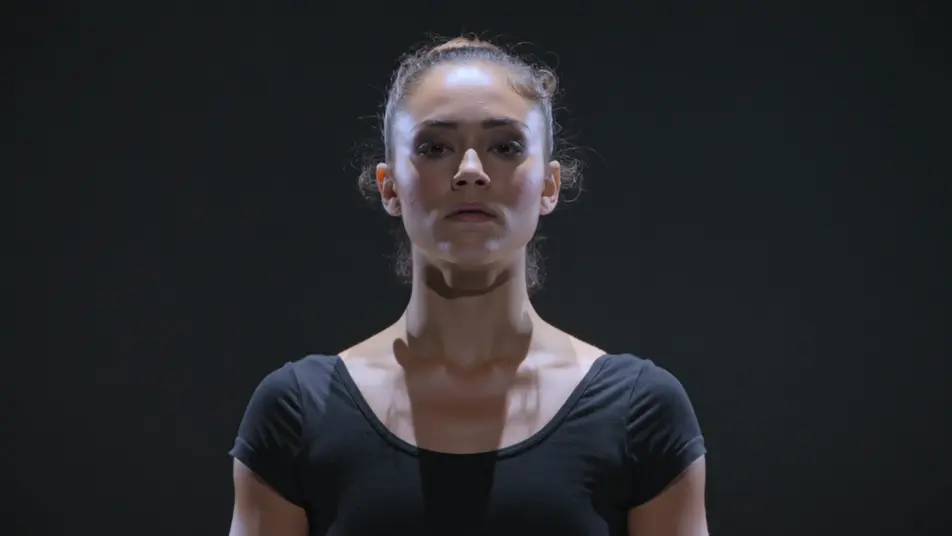
لقطة تتبّع أمامية أسفل شارع منزلق بالمطر حيث تتخطّط الحواف الملوّنة شعاعيًا خارجًا من نقطة التلاشي، والأحمر والسماوي يلطّخان على المباني، ضوء رئيسي أزرق بارد، انسياق ثابت في العمق.
تعديل الأمر النصي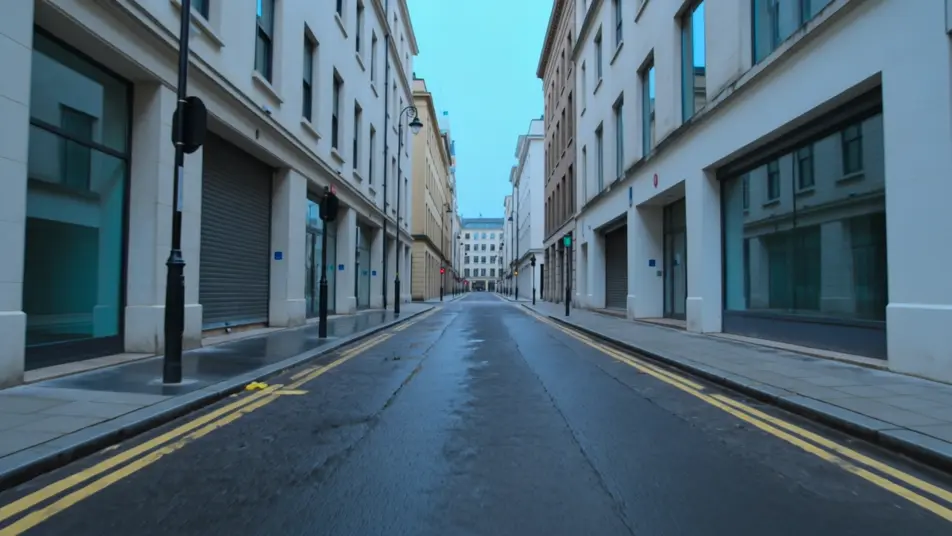
إحساس محمول عبر غرفة مشمسة حيث ينجرف نزيف أحمر-أزرق ناعم غير منتظم فوق كل شيء كعدسة تكبير قديمة، تدرّج حنيني دافئ، تمايل لطيف يزيح الحاشية مع حركة الإطار.
تعديل الأمر النصي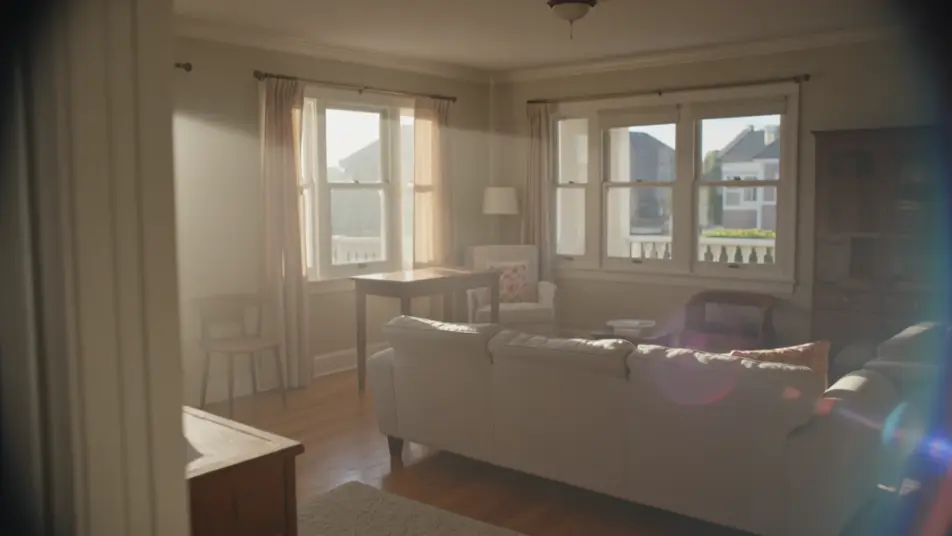
اكتب مشهد الزيغ اللوني الذي تريده، بكلمات بسيطة.
ينشئ Morphic مقطعا سينمائيا جاهزا للإطارات على لوحتك خلال ثوانٍ.
عدّل الأمر النصي، وأعد إنشاء التنويعات، ثم نزّل اللقطة أو شاركها.

Dramatize any text conversation into a cinematic multi-shot video.
Cinematic time-freeze short film for any scene

Generate a professional film title card from scratch, with optional cinematic animation.
Photo of any real-estate becomes a cinematic renovation timelapse video with construction SFX and music.
One image to a 9-scene cinematic video.
Drop in a photo of yourself. Get a 12-second cinematic movie with animation and a matched soundtrack.
فيديوهات تأثير الغليتش بالذكاء الاصطناعي
أنشئ فيديوهات غليتش بالذكاء الاصطناعي مع Morphic. تلف الكتل، وانقطاع الإشارة، وتمزّق RGB، وموجّهات غليتش جاهزة تعمل من البداية إلى النهاية في متصفحك.
فيديوهات تأثير توهج العدسة بالذكاء الاصطناعي
أنشئ فيديوهات توهج عدسة بالذكاء الاصطناعي مع Morphic. خطوط أنامورفية، توهج شمسي، وهالات كاشفة بموجّهات جاهزة تعمل مباشرة في متصفحك.
فيديوهات المؤثرات البصرية بالذكاء الاصطناعي
أنشئ فيديوهات مؤثرات بصرية بالذكاء الاصطناعي مع Morphic. انفجارات، طاقة، دمار مستقبلي، وجسيمات من موجّه واحد دون شاشة خضراء.
فيديوهات المورف بالذكاء الاصطناعي
اكتب التحوّل بالعربية واحصل على مقطع مورف جاهز: تبدّل وجوه، وتحوّل أجسام، وتقدّم في العمر، وقطعات على إيقاع الأغنية. للمقاطع الرأسية والريلز.
ابدأ مجاناً اليوم، مع إمكانية الترقية أو الإلغاء في أي وقت.
Basic
2400 شهرياً أرصدة
1 مستخدم فقط
جميع النماذج
Workflows
Standard
3625 شهرياً أرصدة
1 مستخدم فقط
جميع النماذج
Workflows
Pro
6350 مشترك شهرياً أرصدة
1 مستخدم
جميع النماذج
Workflows
Max
24650 مشترك شهرياً أرصدة
1 مستخدم
جميع النماذج
Workflows
Enterprise
لحدود أعلى
مخصص
شروط الأسعار والفوترة

Free
للتجربة والاستكشاف
$0
مجاني إلى الأبد