Eyes settling on the lens
A tight frame across the bridge of the nose as both eyes settle directly on camera and hold, one catchlight from a window.
تعديل الأمر النصي
Generate eyes stock video in Morphic's AI video generator: a pair finding the lens and holding, or a glance sliding off to one side and back. Try variants side by side on Canvas.
A tight frame across the bridge of the nose as both eyes settle directly on camera and hold, one catchlight from a window.
تعديل الأمر النصيThe gaze slides away to one side, waits a beat, then returns to camera under an even key light.
تعديل الأمر النصي
Both eyes follow something passing off screen, the head held still so only the gaze travels across the frame.
تعديل الأمر النصي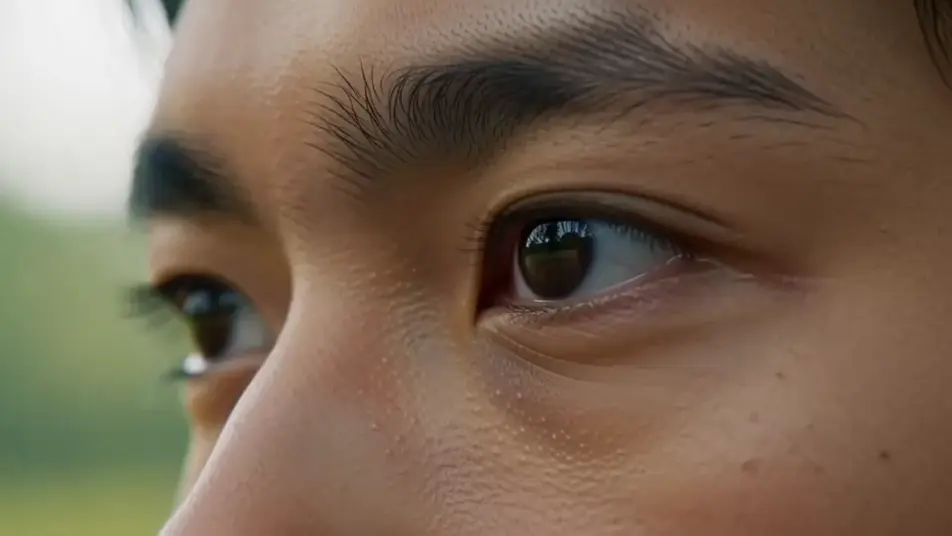
The outer corners crease and the lower lids lift as a smile arrives, the mouth cropped out of frame in warm soft light.
تعديل الأمر النصي
اكتب مشهد eyes stock video الذي تريده، بكلمات بسيطة.
ينشئ Morphic مقطعا سينمائيا جاهزا للإطارات على لوحتك خلال ثوانٍ.
عدّل الأمر النصي، وأعد إنشاء التنويعات، ثم نزّل اللقطة أو شاركها.

Dramatize any text conversation into a cinematic multi-shot video.
Cinematic time-freeze short film for any scene

Generate a professional film title card from scratch, with optional cinematic animation.
Photo of any real-estate becomes a cinematic renovation timelapse video with construction SFX and music.
One image to a 9-scene cinematic video.

Describe a first-person scenario. Get sequential POV frames animated into video clips with audio.
AI eye stock footage
Browse eye stock footage and generate your own shots at the exact length, ratio and look the cut needs. Morphic makes video, image, voice and sound.
AI people stock footage
Browse people stock footage and generate your own shots at the exact length, ratio and look the cut needs. Morphic makes video, image, voice and sound.
AI hand stock video
Browse hand stock video and generate your own shots at the exact length, ratio and look the cut needs. Morphic makes video, image, voice and sound.
AI happy stock footage
Browse happy stock footage and generate your own shots at the exact length, ratio and look the cut needs. Morphic makes video, image, voice and sound.
ابدأ مجاناً اليوم، مع إمكانية الترقية أو الإلغاء في أي وقت.
Basic
2400 شهرياً أرصدة
1 مستخدم فقط
جميع النماذج
Workflows
Standard
3625 شهرياً أرصدة
1 مستخدم فقط
جميع النماذج
Workflows
Pro
6350 مشترك شهرياً أرصدة
1 مستخدم
جميع النماذج
Workflows
Max
24650 مشترك شهرياً أرصدة
1 مستخدم
جميع النماذج
Workflows
Enterprise
لحدود أعلى
مخصص
شروط الأسعار والفوترة

Free
للتجربة والاستكشاف
$0
مجاني إلى الأبد