تسرّب ضوء بين صورتين شخصيتين
لقطة قريبة ناعمة لوجه في ضوء ذهبي حيث يتدفق تسرّب برتقالي دافئ من الحافة اليمنى ويتوهّج عبر الإطار ليكشف عن صورة ثانية. عمق ميدان ضحل، وموجة كهرمانية بطيئة.
تعديل الأمر النصي
وجّه انتقالات احتراق الفيلم التناظرية في متصفحك مع مولّد فيديو احتراق الفيلم بالذكاء الاصطناعي من Morphic. أنشئ إطارًا يحترق ليكشف اللقطة التالية، أو تسرّب ضوء دافئ بين صورتين شخصيتين، أو مسحة وميض من السيلولويد. صعّد الموسيقى التصويرية بأداة Music على Canvas.
لقطة قريبة ناعمة لوجه في ضوء ذهبي حيث يتدفق تسرّب برتقالي دافئ من الحافة اليمنى ويتوهّج عبر الإطار ليكشف عن صورة ثانية. عمق ميدان ضحل، وموجة كهرمانية بطيئة.
تعديل الأمر النصيلقطة داخلية في الحاضر حيث تشتعل بقعة ساخنة ساطعة وتحترق إلى الخارج عبر الإطار، لتظهر في حديقة مشمسة دافئة من الماضي. تأطير ثابت، واحتراق مستحلب درامي عبر القطع.
تعديل الأمر النصي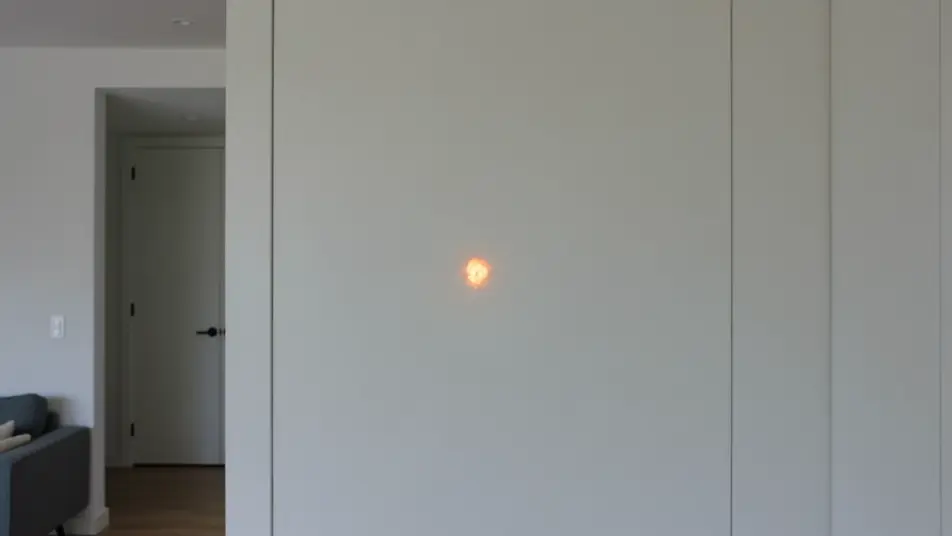
لقطة واسعة لطريق صحراوي سريع حيث تنساب خطوط ضوء عمودية نازلة عبر الإطار وتومض إلى طريق ثانٍ يمتد إلى الأفق. انجراف محمول باليد، وأشرطة ضوء حركية تربط اللقطتين.
تعديل الأمر النصي
زقاق ليلي خافت حيث ينساب تسرّب أزرق مخضرّ بارد عبر الإطار ليكشف عن شارع مقمر لامع بالمطر. حامل ثلاثي ثابت، ووميض بارد بطيء لانتقال حزين حالم.
تعديل الأمر النصي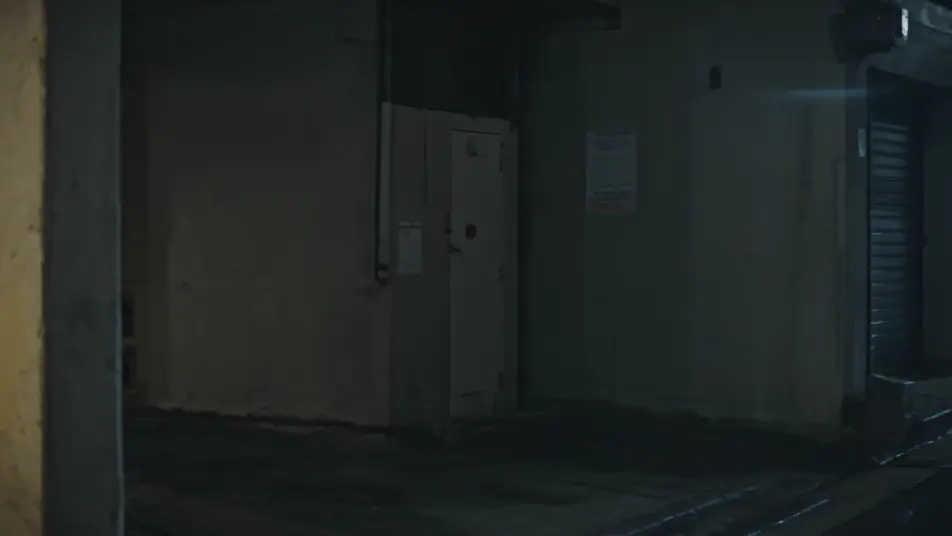
اكتب مشهد film burn transition الذي تريده، بكلمات بسيطة.
ينشئ Morphic مقطعا سينمائيا جاهزا للإطارات على لوحتك خلال ثوانٍ.
عدّل الأمر النصي، وأعد إنشاء التنويعات، ثم نزّل اللقطة أو شاركها.

Dramatize any text conversation into a cinematic multi-shot video.
Cinematic time-freeze short film for any scene

Generate a professional film title card from scratch, with optional cinematic animation.
One image to a 9-scene cinematic video.
Drop in a photo of yourself. Get a 12-second cinematic movie with animation and a matched soundtrack.
Photo of any real-estate becomes a cinematic renovation timelapse video with construction SFX and music.
فيديوهات انتقال نزف الحبر بالذكاء الاصطناعي
أنشئ انتقالات نزف الحبر بالذكاء الاصطناعي مع Morphic. أزهار حبر منتشرة، وانسكابات ألوان مائية، وكشوف عضوية بين اللقطات موقّتة على الموسيقى.
فيديوهات cross dissolve بالذكاء الاصطناعي
ولّد فيديوهات cross dissolve بالذكاء الاصطناعي مع Morphic. تلاشٍ ناعم بين اللقطات وتداخلات حالمة وانتقالات مرور الزمن موقّتة مع الموسيقى تعمل ببساطة.
فيديوهات المؤثرات البصرية بالذكاء الاصطناعي
أنشئ فيديوهات مؤثرات بصرية بالذكاء الاصطناعي مع Morphic. انفجارات، طاقة، دمار مستقبلي، وجسيمات من موجّه واحد دون شاشة خضراء.
فيديوهات المورف بالذكاء الاصطناعي
اكتب التحوّل بالعربية واحصل على مقطع مورف جاهز: تبدّل وجوه، وتحوّل أجسام، وتقدّم في العمر، وقطعات على إيقاع الأغنية. للمقاطع الرأسية والريلز.
ابدأ مجاناً اليوم، مع إمكانية الترقية أو الإلغاء في أي وقت.
Basic
2400 شهرياً أرصدة
1 مستخدم فقط
جميع النماذج
Workflows
Standard
3625 شهرياً أرصدة
1 مستخدم فقط
جميع النماذج
Workflows
Pro
6350 مشترك شهرياً أرصدة
1 مستخدم
جميع النماذج
Workflows
Max
24650 مشترك شهرياً أرصدة
1 مستخدم
جميع النماذج
Workflows
Enterprise
لحدود أعلى
مخصص
شروط الأسعار والفوترة

Free
للتجربة والاستكشاف
$0
مجاني إلى الأبد