صورة شخصية بحبيبات 35 ملم دقيقة
صورة شخصية قريبة تحمل حبيبات دقيقة متساوية وتوهّجاً دافئاً لطيفاً، البشرة والعينان تحتفظان بتفاصيلهما بينما يكتسب الإطار كله نفَساً تناظرياً، إضاءة رئيسية ناعمة ثابتة خلال دفعة بطيئة للداخل.
تعديل الأمر النصي
وجّه مظهر حبيبات الفيلم التناظرية في متصفحك مع مولّد فيديو تأثير حبيبات الفيلم بالذكاء الاصطناعي من Morphic. أنشئ لمعان 35 ملم دقيقًا فوق صورة شخصية أو حبيبات 16 ملم كثيفة عبر شارع مبلّل بالمطر. عزّز المزاج بأداة Music، ثم اجمع اللقطات المحبّبة في تسلسل واحد على Canvas.
صورة شخصية قريبة تحمل حبيبات دقيقة متساوية وتوهّجاً دافئاً لطيفاً، البشرة والعينان تحتفظان بتفاصيلهما بينما يكتسب الإطار كله نفَساً تناظرياً، إضاءة رئيسية ناعمة ثابتة خلال دفعة بطيئة للداخل.
تعديل الأمر النصيلقطة محمولة باليد لشارع ليلي مبلّل ترتدي حبيبات خشنة نابضة، ألوان خافتة وحواف ملطّفة تمنح إحساساً وثائقياً خاماً، النيون يتلطّخ في البرك بينما تنجرف الكاميرا بجوار عابر سبيل.
تعديل الأمر النصي
زقاق أحادي اللون عالي التباين يحمل أسود عميقاً وإضاءات ساطعة مع حبيبات تركب الظلال، شخص وحيد يعبر الإطار تحت ضوء صلب واحد لمزاج خالد بحافة صحيفة قديمة.
تعديل الأمر النصي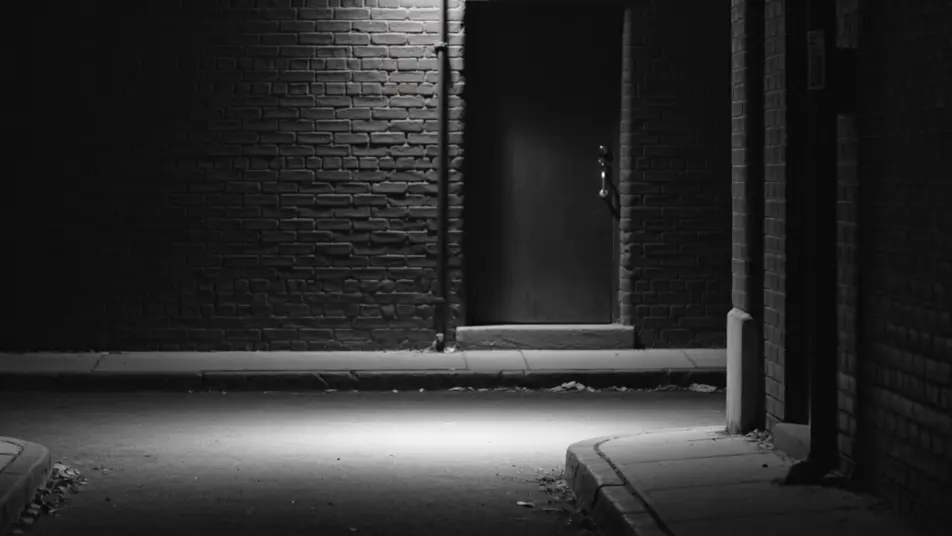
حقل واسع يتوهّج بحبيبات مخزون عتيق دافئ، لون ذهبي باهت وحواف ناعمة تمنح حنيناً عمره عقود، عشب طويل يتمايل بينما تنجرف الكاميرا منخفضة عبر ضوء أواخر بعد الظهيرة.
تعديل الأمر النصي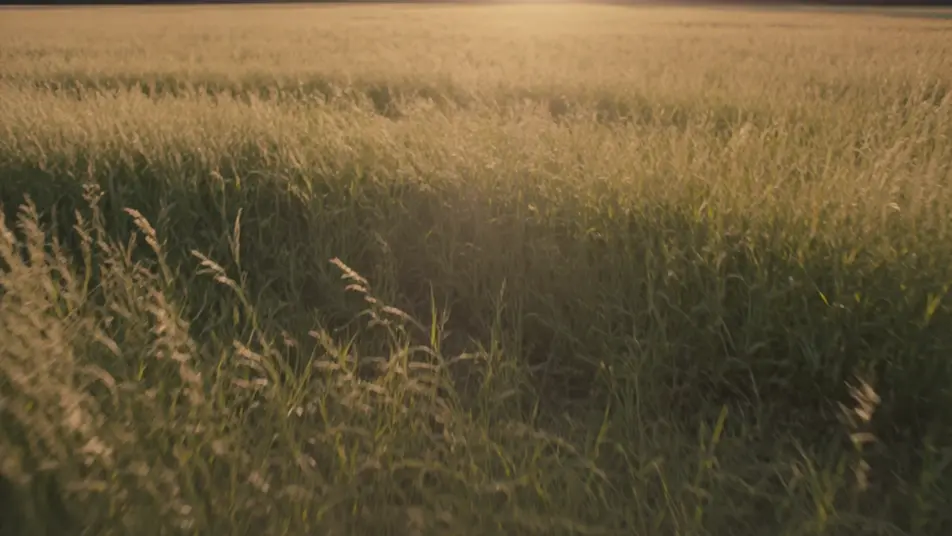
اكتب مشهد film grain effect الذي تريده، بكلمات بسيطة.
ينشئ Morphic مقطعا سينمائيا جاهزا للإطارات على لوحتك خلال ثوانٍ.
عدّل الأمر النصي، وأعد إنشاء التنويعات، ثم نزّل اللقطة أو شاركها.

Dramatize any text conversation into a cinematic multi-shot video.
Cinematic time-freeze short film for any scene

Generate a professional film title card from scratch, with optional cinematic animation.
One image to a 9-scene cinematic video.
Drop in a photo of yourself. Get a 12-second cinematic movie with animation and a matched soundtrack.
Photo of any real-estate becomes a cinematic renovation timelapse video with construction SFX and music.
فيديوهات تلوين الفيديو بالذكاء الاصطناعي
لوّن مقاطع الفيديو الأبيض والأسود بالذكاء الاصطناعي عبر Morphic. حافظ على ألوان طبيعية للبشرة والسماء والأقمشة في كل مشهد.
فيديوهات ترميم الفيديو بالذكاء الاصطناعي
رمِّم مقاطع الفيديو التالفة بالذكاء الاصطناعي عبر Morphic. أزل الخدوش والتشويش والوميض، وثبّت اللقطات المهتزة، بجودة أصلية.
فيديوهات المؤثرات البصرية بالذكاء الاصطناعي
أنشئ فيديوهات مؤثرات بصرية بالذكاء الاصطناعي مع Morphic. انفجارات، طاقة، دمار مستقبلي، وجسيمات من موجّه واحد دون شاشة خضراء.
فيديوهات المورف بالذكاء الاصطناعي
اكتب التحوّل بالعربية واحصل على مقطع مورف جاهز: تبدّل وجوه، وتحوّل أجسام، وتقدّم في العمر، وقطعات على إيقاع الأغنية. للمقاطع الرأسية والريلز.
ابدأ مجاناً اليوم، مع إمكانية الترقية أو الإلغاء في أي وقت.
Basic
2400 شهرياً أرصدة
1 مستخدم فقط
جميع النماذج
Workflows
Standard
3625 شهرياً أرصدة
1 مستخدم فقط
جميع النماذج
Workflows
Pro
6350 مشترك شهرياً أرصدة
1 مستخدم
جميع النماذج
Workflows
Max
24650 مشترك شهرياً أرصدة
1 مستخدم
جميع النماذج
Workflows
Enterprise
لحدود أعلى
مخصص
شروط الأسعار والفوترة

Free
للتجربة والاستكشاف
$0
مجاني إلى الأبد