Direct a fitness demonstration video in your browser with Morphic's fitness demonstration video generator and teach clean form on cue. Generate a side-on barbell squat in bright gym light, a slow-motion kettlebell swing, or a top-down push-up progression. Voice the cues with Speech, score it with Music, then assemble the sets on Compose.

Demonstrations you can direct

Training moments you can stage

A side-on squat set in bright light

A bright gym floor where an athlete lowers into a barbell squat from a clean side angle, depth and knee track clearly visible, plain solid-color unprinted activewear and a generic unbranded bar under even white light.

تعديل الأمر النصي

A slow-motion kettlebell swing

A slow-motion frame catching a kettlebell at the top of its arc, the athlete braced in a strong hip hinge, plain solid-color unprinted activewear and a generic unbranded bell against blank walls.

تعديل الأمر النصي

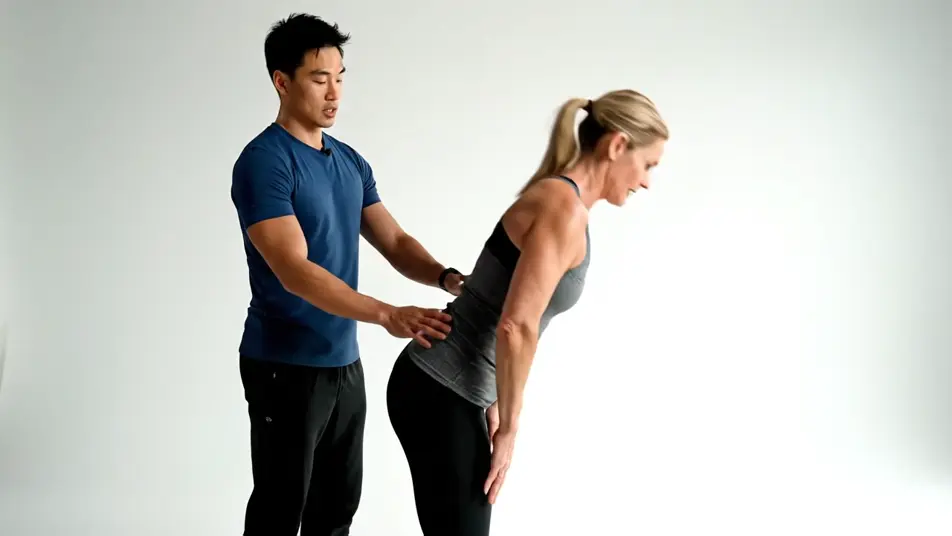
A coach correcting form mid-set

A trainer guiding an athlete into a deeper hip hinge with a light touch on the lower back, both wearing plain solid-color unprinted activewear, blank walls behind them in bright even light.

تعديل الأمر النصي

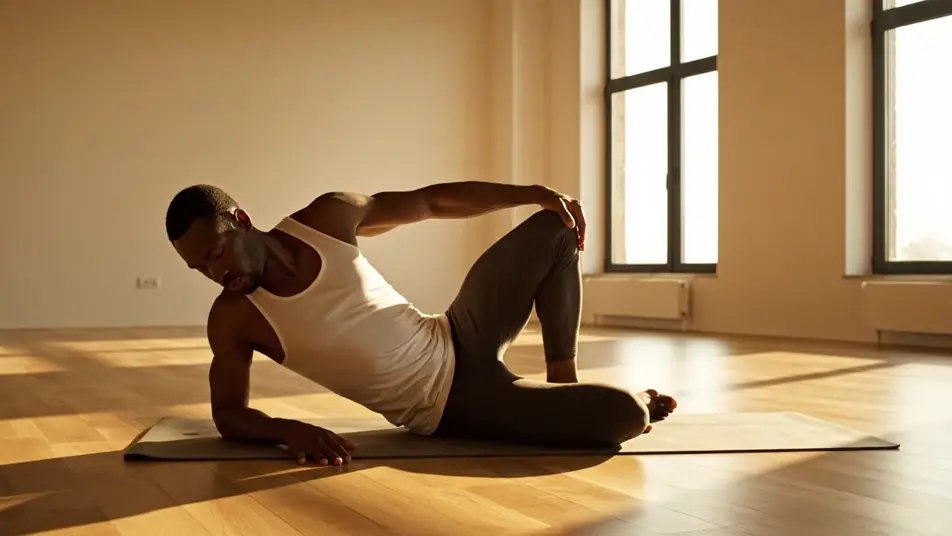
A morning mobility flow by the window

A calm studio where an athlete moves through a slow mobility sequence on a plain unlabeled mat, morning light falling through tall windows across a bare floor, plain solid-color unprinted activewear.

تعديل الأمر النصي

أنشئ فيديوهات fitness demonstration video في ثلاث خطوات

  1. 01

    صف مشهد fitness demonstration video الخاص بك

    اكتب مشهد fitness demonstration video الذي تريده، بكلمات بسيطة.

  2. 02

    أنشئ الفيديو

    ينشئ Morphic مقطعا سينمائيا جاهزا للإطارات على لوحتك خلال ثوانٍ.

  3. 03

    أعد صقل فيديو fitness demonstration video الخاص بك

    عدّل الأمر النصي، وأعد إنشاء التنويعات، ثم نزّل اللقطة أو شاركها.

أسعار بسيطة

ابدأ مجاناً اليوم، مع إمكانية الترقية أو الإلغاء في أي وقت.

Basic

$9/ شهر
تُفوتر باعتبارها $0 سنوياً

900 شهرياً أرصدة

1 مستخدم فقط

جميع النماذج

Workflows

Standard

$24/ شهر
تُفوتر باعتبارها $0 سنوياً

3200 شهرياً أرصدة

1 مستخدم فقط

جميع النماذج

Workflows

Pro

$45/ شهر
تُفوتر باعتبارها $0 سنوياً

6200 مشترك شهرياً أرصدة

1 مستخدم

+ حتى 4 المزيد بتكلفة إضافية

جميع النماذج

Workflows

Pro Max

$170/ شهر
تُفوتر باعتبارها $0 سنوياً

24000 مشترك شهرياً أرصدة

1 مستخدم

+ حتى 9 المزيد بتكلفة إضافية

جميع النماذج

Workflows

Enterprise

لحدود أعلى

مخصص

شروط الأسعار والفوترة

أرصدة كبيرة الحجم
حدود مقاعد مخصصة
جميع النماذج
Workflows
Pricing Gradient

Free

للتجربة والاستكشاف

$0

مجاني إلى الأبد

حتى 20 رصيد
مستخدم واحد فقط
نماذج محدودة
Workflows

الأسئلة الشائعة

Where can I make fitness demonstration videos with AI?
You can create fitness demonstration videos directly in your browser on Morphic. Open the Text to Video tool, describe the exercise, the angle, and the tempo, and Morphic generates the clip. On Compose you assemble the demonstrations into one clean sequence, no crew or shoot day needed.
What exercises work best in AI fitness demonstration videos?
Single lifts with a clear line read best, a side-on squat, a hinging deadlift setup, a top-down push-up. Prompt one exercise per clip so the form stays the subject. Slower tempos and slow motion give viewers time to copy the movement.
How do I write a good prompt for a fitness demonstration video?
Name the exercise, the camera angle, and the pace, then lock the look with plain unbranded activewear and equipment. A side view shows depth, a top-down angle shows alignment, slow motion shows the drive. One form cue per prompt keeps each demonstration teachable.
How do I keep a demonstration series looking consistent?
Reuse the same athlete description, lighting, and activewear phrasing across every prompt so the series reads as one shoot. Keep the gym set neutral with blank walls and even light. On Compose you order the exercises and time each cut so the session builds logically.
Can I add coaching voiceover and music to the demonstrations?
Yes. The Speech tool generates clear coaching cues in the voice you choose, timed to each rep. The Music tool adds an original bed underneath, and demonstrations land best when the track stays light so the form and the cues hold attention.