هدير الملعب ينقطع إلى الصمت
ملعب مضاء ومكتظ ينفجر في لقطة عريضة للحشد، ثم يقطع فجأة إلى مقعد وحيد فارغ في ساحة مظلمة صامتة. قطع قاسٍ عند ذروة الضجيج، وتأطير عريض ثابت في النصفين.
تعديل الأمر النصي
أخرِج قطعات مفاجئة قوية التأثير داخل متصفحك مع مولّد فيديو القطع المفاجئ بالذكاء الاصطناعي من Morphic. أنشئ حشدًا صاخبًا ينقطع إلى غرفة صامتة، أو شروق شمس هادئ ينكسر إلى بوق سيارة في ساعة الذروة. اضبط الاصطدام مع النبضة بأداة Music، ثم جمّع التسلسل على Canvas.
ملعب مضاء ومكتظ ينفجر في لقطة عريضة للحشد، ثم يقطع فجأة إلى مقعد وحيد فارغ في ساحة مظلمة صامتة. قطع قاسٍ عند ذروة الضجيج، وتأطير عريض ثابت في النصفين.
تعديل الأمر النصيغرفة نوم ساكنة مغمورة بضوء فجر أزرق ناعم تبقى للحظة، ثم تنقطع فجأة إلى شارع مزدحم في ساعة الذروة يصدح بأبواق السيارات. لقطة ثابتة على حامل ثلاثي تنتقل إلى بانوراما محمولة فوضوية.
تعديل الأمر النصي
لقطة مقربة لنملة على ورقة، بعمق ميدان ضحل، تنقطع فجأة إلى لقطة جوية شاهقة لغابة مطيرة عند الساعة الذهبية. قفزة الحجم تقع في إطار واحد بلا تدرّج.
تعديل الأمر النصي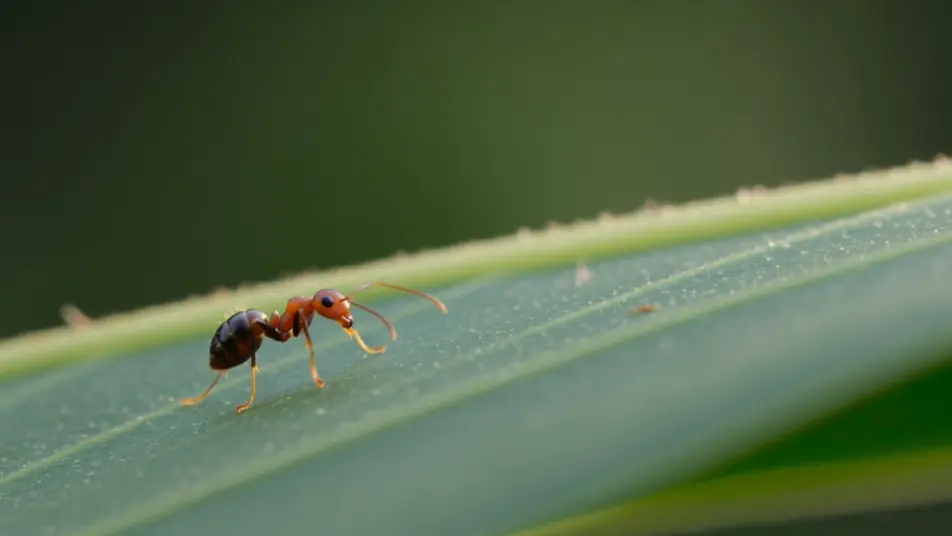
لقطة مقربة هادئة ليدين متشابكتين بضوء شموع دافئ تنقطع فجأة إلى اليدين نفسيهما وهما تنفصلان أمام ضوء نهار بارد قاسٍ. تأطير متطابق، قطع قاسٍ، والمزاج ينقلب في لحظة.
تعديل الأمر النصي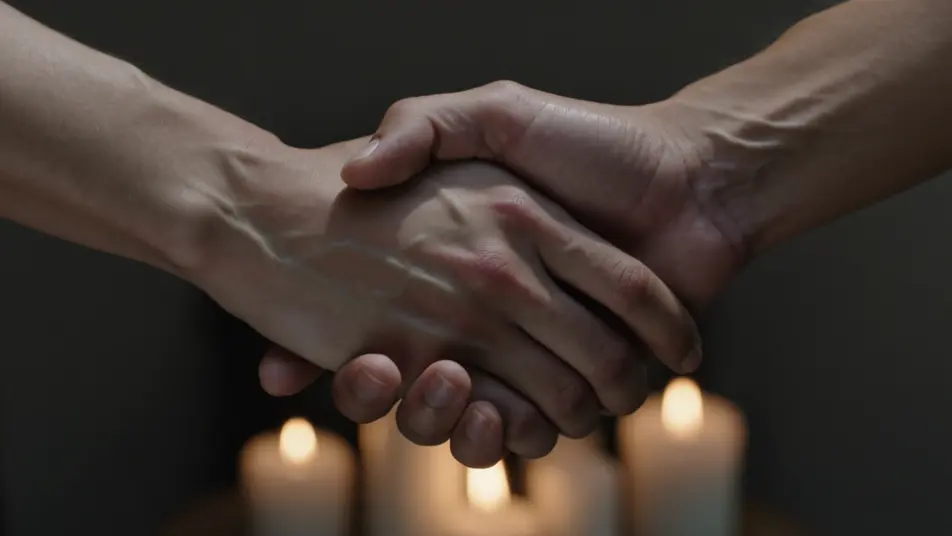
اكتب مشهد القطع المفاجئ الذي تريده، بكلمات بسيطة.
ينشئ Morphic مقطعا سينمائيا جاهزا للإطارات على لوحتك خلال ثوانٍ.
عدّل الأمر النصي، وأعد إنشاء التنويعات، ثم نزّل اللقطة أو شاركها.

Dramatize any text conversation into a cinematic multi-shot video.
Cinematic time-freeze short film for any scene

Generate a professional film title card from scratch, with optional cinematic animation.
Photo of any real-estate becomes a cinematic renovation timelapse video with construction SFX and music.
One image to a 9-scene cinematic video.
Drop in a photo of yourself. Get a 12-second cinematic movie with animation and a matched soundtrack.
القطع المطابق
ما القطع المطابق؟ لقطتان يربطهما شكل أو حركة واحدة. تعرّف على الفرق بينه وبين القطع المفاجئ، وجهّز الإطارين المتطابقين في Morphic.
فيديوهات cross dissolve بالذكاء الاصطناعي
ولّد فيديوهات cross dissolve بالذكاء الاصطناعي مع Morphic. تلاشٍ ناعم بين اللقطات وتداخلات حالمة وانتقالات مرور الزمن موقّتة مع الموسيقى تعمل ببساطة.
فيديوهات المؤثرات البصرية بالذكاء الاصطناعي
أنشئ فيديوهات مؤثرات بصرية بالذكاء الاصطناعي مع Morphic. انفجارات، طاقة، دمار مستقبلي، وجسيمات من موجّه واحد دون شاشة خضراء.
فيديوهات المورف بالذكاء الاصطناعي
اكتب التحوّل بالعربية واحصل على مقطع مورف جاهز: تبدّل وجوه، وتحوّل أجسام، وتقدّم في العمر، وقطعات على إيقاع الأغنية. للمقاطع الرأسية والريلز.
ابدأ مجاناً اليوم، مع إمكانية الترقية أو الإلغاء في أي وقت.
Basic
2400 شهرياً أرصدة
1 مستخدم فقط
جميع النماذج
Workflows
Standard
3625 شهرياً أرصدة
1 مستخدم فقط
جميع النماذج
Workflows
Pro
6350 مشترك شهرياً أرصدة
1 مستخدم
جميع النماذج
Workflows
Max
24650 مشترك شهرياً أرصدة
1 مستخدم
جميع النماذج
Workflows
Enterprise
لحدود أعلى
مخصص
شروط الأسعار والفوترة

Free
للتجربة والاستكشاف
$0
مجاني إلى الأبد