Forest silhouette fusion
A profile silhouette filled with a misty pine forest, tree lines blending through the face and hair, a clean high-key ground and a poetic surreal fusion of figure and woodland.
Editar prompt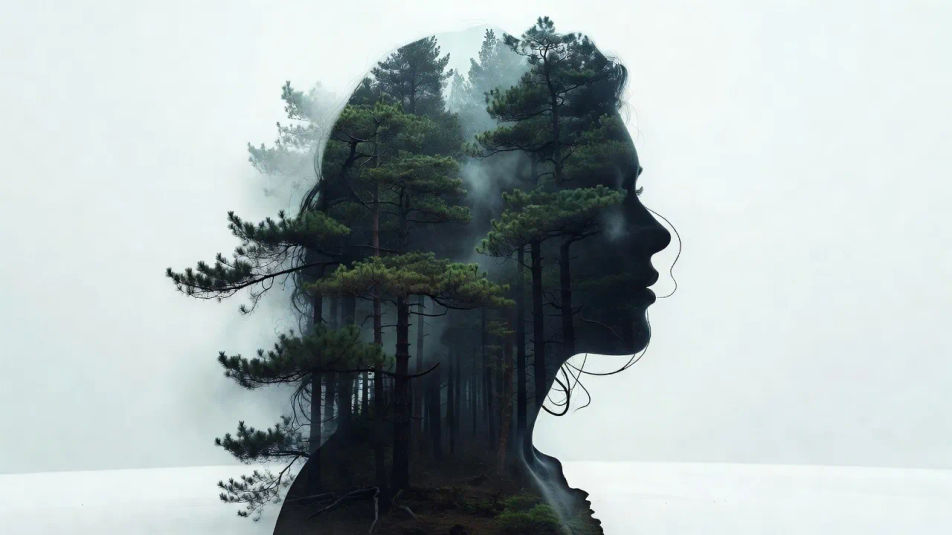
Create double exposure portraits in your browser with Morphic's AI image generator. Generate a wanderer filled with a misty forest, a dreamer holding a city skyline, or a sailor blended into an ocean swell. Drop the finished art into the Canvas to refine the crop or add a title.
A profile silhouette filled with a misty pine forest, tree lines blending through the face and hair, a clean high-key ground and a poetic surreal fusion of figure and woodland.
Editar promptA three-quarter silhouette filled with a soft city skyline, towers fading through the shoulders, a bright clean background and a gentle blended overlay of figure and cityscape.
Editar prompt
A steady silhouette blended into an ocean swell, waves and foam curling through the jaw and hair, a pale high-key sky and a surreal fusion of the sitter and the sea.
Editar prompt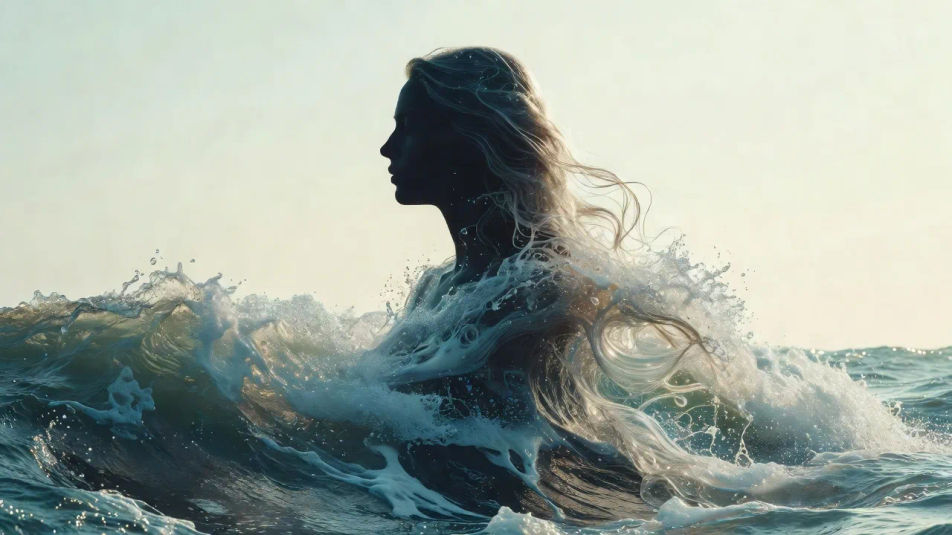
A serene silhouette filled with a starry night sky and faint nebulae, cosmic light bleeding through the profile, a luminous high-key ground and a soft blended overlay.
Editar prompt
Descreva o Double exposure portrait que você quer, em poucas palavras.
A Morphic gera uma imagem limpa e pronta para publicar no seu Canvas em segundos.
Ajuste o prompt, gere novas variações e depois baixe ou compartilhe o quadro.
Fix plastic-looking AI skin. Adds natural texture, pores, and imperfections for realism.
One selfie becomes a set of professional headshots. Studio-quality, multiple styles.
Convert any image to a new aspect ratio. Smart crop or extend the edges to fit.
Full model photoshoot from one photo of you

Upload a photo of a person or character and get a single grid image showing them at different life stages, from baby to elderly.
Choose your viewing angles and get precise perspective shifts of any image with full camera control.
Silhouette portrait AI Images
Create AI silhouette portrait images with Morphic. Generate authentic silhouette portrait artwork, scenes, and visuals for any project in seconds.
Shadow portrait AI Images
Create AI shadow portrait images with Morphic. Generate authentic shadow portrait artwork, scenes, and visuals for any project in seconds.
Digital art portrait AI Images
Create AI digital art portrait images with Morphic. Generate authentic digital art portrait artwork, scenes, and visuals for any project in seconds.
Holographic portrait AI Images
Create AI holographic portrait images with Morphic. Generate authentic holographic portrait artwork, scenes, and visuals for any project in seconds.
Comece grátis hoje mesmo, com a opção de fazer upgrade ou cancelar quando quiser.
Basic
2400 mensal créditos
1 apenas usuário
Todos os modelos
Workflows
Standard
3625 mensal créditos
1 apenas usuário
Todos os modelos
Workflows
Pro
6350 compartilhado mensal créditos
1 usuário
Todos os modelos
Workflows
Max
24650 compartilhado mensal créditos
1 usuário
Todos os modelos
Workflows
Enterprise
Para limites maiores
Personalizado
termos de preços e cobrança

Free
Para experimentar
$0
grátis para sempre