A host settling into the take
A steady medium shot of a host leaning into a plain unbranded microphone, headphones on, warm studio light, plain solid-color unprinted clothing, the room soft and dim behind.
Editar prompt
Direct a podcast video in your browser with Morphic's podcast video generator and give your show a studio it never rented. Generate a host at a plain unbranded microphone, two voices trading a story across the table, or a slow push through warm booth light. Score it with Music, voice it with Speech, then cut the episode visuals on Compose.
A steady medium shot of a host leaning into a plain unbranded microphone, headphones on, warm studio light, plain solid-color unprinted clothing, the room soft and dim behind.
Editar promptA slow two-shot of two people trading a story across a studio table, plain unbranded microphones between them, animated hands and easy laughter, warm intimate light, plain solid-color unprinted clothing.
Editar prompt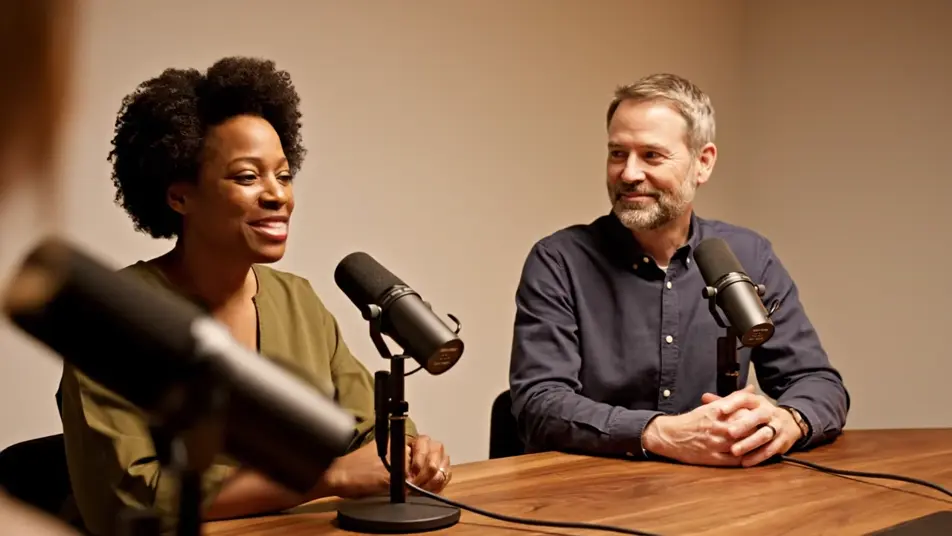
A close warm frame of a guest breaking into laughter at a plain unbranded microphone, head tipping back, hands rising, shallow focus on the joy, plain solid-color unprinted clothing.
Editar prompt
A gentle push-in across a cozy booth, past warm lamps and plain unbranded microphones toward two hosts deep in conversation, dark walls glowing amber, unhurried mood.
Editar prompt
Escreva a cena de podcast video que você quer, em poucas palavras.
A Morphic gera um clipe cinematográfico e pronto para uso no seu Canvas em segundos.
Ajuste o prompt, gere novas variações e depois baixe ou compartilhe a cena.

Dramatize any text conversation into a cinematic multi-shot video.
Cinematic time-freeze short film for any scene

Generate a professional film title card from scratch, with optional cinematic animation.
Photo of any real-estate becomes a cinematic renovation timelapse video with construction SFX and music.
One image to a 9-scene cinematic video.

Describe a first-person scenario. Get sequential POV frames animated into video clips with audio.
AI Panel discussion videos
Panel discussion video maker with no venue or crew. Generate speakers mid-exchange, a sharp moderator, and an audience leaning in. Stage your panel now.
AI LinkedIn video ads
LinkedIn video ad maker with no crew or shoot day. Generate a confident expert hook or a team at work, cut it for the feed, and publish today. Start now.
AI Founder story videos
Founder story videos generated with AI. Film hands on the craft in an early workspace, show the person behind the product, and cut it today.
AI Investor pitch videos
Investor pitch video maker led by the founder, not the deck. Generate conviction, team, and product shots, then cut a pitch investors remember. Try it now.
Comece grátis hoje mesmo, com a opção de fazer upgrade ou cancelar quando quiser.
Basic
2400 mensal créditos
1 apenas usuário
Todos os modelos
Workflows
Standard
3625 mensal créditos
1 apenas usuário
Todos os modelos
Workflows
Pro
6350 compartilhado mensal créditos
1 usuário
Todos os modelos
Workflows
Max
24650 compartilhado mensal créditos
1 usuário
Todos os modelos
Workflows
Enterprise
Para limites maiores
Personalizado
termos de preços e cobrança

Free
Para experimentar
$0
grátis para sempre