Direct Lewis Carroll's Wonderland in your browser with Morphic's Alice in Wonderland AI video generator. Generate Wonderland video scenes like Alice falling past floating Victorian furniture, the Mad Hatter's tea party, or the Cheshire Cat fading to a grin, and pair them with the Speech and Music tools to voice the Queen of Hearts and score the croquet ground. Lock the blue pinafore with Character Lineup.

Alice in Wonderland characters you can direct

Alice in Wonderland scenes you can stage

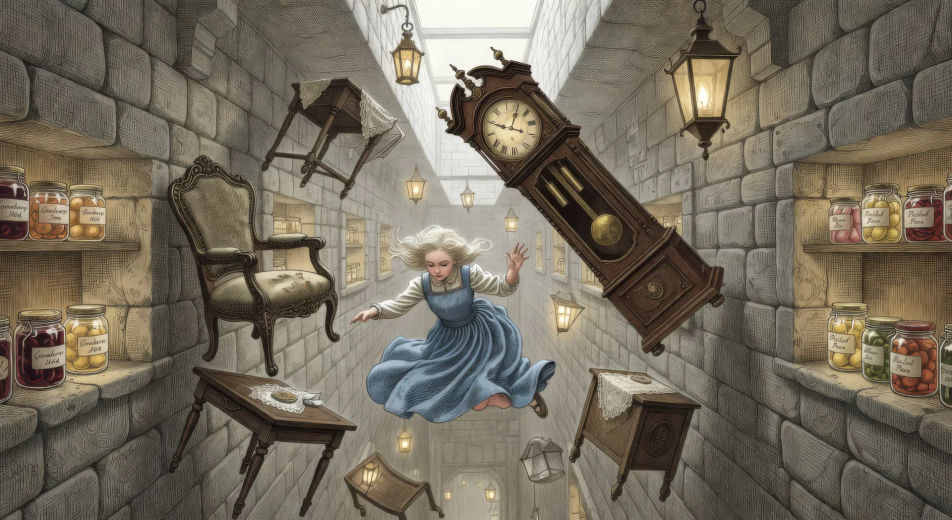
Falling down the rabbit hole

In a long vertical shaft, Alice falls slowly downward in her blue pinafore past floating Victorian furniture, lit shelves of preserves, and a tilted grandfather clock turning in mid-air.

Edit prompt
Falling down the rabbit hole

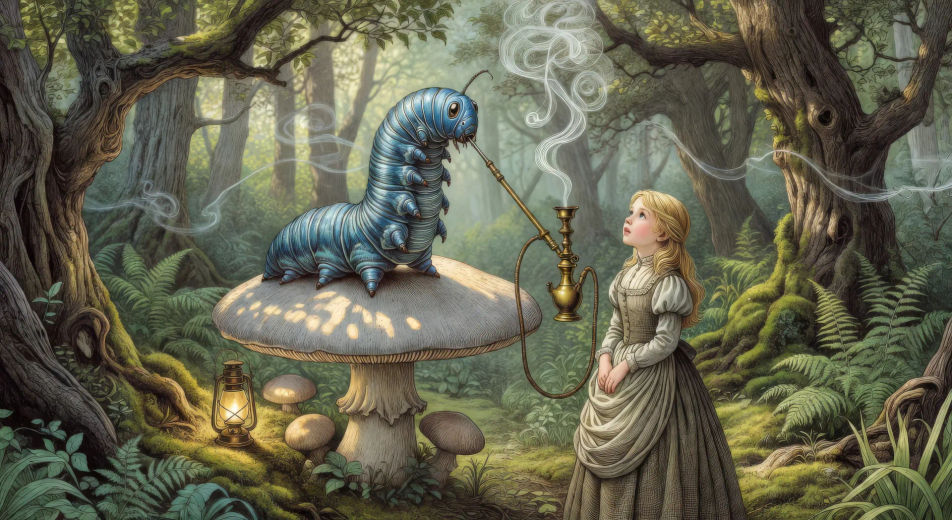
The Caterpillar on the mushroom

In a sun-flecked glade, the blue caterpillar smokes a long hookah on the cap of a giant mushroom while Alice stands at chin-height to him, slow rings of smoke curling between them.

Edit prompt
The Caterpillar on the mushroom

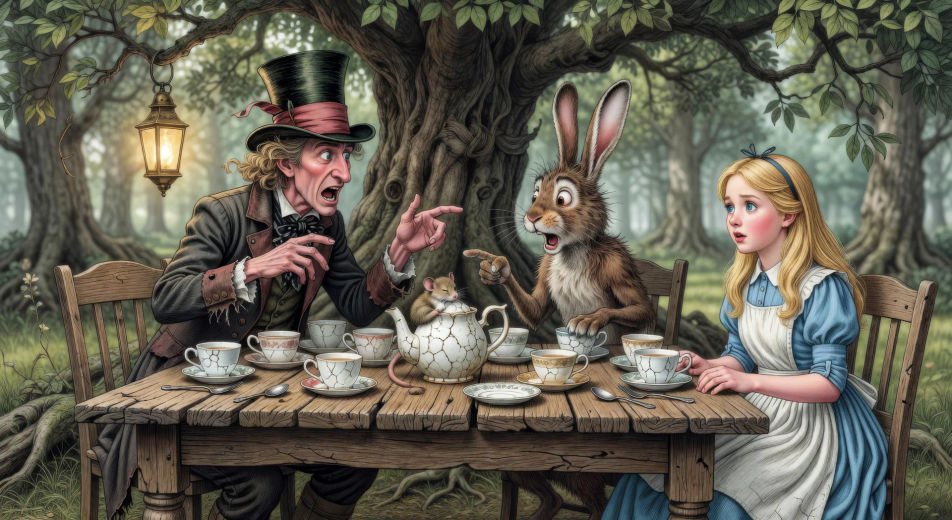
The Mad Hatter's tea party

At a long crooked table under a tree forever set for tea, the Mad Hatter and the March Hare argue across cracked teacups while the Dormouse sleeps in the teapot and Alice sits puzzled at one corner.

Edit prompt
The Mad Hatter's tea party

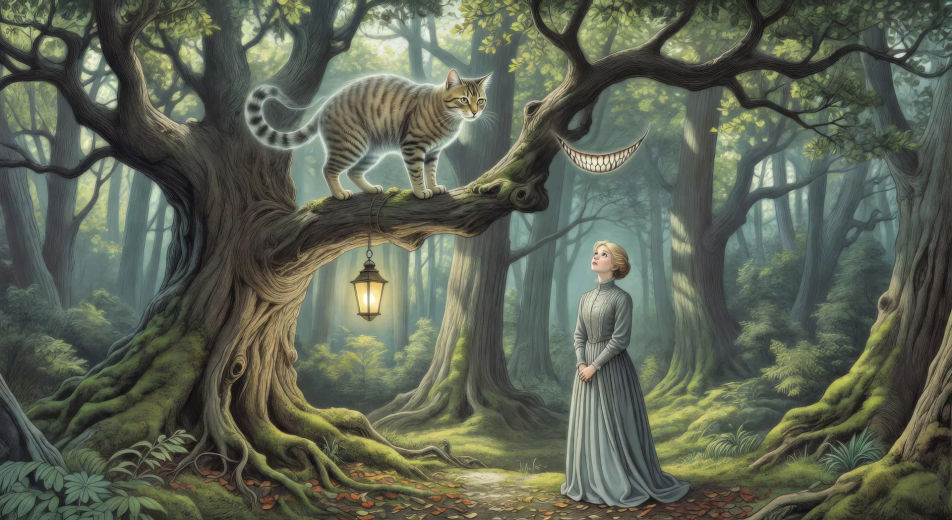
The Cheshire Cat fading on a branch

On the high branch of a wonderland tree, the Cheshire Cat fades from full body to a floating grin of pearly teeth as Alice looks up from below in the dappled woodland light.

Edit prompt
The Cheshire Cat fading on a branch

Make Alice in Wonderland videos in three steps

  1. 01

    Describe your Alice in Wonderland scene

    Write the Alice in Wonderland scene you want, including the moment, location, and camera direction.

  2. 02

    Generate the video

    Morphic generates a cinematic, frame-ready clip on your canvas in seconds, no editing software required.

  3. 03

    Refine your Alice in Wonderland video

    Tweak the prompt, regenerate variations, then download or share the moment the shot lands.

Related workflows

이런 것도 좋아하실 거예요

FAQs

Where can I make Alice in Wonderland videos with AI?
You can create Alice in Wonderland scenes directly in your browser on Morphic. Open the Text to Video tool, describe the moment you want, and Morphic produces the clip. No installs and no specialist software needed.
What kinds of Alice in Wonderland scenes work best with AI video?
Single-shot moments tend to work best: the slow fall down the rabbit hole, the Caterpillar on the mushroom in blue smoke-light, the eternally-six tea party, the Cheshire Cat fading to a smile, the croquet ground with live flamingos, the chess-board garden. Anchor each Alice in Wonderland scene to a specific chapter, one set-piece object, and a specific light source.
How do I keep Alice in Wonderland characters consistent across scenes?
Use the Character Lineup workflow to lock Alice, the White Rabbit, the Cheshire Cat, the Mad Hatter, the Caterpillar, and the Queen of Hearts before producing scenes, then reference those character cards in every prompt. Morphic preserves the design across the dream so an Alice in Wonderland series feels continuous.
How do I make my Alice in Wonderland videos feel like Carroll, not the Disney film?
Anchor your prompts to Carroll's actual chapters and Tenniel's 1865 illustrations rather than the 1951 Disney design or the 2010 Burton film. Reference Tenniel's ink-and-cross-hatching style for character design, and the Victorian dream-logic of the source for staging. Avoid likeness language for any film performer.
Can I add narration and music to my Alice in Wonderland videos?
Yes. The Speech tool generates an Alice-narrator or omniscient-narrator voiceover from your script in the voice you choose, and the Music tool produces an original whimsical or dream-like soundtrack. Layer them onto your generated video to publish a complete Alice in Wonderland episode.
What visual style works best for an Alice in Wonderland video?
Three styles consistently land. Painterly photoreal in the spirit of high-budget Carrollian period drama delivers the prestige Victorian-dream look. Tenniel-style ink illustration with cross-hatching reproduces the canonical first-edition images. Surrealist storybook in the spirit of Arthur Rackham or Jan Pieńkowski can carry the looser dream-logic feel. Name the style directly in the prompt.