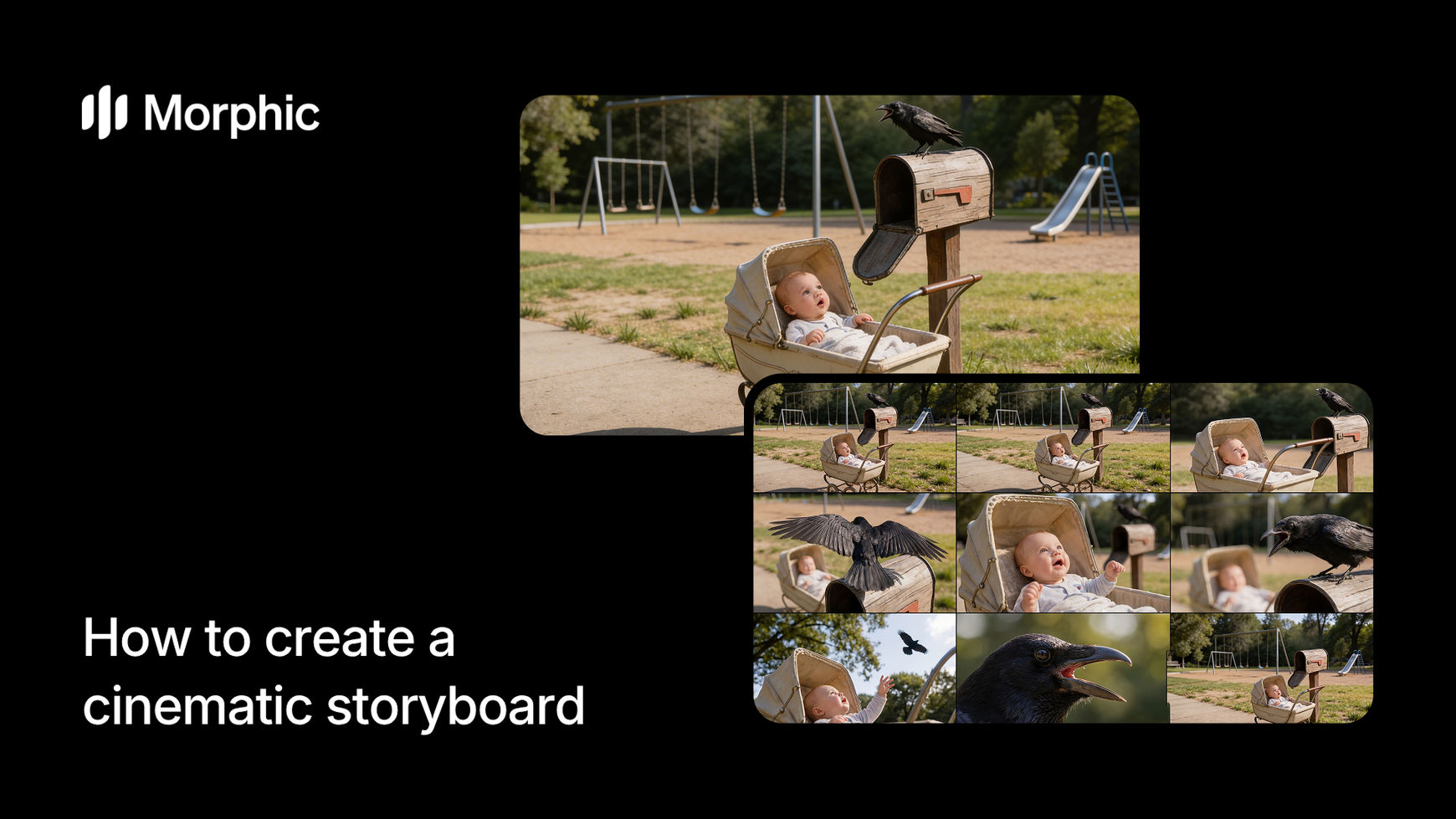
What is a cinematic storyboard?
A cinematic storyboard is a sequence of illustrated panels that map out a scene shot by shot, showing camera angles, character placement, lighting direction, and emotional tone. It serves as the visual blueprint that aligns the entire production team on how a scene will look and flow before any footage is captured.
Describe your scene, select shot style and tone preferences, specify how many shots you need, then run the workflow. Morphic interprets your scene description and generates a complete storyboard with varied camera angles, consistent character appearances, appropriate lighting and mood, and clear visual storytelling across every panel. The result is a professional storyboard ready for production planning or creative review.
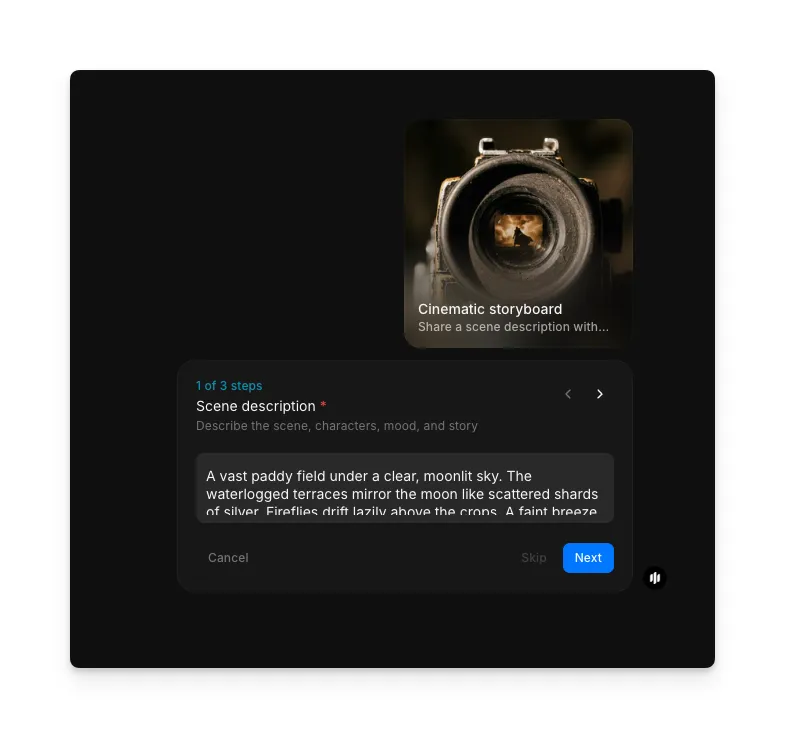
Describe your scene
Open the "Cinematic storyboard" workflow. In the "Scene description" step, describe the scene, characters, mood, and story. The more detail you provide, the more precisely each panel captures your vision. The example shows a detailed description of a moonlit paddy field scene with fireflies and atmospheric details.
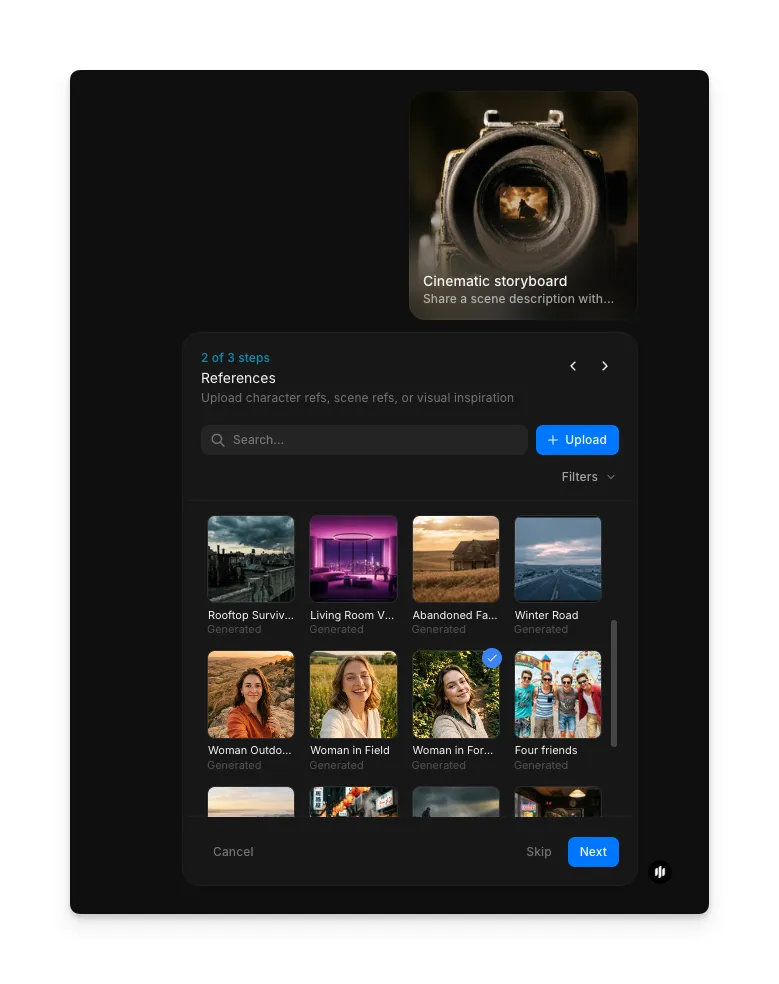
Upload reference images
In the "References" step, browse the gallery or upload character stills, location photos, or mood references that inform the visual direction of your storyboard. These references help the workflow generate panels with the right characters, settings, and atmosphere.
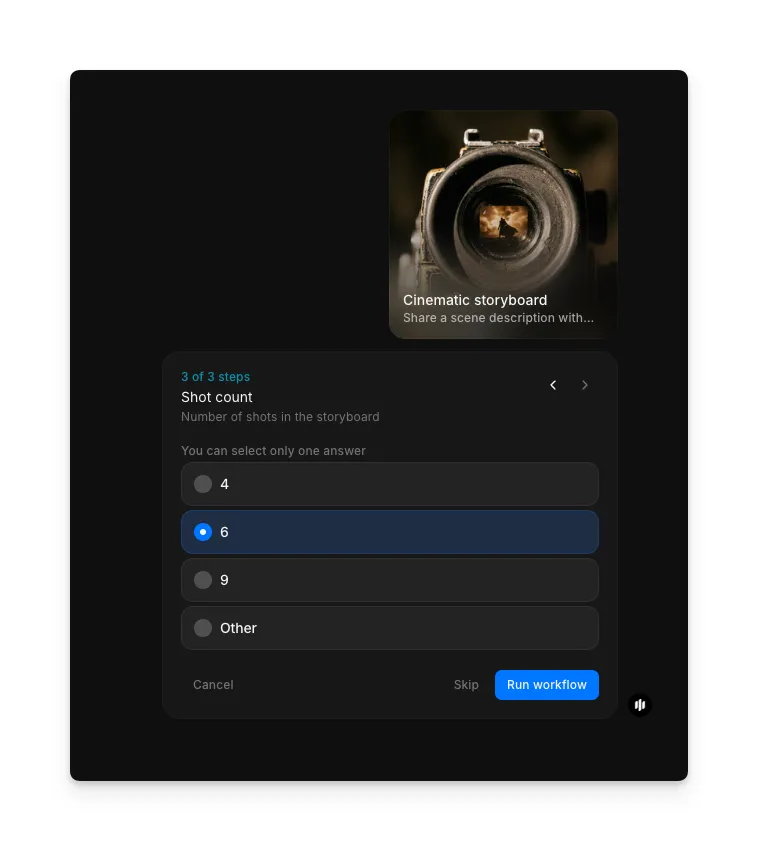
Set the shot count and generate
In the "Shot count" step, select how many panels you want in your storyboard. Options include 4, 6, 9, or Other for a custom number. More panels provide finer granularity for complex scenes. Click "Run workflow" to generate.
Morphic processes your scene description and generates a complete cinematic storyboard. The output displays a sequence of panels with varied camera angles, consistent character appearances, and unified lighting and mood throughout the scene.
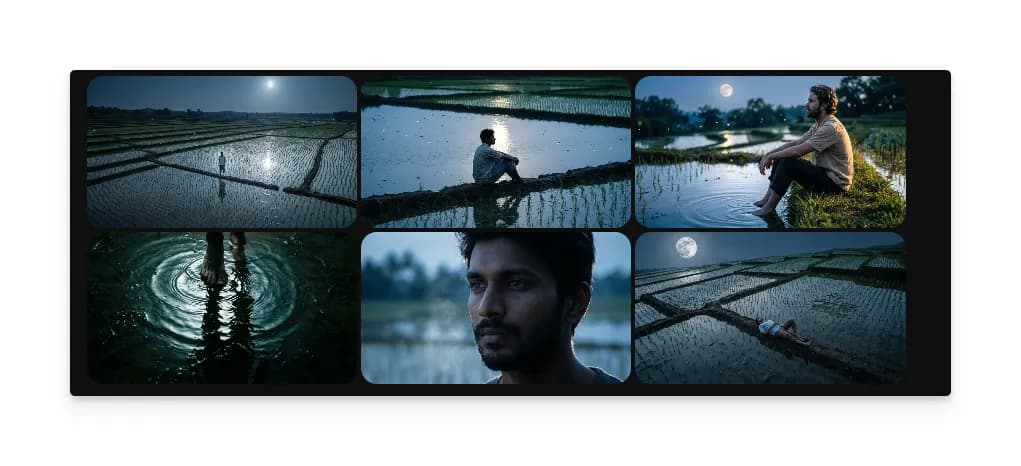
What makes an effective cinematic storyboard
| Quality | What it means | Why it matters |
|---|---|---|
| Clear shot angles | Each panel communicates a specific camera position and lens choice | The DP and camera team understand exact framing for every shot |
| Character placement | Characters are positioned with intentional blocking and spatial relationships | Directors see staging and actor movement before stepping on set |
| Lighting and mood | Panels reflect the emotional tone through contrast, color, and shadow | The lighting team has visual reference for the scene's atmosphere |
| Timing and pacing | Panel sequence conveys the rhythm and editorial flow of the scene | Editors and directors can feel the scene's tempo before it's shot |
The AI handles shot composition, character consistency, and mood rendering automatically, so you only need to describe your scene and choose your visual approach.
Cinematic storyboard vs. hiring a storyboard artist
| Cinematic storyboard workflow | Hiring a storyboard artist | |
|---|---|---|
| Cost | Available on Morphic | Varies by artist and page count |
| Time to create | Minutes | Days to weeks depending on scene complexity and revisions |
| Shot variety | Multiple angle and style options generated instantly | Each shot drawn individually based on director notes |
| Character consistency | Automatic visual consistency across all panels | Consistency depends on the artist maintaining references |
| Revisions | Regenerate with adjusted descriptions | Revisions require additional time and often additional cost |
| Style flexibility | Switch between realistic, graphic novel, sketch, and more instantly | Changing visual style means commissioning a different artist |
FAQs
Yes. The storyboard panels are production-quality visual references suitable for sharing with DPs, production designers, and creative teams during pre-production planning and shot listing.
You can rerun the workflow with an adjusted scene description to target specific moments. For panel-level changes, regenerate with modified descriptions and the workflow produces updated panels while maintaining overall scene consistency.
The panels convey camera position and framing visually. You can include camera movement direction in your scene description, such as tracking shots or dolly moves, and the workflow reflects that motion across sequential panels.
Absolutely. The workflow handles any narrative format including commercials, music videos, short films, and branded content. Describe your commercial's scenes and the workflow generates boards that capture your creative direction.
Professional storyboard artists charge varying rates per page depending on complexity. Morphic's cinematic storyboard workflow is available on Morphic and delivers complete boards significantly faster than manual illustration.