Gemini Omni features and capabilities
Gemini Omni is Google's first any-to-any model, announced at Google I/O 2026 on May 19, 2026. The first release, Gemini Omni Flash, takes text, images, and video as input and generates video with synchronized audio, grounded in Gemini's real-world knowledge. Clips run up to 10 seconds at 720p, in 16:9 or 9:16, and you refine them by conversation rather than re-rolling.
| Feature | What it does | Best for |
|---|---|---|
| Any-to-any input | Combines text, images, and video in one prompt and reasons across them into a single shot rather than stitching them | Multi-reference briefs, storyboards |
| Native audio | Generates synchronized audio with every clip in the same pass, no separate audio step | Talking scenes, ambience, music |
| Conversational editing | Refine a clip with plain-language follow-ups: swap an object, relight, or change the action on the same scene | Iterating a shot without re-rolling |
| Character and physics consistency | Holds characters, objects, and style across edits, with grounded gravity, kinetic energy, and fluid dynamics | Recurring characters, realistic motion |
| Real-world knowledge | Draws on Gemini's grounding in history, science, and culture so scene detail stays right | Explainers, accurate detail |
| SynthID watermarking | An invisible provenance watermark on every clip that survives re-encoding and resizing | Traceable, identifiable AI content |
Any-to-any input
A single Gemini Omni prompt accepts text, images, and video at the same time. Rather than stitching the inputs together in sequence, the model reasons across them as one brief, so a portrait reference, a location photo, and a written beat all shape the same generated shot. You can also pass several reference images to carry specific subjects into the scene. Uploading separate audio references is rolling out and is not available everywhere yet, and in Google's Gemini app you can appear in videos with your own voice through Avatars.
Native audio
Every clip is generated with its own synchronized audio in the same pass, so dialogue, effects, ambience, or music come back with the motion instead of a silent render. Describe the sound you want in the same prompt as the shot, and the audio is timed to the action rather than added afterward.
Conversational editing
The edit is the prompt. Refine a clip with plain-language follow-ups: "make the sculpture out of bubbles," relight the scene, change an action, or add an element, and the model keeps the rest of the shot. It holds context across turns, so several rounds of edits build on the same scene instead of restarting from scratch.
Character and physics consistency
Characters, objects, and style hold across conversational edits, backed by an improved understanding of forces like gravity, kinetic energy, and fluid dynamics. Consistency is strongest when you refine the same scene. Changing scenes or asking for big camera pans can drift, so keep heavy changes to their own generation.
Real-world knowledge
Gemini Omni grounds its scenes in Gemini's knowledge of history, science, and culture, so period detail, physical behavior, and cultural specifics stay right rather than sliding into generic AI texture. That grounding is what makes it useful for explainers and any shot where the details have to be correct.
SynthID watermarking
Every clip carries Google's imperceptible SynthID watermark for AI provenance. It is on by default, invisible to viewers, and survives common transforms like re-encoding and resizing, so generated material stays identifiable down the production chain.
Gemini Omni prompt examples
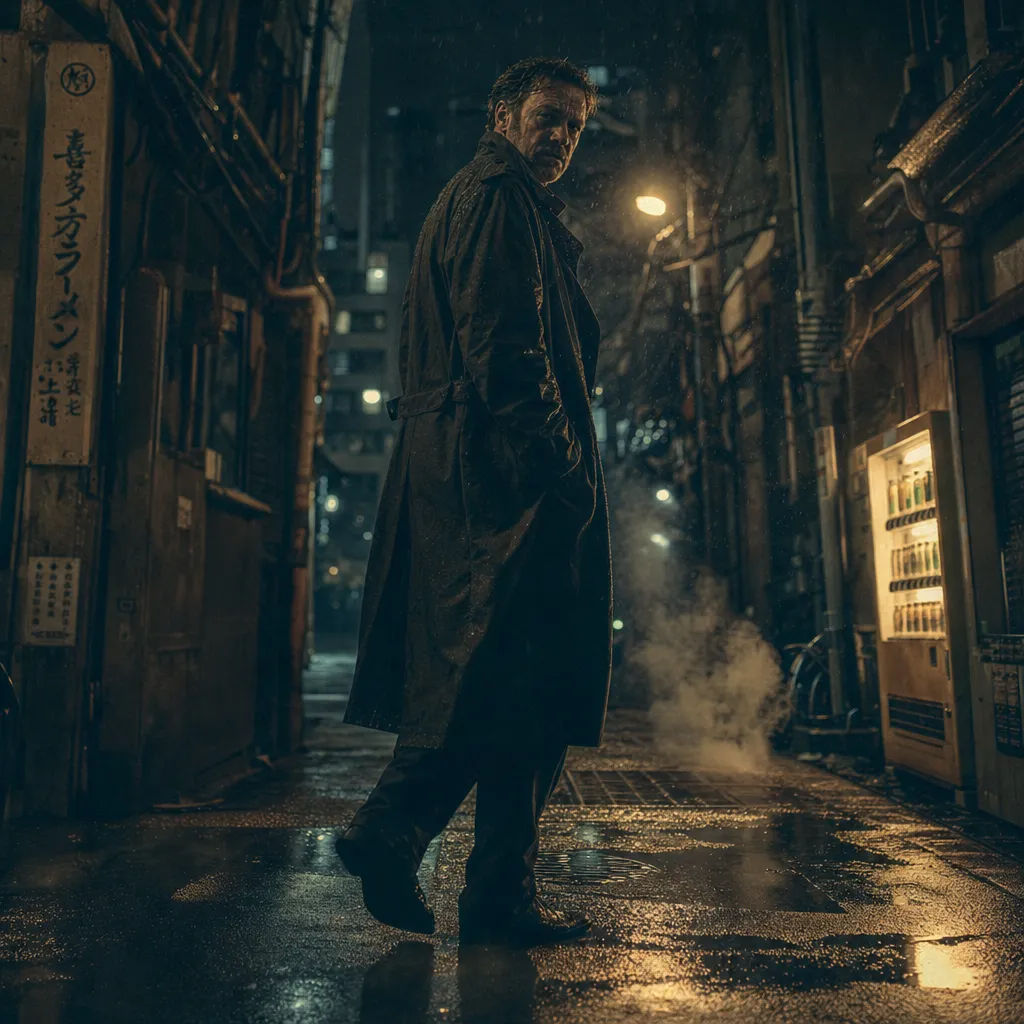

Product launch
Avant-garde sneaker mid-air over a titanium plinth, hard key light, launch mood
Edit prompt
Nature explainer
Droplet frozen as a crystalline crown on a dewy leaf, backlit sunrise macro
Edit prompt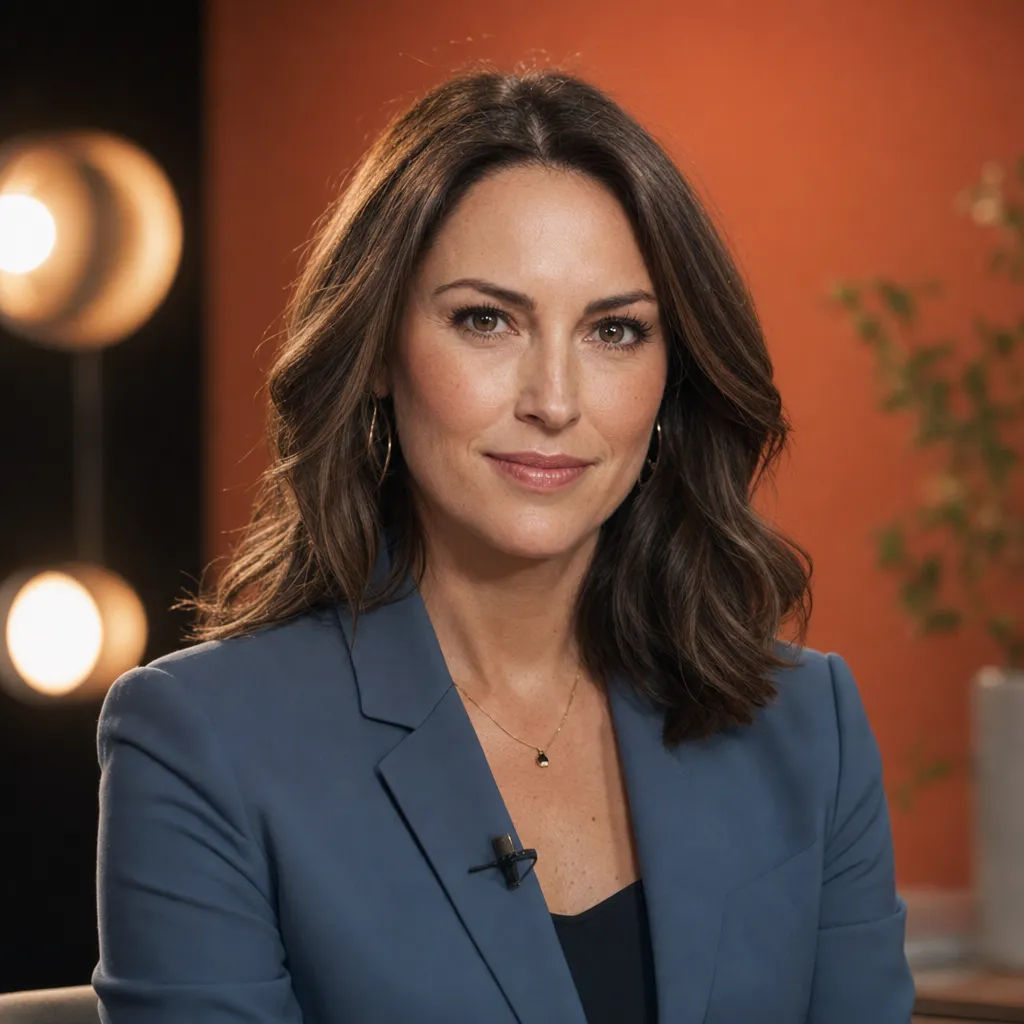
Avatar spokesperson
Poised studio host addressing the lens, warm three-point light, 85mm bokeh
Edit prompt
Architectural walkthrough
Golden-hour light through a brutalist concrete villa, long shadows, drifting dust
Edit prompt
How to get the best out of Gemini Omni
Gemini Omni rewards a brief that treats each reference as part of one scene, names the audio, and edits in conversation rather than re-rolling. A few practices carry most of the quality:
- Load every reference at once. Text, an image, and a video can go in the same prompt, since the model reasons across them together instead of stitching them in turn. Add reference images to carry a specific subject into the scene.
- Always name the audio. Dialogue, sound effects, ambience, or music in plain language, so the clip comes back with sound timed to the motion instead of silent.
- Edit in conversation. When a shot is close, describe the one change you want in the next message rather than starting over. The scene keeps its characters, lighting, and continuity.
- Fit the beat to 10 seconds. There is no video extension or interpolation, so plan a single action that resolves inside the clip rather than counting on lengthening it later.
- Keep scene changes to their own generation. Consistency is strongest when you refine the same scene; a hard scene swap or a big pan is better as a fresh shot.
- Direct the physics you care about. Call out the weight, the collision, or how a fluid should move, since grounded physics is a strength worth steering.
Gemini Omni prompt guide
A strong prompt reads like a short shot brief, not a caption. Two things drive the result: a clear list of what the shot contains, and concrete wording in place of vague wording.
What goes in a prompt
| Element | What to include | Example |
|---|---|---|
| Subject | Who or what is in frame, described concretely | a studio host in a charcoal blazer at a glass desk |
| Motion | What moves, and how | she turns to the lens and gestures |
| Camera | Shot type plus one move | medium shot, slow push-in |
| Audio | Dialogue, effects, ambience, or music | she says, 'Welcome back'; soft studio room tone |
| Format | Duration and aspect ratio | 10 seconds, 16:9 |
Editing in conversation
The edit is the prompt. Keep the scene, name only the change, and let everything else carry over from the previous turn.
Same host and desk, same lighting. Change her blazer to deep green and add a slow push-in over the last two seconds. Keep the room tone from before.
Weak vs strong prompts
Name the camera, the motion and its timing, and the audio rather than leaving them to chance.
| Focus | Weak | Strong |
|---|---|---|
| Camera | A woman in a city at night | Handheld tracking shot following a woman through rain-slicked streets, shop lights reflecting on the pavement, shallow depth of field |
| Motion and timing | The door opens and someone walks in | The door swings open slowly, a figure steps through after a beat, then the camera settles into a medium shot |
| Audio | A chef plating a dish | Close-up of a chef plating a dish, steam rising. Audio: pan sizzle, soft kitchen ambience, and 'Service.' |
Common mistakes
- Leaving the prompt silent: always write at least one sound cue, since the model generates audio with the video.
- Re-rolling instead of editing: when a shot is close, ask for the single change in conversation so characters and continuity hold.
- Counting on extension: there is no video extension, so keep one action inside the 10-second clip.
- Dense on-screen text: text rendering and very complex motion are still weak spots, so keep captions short or add them in post.
