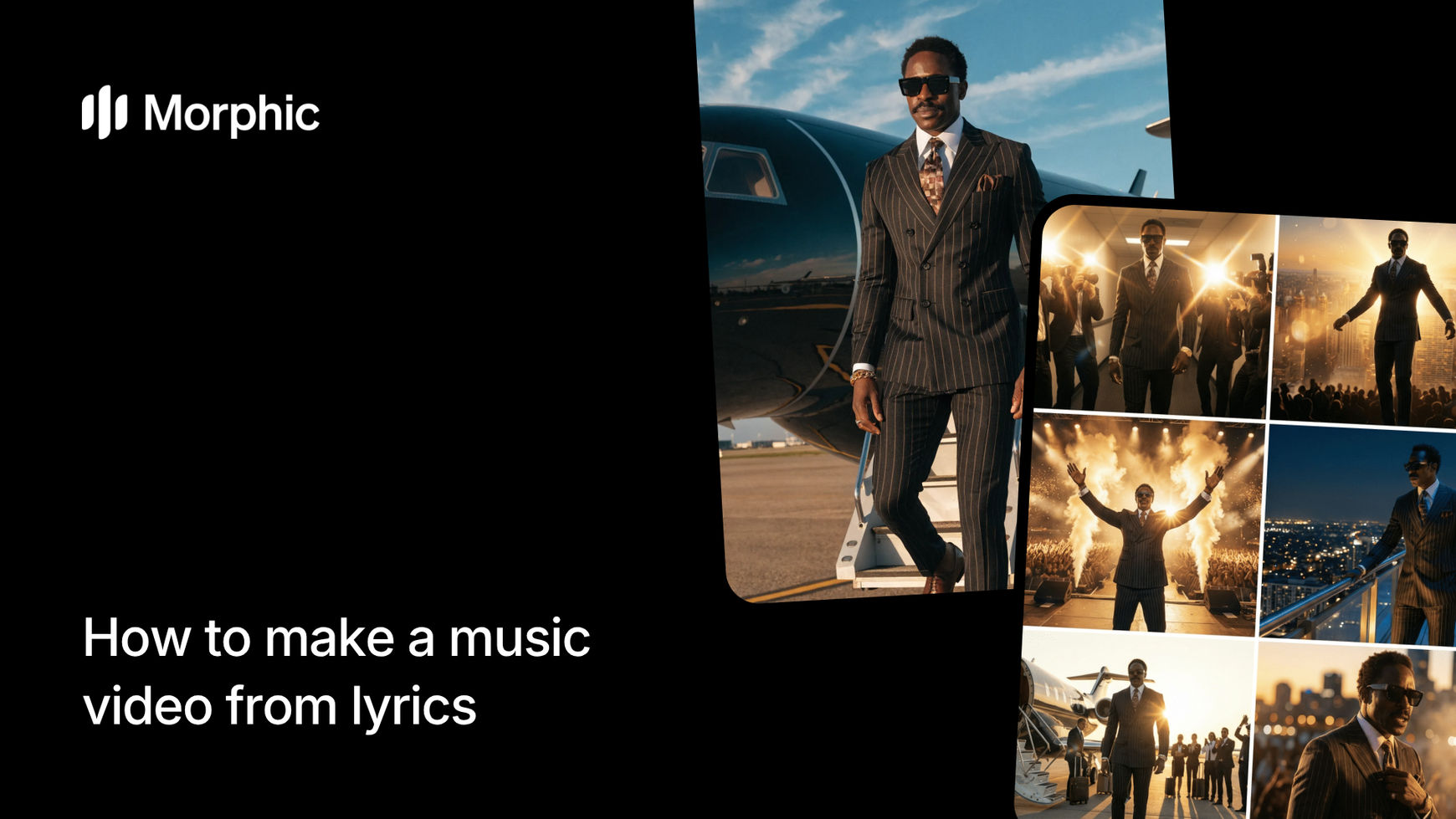
What is an AI music video storyboard?
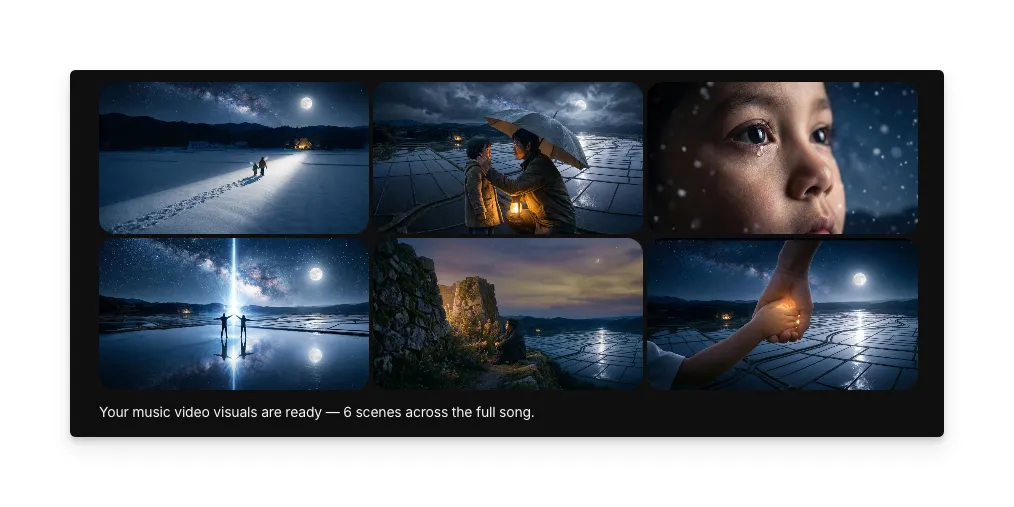
An AI music video storyboard is a scene-by-scene visual breakdown of a song, where each verse, chorus, and bridge receives its own generated image representing the mood, narrative, and imagery of those lyrics. The result is a complete visual screenplay that maps the song's emotional arc from opening line to final note.
Paste your lyrics, choose a visual style, and Morphic analyzes the text to generate matching scene visuals for each section of the song.
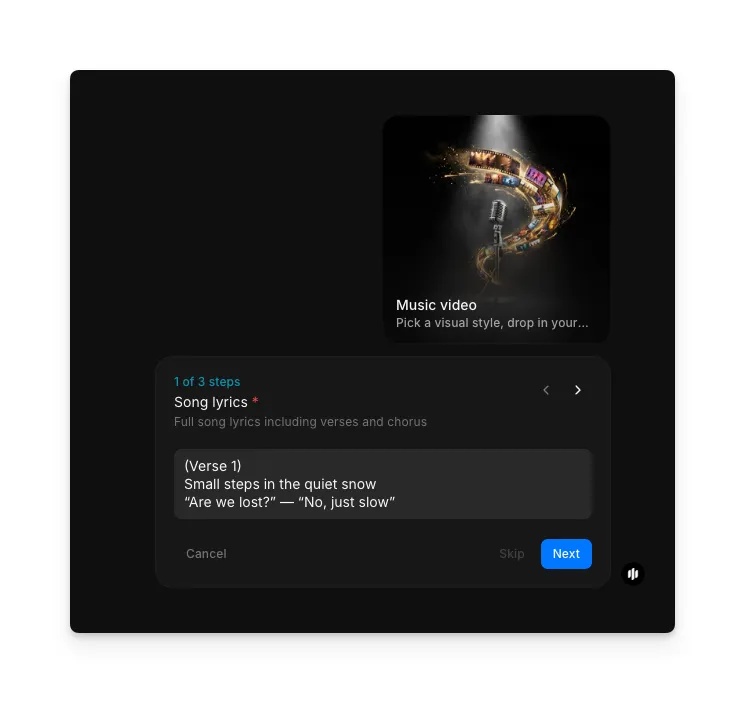
Enter your song lyrics
Open the "Music video" workflow. In the "Song lyrics" step, paste your complete song lyrics including verses and choruses. Morphic parses the text into sections automatically.
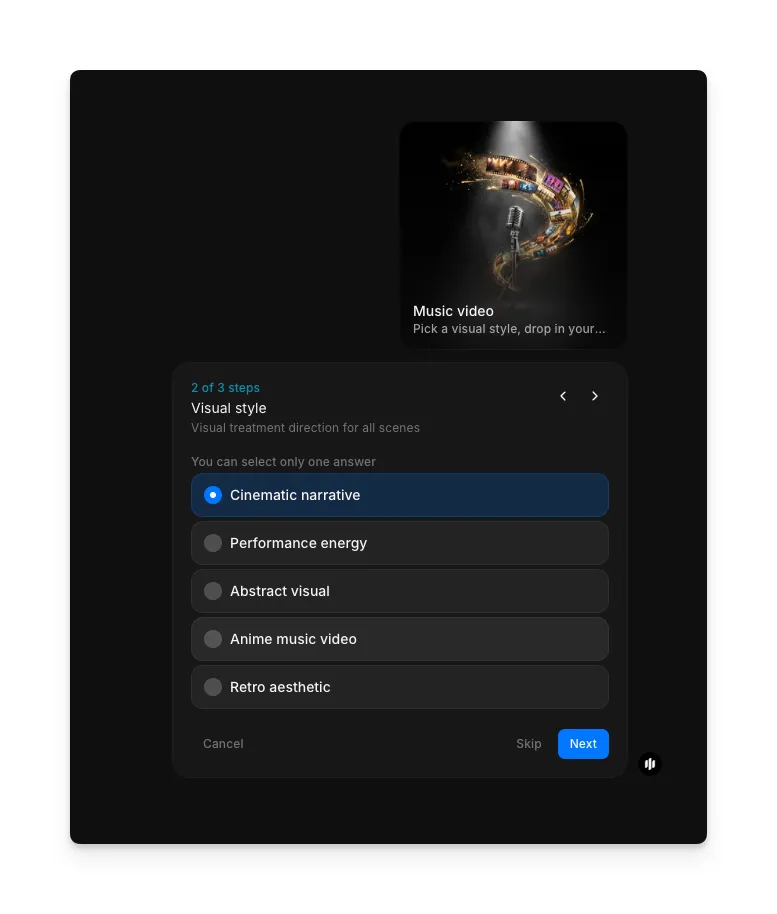
Choose your visual style
In the "Visual style" step, select the visual treatment direction for all scenes. Options include Cinematic narrative, Performance energy, Abstract visual, Anime music video, and Retro aesthetic.
| Style | Visual treatment | Best for |
|---|---|---|
| Cinematic narrative | Widescreen compositions with dramatic lighting and filmic storytelling | Narrative-driven songs with strong emotional arcs |
| Performance energy | Dynamic stage and performance-focused visuals with energetic motion | Upbeat tracks, live performance feel, and concert-style content |
| Abstract visual | Non-representational visuals using color, form, and texture to convey emotion | Ambient, electronic, or experimental music where mood matters more than narrative |
| Anime music video | Japanese animation-inspired visuals with stylized characters and vibrant scenes | Pop, J-pop, or songs that suit an animated visual narrative |
| Retro aesthetic | Vintage aesthetics with era-appropriate color palettes and grain | Nostalgic songs, throwback themes, or tracks referencing specific musical eras |
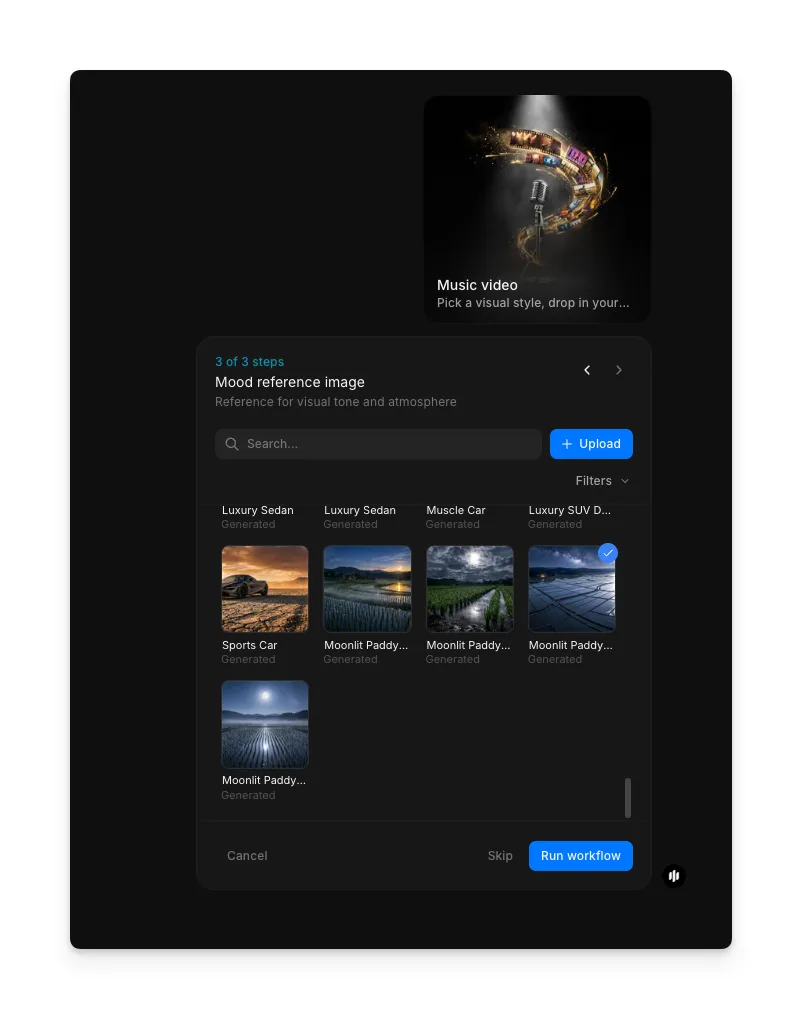
Add a mood reference and generate
In the "Mood reference image" step, browse the gallery or upload an image that sets the visual mood and atmosphere. Click "Run workflow" to generate your music video storyboard.
What makes an effective lyrics-to-video storyboard
| Quality | What it means | Why it matters |
|---|---|---|
| Lyric-visual alignment | Each scene directly reflects the themes, imagery, and emotion of its corresponding lyrics | Disconnected visuals make the storyboard feel random rather than intentional |
| Scene variety | Consecutive scenes differ meaningfully in composition, setting, and focal elements | Repetitive scenes make the video feel static even if the music evolves |
| Mood consistency | The overall visual tone matches the emotional character of the song throughout | Jarring mood shifts break the viewer's immersion in the music's atmosphere |
| Visual pacing | Scene complexity and intensity mirror the song's dynamic structure | Visuals that don't follow the song's energy feel disconnected from the music |
Morphic handles lyric parsing, emotional analysis, and scene generation automatically, so you only need to provide your lyrics and choose a style.
Music video storyboard workflow vs. traditional production
| Morphic's music video workflow | Traditional music video production | |
|---|---|---|
| Cost | Available on Morphic | Professional music videos require significant production budgets |
| Time to delivery | Minutes | Weeks to months for scripting, filming, and post-production |
| Creative iteration | Regenerate with different styles or revised lyrics instantly | Script revisions and reshoots require significant time and budget |
| Visual style range | Switch between cinematic, animated, abstract, noir, and retro instantly | Each style requires different production crews, equipment, and techniques |
| Lyric interpretation | AI analyzes every verse and maps visuals to emotional content automatically | A director and writer must manually interpret lyrics and plan each scene |
| Accessibility | No production experience needed | Requires a team of director, cinematographer, editor, and more |
FAQs
The music video workflow generates a storyboard of scene images matched to your lyrics. Each image represents a scene visual for a section of the song. You can use these as a production guide or as standalone visual content.
Yes. Update your lyrics and regenerate the storyboard. Morphic re-analyzes the text and creates new scene visuals that reflect the changes.
The workflow analyzes word choice, imagery, and thematic patterns in each section of the lyrics. It identifies emotional tones like joy, melancholy, tension, or triumph and maps them to visual compositions, color palettes, and scene elements.
Each generation uses a single visual style for consistency. To explore mixed styles, generate separate storyboards with different style selections and combine the scenes that work best.
Morphic processes lyrics in English and many other languages. The emotional analysis works best with languages the AI model has been extensively trained on, but visual quality remains high across all supported languages.