The pipeline
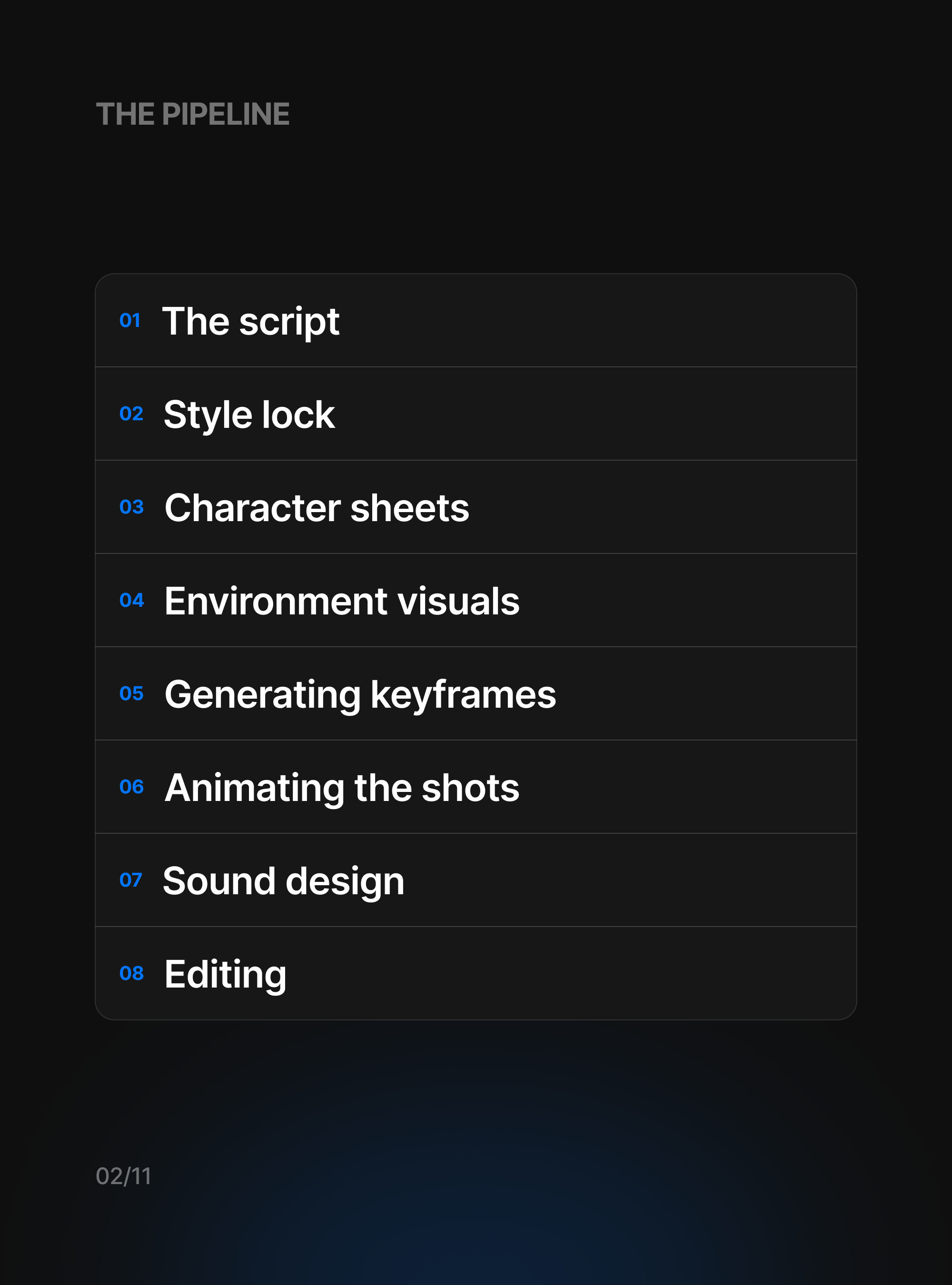
Pappu Express began as a single sentence and ended as a film that's been watched millions of times, all of it made inside Morphic. It came together in eight stages, and the one habit that kept it on track was simple: finish each stage before starting the next, because every step leans on the one before it. Here's how we did it, with an example prompt for each stage to show the kind of direction we gave.
The script
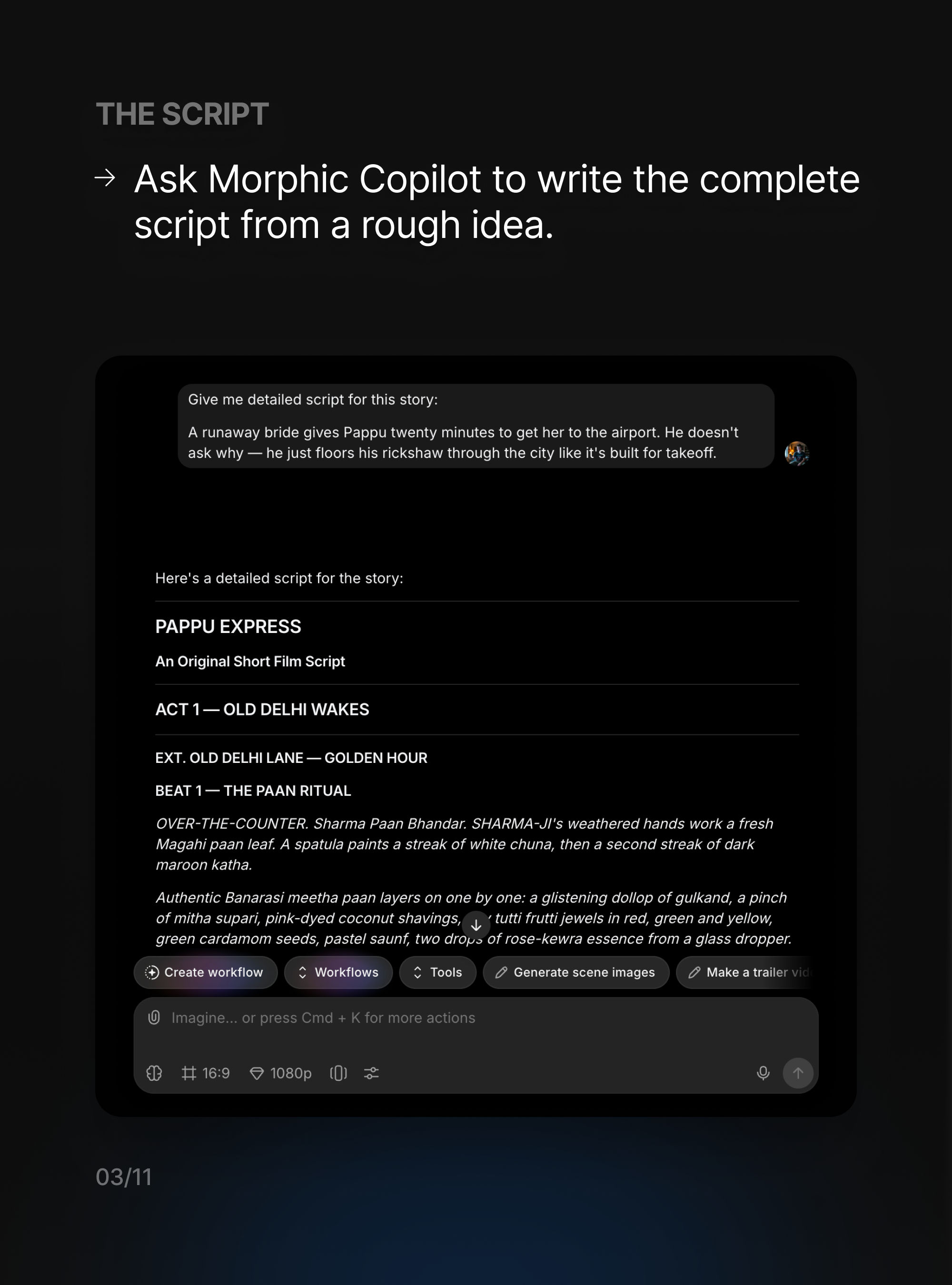
Everything starts with the story, so that's where we started too. We handed Copilot the premise in a single line and asked it to write the whole thing out. What came back was a proper screenplay, with acts, scenes, and beat-by-beat action, and that script became the map for every shot we'd generate later.
Give me a detailed script for this story:
A runaway bride gives Pappu twenty minutes to get her to the airport. He doesn't ask why, he just floors his rickshaw through the city like it's built for takeoff.
Style lock
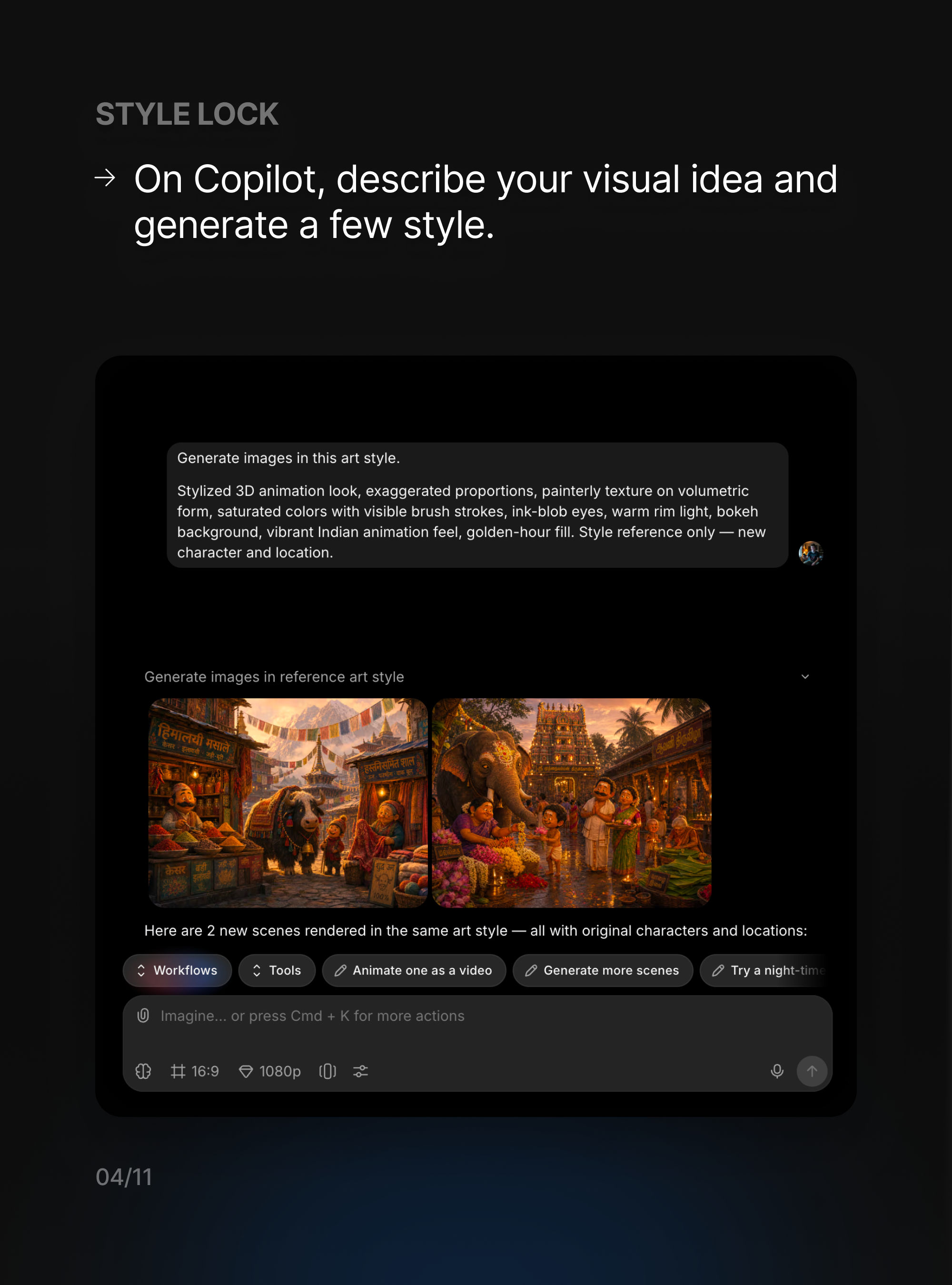
Before drawing a single character, we settled the look. We described the world we were after and had Copilot generate a few frames using throwaway subjects, so we were reacting to the style and nothing else. As soon as a couple of frames felt right, they became the reference that everything downstream would follow.
Generate images in this art style:
Stylized 3D animation look, exaggerated proportions, painterly texture on volumetric form, saturated colors with visible brush strokes, ink-blob eyes, warm rim light, bokeh background, vibrant Indian animation feel, golden-hour fill. Style reference only, new character and location.
Character sheets
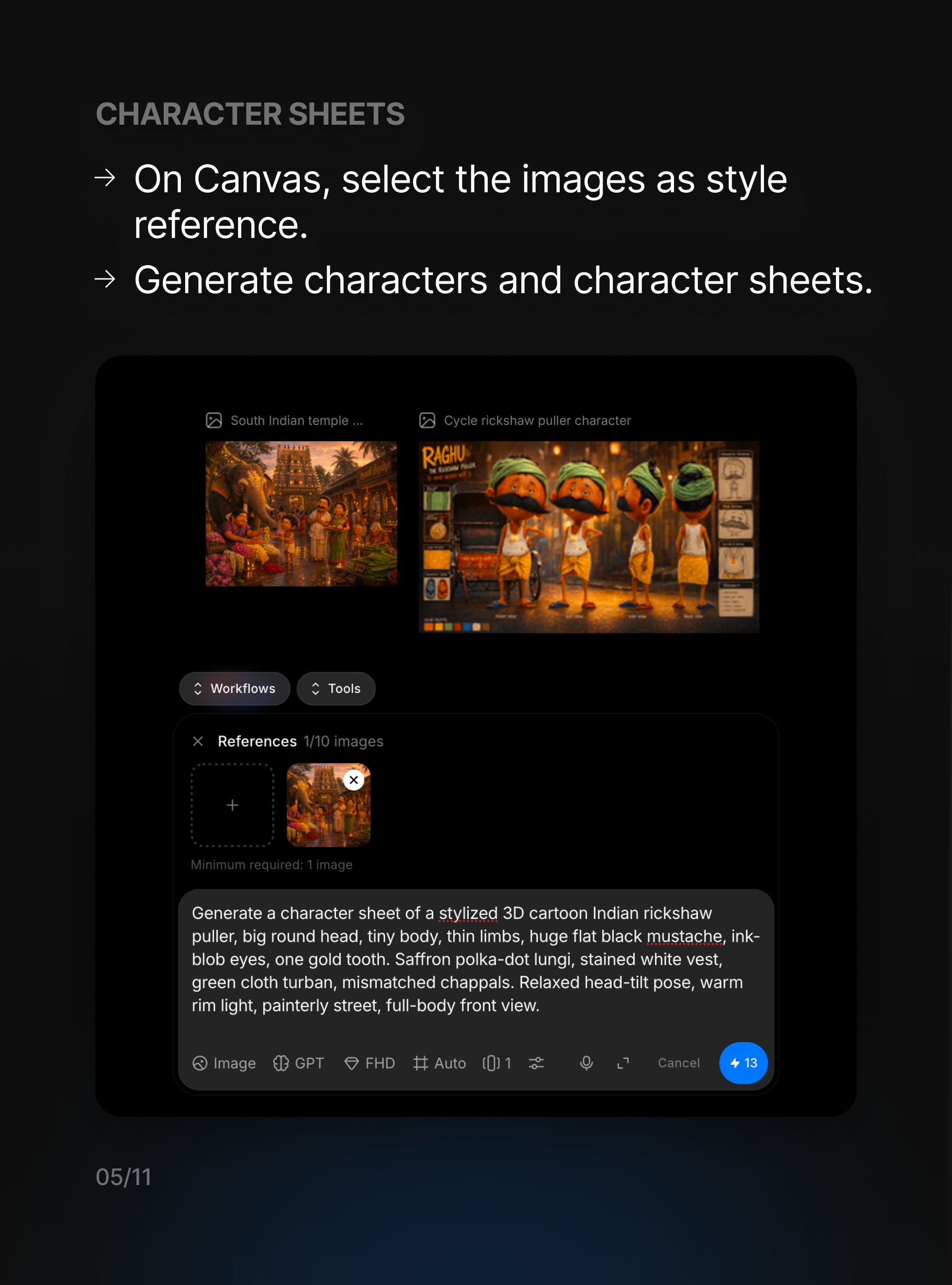
With the look locked, we brought in the cast. We fed those style frames back in as a reference and asked for full character sheets, the same character from several angles, so a face stays the same face from one shot to the next. The more specific we got with the build, the wardrobe, and the small details, the more consistent every later shot turned out.
Generate a character sheet of a stylized 3D cartoon Indian rickshaw puller, big round head, tiny body, thin limbs, huge flat black mustache, ink-blob eyes, one gold tooth. Saffron polka-dot lungi, stained white vest, green cloth turban, mismatched chappals. Relaxed head-tilt pose, warm rim light, painterly street, full-body front view.
Environment visuals
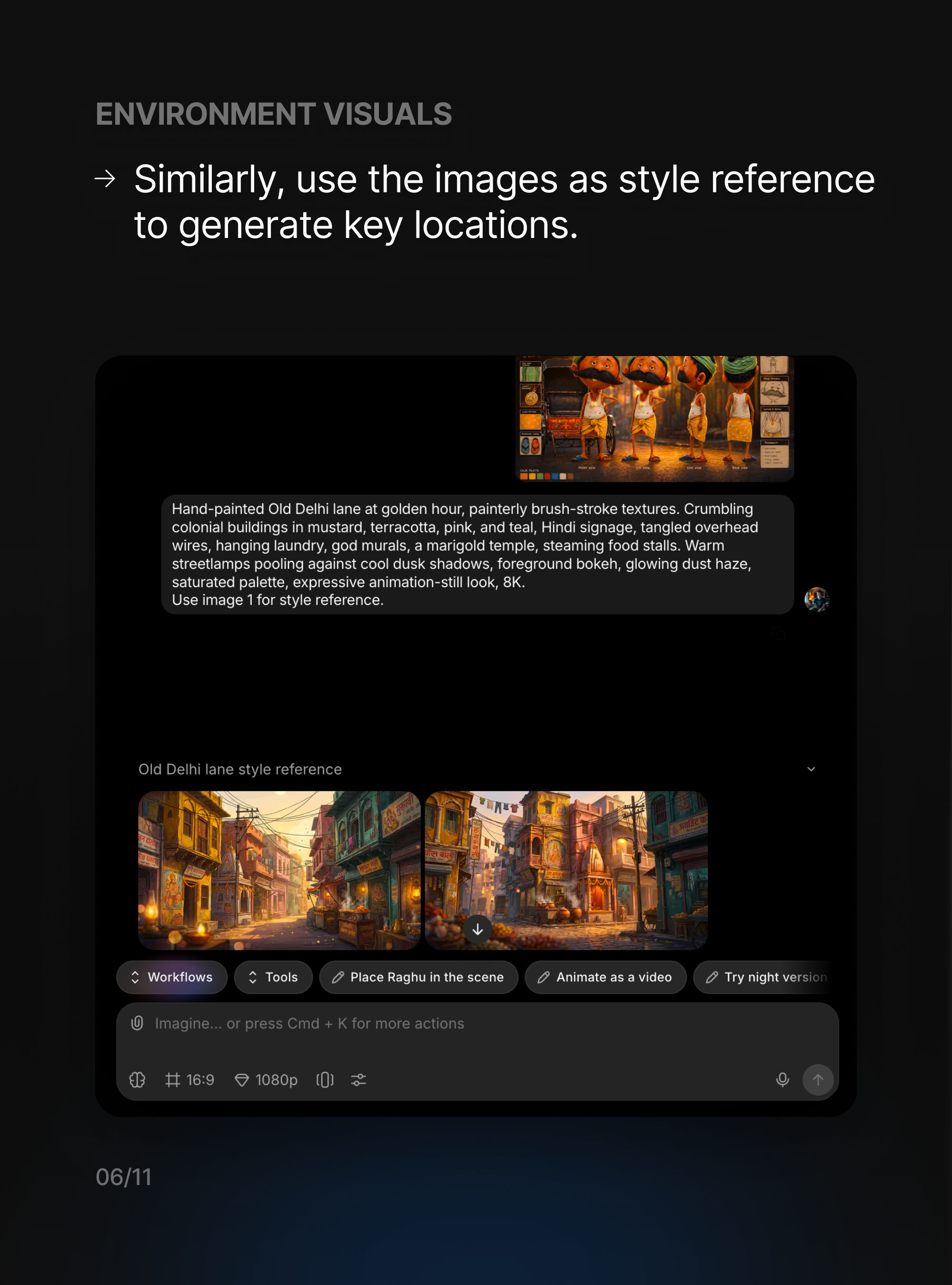
Locations work exactly the same way: same style reference, new subject. We described each place we needed, the colour, the light, the texture, and pointed back at the reference so it sat in the same world as the cast. These became the sets our characters would move through, and keeping them on the same reference is what makes a cut feel like one place rather than a dozen unrelated images.
Hand-painted Old Delhi lane at golden hour, painterly brush-stroke textures. Crumbling colonial buildings in mustard, terracotta, pink, and teal, Hindi signage, tangled overhead wires, hanging laundry, god murals, a marigold temple, steaming food stalls. Warm streetlamps pooling against cool dusk shadows, foreground bokeh, glowing dust haze, saturated palette, expressive animation-still look, 8K. Use image 1 for style reference.
Generating keyframes
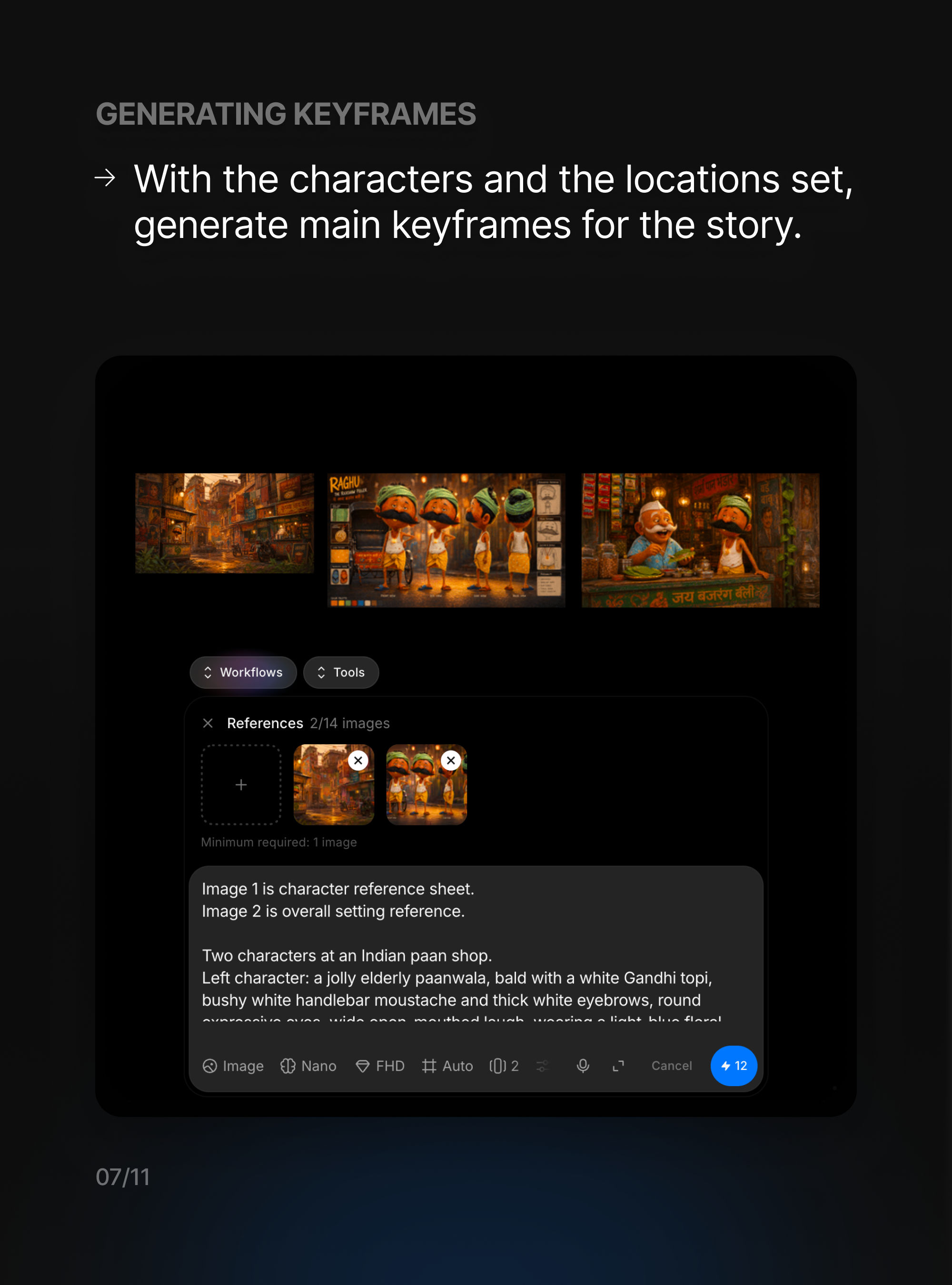
Now that we had a cast and a world, we built the keyframes, the single defining image of each shot. We attached the character sheet and the location together, then described the moment: who's in frame, where they are, and what's happening. We did this for every beat before animating anything, so by the time we started moving things we already knew exactly what each shot should look like.
Image 1 is the character reference sheet. Image 2 is the overall setting reference.
Two characters at an Indian paan shop. Left character: a jolly elderly paanwala, bald with a white Gandhi topi, bushy white handlebar moustache and thick white eyebrows, round wire-frame glasses, working behind his counter. Right character: Pappu leaning in to order. Golden-hour light, painterly animation style, 16:9.
Animating the shots
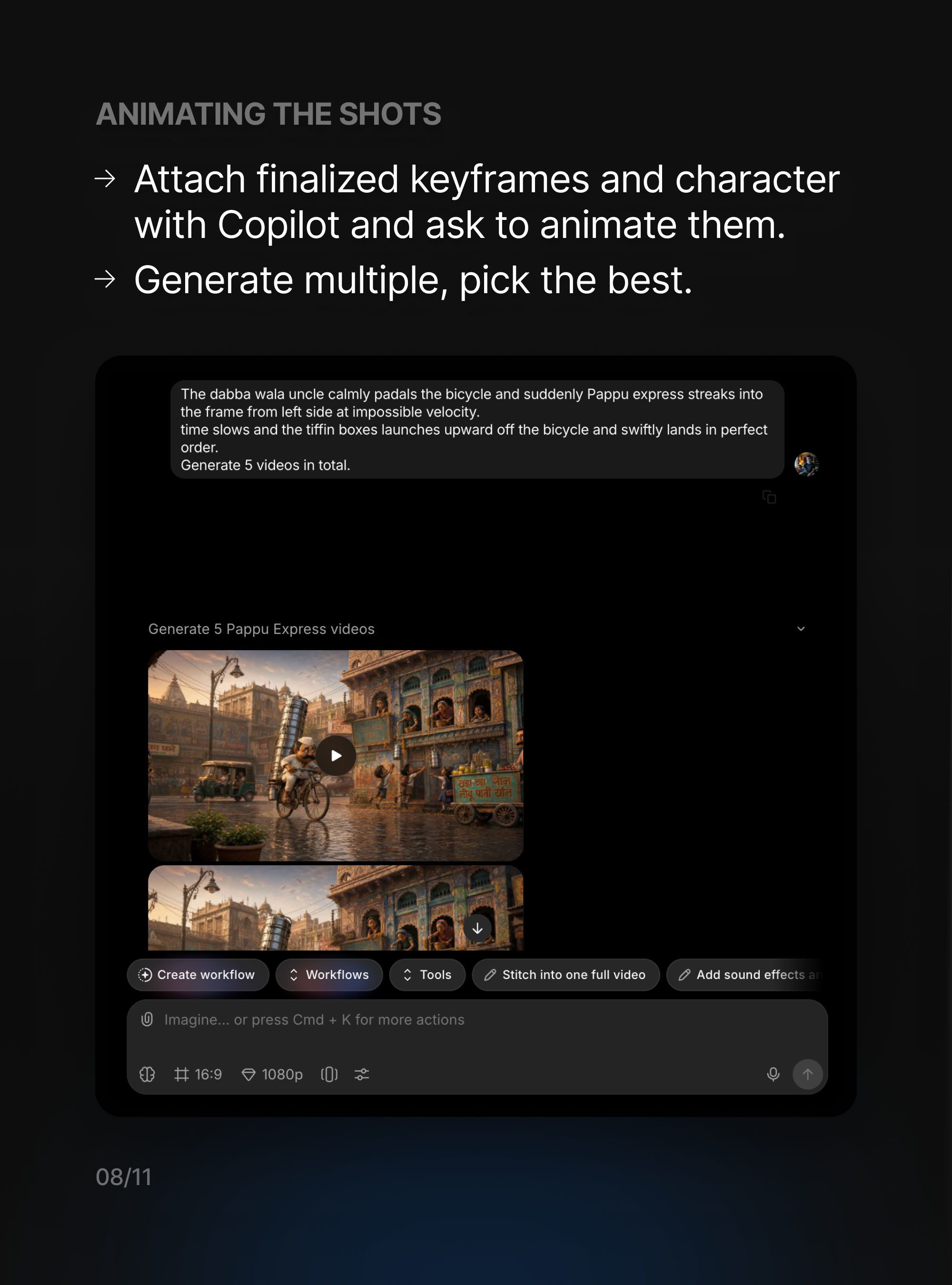
This is where the stills start to move. We handed Copilot a finished keyframe and described the motion we wanted, the action, the timing, the camera move, then let it generate. We always asked for a few versions of each shot, because the best take is almost never the first one. From each batch we kept the version that worked and moved on.
The dabba wala uncle calmly pedals his bicycle, and suddenly Pappu Express streaks into the frame from the left at impossible velocity. Time slows, the tiffin boxes launch upward off the bicycle and swiftly land back in perfect order.
Generate 5 videos in total.
Sound design
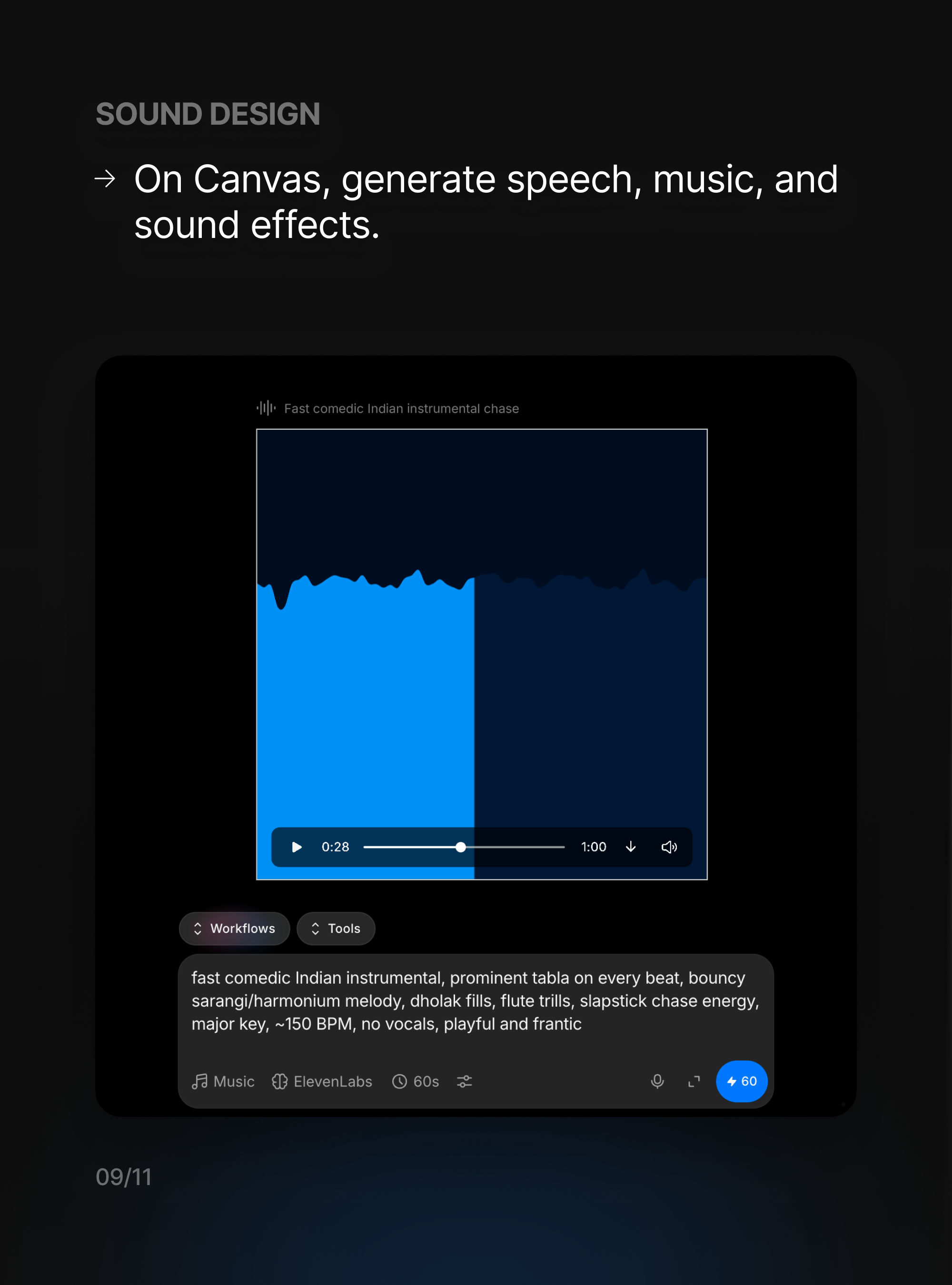
A chase is only as good as it sounds, so this stage got real attention. In the Canvas we generated the music, the sound effects, and the bits of voice we needed. For the score we just described it in plain words, the genre, the instruments, the tempo, the mood, and regenerated until it locked to the picture. Sound is what makes the comedy land.
Fast comedic Indian instrumental, prominent tabla on every beat, bouncy sarangi/harmonium melody, dholak fills, flute trills, slapstick chase energy, major key, ~150 BPM, no vocals, playful and frantic.
Editing
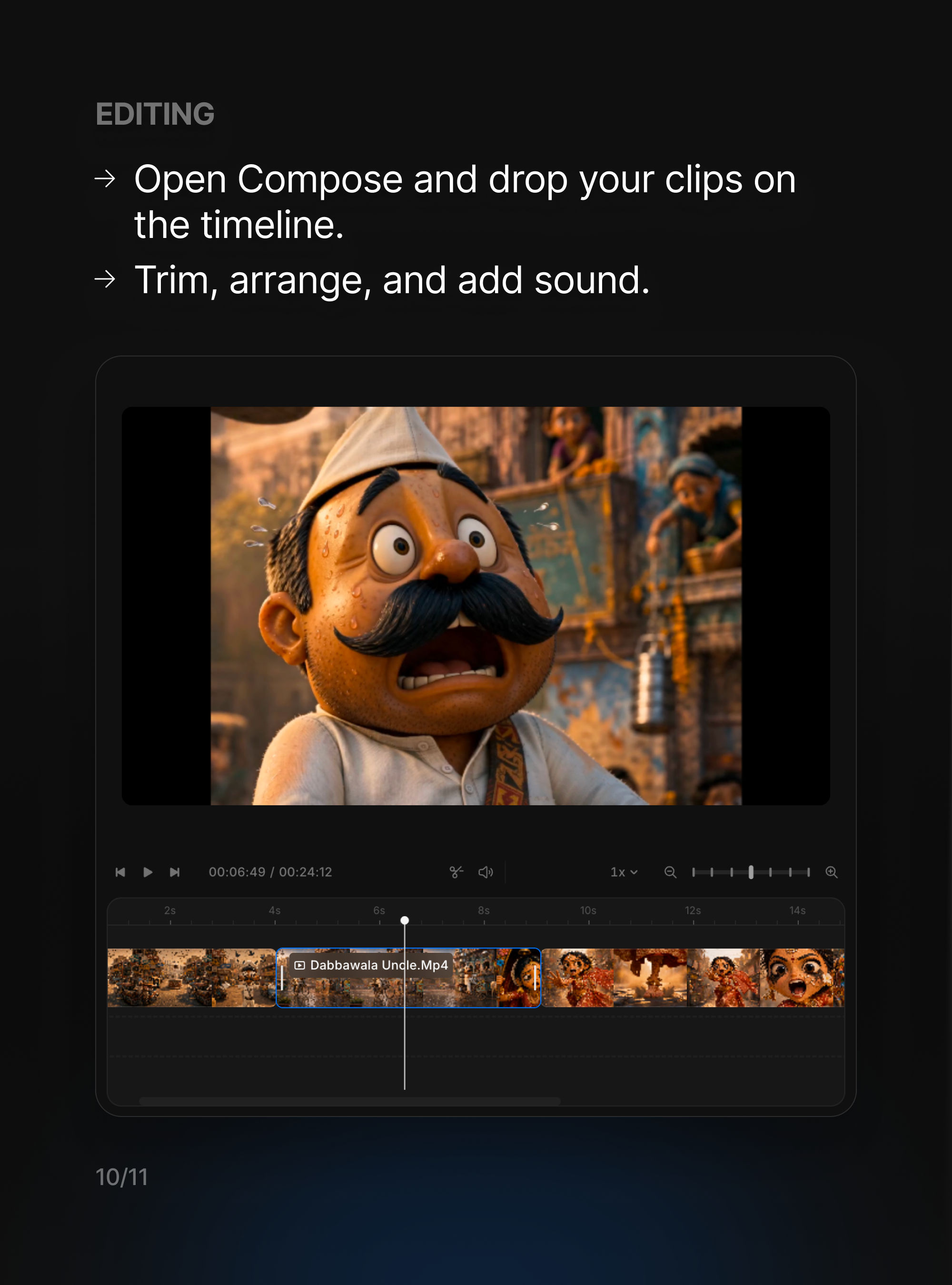
Finally, it all came together in Compose. We dropped the clips onto the timeline, trimmed each one, put them in story order, and laid the music and effects underneath. This last pass is the part that turns a folder of separate generations into something that actually plays as a film, and it's worth taking your time over.
Watch the finished film
That's the whole pipeline, from one line of an idea to a finished short. Here's how it turned out. It's already been watched over 11 million times and picked up 9,000+ likes, and still counting.