目录
- 什么是 Seedance 2.0?
- Seedance 2.0 vs Kling vs Veo vs Sora:功能对比
- 主要功能和特性
- 了解 Seedance 2.0 输入规格
- 如何使用 Seedance 2.0 多模态参考
- Seedance 2.0 高级功能
- Seedance 2.0 用例和示例
- Seedance 2.0 最佳实践
- 结论
- 常见问题
什么是 Seedance 2.0?
Seedance 2.0 是字节跳动的先进多模态 AI 视频模型,结合图像、视频、音频和文本输入,提供前所未有的创作控制。本完整指南将 Seedance 与 Kling、Veo 和 Sora 进行对比,并展示专业人士如何在 Morphic 上掌握多模态视频工作流程。
与仅依赖文字提示的传统文本转视频模型不同,Seedance 2.0 让您能够通过视觉和音频参考向 AI 展示您想要的内容。上传参考图像以定义风格和构图,使用视频片段演示所需的镜头运动或动作,添加音频以建立情绪和节奏,并将所有内容与详细的文本提示相结合,实现精确的创作方向。
为什么选择 Seedance 2.0 进行专业视频创作
Seedance 2.0 解决了 AI 视频生成的根本局限性:描述与视觉之间的差距。您无需用文字描述复杂的镜头运动、角色细节或视觉效果,而是可以直接提供示例。这种多模态方法提供:
- 精确的视觉控制:通过图像参考
- 准确的动作复制:通过视频参考
- 节奏和情绪同步:通过音频集成
- 一致的角色和风格:跨多个镜头
- 复杂的场景转换:保持连续性
该模型擅长同时理解和组合多种参考类型,使其对商业制作、内容创作和专业视频工作流程特别有价值。
Seedance 2.0 vs Kling vs Veo vs Sora:功能对比
在评估 AI 视频生成工具时,了解每个平台的具体功能有助于为工作流程做出正确选择。以下是 Seedance 2.0 与主要替代方案的对比:
| 功能 | Seedance 2.0 | Kling 3.0 | Veo 3.1 | Sora |
|---|---|---|---|---|
| 多模态输入支持 | 图像、视频、音频、文本 | 图像、视频、音频、文本 | 图像、文本 | 图像、文本 |
| 最大视频时长 | 最长 15 秒 | 最长 15 秒 | 最长 8 秒(可扩展至 60+ 秒) | 最长 60 秒 |
| 音频集成 | 直接音频上传和参考 | 原生音频,支持唇形同步和多语言对话 | 原生音频,支持音效和对话 | 仅文本转音频 |
| 视频参考能力 | 完整动作和镜头复制 | 完整动作和镜头复制,带 AI 导演 | 风格迁移和参考图像(最多 3 张) | 有限 |
| 公开可用性 | 在 Morphic 上可用 | 公开访问 | 有限可用性(Gemini 应用、Flow、API) | 有限测试版访问 |
主要差异:
多模态灵活性:Seedance 2.0 和 Kling 3.0 都提供全面的多模态支持,包括直接视频和音频文件上传。Veo 3.1 支持图像参考(最多 3 张),但音频是生成的而非参考的。Sora 仍然主要基于文本和图像。
视频参考深度:Seedance 2.0 和 Kling 3.0 擅长复制参考素材中的复杂镜头运动、编舞和特效。Kling 3.0 的"AI 导演"功能可自动进行多镜头场景构图。Veo 3.1 专注于图像转视频,具有强大的角色一致性,但较少强调视频转视频的动作复制。
音频能力:Seedance 2.0 允许直接上传音频文件,实现精确的情绪控制和节拍同步。Kling 3.0 生成原生多语言音频,在 5 种语言中实现准确的唇形同步。Veo 3.1 原生生成音频但不接受音频文件参考。Sora 仅从文本描述生成音频。
时长和扩展:虽然 Sora 提供最长的单次生成(最长 60 秒),但 Veo 3.1 的扩展功能允许将片段链接超过 60 秒。Seedance 2.0 和 Kling 3.0 都支持 15 秒生成,并具有扩展能力。
分辨率和质量:Kling 3.0 和 Veo 3.1 都支持 4K 输出,在广播级内容方面具有优势。Seedance 2.0 生成适合专业使用的高质量视频。Veo 3.1 特别支持原生垂直(9:16)格式,适合移动优先内容。
实际访问:Seedance 2.0 与 Morphic 的集成以及 Kling 3.0 的公开可用性为专业工作流程提供即时访问。Veo 3.1 需要 Google 生态系统访问(Gemini 应用、Flow 或 API),而 Sora 仍处于受限测试版。
信息截至 2026 年 2 月。功能可用性可能发生变化。
Seedance 2.0 的主要功能和特性
多模态输入系统
Seedance 2.0 接受四种不同的输入类型,可组合使用:
图像输入(最多 9 张图像)
- 定义视觉风格和美学方向
- 建立角色外观并保持一致性
- 设置场景构图和取景
- 指定产品细节以实现准确再现
- 控制灯光、色彩分级和氛围
视频输入(最多 3 个片段,最长 15 秒合计)
- 参考特定的镜头运动和电影摄影
- 复制动作模式和编舞
- 复制场景转换和剪辑节奏
- 演示特效和视觉技术
- 展示角色动作和互动
音频输入(MP3 格式,最多 3 个文件,最长 15 秒合计)
- 通过音乐设置情绪和情感基调
- 用节奏和节拍结构控制节奏
- 添加特定音效或环境音频
- 匹配对话的语音特征
- 将视觉变化与音频提示同步
文本提示(自然语言)
- 指导叙事和故事进展
- 指定参考中未显示的动作和运动
- 描述场景转换和时机
- 澄清应如何应用参考
- 添加视觉参考未显示的细节
重要限制:系统在所有输入类型中最多接受 12 个文件。在接近此限制时,战略性选择高影响力的参考至关重要。
参考能力架构
Seedance 2.0 的核心创新是其参考理解系统。该模型不是将输入视为简单的风格指南,而是分析和提取每个参考中的特定元素:
从图像中:构图结构、角色特征、物体细节、灯光设置、色彩关系、空间排列、风格特征
从视频中:镜头运动路径、运动速度和加速度、镜头取景变化、主体动作和时机、特效实现、转换技术
从音频中:节奏和节拍模式、音调情绪和氛围、音量动态、音效时机、语音特征
这种细粒度的理解使您能够精确指定每个参考的哪些方面应该影响生成,从而对最终输出实现精确控制。
核心生成质量改进
除了多模态功能外,Seedance 2.0 还提供基础性增强:
逼真的物理动态:物体和角色以真实的物理方式运动。服装自然下垂,液体流动逼真,元素之间的交互遵循现实世界的规则。
流畅的动作表现:连续动作流畅,没有突兀的转换或变形伪影。复杂的多步骤动作在整个执行过程中保持一致。
精确的提示理解:模型准确解释详细指令,包括时间标记("在第 5 秒时")、空间关系("在背景后面")和复杂的多主体场景。
一致的风格保持:在生成开始时建立的视觉特征在整个过程中保持稳定。角色外观、灯光条件和艺术风格不会随着场景进展而漂移。
复杂动作执行:处理具有挑战性的序列,如打斗编舞、详细的手部动作、说话时的面部表情以及协调的多角色互动。
准备好体验多模态控制了吗? 在 Morphic 上开始使用 Seedance 2.0 创作 →
技术规格
| 参数 | 规格 |
|---|---|
| 生成时长 | 4-15 秒(可按 1 秒增量选择) |
| 输出分辨率 | 高质量视频(具体分辨率因内容而异) |
| 帧率选项 | 标准 30fps 或电影级 24fps |
| 宽高比支持 | 多种比例,包括 16:9、2.35:1 宽屏、垂直格式 |
| 音频输出 | 集成音效和背景音乐生成 |
| 文件格式支持 | 图像:JPG、PNG;视频:常见格式;音频:MP3 |
了解 Seedance 2.0 输入规格
文件数量和时长限制
为了在管理计算资源的同时优化生成质量,Seedance 2.0 实施了特定的输入约束:
单个文件类型限制:
- 图像:最多 9 个文件
- 视频:最多 3 个片段
- 音频:最多 3 个文件
合计时长限制:
- 视频参考:所有片段总计 15 秒
- 音频参考:所有文件总计 15 秒
整体系统限制:
- 混合输入文件总数:最多 12 个(跨所有类型)
- 生成输出时长:4-15 秒(用户可选择)
战略性输入选择
在 12 个文件限制内工作时,根据材料对最终结果的影响确定优先级:
优先级 1:核心视觉风格(2-3 张图像) 定义基本美学、色彩分级和视觉方法,建立您的创作方向。
优先级 2:角色/主体参考(1-3 张图像) 确保主要主体的一致外观,特别是对于需要角色连续性的多镜头序列。
优先级 3:动作或镜头参考(1 个视频) 如果特定的镜头工作或动作对您的愿景至关重要,请使用视频参考来清楚地演示它。
优先级 4:音频基础(1 个音频文件) 当节奏、情绪或特定声音至关重要时,包含最能建立此元素的音频参考。
优先级 5:支持细节(剩余插槽) 使用额外的插槽用于场景参考、产品细节或补充视觉元素。
实际示例:对于需要特定产品外观、动态镜头工作和欢快音乐的 15 秒商业广告:
- 2 张图像:产品不同角度
- 1 张图像:所需的色彩分级和灯光风格
- 1 个视频:镜头运动参考
- 1 个音频:用于节奏的音乐轨道
- 剩余 7 个插槽:场景环境、额外产品细节或保持未使用以保持简洁
输入质量指南
对于图像参考:
- 当准确性很重要时,使用清晰、光线良好的照片
- 更高分辨率提供更好的细节再现
- 同一主体的多个角度提高一致性
- 避免严重压缩或低质量图像
对于视频参考:
- 确保您想要参考的特定元素清晰可见
- 专注于一个方面的较短片段比包含多个元素的较长片段效果更好
- 更高质量的视频改善动作理解
- 修剪视频以仅显示相关部分
对于音频参考:
- 尽可能使用没有背景噪音的干净音频文件
- 确保音频清楚地演示您想要的节奏或情绪
- 将近似时长与目标视频长度匹配
- 如果音频文件有多种用途,考虑使用视频文件中的音频
如何使用 Seedance 2.0 多模态参考
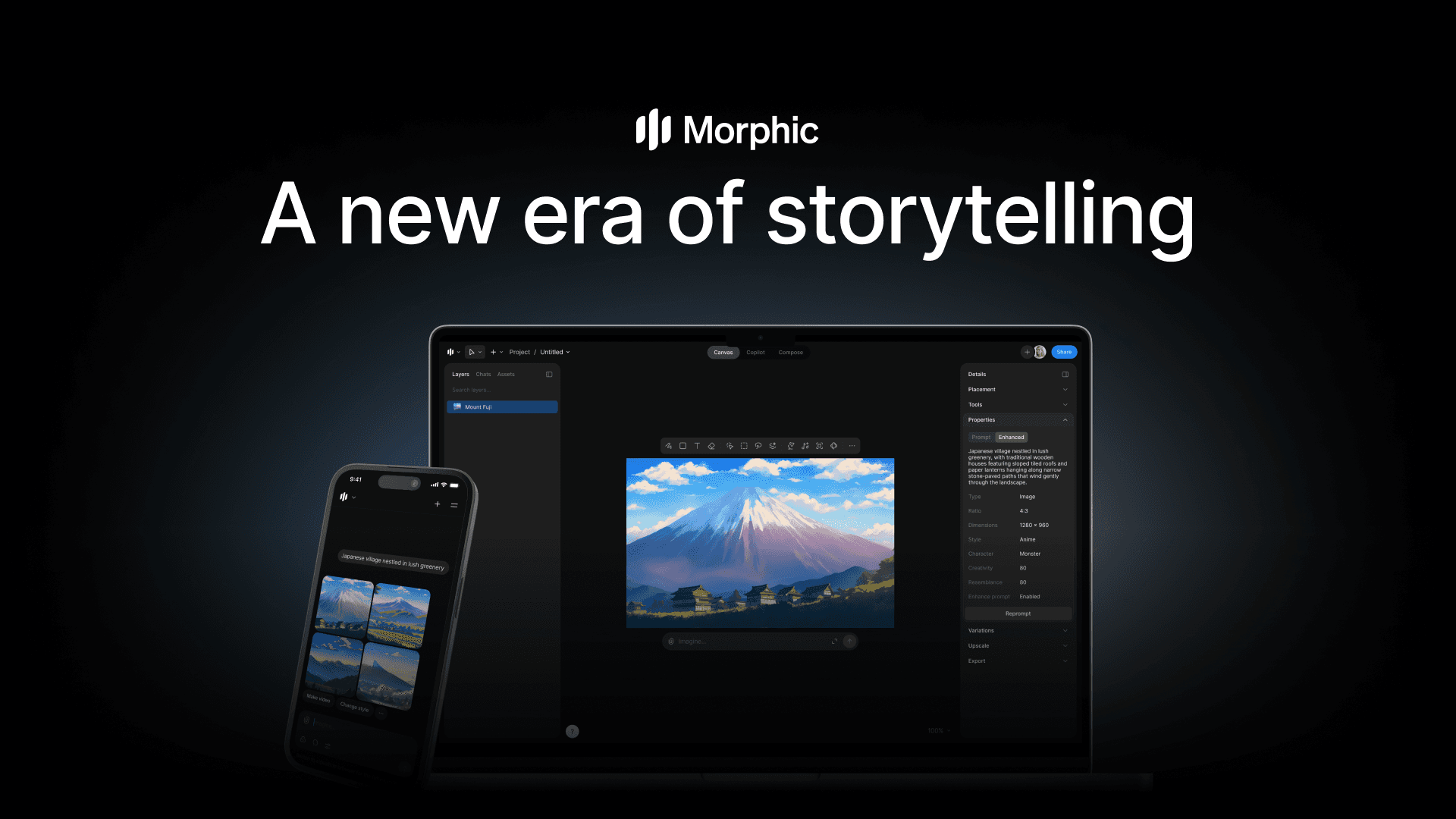
Seedance 2.0 可通过 Morphic 访问,Morphic 提供上传参考和编写提示的界面。系统使用 @ 提及结构来指定每个上传文件应如何在生成中使用。
@ 参考系统
将材料上传到 Morphic 后,您可以在提示中使用 @ 符号后跟文件标识符(Image 1、Video 1、Audio 1 等)来引用它们。关键是明确说明每个参考的用途。
基本参考结构:
@[Material Type + Number] as/for [specific purpose], [additional context]
清晰 vs 不清晰的参考:
不清晰:"使用 @Image 1 和 @Video 1 制作视频"
清晰:"@Image 1 作为开场画面显示角色的脸,参考 @Video 1 中的镜头推入运动,使用 @Audio 1 作为背景音乐以建立欢快的情绪"
编写有效的多模态提示:CRAFT 框架
专业质量的结果需要结构化的提示编写。CRAFT 框架提供了系统化的方法来整合多模态参考:
C - Context(上下文):建立场景和环境 用位置、时间段、氛围和整体设置来设定舞台。在此处包含场景图像的参考。
示例:"在夜晚昏暗的爵士俱乐部中,参考 @Image 1 中的室内氛围"
R - Reference(参考):指定 @ 提及和用途 明确说明要使用哪些参考材料,以及每个参考应如何影响生成。
示例:"@Image 2 用于主要角色的外观和服装,@Video 1 用于行走动作和步伐,@Audio 1 用于背景爵士音乐"
A - Action(动作):描述角色和物体运动 详细说明场景中发生的事情:角色动作、物体互动和事件序列。
示例:"角色缓慢地穿过房间,停在吧台,拿起玻璃杯,喝了一口,同时看向门口"
F - Framing(取景):定义镜头工作和电影摄影 使用电影术语指定镜头类型、镜头运动、角度和转换。
示例:"以广角建立镜头开始,当角色到达吧台时推轨到中近景,然后切换到过肩镜头看向门口"
T - Timing(时机):添加时间标记和音频协调 将较长的序列分解为定时片段,以控制节奏并确保特定事件在指定时刻发生。在时间结构中整合音频规格。
示例:"0-4 秒:建立镜头和行走开始;4-8 秒:角色到达吧台并拿起玻璃杯;8-12 秒:喝饮料同时看向门口;12-15 秒:镜头跟随视线看向门口。全程:@Audio 1 的背景爵士音乐播放,带有环境房间声音。在第 8 秒时,添加开门音效"
CRAFT 示例提示:
Context: 在 1940 年代黑色风格的侦探办公室夜晚,百叶窗阴影横跨桌子,参考 @Image 1 中的灯光和氛围。Reference: @Image 2 用于侦探的外观(软呢帽、风衣),@Video 1 用于缓慢、谨慎的行走步伐和运动风格。Action: 侦探从左侧进入画面,走到他的桌子,拿起一张照片,仔细研究,然后重重地叹了口气放下。Framing: 以显示完整办公空间的广角镜头开始,跟踪镜头跟随侦探行走,当他检查照片时推入到他的脸部特写,切换到插入镜头显示他手中的照片,当他放下时拉回到中景。Timing: 0-3 秒:进入和行走开始;3-7 秒:到达桌子并拿起照片;7-11 秒:仔细检查照片;11-15 秒:放下照片并叹气。Audio: 来自 @Audio 1 的持续忧郁萨克斯音乐,木地板上的脚步声,照片在桌子上滑动,最后深深呼气。
图像参考技巧
设置视觉风格和美学方向
图像建立生成的整体外观和感觉。使用它们来定义调色板、灯光方法、构图风格和艺术处理。
Create a cyberpunk street scene with the visual style from @Image 1. Match the neon-lit aesthetic, wet pavement reflections, and moody blue-magenta color grading. Include the vertical architecture composition from @Image 2.
在多个镜头中保持角色一致性
当生成多个包含同一角色的视频时,在每个提示中引用相同的角色图像以保持外观一致性。
Feature the woman from @Image 1 throughout this sequence, maintaining her exact facial features, hairstyle, and clothing. She starts in the outdoor setting from @Image 2, then the scene transitions to the indoor environment shown in @Image 3. Her appearance remains consistent across both locations.
准确细节的产品展示
对于商业或产品导向的内容,使用多个角度和细节镜头作为参考,以确保准确再现。
Create a product showcase for the handbag in @Image 1. The side profile should match @Image 2, the surface texture and material details should reference @Image 3, and the hardware and clasp should match @Image 4. Use smooth rotating camera movements to display all angles. Lighting should be bright and clean to show all intricate details.
视频参考技巧
复制镜头运动和电影摄影
视频参考擅长演示难以仅用文字描述的特定镜头技术。
Place the character from @Image 1 in the corridor from @Image 2. Strictly follow all camera movement effects from @Video 1: tracking shot from behind as the character walks, camera circles around to the front with a low-angle perspective, then pans right 90 degrees to frame the doorway. Execute as a single continuous shot with no cuts.
复制动作模式和编舞
对于舞蹈、打斗序列或特定动作模式,视频参考提供逐帧动作指导。
Feature the martial artist from @Image 1 performing moves in the training hall from @Image 2. The character should execute the exact kick sequence shown in @Video 1: spinning back kick, transition to roundhouse kick, ending with an aerial spinning kick. Match the speed, height, and fluidity of the reference movements.
复制特效和视觉技术
视频参考可以演示粒子效果、转换、合成技术和其他视觉效果,以实现准确再现。
The character from @Image 1 performs a magical transformation. Reference the particle effects from @Video 1: glowing particles rise from the ground, swirl around the character, brightness intensifies, then particles burst outward revealing the transformed appearance from @Image 2.
音频参考技巧
背景音乐集成和情绪设置
音频参考通过音乐选择建立视频的情感基调和节奏。
Create a 15-second motivational fitness video featuring the athlete from @Image 1 in the gym setting from @Image 2. Use the energetic music from @Audio 1 to establish an inspiring, powerful mood. Camera movements should match the driving rhythm of the music with dynamic push-ins and motion.
视觉变化的节拍同步
将场景转换、剪辑或视觉变化与特定音乐节拍同步,以获得精致、专业的节奏。
The character from @Image 1 changes outfits with each musical beat from @Audio 1. First outfit from @Image 2, cut to second outfit from @Image 3 on the first beat, third outfit from @Image 4 on the second beat, fourth outfit from @Image 5 on the third beat. Each cut happens precisely on the beat. Use quick cuts with no transition effects.
语音音色和对话匹配
当特定的语音特征很重要时,参考包含所需语音质量的音频或视频文件。
The narrator's voice should match the deep, authoritative timbre from @Audio 1. The narration text: "In a world transformed by technology, one person dares to question everything." Deliver with the same pacing and dramatic emphasis as the reference.
复杂多参考示例
结合所有输入类型进行商业制作
示例:产品商业广告
Context: Modern minimalist studio with @Image 1 as the environment reference: white seamless background with dramatic side lighting. References: @Image 2 and @Image 3 show the product (wireless headphones) from front and side angles. @Video 1 demonstrates the desired camera movement: slow rotating dolly shot. @Audio 1 provides the upbeat electronic background music. Action: The headphones float in the center of frame, slowly rotating. At the 5-second mark, they gently unfold. At the 10-second mark, LED lights activate on the ear cups. Framing: Start with a wide shot establishing the product in space. Continuously dolly around the product in a circular path while simultaneously pushing in slightly, matching the camera path from @Video 1. Timing: 0-5 seconds: rotation begins, camera circles; 5-10 seconds: headphones unfold while rotation continues; 10-15 seconds: LED activation, camera completes circle and pushes to close-up. Audio: Electronic music from @Audio 1 plays throughout. Add subtle mechanical sound effect when headphones unfold at 5 seconds, soft power-on sound when LEDs activate at 10 seconds.
多角色场景与对话
示例:叙事场景
Context: Corporate conference room during daytime, with the modern interior from @Image 1: large windows, long table, professional setting. References: @Image 2 for the first executive's appearance (woman in navy suit), @Image 3 for the second executive's appearance (man in gray suit). @Video 1 shows the desired back-and-forth camera movement between speakers. @Audio 1 provides tense ambient music. Action: First executive stands, gestures emphatically while speaking. Second executive leans back in chair, arms crossed, then responds. First executive sits down heavily. Second executive stands and walks toward window. Framing: Start with wide shot showing both characters at opposite ends of table. Use shot-reverse-shot camera movement from @Video 1: cut to medium shot of first executive as she speaks, cut to medium shot of second executive as he responds, return to wide shot as second executive stands, follow him with smooth tracking shot as he walks to window. Timing: 0-4 seconds: first executive stands and speaks; 4-7 seconds: second executive responds from seated position; 7-10 seconds: first executive sits, second executive stands; 10-15 seconds: second executive walks to window. Audio: Tense ambient music from @Audio 1 plays at low volume throughout. First executive's dialogue (confident tone): "This merger is our only option." Second executive's dialogue (skeptical tone): "I've heard that before." Footsteps on floor as second executive walks.
Seedance 2.0 高级功能
视频扩展用于连续叙事
Seedance 2.0 可以用无缝继续故事或动作的新内容扩展现有视频。
视频扩展工作原理:
- 将现有视频作为参考上传
- 在提示中,指定扩展时长和应发生的内容
- 将生成时长设置为匹配扩展长度(不是总最终长度)
- 模型根据您的指令生成续集
示例:扩展咖啡店场景
现有视频:10 秒片段,显示坐在咖啡店桌旁的人,看着笔记本电脑
Extend @Video 1 by 5 seconds. The person closes the laptop, picks up their coffee cup, takes a sip while gazing out the window, then sets the cup down and stands up. Camera remains in medium shot throughout, maintaining the composition and lighting from the original video.
生成设置:选择 5 秒作为生成时长
模型分析参考视频的结束帧并生成无缝的 5 秒续集,保持角色外观、场景灯光、镜头角度和视觉风格。
扩展最佳实践:
- 保持扩展相对较短(5-8 秒)以获得最佳连续性
- 清楚地描述原始结束和新内容之间的连接动作
- 提及应保持一致的元素(镜头角度、灯光、角色位置)
- 如果原始视频有音频,请为该扩展参考该音频风格
视频融合和多片段转换
通过生成桥接内容,在多个现有视频片段之间创建无缝转换。
示例:连接两个位置
现有视频:
- @Video 1:角色在城市街道上行走(以角色接近拐角结束)
- @Video 2:同一角色进入公寓(以开门开始)
Create a 5-second transition segment between @Video 1 and @Video 2. The character from the end of @Video 1 rounds the corner, walks up exterior apartment steps visible in background of @Video 2's opening frame, reaches the door, and begins opening it (connecting to @Video 2's start). Match the character's appearance, walking pace, and movement style from both reference videos. Lighting transitions from outdoor daylight at the start to the interior lighting of @Video 2 at the end.
这将生成一个桥接片段,平滑连接两个独立的拍摄,保持角色和叙事连续性。
现有视频中的角色替换
在保留所有其他元素(包括镜头工作、动作和场景细节)的同时,替换视频中的角色或主体。
示例:音乐表演替换
In @Video 1, replace the female lead singer with the male artist from @Image 1. The performance actions should exactly replicate those in the original video: microphone handling, body movements, facial expressions, and interaction with the band. The replacement artist should match the timing and energy of the original performance frame-by-frame. All other elements remain unchanged: band members, stage, lighting, camera movements.
角色替换的用例:
- 在商业概念中测试不同人才
- 使用不同演员创建同一场景的变体
- 使用新品牌大使更新现有素材
- 使用本地化人才为不同区域市场制作内容
故事情节颠覆和叙事改变
在保持视觉和技术元素的同时,完全改变现有视频的叙事方向或结果。
示例:关系戏剧反转
原始视频(@Video 1):浪漫场景,男人在桥上向女人求婚,她说好,他们拥抱
Subvert the storyline of @Video 1. The scene begins identically: the man kneels and opens the ring box. However, the woman's expression shifts from surprised joy to shocked realization. She steps back, shaking her head. The man's face changes from hopeful to cold and calculating. He stands slowly, his demeanor becoming menacing rather than loving. The woman says "You were lying to me from the very beginning!" The man responds with an icy smile: "This is what you owe my family." The confrontational ending replaces the original romantic embrace. Maintain all camera angles and movements from @Video 1.
这种技术允许完全重新定向叙事,同时保留现有素材的电影摄影和制作价值。
一镜到底连续长镜头
创建无缝的长镜头序列,跟随主体穿过多个环境,无需剪辑。
示例:城市追逐序列
@Image 1, @Image 2, @Image 3, @Image 4, and @Image 5 depict a one-take tracking shot following a runner. Sequence: Begin at street level (@Image 1) with a wide shot as the runner enters frame from the right, running at full speed. Camera picks up and follows from behind as runner reaches the building entrance (@Image 2). Continue tracking as runner bounds up the interior staircase (@Image 3), maintaining close following distance. Emerge onto the rooftop level (@Image 4), camera still tracking from behind. Runner reaches the roof edge. Camera moves around to the front of the runner for the final frame, then cranes up to overhead perspective showing city skyline (@Image 5). Camera: Continuous handheld-style tracking throughout. No cuts. Slight camera shake for urgency and realism. Smooth movement transitions between environments. Timing: 0-3 seconds street run, 3-6 seconds enter building and start stairs, 6-10 seconds ascending stairs, 10-13 seconds emerge on roof and run to edge, 13-15 seconds crane to overhead shot.
创意模板复制
复制参考视频的结构、风格和技术,同时替换您自己的主体和品牌。
示例:适应商业风格
参考:@Video 1 显示高端香水商业广告,具有特定的镜头技术、转换和节奏
Create a luxury watch commercial by referencing the advertising style and structure of @Video 1. Use the same camera techniques: smooth dolly movements, dramatic lighting reveals, close-up detail focus, and elegant pacing. Replace the perfume bottle with the watch from @Image 1. Maintain the sophisticated color grading, transition timing, and rhythm from the reference. The environment should be minimalist and modern like @Image 2. Use the orchestral music from @Audio 1 to match the premium feel.
Seedance 2.0 用例和示例
本节展示 Seedance 2.0 在不同行业和复杂度级别的应用。每个行业包括基础、中级和高级示例,展示渐进式技能发展。
商业和广告制作
基础:单一产品静态展示
场景:电商的简单产品展示
Display the smartwatch from @Image 1 centered on the white background from @Image 2. Camera slowly rotates 360 degrees around the product over 10 seconds, maintaining the same distance throughout. Lighting is clean and bright with no harsh shadows. At the 8-second mark, the watch face illuminates showing the time display. Use subtle ambient electronic music from @Audio 1.
复杂度级别:单一图像参考,基本镜头运动,一个定时事件
中级:多角度产品演示
场景:展示多个功能的科技产品演示
Context: Clean studio environment with @Image 1 as lighting reference: soft, even illumination against minimal background. References: @Image 2 (front view of wireless earbuds), @Image 3 (side view), @Image 4 (charging case open). @Audio 1 for upbeat tech commercial background music. Action: 0-4 seconds: Earbuds in charging case, case lid closes automatically. 4-8 seconds: Case opens, earbuds rise slightly out of case (magnetic levitation effect). 8-12 seconds: Single earbud lifts out of case and rotates to show all angles. 12-15 seconds: LED indicator on case pulses to indicate charging. Framing: Start with overhead shot looking down at open case. Cut to front 3/4 angle as lid closes. Push in to medium shot for the opening sequence. Follow the lifted earbud with smooth tracking rotation. End with close-up of pulsing LED. Audio: Upbeat music from @Audio 1 plays throughout. Add satisfying "click" sound for case closing, subtle "whoosh" for earbud lift, soft pulse tone synced with LED.
复杂度级别:多个图像,几个定时事件,不同的镜头角度,音频同步
高级:带场景转换的完整商业广告
场景:15 秒生活方式商业广告,在多个设置中展示产品使用
Context: Create a lifestyle commercial for wireless headphones shown in @Image 1 and @Image 2 (different angles). Scene 1 (0-5 seconds): Urban commuter environment referencing @Image 3. Young professional walking through busy street, wearing headphones from @Image 1. Camera tracks alongside at medium distance. Street ambient noise gradually fades as subject taps headphones to activate noise cancellation: scene becomes silent except music from @Audio 1. Scene 2 (5-10 seconds): Transition to home office setting from @Image 4. Quick cut on beat of music. Same person now in video call, headphones visible. Camera push-in to close-up of headphones showing clear audio indicator LED. Split-screen effect shows clear communication on both sides of call. Scene 3 (10-15 seconds): Gym workout setting referencing @Image 5. Quick cut on music beat. Person doing intense workout, headphones stay secure. Dynamic camera movements matching the energy: quick cuts between different exercise angles, finally pulling back to wide shot. End with product logo and tagline appearing center frame. References: @Video 1 for the dynamic camera movement style in gym scene. @Audio 1 for background music that drives pacing throughout. Audio: Music from @Audio 1 provides continuity across all scenes. Scene 1: street ambient sound at start, then music only. Scene 2: soft keyboard typing and video call audio underneath music. Scene 3: gym ambient with music prominent. Framing: Cinematic 2.35:1 aspect ratio throughout. Professional color grading matching @Image 1's cool, modern tones. Smooth transitions on musical beats.
复杂度级别:多个场景,大量参考(5 张图像、1 个视频、1 个音频),复杂音频分层,精确时机,专业电影摄影
社交媒体内容创作
基础:趋势风格快速剪辑视频
场景:具有流行转换效果的简单社交媒体内容
The influencer from @Image 1 stands centered in frame against the bright background from @Image 2. She makes a quick hand gesture at the 3-second mark. On the gesture, quick jump cut to the same person wearing different outfit from @Image 3, same position and pose. At 6 seconds, another hand gesture and jump cut to third outfit from @Image 4. Use the upbeat trending music from @Audio 1. Cuts should happen exactly on the musical beats.
复杂度级别:多个图像参考,节拍同步,简单转换效果
中级:多位置故事序列
场景:日常生活 vlog 风格内容
Context: Create a "day in the life" style montage for the content creator from @Image 1. References: @Image 2 (morning coffee shop), @Image 3 (co-working space), @Image 4 (outdoor park). @Video 1 shows the handheld camera movement style. @Audio 1 provides upbeat vlog background music. Sequence: 0-5 seconds: Coffee shop scene: creator enters, orders at counter, waves at camera with coffee in hand. Handheld camera style from @Video 1. 5-10 seconds: Co-working space: creator working at laptop, typing, then turns to camera and smiles. Cut to close-up of screen briefly. 10-15 seconds: Park scene: creator sitting on bench with laptop, closes it, stands and stretches with arms up, walks toward camera. Golden hour lighting. Framing: Handheld vlog style throughout referencing @Video 1's movement. Mix of medium shots and close-ups. Quick cuts between locations (cut on beat). Audio: Music from @Audio 1 throughout. Light coffee shop ambient in first segment, keyboard typing in second segment, outdoor birds and wind in third segment: all underneath music.
复杂度级别:多个位置,手持风格参考,音频分层,个性驱动内容
高级:病毒式复杂视觉效果
场景:具有趋势效果的高制作社交媒体内容
Context: Create a trending transformation video for the dancer from @Image 1, incorporating viral visual effects. References: @Image 2 (starting outfit casual streetwear), @Image 3 (ending outfit performance costume), @Video 1 (choreography reference for arm movements and spin), @Video 2 (particle effect transition style), @Audio 1 (high-energy music track for synchronization). Action & Effects: 0-3 seconds: Dancer stands casually in streetwear from @Image 2, urban background from @Image 4. Camera circles around dancer slowly. 3-4 seconds: Dancer performs the arm-raise movement from @Video 1. At peak of arm raise, screen glitches with digital distortion effect. 4-7 seconds: Particle effects referencing @Video 2 burst from the ground, swirling around dancer. Camera speeds up rotation. Particles intensify with music build. 7-9 seconds: Flash of light. When light fades, dancer is now in performance costume from @Image 3, mid-spin from @Video 1's choreography reference. 9-15 seconds: Complete the spin, landing in dramatic pose. Camera rotation ends at front-facing position. Environment has transformed to stage setting from @Image 5 with dramatic lighting. Music from @Audio 1 hits climax. End with freeze frame and text overlay. Framing: Start with slow cinematic camera rotation, speed up during transformation, end with dynamic front angle. 2-3 quick cuts during particle burst for impact. Audio: Music from @Audio 1 drives entire pacing. Sound effects: glitch sound at arm raise, whoosh during particle burst, impact sound on landing. Technical: Use fisheye lens effect from @Video 2 during transformation sequence. High contrast, saturated colors. Beat-synced effects.
复杂度级别:多个复杂参考,精确编舞匹配,特效复制,高级音频同步,趋势风格集成
电影和娱乐制作
基础:氛围建立镜头
场景:叙事内容的场景设置镜头
Cinematic establishing shot of the abandoned mansion from @Image 1 at night. Camera starts wide, showing full building with overgrown grounds. Slowly push in toward the main entrance over 12 seconds. Dark, moody atmosphere with partial moonlight breaking through clouds. Windows are dark except for one on the second floor showing faint flickering light. Use the ominous ambient sound from @Audio 1. Add subtle wind in trees sound effect. 24fps for cinematic feel.
复杂度级别:单一图像,基本镜头运动,氛围构建
中级:带正反打镜头的对话场景
场景:具有专业覆盖的双角色对话
Context: Interior interrogation room scene with the stark environment from @Image 1: single overhead light, metal table, two chairs. Characters: Detective from @Image 2 (stern, middle-aged) sitting across from suspect from @Image 3 (nervous, young adult). Dialogue & Action: 0-5 seconds: Wide shot establishing both characters at table. Detective leans forward, hands clasped. Suspect avoids eye contact, fidgeting. 5-8 seconds: Cut to medium close-up of detective's face as he speaks: "We know you were there that night." Expression is intense, unblinking. 8-11 seconds: Cut to medium close-up of suspect's face. Brief flash of panic in eyes, then attempts to compose. Response: "I don't know what you're talking about." 11-15 seconds: Cut back to wide shot. Detective slides photograph across table toward suspect. Suspect's eyes widen seeing the photo. Detective leans back, satisfied. References: @Video 1 for the interrogation scene camera movement style and timing. @Audio 1 for tense ambient background music. Framing: Use classic shot-reverse-shot technique from @Video 1. Slightly low angle on detective for authority, slightly high angle on suspect for vulnerability. Keep lighting harsh and dramatic throughout. Audio: Tense music from @Audio 1 at low volume. Add ambient room tone. Metal chair creak when suspect shifts. Soft sound of photo sliding on metal table.
复杂度级别:两个角色图像,特定镜头技术参考,对话节奏,心理张力
高级:复杂编舞的动作序列
场景:具有特定武术编舞的打斗场景
Context: Rooftop fight scene at sunset, environment from @Image 1 (urban rooftop with HVAC units, distant city skyline, dramatic orange sky). Characters: Hero from @Image 2 and @Image 3 (different angles showing costume details) versus three opponents from @Image 4, @Image 5, @Image 6. Choreography Reference: @Video 1 shows the specific fight sequence to replicate: hero dodges first attack, counters with spinning kick, transitions immediately to grapple with second opponent. Camera Reference: @Video 2 demonstrates the camera movement style: circling during fight, quick cuts on impacts, slow motion on key moves. Complete Sequence: 0-2 seconds: Establishing shot. Four opponents surround hero in wide circle. Camera rotates slowly around the group. Wind whips clothing. Tense standoff moment. Music from @Audio 1 builds. 2-4 seconds: First opponent charges. Camera quick-cuts to close-up of hero's face: determined expression. Then wider angle as hero dodges right, exactly matching the movement from @Video 1. 4-6 seconds: Hero executes spinning kick from @Video 1, striking first opponent. Camera follows kick in medium shot, then quick cut to opponent's impact with ground. Add impact sound effect. 6-9 seconds: Without pause, second opponent approaches. Hero drops into grapple, executing the specific move sequence from @Video 1: grab, pivot, throw. Camera circles around action as in @Video 2 reference, maintaining continuous view of fight. 9-11 seconds: Third opponent swings weapon. Slow motion as hero ducks underneath (2x slow speed). Camera follows hero's perspective looking up at weapon passing overhead. Resume normal speed as hero rises. 11-13 seconds: Hero's counter-attack: quick combination strike to third opponent. Multiple rapid cuts showing each strike from different angles, matching editing pace from @Video 2. 13-15 seconds: Hero stands victorious, three opponents on ground around them. Camera circles once more, then pushes in to close-up of hero's face. Sunset lighting creates silhouette effect. Music from @Audio 1 reaches climax. Technical: 24fps, choreography matching @Video 1 exactly, camera work matching @Video 2's dynamic style, warm sunset tones with high contrast, slow motion at 2x reduction for dramatic moment. Audio: Music from @Audio 1 throughout, impact sound effects on strikes, cloth movement sounds, heavy breathing, wind on rooftop, all synced precisely with action.
复杂度级别:六个图像参考,两个视频参考(编舞 + 镜头风格),音频参考,复杂动作编舞,多种镜头技术,慢动作,专业打斗剪辑,精确音频同步
专业工作流程应用
视频扩展用于项目连续性
场景:用额外内容扩展先前拍摄的素材
现有视频:8 秒镜头,显示 CEO 走过现代办公室,在会议室门口结束
Extend @Video 1 by 7 seconds. The CEO from the end of the video opens the conference room door and enters. Inside, the conference room matches the design from @Image 1: large table, floor-to-ceiling windows with city view. Three executives from @Image 2, @Image 3, and @Image 4 are already seated and look up as CEO enters. CEO walks to the head of the table and sits down. Camera follows CEO through doorway with smooth tracking shot, then cuts to wide shot showing full conference room once CEO is seated. Maintain the same professional color grading and lighting style from @Video 1.
用例:在不重新拍摄的情况下添加到现有专业视频资产
基于模板的批量内容创作
场景:创建具有一致风格的多个社交媒体视频
主模板提示(Video 1):
Product showcase video for [Product from @Image 1]. White background from @Image 2. Camera rotates 360 degrees around product over 10 seconds. At 7-second mark, product feature highlights with graphic callout. End with logo from @Image 3. Music from @Audio 1.
变体提示:将 @Image 1 替换为不同产品,同时保持 @Image 2、@Image 3 和 @Audio 1 以保持品牌一致性
用例:为产品目录进行可扩展的内容制作,在多个资产中保持品牌身份
多语言适应
场景:创建同一商业广告的区域变体
基础提示:
30-second commercial structure from @Video 1. Replace narration with [Language] voice matching @Audio 1's tone and pacing. Character from @Image 1 remains the same. Text overlays change to [Language] versions matching timing from @Video 1.
用例:需要本地化版本且视觉品牌一致的国际营销活动
Seedance 2.0 最佳实践
CRAFT 提示框架(详细)
Seedance 2.0 中的专业结果需要结构化的提示工程。CRAFT 框架提供系统化方法,确保指定所有关键元素:
C - Context(上下文):建立场景和环境
定义动作发生的地点和时间。这包括:
- 物理位置和设置
- 一天中的时间或历史时期
- 大气条件(天气、灯光质量)
- 整体情绪和基调
- 对故事重要的环境细节
示例: "在凌晨 2 点的霓虹灯地下夜总会,具有 @Image 1 中的忧郁氛围。烟雾机产生的朦胧空气,墙壁上排列着显示抽象图案的 LED 面板,背景中挤满了舞池。"
R - Reference(参考):指定 @ 提及和确切用途
这是多模态力量的所在。明确说明每个参考的贡献:
- 清楚地说明 @ 提及
- 明确指定该参考的哪个方面要使用
- 如果参考包含多个元素,澄清不使用什么
示例: "@Image 1 仅用于主要角色的面部特征和发型,不包括服装。@Image 2 用于皮夹克服装。@Video 1 用于行走步伐和自信的步态模式。@Audio 1 用于建立充满活力情绪的电子背景音乐。"
A - Action(动作):描述角色和物体运动
详细说明场景中发生的事情:视频的动词:
- 角色运动和手势
- 物体互动(拿起、放下、投掷)
- 面部表情和情感反应
- 多个主体之间的互动
- 基于物理的事件(物体掉落、液体倾倒、烟雾上升)
示例: "角色从画面左侧进入,以 @Video 1 中的自信步态行走。眼睛短暂扫视人群,然后锁定屏幕外的某人。形成轻微微笑。角色用右手调整夹克领子,然后开始有目的地穿过人群向前移动。"
F - Framing(取景):定义镜头工作和电影摄影
使用适当的电影摄影术语指定镜头构图:
- 镜头类型:广角、中景、特写、极特写、过肩、主观镜头
- 镜头运动:推轨推入/拉出、跟踪镜头、左右摇摄、上下俯仰、升降、手持、稳定器
- 角度:低角度、高角度、眼平、荷兰角
- 特殊技术:希区柯克变焦、快速摇摄、焦点转移、浅景深
示例: "以广角镜头开始,建立完整的夜总会环境。当角色进入时,镜头开始并在中景中跟踪。当角色停下来扫视人群时,缓慢推入到中近景。切换到角色主观镜头,看向人群。切换回角色脸部特写,微笑形成。恢复跟踪镜头,角色穿过人群,镜头从后面跟随。"
T - Timing(时机):添加时间标记和音频协调
将序列分解为定时片段以实现精确控制:
- 使用秒标记(0-3 秒、3-7 秒)
- 指定关键动作何时发生
- 控制事件的节奏
- 将音频与视觉事件和转换协调
- 如果相关,参考音频文件并同步节拍
示例:"0-3 秒:建立广角镜头,角色进入并开始行走。3-6 秒:镜头跟踪角色,人群扫视时刻。6-9 秒:特写序列,微笑形成。9-12 秒:切换到主观镜头。12-15 秒:恢复穿过人群的跟踪。全程:来自 @Audio 1 的背景音乐以中等音量播放,在 6 秒微笑时刻略微增强。"
完整 CRAFT 示例:企业培训视频
Context: Modern conference room during morning, natural window light streaming in from frame right. Environment matches the professional interior from @Image 1: glass walls, contemporary furniture, technology visible (screens, video conferencing equipment). Reference: @Image 2 for the business trainer's appearance (professional attire, confident demeanor). @Image 3 for the diverse group of trainees seated around the table. @Video 1 for the trainer's hand gestures and body language when explaining concepts. Action: Trainer stands at the head of the conference table, referencing the standing posture from @Video 1. She gestures toward the presentation screen on the wall, then looks at the group with an engaging smile. She walks along the side of the table while speaking, making eye contact with different trainees. Trainees show engaged body language: some lean forward, one takes notes, another nods in understanding. Trainer returns to the head of the table and concludes with a confident gesture. Framing: Begin with wide shot showing entire conference room from the corner, establishing the professional setting and all participants. Cut to medium shot of trainer from front 3/4 angle as she gestures toward screen. Cut to over-the-shoulder shot from behind trainer, showing trainees' attentive faces. Cut to medium tracking shot following trainer as she walks along table. Cut to close-up of engaged trainee taking notes. Return to medium shot of trainer at table head for conclusion. Timing: 0-3 seconds: wide establishing shot. 3-5 seconds: medium shot of trainer gesturing to screen. 5-7 seconds: over-shoulder showing trainee reactions. 7-10 seconds: tracking shot as trainer walks around table. 10-12 seconds: close-up of note-taking trainee. 12-15 seconds: medium shot of trainer concluding. Audio: Corporate background music from @Audio 1 plays quietly. Trainer's voice is clear and confident matching the tone in @Video 1. Subtle keyboard tapping at 10-12 seconds, quiet room tone. Music fades during speaking moments.
输入准备策略
图像参考优化
高质量的输入创造高质量的输出。战略性准备图像参考:
对于角色一致性:
- 使用清晰、光线良好的正面照片
- 如果角色将从各种角度看到,包括多个角度
- 确保参考图像之间的灯光一致
- 避免可能混淆模型的重滤镜或效果
- 如果角色穿着特定服装,包括服装细节的清晰照片
对于风格和美学:
- 选择清楚展示所需视觉处理的图像
- 确保色彩分级与最终愿景一致
- 包括显示您想要的特定灯光方法的图像
- 考虑纹理和细节级别:高细节参考产生高细节输出
对于产品和物体:
- 在简单背景下拍摄以聚焦
- 显示多个角度以确保准确再现
- 包括重要细节的特写(标志、纹理、特定功能)
- 确保灯光清楚地显示形式和维度
视频参考优化
对于镜头运动:
- 修剪视频以仅显示您想要复制的特定镜头运动
- 确保运动清晰可见且不被动作遮挡
- 专注于一种技术的较短片段(3-5 秒)比包含多种技术的较长片段效果更好
- 使用可用的最高质量视频:压缩伪影影响理解
对于动作和编舞:
- 动作应清晰可见,无遮挡
- 确保灯光充分显示身体位置和运动
- 如果可用,同一动作的多个角度可以帮助
- 在创建参考片段时考虑减慢快速动作
对于特效:
- 隔离您想要复制的特定效果
- 确保效果在背景上清晰可见
- 如果效果有特定时机,在参考中包含该时机
音频参考优化
对于音乐和节奏:
- 使用高质量音频文件(避免低比特率压缩音频)
- 修剪音频到最相关节奏或情绪的部分
- 确保音频清楚地演示您想要的内容(节拍、节奏、情绪)
- 考虑从强节拍开始音频以便于同步
对于语音和对话:
- 使用背景噪音最少的清晰录音
- 确保您想要的特定语音特征突出
- 保持参考片段简短并专注于相关语音质量
文件优先级策略:12 文件决策框架
在接近 12 个文件最大值时,使用此决策框架确定优先级:
优先级层级 1:基础元素(保留 3-4 个插槽)
- 主要角色/主体外观
- 核心视觉风格/美学方向
- 基本环境或设置
优先级层级 2:动作和镜头(保留 2-3 个插槽)
- 如果特定电影摄影至关重要,则使用镜头运动参考
- 复杂动作的动作/编舞参考
- 如果使用复杂剪辑,则使用场景转换风格
优先级层级 3:音频基础(保留 1-2 个插槽)
- 用于情绪和节奏的音乐
- 如果它们驱动叙事,则使用关键音效
优先级层级 4:支持细节(使用剩余插槽)
- 额外的角色角度
- 环境变化
- 次要视觉参考
- 补充音频
决策问题:
- "删除此参考是否会显著影响结果?" → 如果是,保留它
- "此信息是否可以通过文本提示传达?" → 如果是,考虑删除文件
- "此参考是否服务于多个目的?" → 多用途参考最有价值
- "这是'有则更好'还是'必须有'?" → 首先消除有则更好的
示例决策过程:
您正在创建音乐视频,有 15 个潜在参考:
- 4 张图像:艺术家不同角度
- 3 张图像:表演场地
- 2 张图像:特定灯光设置
- 2 个视频:舞蹈编舞和镜头运动
- 2 个音频文件:音乐轨道和环境声音
- 2 张图像:服装细节
应用框架:
- 保留(层级 1):2 张艺术家图像(正面和侧面角度结合关键特征)
- 保留(层级 1):1 张场地图像(选择最具代表性的)
- 保留(层级 2):两个视频参考(两者都是动作关键)
- 保留(层级 3):音乐轨道(音乐视频必需)
- 保留(层级 1):1 张灯光设置图像(最具特色)
- 保留(层级 4):2 张服装细节图像(填充剩余插槽)
- 在文本中描述:第二个灯光设置、环境音频、一个场地变化
结果:9 个文件,有灵活性空间
多镜头项目的一致性技术
跨生成的角色一致性
在多个视频生成中保持相同角色外观需要系统化的参考管理:
方法 1:主角色表 创建一个全面的角色参考图像,成为所有镜头的基础:
- 正面视图,中性表情
- 清晰、均匀的灯光
- 高分辨率
- 在每个提示的参考中包含此相同图像
方法 2:多角度角色包 当角色将从各种角度看到时,创建一小套角色参考:
- 正面、侧面、3/4 视图
- 在所有生成中使用相同的参考集
- 在每个提示中指定:"保持 @Image [X] 的确切外观"
Feature the detective from @Image 1 (maintain exact facial features, hairstyle, and clothing from this reference). In this scene, the detective enters the warehouse from @Image 2. All physical characteristics of the detective must match @Image 1 precisely: same face, same coat, same build.
跨场景的风格一致性
对于需要多个镜头且视觉处理一致的项目:
技术 1:风格参考模板 选择一张完美捕捉您所需视觉风格的图像:
- 色彩分级
- 灯光方法
- 构图风格
- 纹理和细节级别
在每个生成提示中包含此相同的风格参考:
Maintain the visual style from @Image 1 throughout: moody blue color grading, high contrast lighting, film grain texture, shallow depth of field.
技术 2:先前输出作为参考 使用早期成功的生成作为后续镜头的参考:
Create the next scene maintaining the exact visual style from @Video 1 (my previous generation). Color grading, lighting approach, and overall aesthetic should match precisely.
顺序镜头的时间连续性
在创建顺序连接的镜头时:
技术 1:重叠描述 描述新镜头如何与前一个连接:
This shot picks up exactly where @Video 1 ended. The character who was facing the door at the end of @Video 1 now turns toward camera and begins speaking. Position and lighting should match the final frame of @Video 1.
技术 2:转换规格 清楚地说明连接点:
Start this generation with the same camera angle and position where @Video 1 concluded. The character should be in the same position, mid-gesture, and this shot continues the motion smoothly.
要避免的常见陷阱
陷阱 1:模糊的参考使用
问题:"@Image 1 作为参考"而不指定要参考的方面
解决方案:始终明确说明参考提供什么:"@Image 1 用于角色的面部特征和表情,不包括背景或灯光"
陷阱 2:矛盾的指令
问题:"快节奏动作场景,带有缓慢、沉思的镜头运动和平静的环境音乐"
解决方案:对齐所有元素:动作节奏、镜头能量、音乐节拍、剪辑节奏:朝向一致的目标
陷阱 3:过度复杂的提示
问题:上传 12 个文件,差异最小,并编写 500 字的提示,包含冲突的细节
解决方案:使用更少、更高影响力的参考,并遵循 CRAFT 框架编写清晰、结构化的提示
陷阱 4:忽略时长限制
问题:试图将 30 秒的详细动作压缩到 15 秒生成中
解决方案:将复杂序列分解为多个生成,或简化动作以适应时间限制
陷阱 5:镜头工作规格不足
问题:"镜头移动"而没有特定方向
解决方案:使用精确的电影摄影术语:"镜头在 5 秒内从广角推轨到中近景,保持眼平视角"
陷阱 6:忽视音频集成
问题:将音频视为事后考虑或仅提及"添加音乐"
解决方案:指定音频用途、时机和集成:"@Audio 1 提供驱动节奏,应在 3 秒和 7 秒标记处与视觉剪辑同步"
陷阱 7:不一致的参考质量
问题:混合高分辨率专业照片和低质量压缩图像
解决方案:在所有参考中保持一致的质量:不要让一个低质量参考影响生成
陷阱 8:假设模型推断
问题:"让它看起来好看"或"你知道我的意思"
解决方案:明确说明每个重要细节:模型执行您的指令,它不解释模糊意图
快速故障排除指南
问题:角色外观在生成之间发生变化 解决方案:在每个提示中使用相同的角色参考图像,明确说明"保持 @Image X 的确切外观"
问题:镜头运动不匹配参考 解决方案:在文本中添加更具体的镜头运动描述,将复杂运动分解为阶段
问题:风格不匹配参考 解决方案:在文本中描述特定风格元素以及参考:"匹配 @Image 1 的色彩分级:去饱和蓝色、高对比度、压黑"
问题:时机感觉不对 解决方案:添加更具体的时间标记,使用秒计数,指定每个时间点发生什么
问题:音频不匹配情绪 解决方案:更明确地描述音频的作用:不仅仅是"@Audio 1",而是"@Audio 1 用于紧张、构建悬念,在第 10 秒标记处达到高潮"
结论
Seedance 2.0 通过其全面的多模态方法代表了 AI 视频生成的根本性进步。通过接受图像、视频、音频和文本作为输入,它为专业人士提供了对创作过程的空前控制:超越仅文本提示,实现真正的展示和讲述指导。
Seedance 2.0 在 AI 视频领域中的地位
多模态能力使 Seedance 2.0 与竞争平台区分开来。虽然 Kling、Veo 和 Sora 提供令人印象深刻的文本转视频功能,但 Seedance 对直接视频和音频参考的集成能够精确复制镜头工作、动作模式和节奏同步,这些很难或不可能仅通过文本描述实现。这使 Seedance 成为需要精确控制视觉风格、角色一致性和电影执行的专业人士的首选工具。
该平台继续发展,定期增强功能和扩展功能支持。掌握多模态参考系统和 CRAFT 提示框架为随着平台发展而日益复杂的视频创作提供了基础。
关键要点
多模态控制:Seedance 2.0 结合图像、视频、音频和文本输入,使您能够向 AI 展示您想要的内容,而不是试图完全用文字描述。这种根本性的方法转变使以前难以指定的内容:精确的镜头运动、特定的编舞、节拍同步的剪辑:变得容易实现。
战略性对比优势:与 Kling、Veo 和 Sora 相比,Seedance 2.0 在音频集成和视频参考深度方面提供独特功能。直接音频文件上传和参考系统能够精确控制情绪和节拍同步。视频参考能力超越了风格迁移,达到完整的动作和镜头复制。
CRAFT 专业框架:五步 CRAFT 提示方法提供了系统化方法,有效整合多模态参考。遵循此结构。上下文、参考、动作、取景、时机:确保充分利用多模态系统功能的全面规格。
在 Morphic 上可用:专业创作者可以立即通过 Morphic 访问 Seedance 2.0,无需等待列表或受限测试程序,使实际集成到当前制作工作流程成为可能。
常见问题
使用问题
在每个出现该角色的生成中使用相同的角色参考图像。在您的提示中,明确说明"保持 @Image X 的确切外观",并描述任何变化(不同服装、表情),同时强调面部特征、体型和其他识别特征保持相同。为了获得最佳效果,使用清晰、光线良好的正面照片作为主角色参考。
上传显示所需镜头工作的视频并具体引用它:"@Video 1 仅用于镜头运动。"在您的文本提示中,使用电影摄影术语(推轨推入、跟踪镜头、升降)描述运动,并提及特定时机。对于复杂运动,将它们分解为阶段:"0-5 秒:从广角推轨到中景;5-10 秒:在保持距离的同时向右摇摄。"
上传您的音乐轨道,并在提示中使用精确时机指定节拍同步事件:"在第 3 秒标记处(第一拍)场景变化,在第 6 秒标记处(第二拍)角色手势,在第 9 秒标记处(第三拍)转换。"引用音频:"@Audio 1 提供节奏和节奏,视觉变化与节拍结构同步。"
使用视频扩展功能或融合技术。对于扩展:上传您的现有视频并指定"将 @Video 1 扩展 X 秒",并详细说明连接动作。对于融合:创建一个桥接片段,引用一个片段的结束和另一个片段的开始,明确描述连接它们的转换动作。
在提示中使用特定秒计数的时间标记:"0-3 秒:[动作 1],3-7 秒:[动作 2],7-12 秒:[动作 3]。"对动作时长要现实:复杂动作需要足够的时间。如果您的时机在输出中感觉匆忙,在下次生成中为该动作分配更多秒数。
优先考虑对结果影响最大的参考。专注于难以用文本描述的元素(特定面孔、复杂镜头工作、精确编舞),并在文本提示中描述更简单的元素。尽可能将相关概念合并到单个图像中:例如,一张图像同时显示灯光风格和色彩分级,而不是为每个单独使用图像。
上传具有所需效果的视频并指定:"@Video 1 仅用于粒子效果技术。"在您的文本提示中,详细描述效果:何时发生、如何移动、其视觉特征。为了获得最佳效果,使用效果清晰可见且隔离的参考片段:"参考来自 @Video 1 的发光粒子漩涡,从地面升起并在第 5 秒标记处分散。"
上传包含所需语音的音频或视频参考并指定:"@Audio 1 用于语音音色和表达风格。"在您的提示中,描述语音特征:"角色以来自 @Audio 1 的深沉、权威音调说话,表达台词:[您的对话文本]。"
在序列中的所有生成中保持一致的参考材料。使用相同的风格参考图像、相同的角色参考,以及仅必要变化的类似提示。包含对先前成功输出的参考:"保持来自 @Video 1(先前生成)的视觉风格"以确保连续性。
使用视频扩展功能构建更长的序列。生成您的初始 15 秒片段,然后通过将该视频作为参考上传并指定"将 @Video 1 扩展 [时长]"来扩展它。您可以链接多个扩展以创建更长的连续内容,尽管每个扩展通常应为 5-10 秒以获得最佳连续性。
对比问题
Seedance 2.0 的主要区别在于全面的多模态输入,包括直接音频文件上传和更深入的视频参考能力。虽然 Kling 提供强大的文本转视频生成和一些图像参考支持,但 Seedance 能够上传特定的音乐轨道、音效和视频片段,以精确控制情绪、节奏和动作。这使得 Seedance 对于需要精确音频同步或复杂镜头运动复制的项目特别有价值。
Seedance 2.0 在主要 AI 视频平台中独特地接受直接音频文件上传。Kling、Veo 和 Sora 从文本描述生成音频,而不是接受参考音频文件。这意味着 Seedance 可以匹配特定的音乐轨道、复制语音特征或将视觉变化与音乐中的实际节拍同步:竞争对手通过文本转音频生成处理这些功能,可能无法精确匹配您的愿景。
Seedance 2.0 在单次生成中最多生成 15 秒,而 Kling 的限制是 10 秒。但是,Sora 可以在单次生成中生成最多 60 秒(当可用时)。对于 Seedance 中的更长内容,使用视频扩展功能链接多个片段。15 秒的甜点平衡了质量和大多数专业应用的实际使用:许多商业和社交媒体视频由多个较短的高质量片段组装而成,而不是单个长生成。
Seedance 2.0 的多模态方法为风格复制提供更直接的控制,因为您可以上传多个参考图像、显示运动中风格的视频片段以及建立情绪的音频。您不是用文本描述风格,而是从多个角度展示示例。这通常比仅文本方法更忠实地复制复杂风格。
Seedance 2.0 的图像参考系统,当在提示中正确使用一致的角色图像时,提供强大的角色一致性。此功能与 Kling 的角色一致性功能相当,但比 Veo 或 Sora 的基于文本的角色描述更可控。关键是使用高质量的角色参考图像,并在每个生成中明确说明"保持 @Image X 的确切外观"。
可访问性和功能可用性决定实际效用。Seedance 2.0 可通过 Morphic 立即访问商业制作工作流程,而 Veo 仍处于受限测试版,访问受限。从功能角度来看,Seedance 的多模态音频集成和视频参考深度为需要精确品牌对齐、特定音乐同步或精确风格匹配的商业工作提供优势。但是,一旦广泛可用,Veo 的扩展生成功能可能更适合某些长格式应用。
Seedance 2.0 和 Sora 有不同的优势。Sora 生成更长的视频(最多 60 秒),并且从文本提示中展示了对物理和复杂场景的令人印象深刻的理解。Seedance 2.0 生成较短的片段(最多 15 秒),但提供 Sora 缺乏的多模态控制:直接音频上传、用于动作复制的视频参考,以及同时显示多个视觉参考的能力。对于需要精确控制风格、动作和音频同步的项目,Seedance 的多模态方法提供优势。对于从文本生成更长的单镜头生成,Sora 可能更可取(当可用时)。
两个平台都提供动作参考功能,但 Seedance 2.0 的视频参考系统更深入。Kling 提供动作画笔和基本动作传输,而 Seedance 允许上传完整的视频片段并复制不仅仅是动作路径,还包括镜头工作、剪辑节奏和复杂的逐帧编舞。您可以向 Seedance 展示整个打斗序列或舞蹈套路,并让它精确复制动作,而不是描述它或绘制动作路径。
Seedance 2.0 通过 Morphic 公开可用,无需等待列表或受限测试版访问。这与仍处于受限测试程序的 Sora 和 Veo 形成对比。即时可用性使 Seedance 对当前专业工作流程和生产计划实用,而不需要等待访问时间。
技术问题
Seedance 2.0 接受标准图像格式(JPG、PNG)、常见视频格式和 MP3 音频。特定格式兼容性通过 Morphic 的上传界面处理。为了获得最佳效果,使用高质量源文件:更高分辨率的图像、较少压缩的视频和高比特率音频。
系统在所有输入类型(图像、视频、音频组合)中最多接受 12 个文件。此外:图像最多限制为 9 个,视频限制为 3 个片段,合计 15 秒,音频限制为 3 个文件,合计 15 秒。在接近这些限制时,战略性选择高影响力的参考很重要。
Seedance 2.0 在单次生成中生成 4 到 15 秒之间的视频。您可以按 1 秒增量选择特定时长。对于更长内容,使用视频扩展功能链接多个生成,或生成可以在后期制作中编辑在一起的单独片段。
是的,通过 Morphic 的 Seedance 2.0 可以用于商业制作。特定的许可和使用权受 Morphic 的服务条款约束。查看这些条款以了解商业使用、客户工作和任何归属要求的详细信息。
是的,Seedance 2.0 在整个生成过程中保持一致的分辨率和质量。输出分辨率是适合专业应用的高质量视频,尽管具体分辨率可能因内容和选择的宽高比而异。
是的,Seedance 2.0 支持多种宽高比,包括标准 16:9、电影级 2.35:1 宽屏和用于社交媒体的垂直格式。在生成设置或提示中指定您想要的宽高比。
Seedance 2.0 可通过 Morphic 访问。访问 Morphic,创建账户或登录,并通过其视频生成界面访问 Seedance 2.0。多模态输入系统和 @ 参考功能集成到 Morphic 的工作流程中。
是的,您可以通过多种方式使用生成的视频:作为新生成的参考(以修改特定元素)、作为视频扩展的输入(以添加续集)、在视频融合工作流程中(以与其他片段连接),或导出它们以在标准编辑软件中进行传统视频编辑。生成的视频是您的,可以通过任何服务于您项目的工作流程进行编辑、组合和完善。