AI music video generator

Generate a music video that matches your track's mood, no crew or budget. Cut the visuals to the beat and export in 4K.

Every video model

One workspace

Music video looks you can create

Make a music video in three steps

  1. 01

    Open Morphic

    Sign up and start creating on a free-flowing, infinite visual canvas.

  2. 02

    Generate the visuals

    Describe each shot from the song's mood. Setting, camera move, palette, energy.

  3. 03

    Cut to the beat

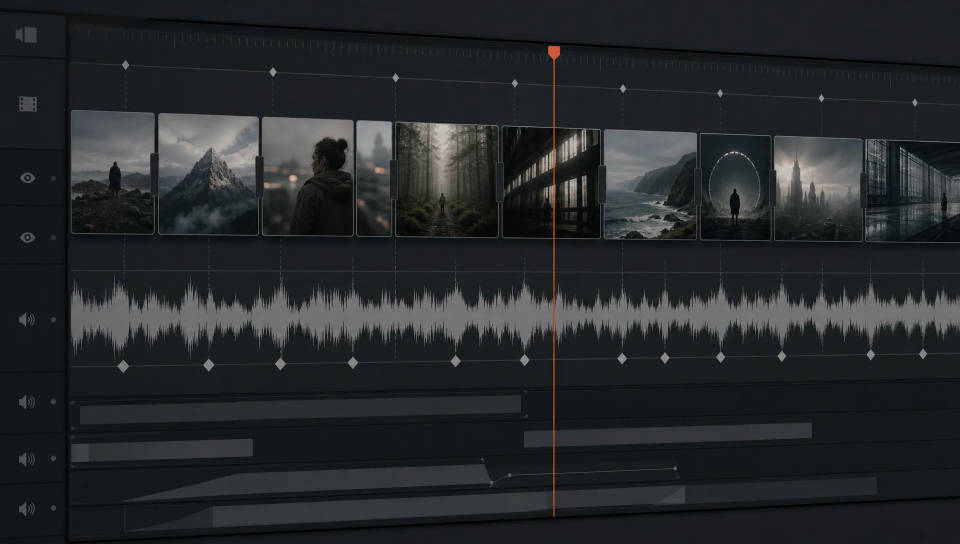
    Drop your track on Compose, place the shots, and trim the cuts to the beat.

Use cases

Independent artists without a video budget

Put a real music video behind your single with no crew, location, or shoot day. Generate every shot from a prompt and edit them yourself.

Independent artists without a video budget

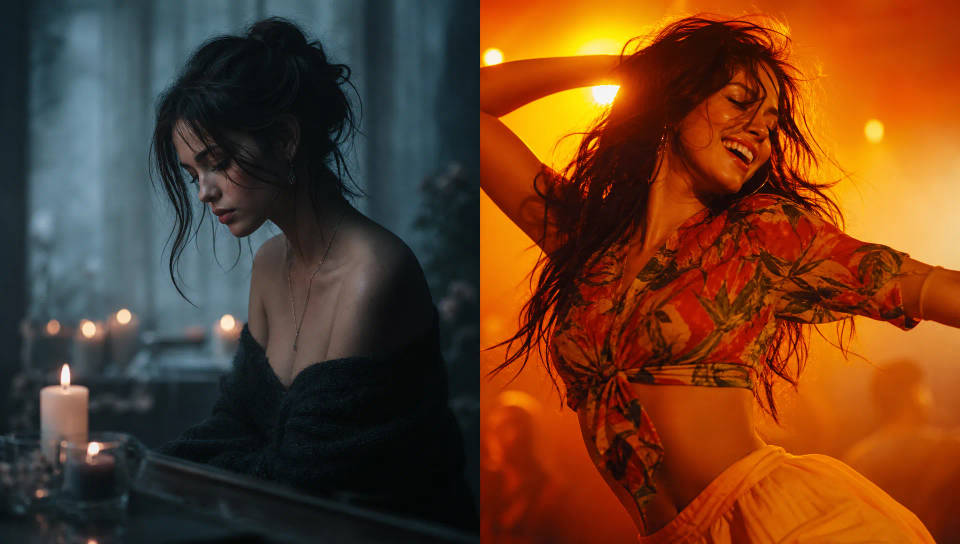
Match the visuals to your song's mood

Lead with emotion. Name the genre, palette, and setting so a slow ballad reads soft and warm while an uptempo track reads bright and kinetic.

Match the visuals to your song's mood

Cut to the beat on Compose

Drop the track onto Compose, lay your shots along the timeline, and trim the cuts to land on the beat, tight through the chorus, looser through the verses.

Cut to the beat on Compose

Visualizers and loops for streaming and socials

Build lyric-free visualizers and looping backgrounds that hold on their own, loop cleanly for streaming, and give the track a moving visual for every post.

Visualizers and loops for streaming and socials

All on Morphic

Your complete music video stack

أسعار بسيطة

ابدأ مجاناً اليوم، مع إمكانية الترقية أو الإلغاء في أي وقت.

Basic

$9/ شهر
تُفوتر باعتبارها $0 سنوياً

900 شهرياً أرصدة

1 مستخدم فقط

جميع النماذج

Workflows

Standard

$24/ شهر
تُفوتر باعتبارها $0 سنوياً

3200 شهرياً أرصدة

1 مستخدم فقط

جميع النماذج

Workflows

Pro

$45/ شهر
تُفوتر باعتبارها $0 سنوياً

6200 مشترك شهرياً أرصدة

1 مستخدم

+ حتى 4 المزيد بتكلفة إضافية

جميع النماذج

Workflows

Pro Max

$170/ شهر
تُفوتر باعتبارها $0 سنوياً

24000 مشترك شهرياً أرصدة

1 مستخدم

+ حتى 9 المزيد بتكلفة إضافية

جميع النماذج

Workflows

Enterprise

لحدود أعلى

مخصص

شروط الأسعار والفوترة

أرصدة غير محدودة
حدود مقاعد مخصصة
جميع النماذج
Workflows
Pricing Gradient

Free

للتجربة والاستكشاف

$0

مجاني إلى الأبد

حتى 20 رصيد
مستخدم واحد فقط
نماذج محدودة
Workflows

الأسئلة الشائعة

How do I make a music video with AI?
Describe the look you want scene by scene, generate each shot with an AI video model, then cut the shots to the beat on Compose. Start from the mood of the track, name the setting and camera move for each shot, and render the visuals that carry the song. No crew, no location, no shoot day.
How do I match the visuals to my song?
Lead with mood. Name the genre, tempo feel, palette, and setting in the prompt so a slow ballad reads soft and warm while an uptempo track reads high-energy. Generate a few directions per section, lay them side by side on the Canvas, and keep the ones that fit the song's emotion.
Can I cut the video to the beat?
Yes. Drop your track onto Compose, place each generated shot on the timeline, and trim the cuts so they land on the beat. Space fast cuts through the chorus and let shots breathe through the verses. Compose is where you assemble the sequence and sync it to the music.
What kinds of music videos can I create?
Performance clips, narrative story videos, abstract visualizers, and looping backgrounds all work well. Match the approach to the track: a moody performance for a single, a surreal dreamscape for an ambient piece, or a lyric-free visualizer for a release you want to loop on streaming platforms.
Can I make a music video without a budget?
Yes. A traditional music video needs a director, a crew, a location, and gear. Here you generate every shot from a prompt and edit them together yourself, so an independent artist can produce a full video for a single track without booking any of that.
How do I keep a consistent look across the video?
Set the palette, lighting, and style once and carry it through every prompt. Start shots from the same reference still with image-to-video so the artist and setting stay recognizable, and use the Camera rig to lock the same lens and grade across scenes.
Can I export the music video in 4K?
Yes. Render your shots, assemble the cut on Compose, and export the finished music video in 4K, ready to upload to YouTube or share on social platforms.

قد يعجبك أيضا