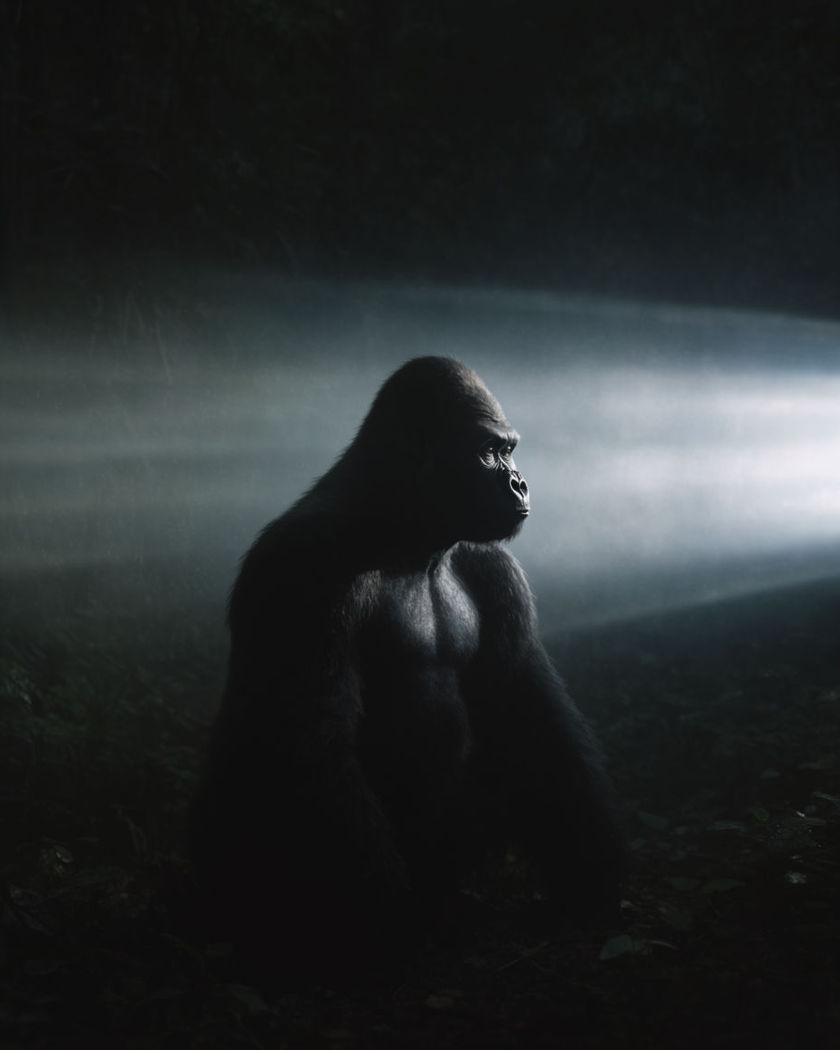
AI gorilla transfer effect

Gorilla transfer shots generated as one continuous morph: the first frame holds a person, the last frame holds a gorilla in the same pose, and the whole change happens between them.

A figure mid-morph between a human silhouette and a gorilla silhouette in a dim jungle clearing

Gorilla transfer effect examples

Jungle clearing wide morph

A wide clearing shot morphs a standing figure into a gorilla across the same footprint. a wide shot of a misty jungle clearing at dawn, a fictional adult standing at its centre morphing smoothly frame by frame into a gorilla holding the exact same standing position and footprint by the final frame, soft green filtered light, seamless continuous transformation, no cut

City rooftop transfer

A rooftop stance morphs into a gorilla against the same skyline backdrop. a wide shot on a city rooftop at dusk, a fictional adult standing with arms crossed against the skyline morphing gradually into a gorilla holding the identical crossed-arm stance, warm city light behind, smooth unbroken transformation with the skyline unchanged

Chest-beat gesture carried through

Arms raised mid-gesture morph seamlessly from human to gorilla without changing position. a fictional adult with both arms raised and fists near the chest mid-gesture on a dark studio set, the transformation rippling outward from the chest as the figure morphs into a gorilla holding the exact same raised-arm gesture, warm rim light, one continuous unbroken motion

Seated pose, held stillness

A seated figure holds still while the morph carries the whole body into a gorilla. a fictional adult seated cross legged on a wooden platform, hands resting on their knees, perfectly still, the entire figure morphing slowly and smoothly into a seated gorilla holding the identical posture, warm lantern light, meditative unhurried pacing

Standing pose, jungle clearing

A person standing tall morphs into a gorilla holding the identical stance. a fictional adult standing upright in a misty jungle clearing, arms relaxed at their sides, morphing smoothly through a dissolving texture change frame by frame into a gorilla holding the exact same upright stance and arm position by the final frame, soft green filtered light, seamless first-to-last-frame transformation

Walking stride, mid-step morph

A mid-stride walk holds its footing as the figure morphs into a gorilla mid-step. a fictional adult caught mid-stride walking across a forest path, one foot lifted, the whole body morphing through a smooth textured dissolve into a gorilla holding the exact same mid-step position, dappled forest light, the walking rhythm never interrupted

Studio stage reveal

A dark studio stage holds a raised-arm gesture as it morphs into a gorilla in the same pose. a wide shot on a dark studio stage with a single spotlight, a fictional adult with arms raised mid-gesture morphing outward from the chest into a gorilla holding the identical raised-arm pose, dramatic rim light, one continuous unbroken transformation with no cut

Crouched stance, ready pose

A crouched fighting stance carries through the morph into a gorilla in the same crouch. a fictional adult crouched low in an athletic ready stance on a gym floor, knees bent and fists forward, the body texture rippling through a smooth morph into a gorilla holding the identical crouched stance, dramatic side light, the pose never breaking across the transformation

Forest path mid-stride

A wide forest path shot carries a walking stride through the morph without breaking stride. a wide tracking shot along a forest path, a fictional adult walking mid-stride morphing smoothly into a gorilla holding the exact same mid-step position, dappled sunlight through the canopy, the camera keeping pace with the unbroken stride throughout

Close portrait, face-first morph

A close portrait morphs from a calm human face into a gorillas face in the same framing. a close portrait of a fictional adult looking directly at camera with a calm expression, soft studio light, the face morphing gradually and smoothly into a gorillas face while the head angle and framing stay perfectly locked, seamless texture blend, no jarring cut

Generate your own gorilla transfer effect

اختر نقطة بداية، وعدّل ما تشاء، ثم أنشئه في Morphic.

أنشئ

أسعار بسيطة

ابدأ مجاناً اليوم، مع إمكانية الترقية أو الإلغاء في أي وقت.

Basic

$19/ شهر
تُفوتر باعتبارها $0 سنوياً

2400 شهرياً أرصدة

1 مستخدم فقط

جميع النماذج

Workflows

Standard

$24/ شهر
تُفوتر باعتبارها $0 سنوياً

3625 شهرياً أرصدة

1 مستخدم فقط

جميع النماذج

Workflows

Pro

$45/ شهر
تُفوتر باعتبارها $0 سنوياً

6350 مشترك شهرياً أرصدة

1 مستخدم

+ حتى 4 المزيد بتكلفة إضافية

جميع النماذج

Workflows

Max

$170/ شهر
تُفوتر باعتبارها $0 سنوياً

24650 مشترك شهرياً أرصدة

1 مستخدم

+ حتى 9 المزيد بتكلفة إضافية

جميع النماذج

Workflows

Enterprise

لحدود أعلى

مخصص

شروط الأسعار والفوترة

أرصدة كبيرة الحجم
حدود مقاعد مخصصة
جميع النماذج
Workflows
Pricing Gradient

Free

للتجربة والاستكشاف

$0

مجاني إلى الأبد

حتى 20 رصيد
مستخدم واحد فقط
نماذج محدودة
Workflows

الأسئلة الشائعة

Where can I make gorilla transfer effect videos with AI?
You can create gorilla transfer videos directly in your browser on Morphic. Bring your first and last frame, describe the pose and setting, and Morphic generates the smooth morph between them. No manual keyframing or frame blending needed.
What kinds of gorilla transfer shots work best with AI video?
A clear, held pose with a simple background reads cleanest, since the morph has to carry that exact position from start to finish. Standing stances, crouches, and close portraits all work well, and a static or slow camera keeps the transformation readable.
How do I write a good prompt for a gorilla transfer effect video?
Describe the pose in detail and confirm it stays identical across both frames, then name the setting and light. The clearer the match between the starting and ending pose, the smoother the morph Morphic returns between the two frames.
Can I use my own photo for a gorilla transfer effect video?
Yes. This effect uses a frames to video route, so bring a first frame of yourself in the pose you want and a last frame showing the gorilla in that same pose, and Morphic generates the continuous morph between them.
Do I need video editing experience to make a gorilla transfer effect video?
No. Morphic runs in your browser and you direct it with plain-language prompts. If you can describe the pose and setting, you can produce the video, and Copilot can assemble the finished cut for you.
What can I use a gorilla transfer effect video for?
It works well as a playful transformation clip for social, a creative transition in a longer edit, or a fun concept reveal. Generate the shot, let Copilot assemble the cut, and export the size each channel needs.