تفعيل دائرة الاستدعاء
تكوين من أعلى مباشرة، والبطل يسقط عبر دائرة استدعاء متوهّجة. الرموز الرونية مضاءة في حلقات متّحدة المركز، وسحرة بأردية طويلة يهتفون حول المحيط. لقطة تصلح افتتاحية للحلقة الأولى.
تعديل الأمر النصي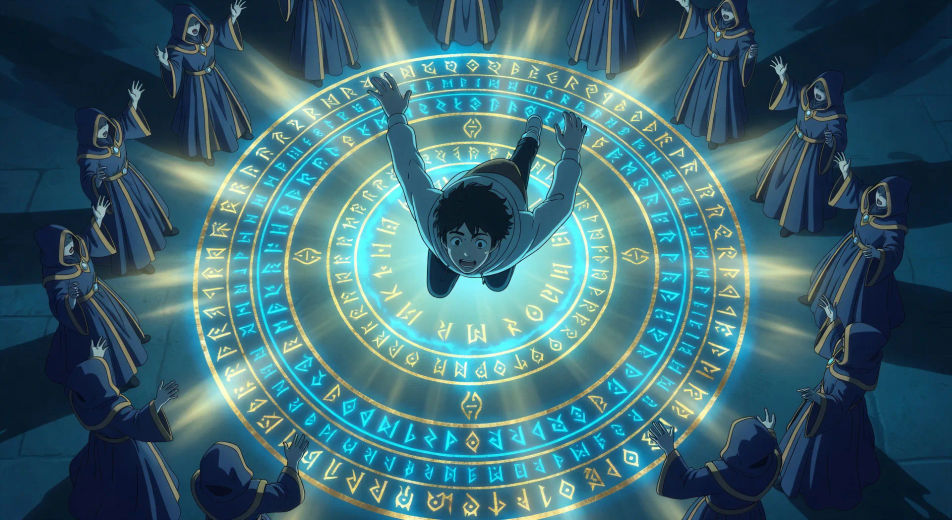
جيل كامل في الخليج كبر على الأنمي المدبلج بالعربية، وصار اليوم قادرًا على صناعته بنفسه. مع مولّد فيديوهات إيسيكاي بالذكاء الاصطناعي من Morphic تُخرج حكاية العبور إلى عالم آخر من متصفحك. ولّد دائرة استدعاء بحلقات رونية متوهّجة، أو مواجهة الزعيم الأخير في قاعة العرش. سجّل الحوار بأصوات عربية عبر أداة Speech، وأضِف الموسيقى بأداة Music، وثبّت لوحة ألوان ألعاب RPG القروسطية بأداة Video Style Transfer.
تكوين من أعلى مباشرة، والبطل يسقط عبر دائرة استدعاء متوهّجة. الرموز الرونية مضاءة في حلقات متّحدة المركز، وسحرة بأردية طويلة يهتفون حول المحيط. لقطة تصلح افتتاحية للحلقة الأولى.
تعديل الأمر النصيتأطير من فوق الكتف على لوحة حالة عائمة شبه شفافة. الاسم والمستوى 1 في الأعلى، وشجرة مهارات تتمدّد، وأشرطة إحصائيات نصف فارغة. هذه هي العلامة التي تفصل إيسيكاي عن أي فانتازيا أخرى.
تعديل الأمر النصي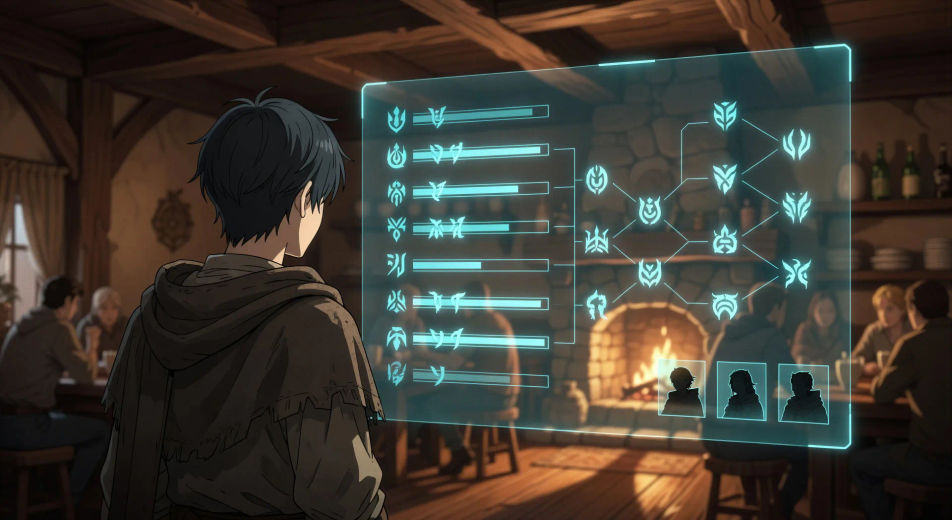
لقطة بطولية من زاوية منخفضة لأربعة يقفون في مدخل الخان: فارس وساحرة ومعالِجة ومحاربة. الشمس تدخل من ورائهم، وذرّات الغبار تطفو في عمود الضوء.
تعديل الأمر النصي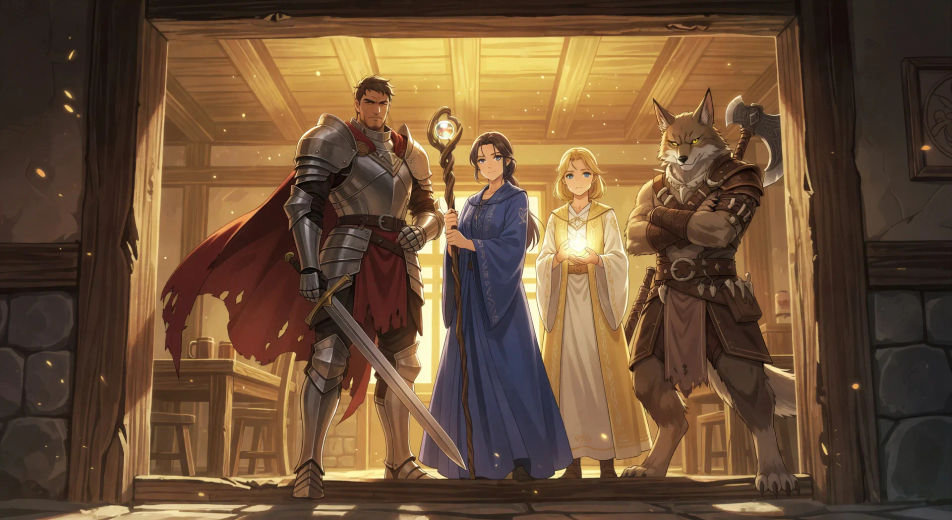
لقطة واسعة للفرقة وهي تهبط درجًا حجريًا إلى قبو مظلم. لهب الشعلة يلمع على الجدران المبلّلة، وعيون متوهّجة تظهر في العتمة أسفل الدرجات.
تعديل الأمر النصي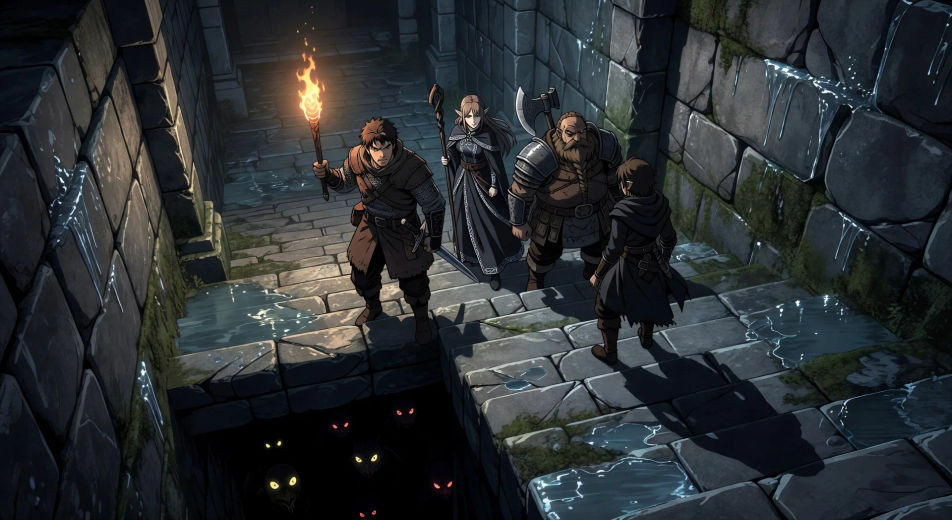
اكتب مشهد أنمي إيسيكاي الذي تريده، بكلمات بسيطة.
ينشئ Morphic مقطعا سينمائيا جاهزا للإطارات على لوحتك خلال ثوانٍ.
عدّل الأمر النصي، وأعد إنشاء التنويعات، ثم نزّل اللقطة أو شاركها.

Pick any anime illustration as your style guide. Apply its look to any image.

Turn any sketch or drawing into a finished render.

Take any character image and generate 6 distinct facial expressions on a single reference sheet.

All your characters on a single lineup image, side by side with height comparison.

Turn any photo or description into an animated chibi sprite. Dance, jump, wave, attack, and more.
Upload a character image and make it dance in any style.
فيديوهات anime بالذكاء الاصطناعي
أنشئ فيديوهات anime مع Morphic. مشاهد من الحياة اليومية، ولقطات Mecha، وتحوّلات الفتاة السحرية، وحلقات anime كاملة تُولَّد من موجّه واحد.
فيديوهات anime بالذكاء الاصطناعي
أنشئ مشاهد قتال anime، ومبارزات سيوف، ومعارك سحرية، واشتباكات Mecha مع Morphic. ولّد وحرّك واسرد وضع الموسيقى للمشاهد من موجّه واحد.
فيديوهات الفتاة الساحرة بالذكاء الاصطناعي
أنشئ فيديوهات الفتاة الساحرة بالذكاء الاصطناعي مع Morphic: مشهد تحوّل بالشرائط، وضربة ختامية، وكشف الزيّ، وحلقة كاملة تخرج عمودية لتيك توك.
فيديوهات أنمي الميكا بالذكاء الاصطناعي
أنشئ فيديوهات أنمي الميكا بالذكاء الاصطناعي من متصفحك: إقلاع من القمرة، معارك فوق أبراج المدينة، وتعليق صوتي عربي مع Morphic.
ابدأ مجاناً اليوم، مع إمكانية الترقية أو الإلغاء في أي وقت.
Basic
2400 شهرياً أرصدة
1 مستخدم فقط
جميع النماذج
Workflows
Standard
3625 شهرياً أرصدة
1 مستخدم فقط
جميع النماذج
Workflows
Pro
6350 مشترك شهرياً أرصدة
1 مستخدم
جميع النماذج
Workflows
Max
24650 مشترك شهرياً أرصدة
1 مستخدم
جميع النماذج
Workflows
Enterprise
لحدود أعلى
مخصص
شروط الأسعار والفوترة

Free
للتجربة والاستكشاف
$0
مجاني إلى الأبد