افتتاحية سريعة «في الحلقة السابقة»
سرد سريع للحظات القصة الأساسية بمونتاج مضغوط، تحذير مهموس، مطاردة، خيانة، تمرّ كل لقطة خاطفة تحت تدرّج لوني قوي عالي التباين يبني الزخم نحو الحاضر.
تعديل الأمر النصي
أخرِج فيديو تلخيص داخل متصفحك مع مولّد فيديو التلخيص بالذكاء الاصطناعي من Morphic. أنشئ تلخيصاً سريعاً «في الحلقة السابقة» يمرّ على أهم اللحظات، أو مونتاجاً بطيئاً للحظة مفصلية يعيد ضبط التشويق. علّق عليه بأداة Speech، ثم اجمع اللحظات في تلخيص واحد متواصل على Canvas.
سرد سريع للحظات القصة الأساسية بمونتاج مضغوط، تحذير مهموس، مطاردة، خيانة، تمرّ كل لقطة خاطفة تحت تدرّج لوني قوي عالي التباين يبني الزخم نحو الحاضر.
تعديل الأمر النصيمونتاج ثقيل يتمهّل عند نقاط التحوّل، قرار هادئ عند نافذة، باب يُغلق، وجه ينكسر، تُعرَض كل لحظة تحت إضاءة درامية خافتة بقطعات بطيئة متأنّية.
تعديل الأمر النصي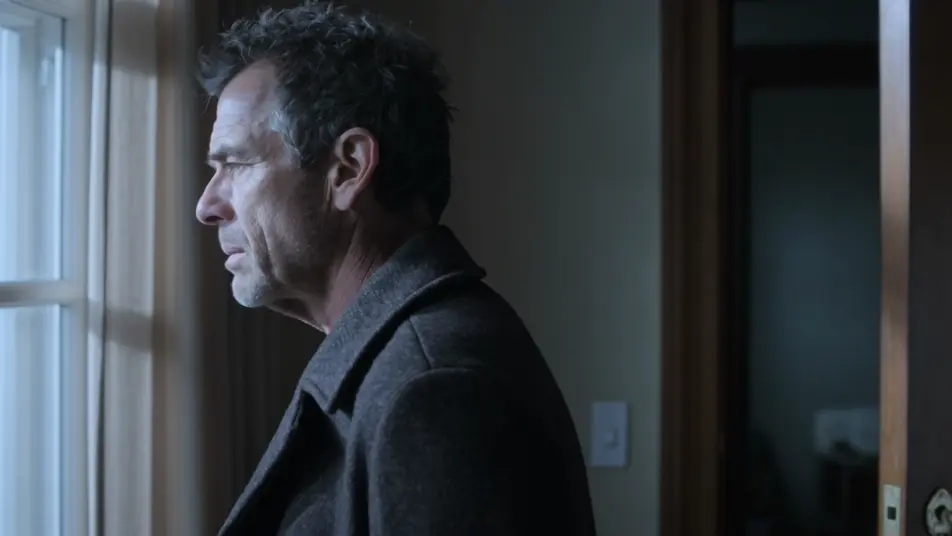
إطار مقسّم يعرض خطّين في آنٍ واحد، شخص يعبر سطحًا بينما آخر ينتظر في غرفة مضاءة، ويحفظ الفاصل النظيف كلا الخطّين متوازنين تحت تدرّج لوني متطابق.
تعديل الأمر النصي
لحظة متوترة واحدة متجمّدة، يد تمتدّ نحو باب غير مرئي، والكاميرا تقترب بينما يخفت الضوء ويُقطَع الإطار بحدّة إلى السواد على اللحظة المعلّقة.
تعديل الأمر النصي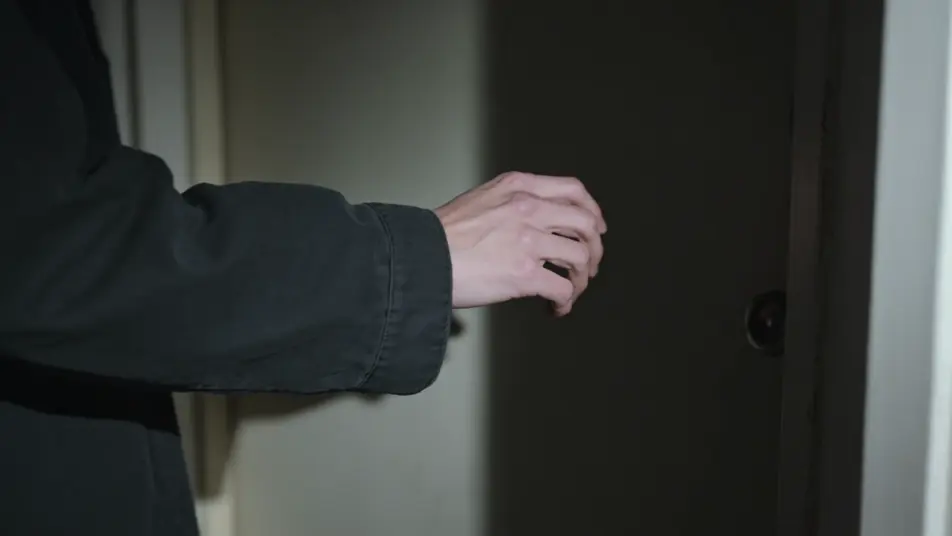
اكتب مشهد فيديو التلخيص الذي تريده، بكلمات بسيطة.
ينشئ Morphic مقطعا سينمائيا جاهزا للإطارات على لوحتك خلال ثوانٍ.
عدّل الأمر النصي، وأعد إنشاء التنويعات، ثم نزّل اللقطة أو شاركها.

Dramatize any text conversation into a cinematic multi-shot video.
Cinematic time-freeze short film for any scene

Generate a professional film title card from scratch, with optional cinematic animation.
Photo of any real-estate becomes a cinematic renovation timelapse video with construction SFX and music.
One image to a 9-scene cinematic video.
Drop in a photo of yourself. Get a 12-second cinematic movie with animation and a matched soundtrack.
فيديوهات ملخص السنة بالذكاء الاصطناعي
أنشئ فيديوهات ملخص السنة بالذكاء الاصطناعي مع Morphic. مونتاجات شهرية، بطاقات إحصاء متحركة، وأبرز اللحظات تُجمَّع بسرعة.
فيديوهات كليب شو بالذكاء الاصطناعي
ولّد فيديوهات كليب شو بالذكاء الاصطناعي مع Morphic. فواصل مقدّم، وسلاسل مواضيعية لأفضل اللحظات، ومونتاجات ذكريات، وأوامر حلقة مقاطع تعمل ببساطة.
فيديوهات المونتاج بالذكاء الاصطناعي
أنشئ فيديوهات مونتاج بالذكاء الاصطناعي مع Morphic. مونتاجات تمرين، وتسلسلات سفر، وأقواس تحوّل، وموجّهات مونتاج متزامنة مع الإيقاع تعمل مباشرة.
فيديوهات POV بالذكاء الاصطناعي
أنشئ فيديوهات POV بالذكاء الاصطناعي مع Morphic. صوّر مشاهد بمنظور الشخص الأول، لحظات حركة وحياة يومية عند مستوى العين، بلا خبرة مونتاج.
ابدأ مجاناً اليوم، مع إمكانية الترقية أو الإلغاء في أي وقت.
Basic
2400 شهرياً أرصدة
1 مستخدم فقط
جميع النماذج
Workflows
Standard
3625 شهرياً أرصدة
1 مستخدم فقط
جميع النماذج
Workflows
Pro
6350 مشترك شهرياً أرصدة
1 مستخدم
جميع النماذج
Workflows
Max
24650 مشترك شهرياً أرصدة
1 مستخدم
جميع النماذج
Workflows
Enterprise
لحدود أعلى
مخصص
شروط الأسعار والفوترة

Free
للتجربة والاستكشاف
$0
مجاني إلى الأبد