مقارنة شارع بين النهار والليل
تقسيم رأسي يحمل الشارع الهادئ نفسه على الجانبين، اليسار في ظهيرة ساطعة واليمين في ليل أزرق، مع حركات كاميرا متطابقة تنزلق أسفل كل لوحة، فاصل مركزي نظيف، وحركة دولي متوازية بطيئة.
تعديل الأمر النصي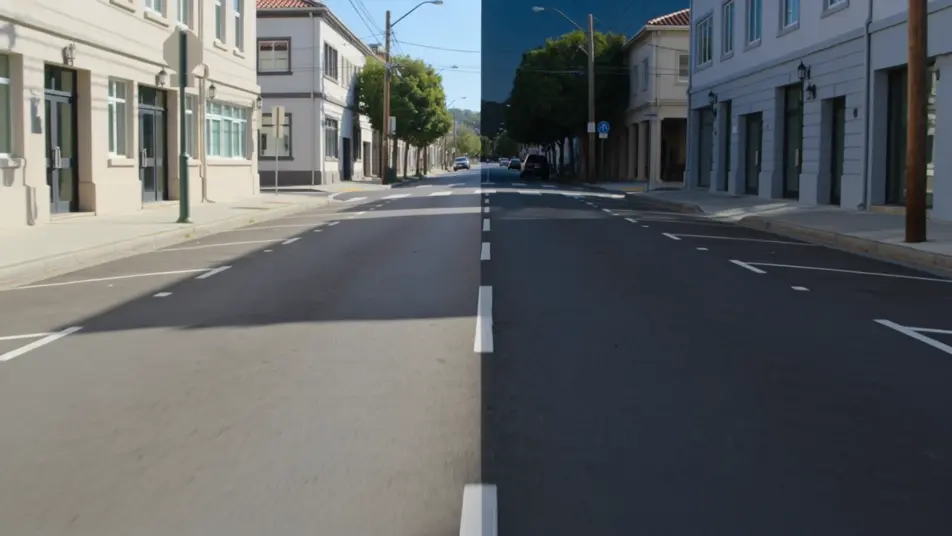
أخرِج لقطات الشاشة المقسّمة متعددة اللوحات داخل متصفحك مع مولّد فيديو الشاشة المقسّمة بالذكاء الاصطناعي من Morphic. أنشئ تحوّل قبل وبعد يعمل جنبًا إلى جنب، أو شبكة من أربع لوحات تفاعلات تتحرك بتزامن. نزّل كل لوحة على الإيقاع بأداة Music، ثم جمّع التسلسل على Canvas.
تقسيم رأسي يحمل الشارع الهادئ نفسه على الجانبين، اليسار في ظهيرة ساطعة واليمين في ليل أزرق، مع حركات كاميرا متطابقة تنزلق أسفل كل لوحة، فاصل مركزي نظيف، وحركة دولي متوازية بطيئة.
تعديل الأمر النصيشبكة اثنين في اثنين لأربع زوايا مدينة مختلفة، كلها تغمرها الشمس الدافئة نفسها عند الغروب، حركة المارة والضوء في كل خلية، لوحات موقوتة لتتنفس معًا، وتأطير ثابت في كل ربع.
تعديل الأمر النصي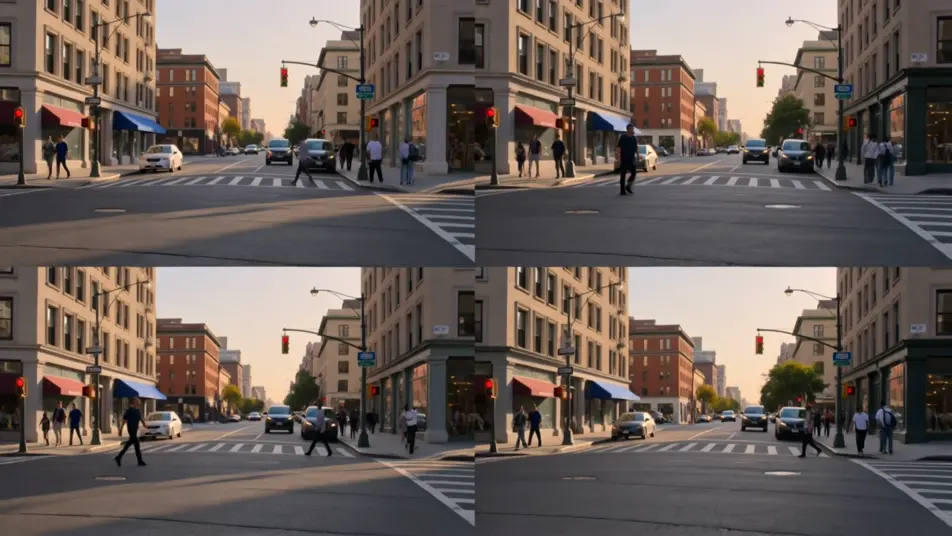
تقسيم أفقي متراكب يُظهر واجهة متآكلة في الأعلى ونسختها المرمّمة في الأسفل، ضوء نهار ناعم متساوٍ على كليهما، حركة دفع بطيئة على كل لوحة تكشف التفصيل المتطابق، والفاصل ثابت.
تعديل الأمر النصي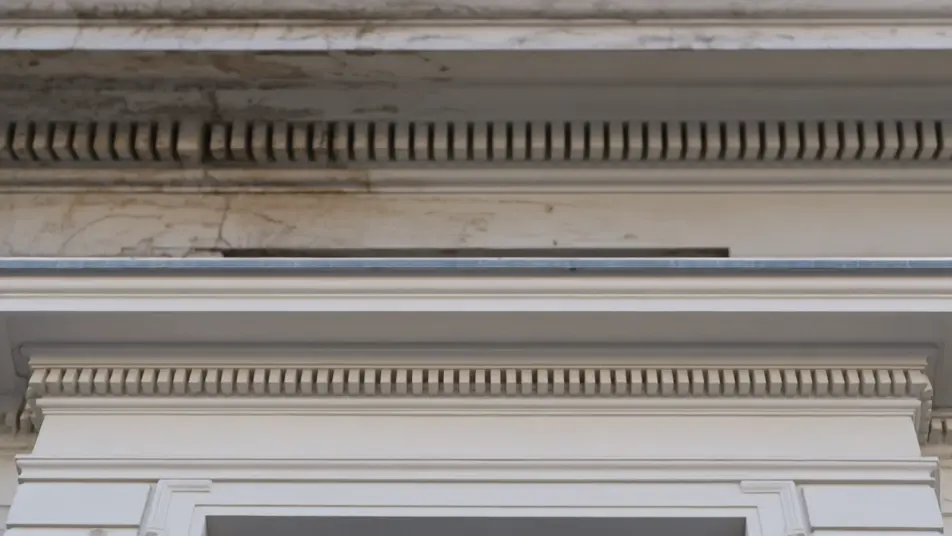
تقسيم رأسي يضع شخصين في غرفتين منفصلتين يبدو أنهما يتحدثان عبر الفاصل، ضوء داخلي دافئ على كل جانب، اهتزاز يدوي لطيف في كلتا اللوحتين، والخط المركزي يمسك الإطار معًا.
تعديل الأمر النصي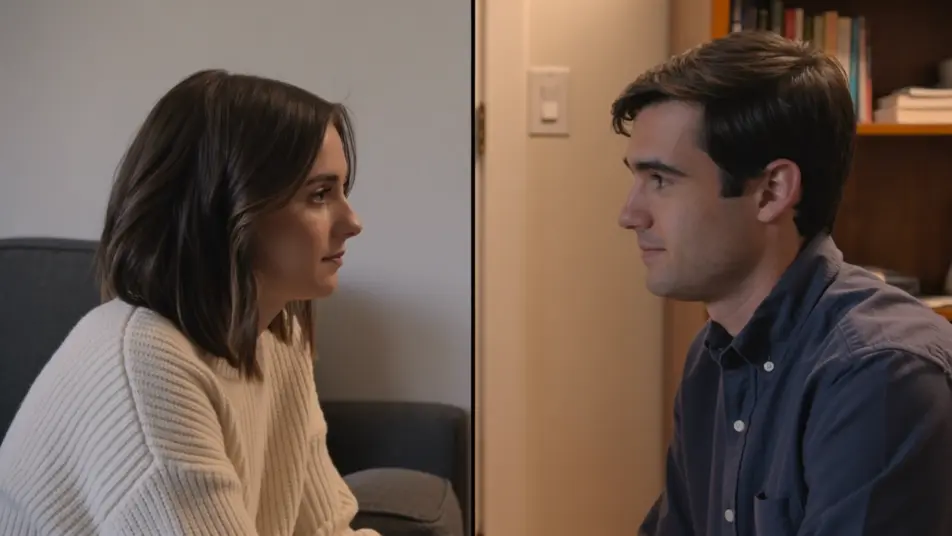
اكتب مشهد الشاشة المقسّمة الذي تريده، بكلمات بسيطة.
ينشئ Morphic مقطعا سينمائيا جاهزا للإطارات على لوحتك خلال ثوانٍ.
عدّل الأمر النصي، وأعد إنشاء التنويعات، ثم نزّل اللقطة أو شاركها.

Dramatize any text conversation into a cinematic multi-shot video.
Cinematic time-freeze short film for any scene

Generate a professional film title card from scratch, with optional cinematic animation.
Photo of any real-estate becomes a cinematic renovation timelapse video with construction SFX and music.
One image to a 9-scene cinematic video.
Drop in a photo of yourself. Get a 12-second cinematic movie with animation and a matched soundtrack.
فيديوهات تأثير المرآة بالذكاء الاصطناعي
ولّد فيديوهات تأثير المرآة بالذكاء الاصطناعي مع Morphic. تناظر عمودي وانعكاسات مائية وعوالم مرايا وقلبات متناظرة من موجّه واحد.
لقطة البانّ السريع
لقطة البانّ السريع تُحرّك الكاميرا أفقيًا بسرعة لإخفاء القطع داخل الضبابية. تعرّف على استخدامها كانتقال، وحرّكها من برومبت في Morphic.
فيديوهات المؤثرات البصرية بالذكاء الاصطناعي
أنشئ فيديوهات مؤثرات بصرية بالذكاء الاصطناعي مع Morphic. انفجارات، طاقة، دمار مستقبلي، وجسيمات من موجّه واحد دون شاشة خضراء.
فيديوهات POV بالذكاء الاصطناعي
أنشئ فيديوهات POV بالذكاء الاصطناعي مع Morphic. صوّر مشاهد بمنظور الشخص الأول، لحظات حركة وحياة يومية عند مستوى العين، بلا خبرة مونتاج.
ابدأ مجاناً اليوم، مع إمكانية الترقية أو الإلغاء في أي وقت.
Basic
2400 شهرياً أرصدة
1 مستخدم فقط
جميع النماذج
Workflows
Standard
3625 شهرياً أرصدة
1 مستخدم فقط
جميع النماذج
Workflows
Pro
6350 مشترك شهرياً أرصدة
1 مستخدم
جميع النماذج
Workflows
Max
24650 مشترك شهرياً أرصدة
1 مستخدم
جميع النماذج
Workflows
Enterprise
لحدود أعلى
مخصص
شروط الأسعار والفوترة

Free
للتجربة والاستكشاف
$0
مجاني إلى الأبد