Escada em espiral subindo pelas pilhas de livros
Uma grande escada de madeira em espiral subindo por estantes imponentes, luz quente de lampiões nos corrimãos, as estantes desaparecendo na sombra bem acima.
Editar prompt
Construa bibliotecas mágicas imponentes direto no navegador com o gerador de imagem com IA do Morphic. Crie uma espiral de estantes sob uma cúpula de vidro ou um arquivo iluminado por orbes flutuantes, fixe a paleta e a luz com o Style Transfer e depois faça as páginas virarem com o Image to Video.
Uma grande escada de madeira em espiral subindo por estantes imponentes, luz quente de lampiões nos corrimãos, as estantes desaparecendo na sombra bem acima.
Editar promptUm recanto aconchegante com uma poltrona funda e livros empilhados ao lado de uma alta janela em arco, luz dourada da tarde derramando pelo chão e um livro aberto à deriva.
Editar prompt
Um único livro antigo aberto sobre um pedestal de pedra no coração de uma biblioteca escura, luz suave erguendo-se de suas páginas, estantes altas ao redor na sombra.
Editar prompt
Uma vista ampla de um vasto salão de biblioteca forrado do chão ao teto com livros, uma cúpula de vidro no alto inundando o ambiente de luz, poeira à deriva nos feixes.
Editar prompt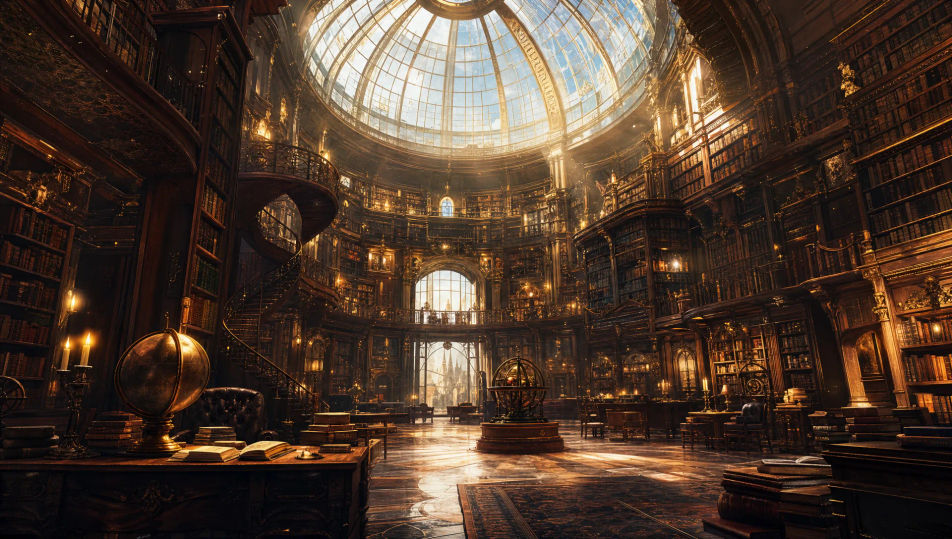
Descreva o Biblioteca mágica que você quer, em poucas palavras.
A Morphic gera uma imagem limpa e pronta para publicar no seu Canvas em segundos.
Ajuste o prompt, gere novas variações e depois baixe ou compartilhe o quadro.
Choose your viewing angles and get precise perspective shifts of any image with full camera control.

Professional 7-panel location reference sheet from a single photo.
Set the look with one reference image. Apply that exact grade to any scene or batch.
Restyle any video in a completely new visual style. Every frame transforms, all motion stays intact.

Take any character image and generate 6 distinct facial expressions on a single reference sheet.
Photo of any real-estate becomes a cinematic renovation timelapse video with construction SFX and music.
Enchanted Forest AI Images
Create AI Enchanted Forest images with Morphic. Generate Enchanted Forest scenes, landscapes, and environments for any project in seconds.
Dark academia AI art
Create dark academia art with Morphic. Candlelit readers, ivy-stone quadrangles, oak library compositions, and gothic-study aesthetic from a single prompt.
Wizard AI Images
Create AI Wizard images with Morphic. Generate Wizard portraits, designs, and character art for any project in seconds.
Dragon Lair AI Images
Create AI Dragon Lair images with Morphic. Generate Dragon Lair scenes, landscapes, and environments for any project in seconds.
Comece grátis hoje mesmo, com a opção de fazer upgrade ou cancelar quando quiser.
Basic
2400 mensal créditos
1 apenas usuário
Todos os modelos
Workflows
Standard
3625 mensal créditos
1 apenas usuário
Todos os modelos
Workflows
Pro
6350 compartilhado mensal créditos
1 usuário
Todos os modelos
Workflows
Max
24650 compartilhado mensal créditos
1 usuário
Todos os modelos
Workflows
Enterprise
Para limites maiores
Personalizado
termos de preços e cobrança

Free
Para experimentar
$0
grátis para sempre