Paint Watercolor images in your browser with Morphic's Watercolor AI image generator. Generate a rain-washed riverside village or a magnolia bleeding into wet paper, keep the wet-on-wet palette with Style Transfer, then animate any still with Image to Video.

Watercolor subjects you can paint

Watercolor scenes you can compose

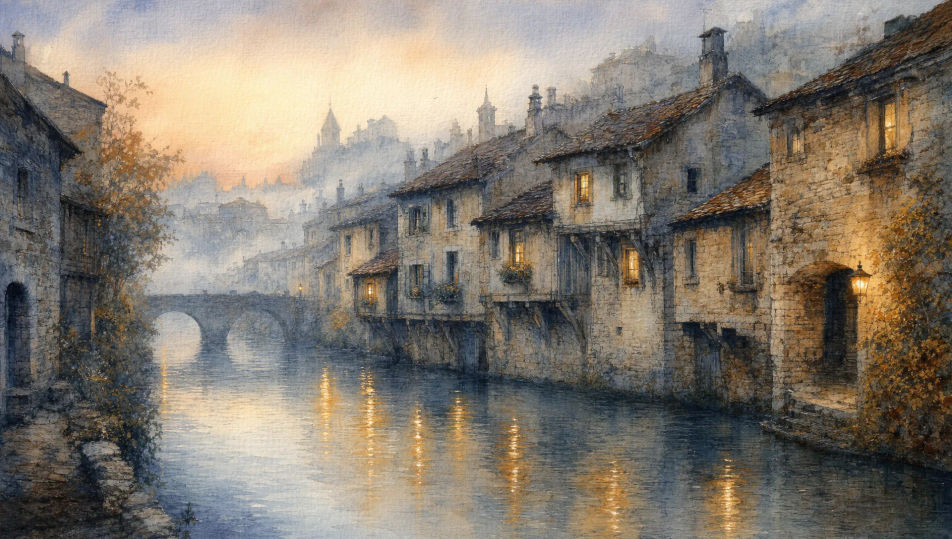
Rain-washed riverside village at dawn

Stone houses leaning over a slow river at first light, mist hanging in the cool wash above the rooftops, reflections of saffron lanterns running on the water, paper texture showing through.

Editar prompt
Rain-washed riverside village at dawn

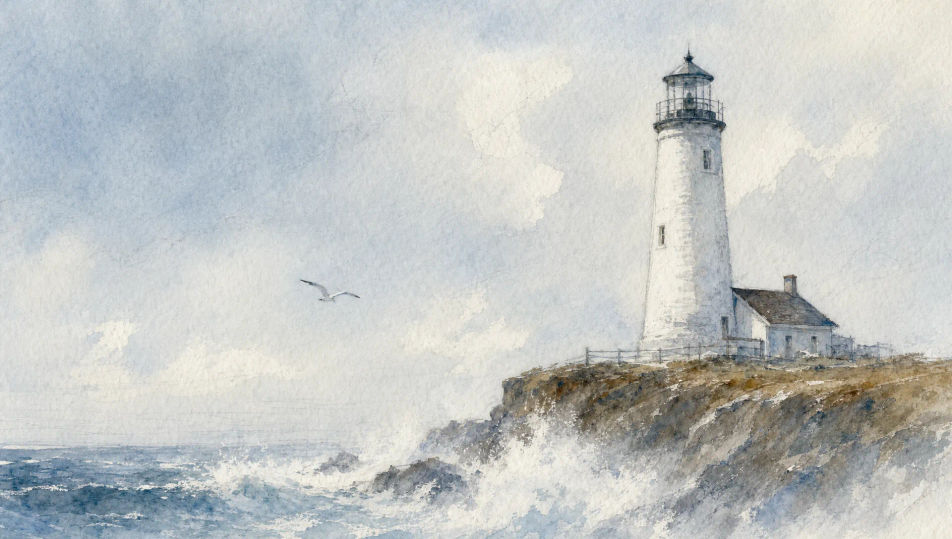
Coastal lighthouse in pale fog

A whitewashed lighthouse on a low cliff under a pale wash sky, sea spray softening the base into the paper, single gull wheeling, all in cool blues, soft greys, and a hint of sienna.

Editar prompt
Coastal lighthouse in pale fog

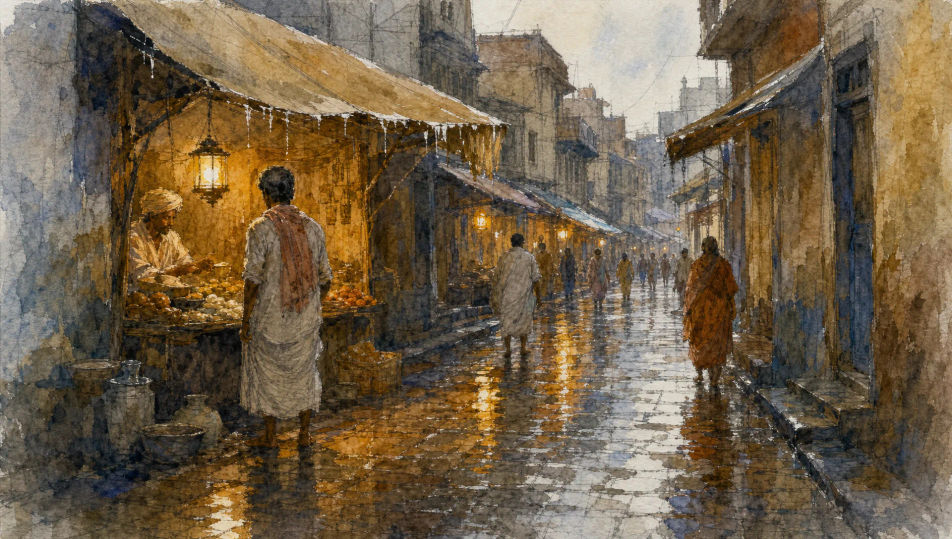
Wet market lane after rain

A narrow cobblestone lane after a downpour, dripping awnings, vendor lanterns reflected in puddles, figures in cotton wraps caught mid-stride, warm ochres bleeding into cool greys.

Editar prompt
Wet market lane after rain

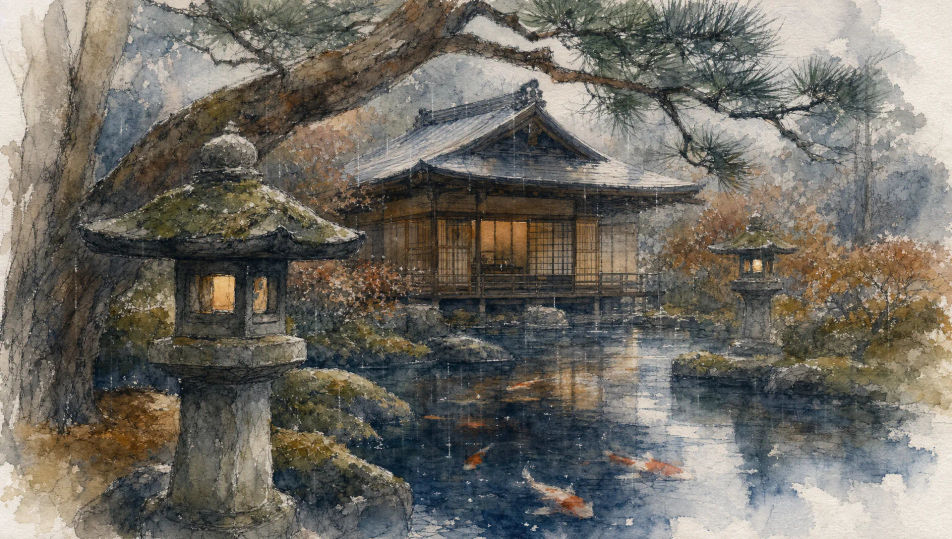
Tea garden in soft drizzle

A timber tea house framed by stone lanterns and moss-covered pine, soft drizzle blurring the edges, koi flickering in a pond of bleeding sumi-ink and indigo wash.

Editar prompt
Tea garden in soft drizzle

Crie Watercolor em três passos

  1. 01

    Descreva seu Watercolor

    Descreva o Watercolor que você quer, em poucas palavras.

  2. 02

    Gere a imagem

    A Morphic gera uma imagem limpa e pronta para publicar no seu Canvas em segundos.

  3. 03

    Refine seu Watercolor

    Ajuste o prompt, gere novas variações e depois baixe ou compartilhe o quadro.

Workflows relacionados

Você também pode gostar

Preços simples

Comece grátis hoje mesmo, com a opção de fazer upgrade ou cancelar quando quiser.

Basic

$9/ mês
cobrado como $0 por ano

900 mensal créditos

1 apenas usuário

Todos os modelos

Workflows

Standard

$24/ mês
cobrado como $0 por ano

3200 mensal créditos

1 apenas usuário

Todos os modelos

Workflows

Pro

$45/ mês
cobrado como $0 por ano

6200 compartilhado mensal créditos

1 usuário

+ até 4 mais com custo adicional

Todos os modelos

Workflows

Pro Max

$170/ mês
cobrado como $0 por ano

24000 compartilhado mensal créditos

1 usuário

+ até 9 mais com custo adicional

Todos os modelos

Workflows

Enterprise

Para limites maiores

Personalizado

termos de preços e cobrança

Créditos ilimitados
Limites de vagas personalizados
Todos os modelos
Workflows
Pricing Gradient

Free

Para experimentar

$0

grátis para sempre

Até 20 créditos
apenas 1 usuário
Modelos limitados
Workflows

Perguntas frequentes

Where can I make Watercolor images with AI?
You can create Watercolor images directly in your browser on Morphic. Open the Image tool, describe the subject and setting with the water-handling and palette spelled out, and Morphic produces the artwork. No installs and no specialist software needed.
What Watercolor styles can I generate?
Soft wet-on-wet washes with bleeding edges, crisp dry-brush detailing on a granular paper ground, plein-air landscape sketches with graphite underdrawing showing through, and tight botanical studies of single blossoms. Name the technique upfront so Morphic picks the right water level.
How do I keep Watercolor characters consistent across multiple pieces?
Use the Character Lineup workflow to lock in each figure's face, costume, and signature props before generating, then reference those character cards in every prompt. Morphic preserves the design across riverside scenes, tea house interiors, and market lanes so a series reads as one body of work.
How do I prompt for the wet-on-wet bleed?
Name the behaviour directly. Use phrases like "wet-on-wet wash bleeding into ochres", "single droplet beading on the petal", "soft edges dissolving into the paper", or "graphite underdrawing showing through". The named technique tells Morphic where to soften the edges.
Can I turn my Watercolor image into a video?
Yes. Open the Image to Video tool, upload the still, and describe the motion you want (a slow drift of mist over a village, a magnolia petal turning, rain rippling through a puddle). Morphic animates from the source so the video preserves the wash and palette.
Do I need art vocabulary to prompt Watercolor images?
No. Plain words for subject, setting, water-handling, and palette are enough. If you know terms like wet-on-wet, dry brush, alla prima, or granulation, citing them sharpens the result; if not, describing what you see in your head still gets you a strong Watercolor image.