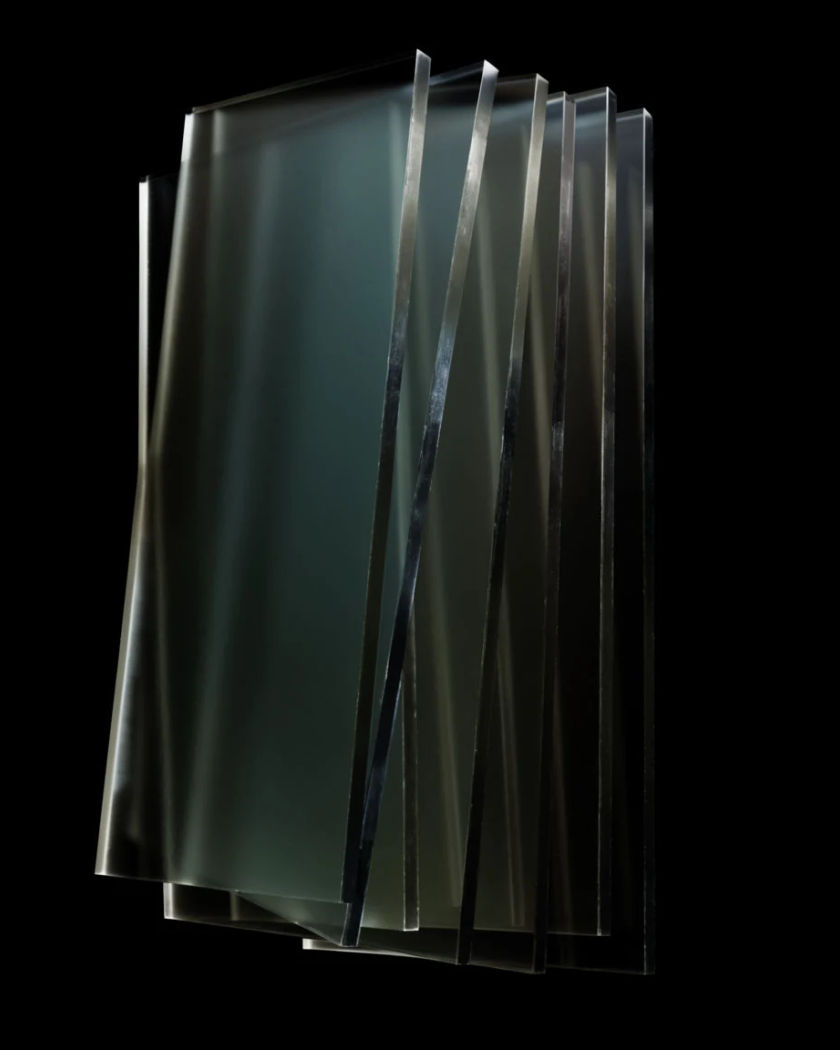
Floating layers effect

Shots where a scene separates into flat slabs of depth that drift apart, show their cut edges, and slide at different speeds.

Floating layers effect

Floating layers effect examples

Street separates into four planes

Usar este prompt

A wide street pulls apart into slabs with visible gaps. a wide shot of an ordinary street separating into four flat slabs of depth, pavement and railing on the front slab, parked bicycles on the second, shopfronts with blank frontages on the third and rooftops on the last, each drifting apart with clean cut edges and open gaps, a walking figure continuing along the front slab, camera sliding right so the slabs pass at different speeds

Landscape layers drift apart

Usar este prompt

Hill ridges separate into stacked planes with air between them. a wide landscape of receding hill ridges separating into six flat slabs with visible air and shadow between them, the nearest slab drifting down and the furthest drifting up so the stack fans open, the cut edges catching the low sun along their thickness, haze remaining correct on the far slabs, slow crane up across the fanned stack

Top layer peels off a wall

Usar este prompt

The front slab lifts forward and shows the plane behind it. a close shot of a plastered wall with a hanging plant, the front slab carrying the plant peeling forward off the wall plane like a card lifting, a hard shadow of the slab sweeping across the plaster left behind, the exposed plane showing the same plaster continuing where the plant used to be, the slab thickness visible along its edge, side light raking, slow drift

Rain crosses the layer gaps

Usar este prompt

Falling rain passes between the slabs rather than over them. a close shot of a garden scene separated into three flat slabs, rain falling through the frame and passing into the open gaps between the slabs instead of running down them, drops landing and darkening only the surface of the slab they hit, the middle slab drifting slowly forward while rain crosses in front of and behind it, overcast light, camera holding still

Portrait splits into three slabs

Usar este prompt

A standing figure, a chair and a wall pull apart with gaps between. a person standing in front of a chair against a painted wall, the frame separating into three flat slabs of depth, the figure on the front slab, the chair on the middle one and the wall at the back, each slab pulling apart with visible cut edges and open gaps between them, the figure still breathing on its own slab and casting a shadow onto the slab behind, slow push in

Slabs stack back into one frame

Usar este prompt

Separated layers glide together and the seams disappear. four separated flat slabs of a quiet bedroom scene floating apart in black space, then gliding back toward each other in sequence, the furthest settling first, each seam closing with a small shift until the slabs form one continuous photographic frame again with no visible cut lines, soft lamp light appearing complete only once the last slab lands, locked camera

Camera flies through the gaps

Usar este prompt

A move threads between the separated slabs and out the far side. a wide shot of a forest scene separated into seven flat slabs, the camera moving forward and threading through the open gaps between them, passing the cut edge of each slab close enough to show its thickness, tree trunks on each plane sliding past at their own speed, dappled light on every slab face, continuous forward dolly out the far side into plain black

Slabs slide at different speeds

Usar este prompt

A sideways camera move separates near and far layers by speed. a market alley separated into five flat slabs of depth, the camera sliding steadily to the right so the nearest slab travels fast across frame, the middle slabs slower and the furthest almost still, the cut edge of each slab visible as a clean vertical lip with thickness, small gaps opening and closing between them as they pass, flat afternoon light

Interior reassembles around a figure

Usar este prompt

Floating room slabs slide back together around a seated person. a wide shot of a seated person surrounded by floating flat slabs of their own room, the slabs sliding back into place around them one at a time, walls first, then the window plane, then the foreground table, each seam closing tight until the room is a single continuous photographic interior and the person has not moved, warm daylight completing as the last slab lands, static wide camera

Figure walks between two slabs

Usar este prompt

A person steps through the gap from one depth plane to the next. a person standing on the front slab of a two-slab separation, stepping sideways off its cut edge and across the open gap onto the rear slab, their shoulder passing in front of the rear slab edge and then behind the front one, both slabs showing plain thickness at the cut, a bare studio black beyond the gaps, low camera, static

Generate your own floating layers effect

Escolha um ponto de partida, edite o que quiser e gere no Morphic.

Gerar

Preços simples

Comece grátis hoje mesmo, com a opção de fazer upgrade ou cancelar quando quiser.

Basic

$19/ mês
cobrado como $0 por ano

2400 mensal créditos

1 apenas usuário

Todos os modelos

Workflows

Standard

$24/ mês
cobrado como $0 por ano

3625 mensal créditos

1 apenas usuário

Todos os modelos

Workflows

Pro

$45/ mês
cobrado como $0 por ano

6350 compartilhado mensal créditos

1 usuário

+ até 4 mais com custo adicional

Todos os modelos

Workflows

Max

$170/ mês
cobrado como $0 por ano

24650 compartilhado mensal créditos

1 usuário

+ até 9 mais com custo adicional

Todos os modelos

Workflows

Enterprise

Para limites maiores

Personalizado

termos de preços e cobrança

Créditos de alto volume
Limites de vagas personalizados
Todos os modelos
Workflows
Pricing Gradient

Free

Para experimentar

$0

grátis para sempre

Até 20 créditos
apenas 1 usuário
Modelos limitados
Workflows

Perguntas frequentes

Where can I make a floating layers effect video?
You can do it on Morphic in the browser. Describe the scene and what sits on each slab, and Text to Video generates the separation. To use one of your own stills, upload it and run Image to Video so the layers are cut from your photo, then export from the same workspace.
What is the floating layers effect?
It separates a single frame into flat slabs of depth that drift apart. You see the cut edge and thickness of each slab, the gaps between them, shadows landing from one plane onto the next, and each slab travelling at its own speed when the camera moves.
How do I prompt the layers so they do not flatten out?
List the slabs in order and say what is on each, front to back. Then ask for the physical tells: visible cut edges, open gaps, a slab shadow on the plane behind, and near slabs moving faster than far ones. A camera move is what makes the depth difference visible.
Does it work from my own photo?
Yes, and this is the effect it suits most. Upload a still with clear foreground, middle and background and use Image to Video. Photos with obvious depth separation, a subject in front of a wall, a street with parked bikes, cut into cleaner slabs than flat, evenly lit scenes.
Which scenes split into layers best?
Scenes with three or more distinct depth planes: a street, a receding landscape, a room with a foreground table. Sideways or forward camera moves reveal the separation best. Very shallow scenes and tight close-ups leave the model too little depth to cut apart.
Can I use the reassembly as a transition?
Yes. Generate one clip where the slabs pull apart and another where they slide back together, then cut the incoming scene in on the frame the last slab lands. Because the reassembly ends on a single continuous frame, it joins cleanly onto ordinary footage on the timeline.