A stadium roar slamming into silence
A packed floodlit stadium erupts in a wide crowd shot, then smash cuts to a single empty seat in a dark, silent arena. Hard cut on the peak of the noise, locked wide framing on both halves.
Editar prompt
Direct hard-hitting smash cuts in your browser with Morphic's smash cut AI video generator. Generate a screaming crowd slamming into a silent room, or a peaceful sunrise cracking into a car horn at rush hour. Land the impact on a downbeat with Music, then stitch the sequence on the Canvas.
A packed floodlit stadium erupts in a wide crowd shot, then smash cuts to a single empty seat in a dark, silent arena. Hard cut on the peak of the noise, locked wide framing on both halves.
Editar promptA still bedroom bathed in soft blue dawn light holds for a beat, then smash cuts to a jam-packed rush-hour street blaring with horns. Static tripod shot into a chaotic handheld pan.
Editar prompt
A macro shot of an ant on a leaf, shallow depth of field, smash cuts to a towering aerial of a rainforest canopy at golden hour. The scale jump lands on a single frame with no easing.
Editar prompt
A serene close-up of two clasped hands in warm candlelight smash cuts to the same hands letting go against harsh cold daylight. Matched framing, hard cut, the mood inverted in an instant.
Editar prompt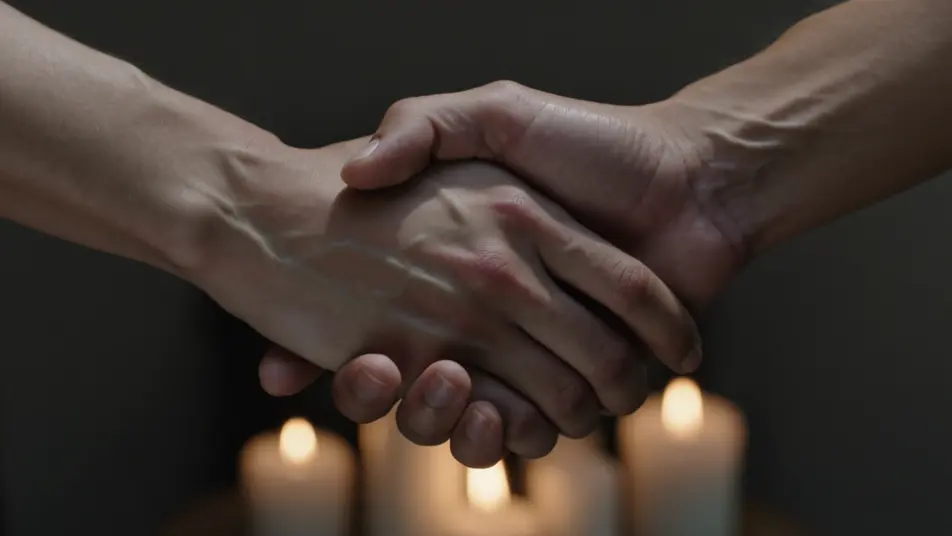
Escreva a cena de smash cut que você quer, em poucas palavras.
A Morphic gera um clipe cinematográfico e pronto para uso no seu Canvas em segundos.
Ajuste o prompt, gere novas variações e depois baixe ou compartilhe a cena.

Dramatize any text conversation into a cinematic multi-shot video.
Cinematic time-freeze short film for any scene

Generate a professional film title card from scratch, with optional cinematic animation.
Photo of any real-estate becomes a cinematic renovation timelapse video with construction SFX and music.
One image to a 9-scene cinematic video.
Drop in a photo of yourself. Get a 12-second cinematic movie with animation and a matched soundtrack.
Corte combinado
O corte combinado liga dois planos por uma forma ou ação em comum. Veja a diferença para o corte seco, quando usar e gere os quadros com IA no Morphic.
AI Cross Dissolve videos
Generate AI cross dissolve videos with Morphic. Soft fades between shots, dreamlike overlaps, and time-passing dissolves timed to music that just run.
Vídeos de VFX com IA
Crie vídeos de VFX com IA no Morphic: explosões, energia, destruição e criaturas a partir de um prompt. Sem green screen, sem composição.
Vídeos morph com IA
Crie vídeos morph com IA no Morphic. Transições suaves, revelações com mudança de forma e cortes morph no ritmo, prontos para usar.
Comece grátis hoje mesmo, com a opção de fazer upgrade ou cancelar quando quiser.
Basic
2400 mensal créditos
1 apenas usuário
Todos os modelos
Workflows
Standard
3625 mensal créditos
1 apenas usuário
Todos os modelos
Workflows
Pro
6350 compartilhado mensal créditos
1 usuário
Todos os modelos
Workflows
Max
24650 compartilhado mensal créditos
1 usuário
Todos os modelos
Workflows
Enterprise
Para limites maiores
Personalizado
termos de preços e cobrança

Free
Para experimentar
$0
grátis para sempre