A market waking at dawn
A wide street of lantern-lit stalls comes to life as vendors raise shutters and steam rises from food carts, warm amber light spreading across wet stone, a slow dolly forward drawing the viewer into the crowd.
Editar prompt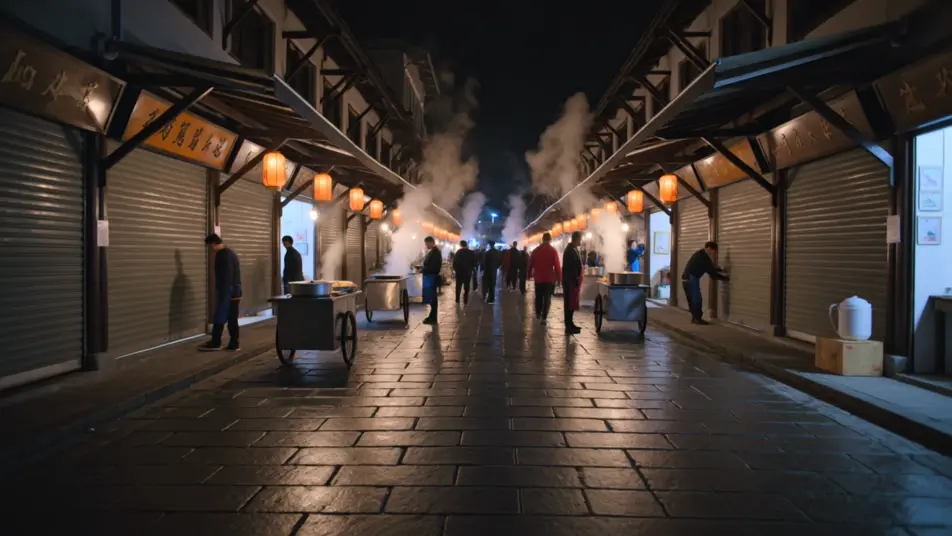
Direct a clip from a typed sentence in your browser with Morphic's text to video generation AI video generator. Generate a lantern-lit market waking at dawn or a lone runner crossing a rain-slick bridge. Pair with Music to score the moment, then stitch it on the Canvas and add narration with Speech.
A wide street of lantern-lit stalls comes to life as vendors raise shutters and steam rises from food carts, warm amber light spreading across wet stone, a slow dolly forward drawing the viewer into the crowd.
Editar promptA lone figure crosses a long steel bridge in steady rain, city lights smeared in the puddles below, a low tracking shot moving alongside the runner as breath fogs in the cold blue air.
Editar prompt
A single presenter seated against a soft gradient backdrop, keyed with a gentle three-point setup, the camera holding a locked medium shot so the delivery stays clean and the words carry.
Editar prompt
A sleek object rotates slowly on a lit pedestal against seamless white, a shallow depth of field softening the edges, the camera arcing a quarter turn to catch the highlight sliding across the surface.
Editar prompt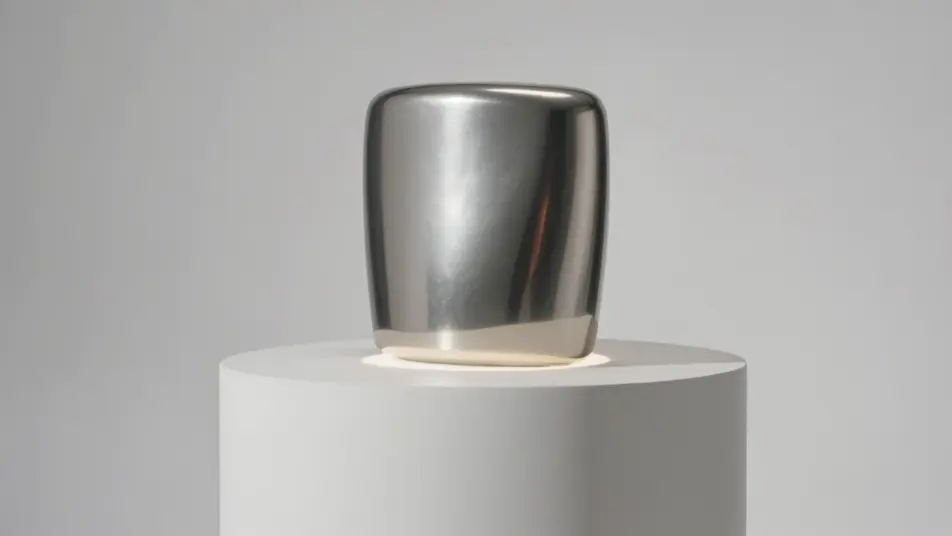
Escreva a cena de text to video generation que você quer, em poucas palavras.
A Morphic gera um clipe cinematográfico e pronto para uso no seu Canvas em segundos.
Ajuste o prompt, gere novas variações e depois baixe ou compartilhe a cena.

Dramatize any text conversation into a cinematic multi-shot video.
Cinematic time-freeze short film for any scene

Generate a professional film title card from scratch, with optional cinematic animation.
Photo of any real-estate becomes a cinematic renovation timelapse video with construction SFX and music.
One image to a 9-scene cinematic video.

Describe a first-person scenario. Get sequential POV frames animated into video clips with audio.
AI Scene Extension videos
Extend clips with AI on Morphic. Continue a shot past its last frame, hold a moment longer, and keep motion and light consistent across the join. No editing skills.
AI Video Upscaling videos
Upscale video with AI on Morphic. Enlarge low-res clips, sharpen soft footage, and recover facial and texture detail while keeping motion smooth and natural.
Vídeos de VFX com IA
Crie vídeos de VFX com IA no Morphic: explosões, energia, destruição e criaturas a partir de um prompt. Sem green screen, sem composição.
Vídeos POV com IA
Faça vídeos POV com IA no Morphic. Dirija caminhadas imersivas em primeira pessoa, beats de ação e momentos do dia a dia na altura dos olhos. Cenas de exemplo, sem experiência de edição.
Comece grátis hoje mesmo, com a opção de fazer upgrade ou cancelar quando quiser.
Basic
2400 mensal créditos
1 apenas usuário
Todos os modelos
Workflows
Standard
3625 mensal créditos
1 apenas usuário
Todos os modelos
Workflows
Pro
6350 compartilhado mensal créditos
1 usuário
Todos os modelos
Workflows
Max
24650 compartilhado mensal créditos
1 usuário
Todos os modelos
Workflows
Enterprise
Para limites maiores
Personalizado
termos de preços e cobrança

Free
Para experimentar
$0
grátis para sempre