Direct Steven Spielberg in your browser with Morphic's Spielberg style AI video generator. Generate a child in a smoking garage doorway or an awe-struck face in close-up, swell an orchestral score with Music, and stitch a blockbuster-grade short in the Canvas.

Spielberg style characters you can create

Spielberg style scenes you can direct

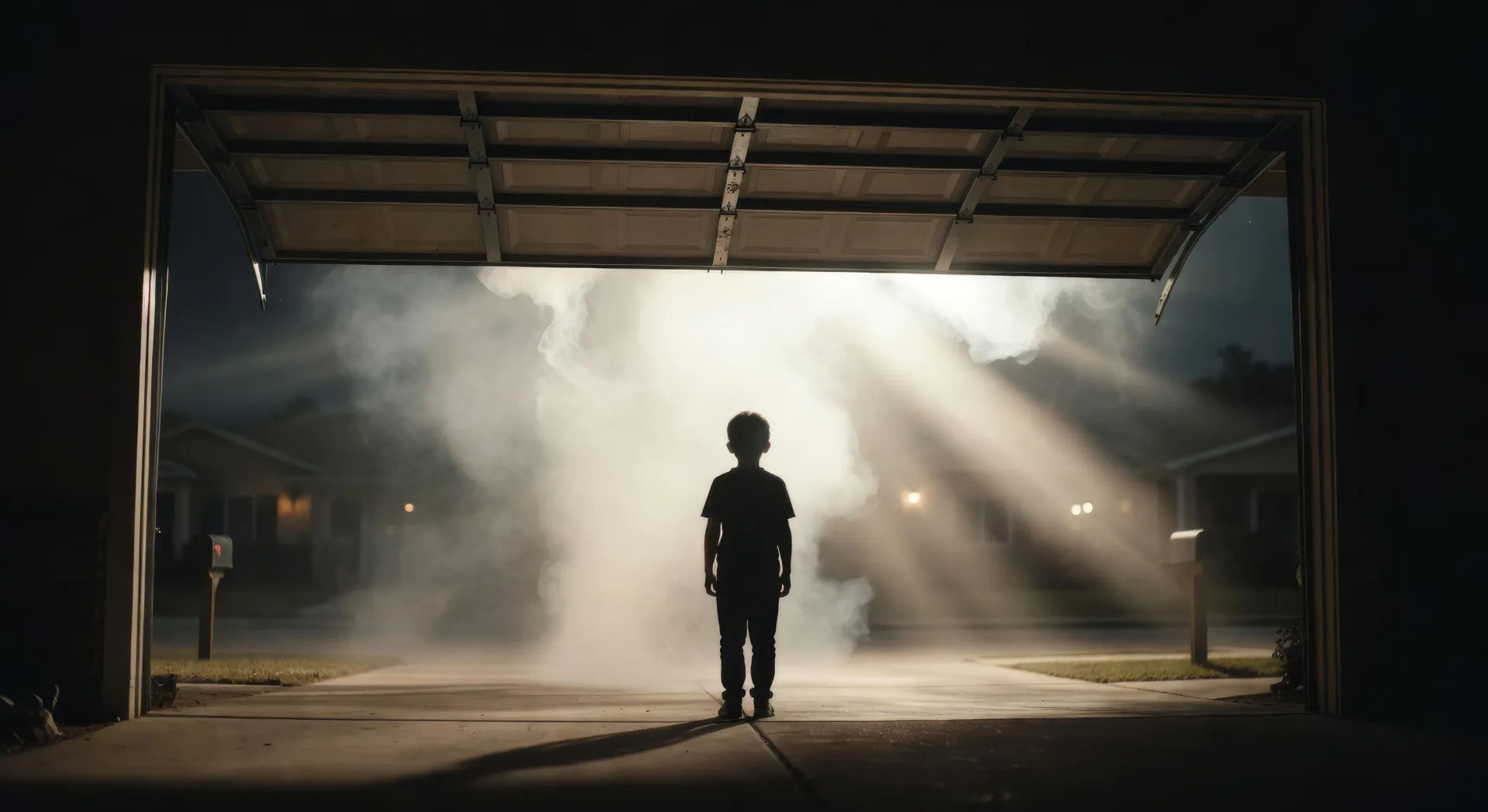
Garage door opening into smoke and god-rays

Low wide shot of a suburban garage door rising at night, a child silhouetted against blinding backlight, smoke pouring out in visible shafts, slow push-in.

Prompt bearbeiten
Garage door opening into smoke and god-rays

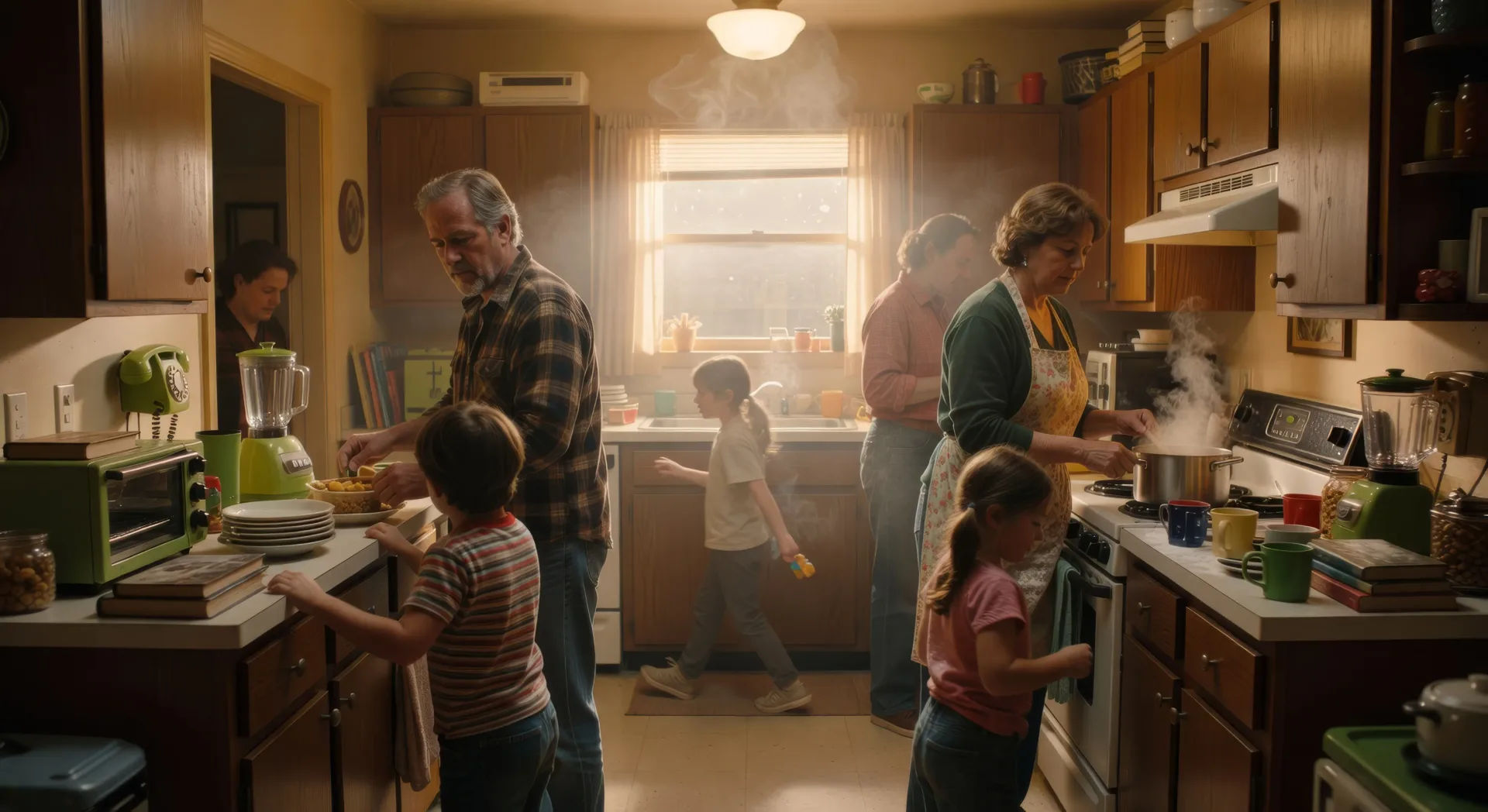
Single-take kitchen oner through a family breakfast

One continuous take weaving between family members in a cluttered 1980s kitchen, foreground crossings and background action, camera arcing without a cut.

Prompt bearbeiten
Single-take kitchen oner through a family breakfast

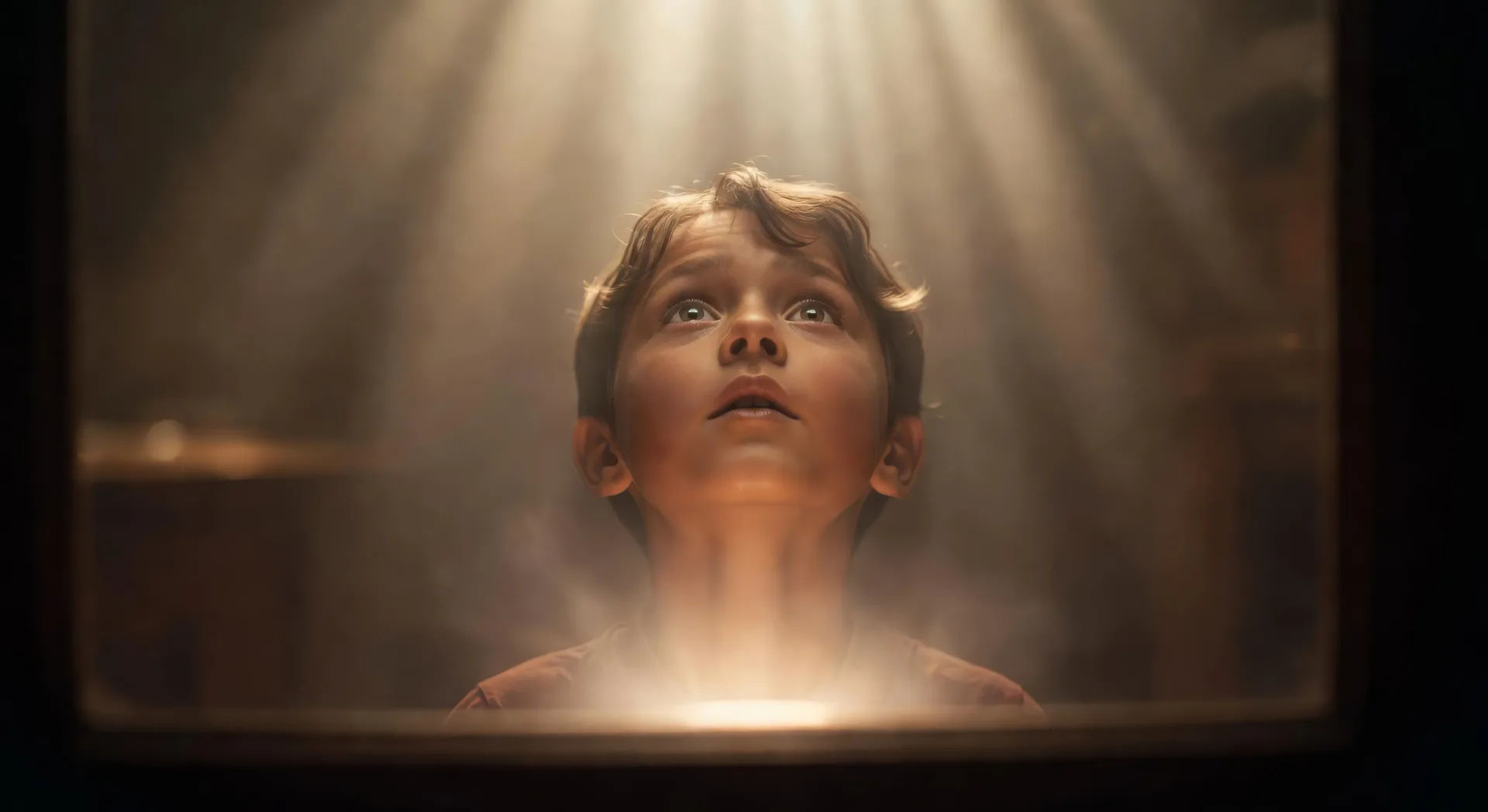
Wonder push-in on an awe-struck face

Slow dolly push-in on a child looking up off-screen, eyes widening, soft off-screen glow rising on the face, everything else falling out of focus.

Prompt bearbeiten
Wonder push-in on an awe-struck face

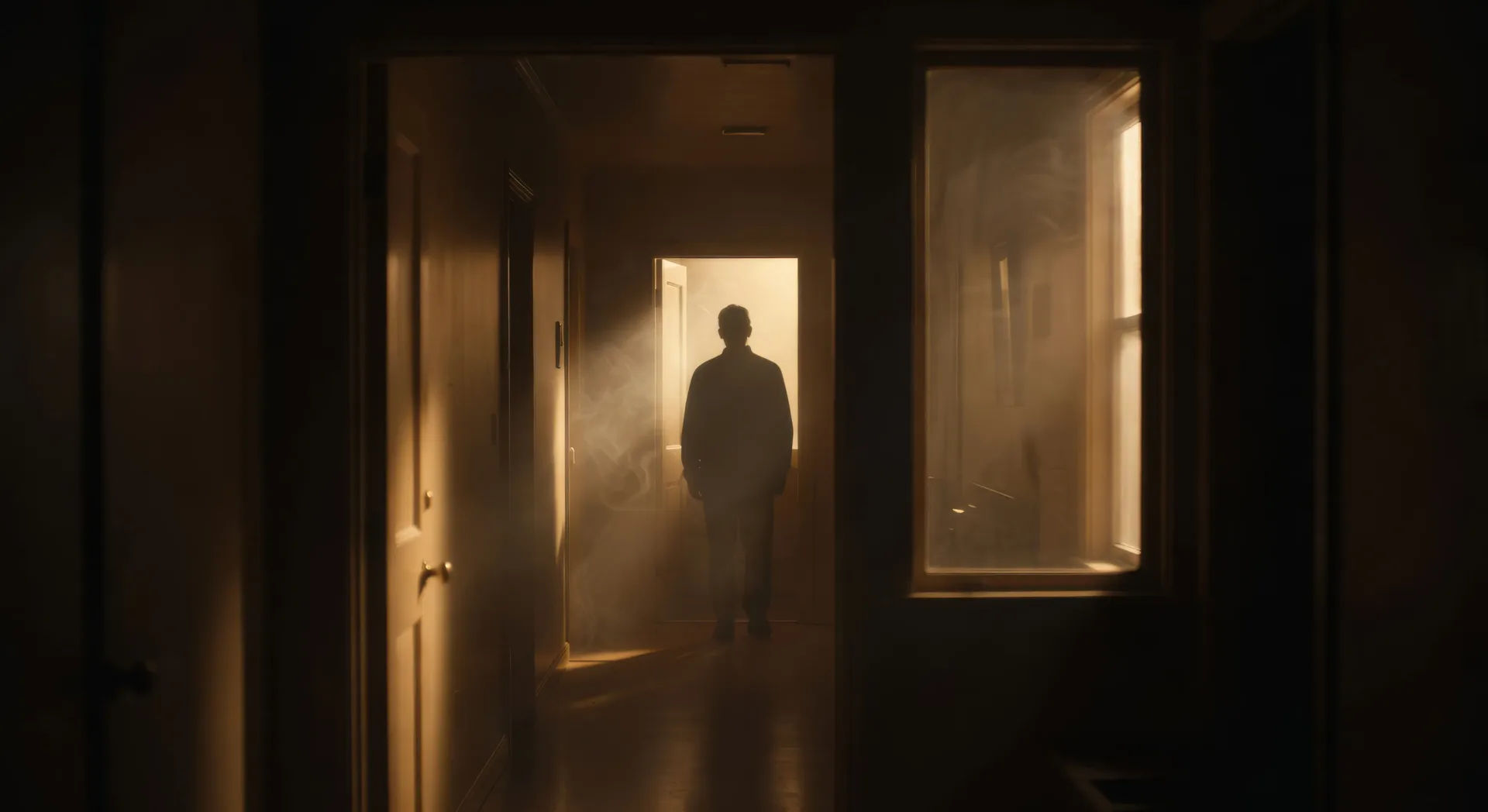
Frame-within-frame doorway at night

Static shot through a dark hallway, a parent backlit in a distant lit doorway, door and window edges splitting the frame into nested rectangles.

Prompt bearbeiten
Frame-within-frame doorway at night

Spielberg-Videos in drei Schritten erstellen

  1. 01

    Beschreiben Sie Ihre Spielberg-Szene

    Beschreiben Sie die Spielberg-Szene, die Sie möchten, in einfachen Worten.

  2. 02

    Video generieren

    Morphic generiert in Sekunden einen filmreifen Clip auf Ihrer Canvas.

  3. 03

    Spielberg-Video verfeinern

    Passen Sie den Prompt an, generieren Sie Varianten und laden Sie die Aufnahme herunter oder teilen Sie sie.

Verwandte Workflows

Das könnte Ihnen auch gefallen

Einfache Preise

Starten Sie noch heute kostenlos, mit der Option, jederzeit zu upgraden oder zu kündigen.

Basic

$0/ Monat
abgerechnet als $0 pro Jahr

900 monatliche Credits

1 Nutzer

Alle Modelle

Workflows

Standard

$0/ Monat
abgerechnet als $0 pro Jahr

3200 monatliche Credits

1 Nutzer

Alle Modelle

Workflows

Pro

$0/ Monat
abgerechnet als $0 pro Jahr

6200 gemeinsame monatliche Credits

1 Nutzer

+ bis zu 4 weitere gegen Aufpreis

Alle Modelle

Workflows

Pro Max

$0/ Monat
abgerechnet als $0 pro Jahr

24000 gemeinsame monatliche Credits

1 Nutzer

+ bis zu 9 weitere gegen Aufpreis

Alle Modelle

Workflows

Enterprise

Für höhere Limits

Individuell

Preis- und Abrechnungsbedingungen

Unbegrenzte Credits
Individuelle Platzlimits
Alle Modelle
Workflows
Pricing Gradient

Free

Zum Ausprobieren

$0

dauerhaft kostenlos

Bis zu 20 Credits
Nur 1 Nutzer
Eingeschränkte Modelle
Workflows

Häufig gestellte Fragen

Where can I make Spielberg style videos with AI?
You can create Spielberg style scenes directly in your browser on Morphic. Open the Text to Video tool, describe the camera move, the backlight, and the staging depth, and Morphic produces the clip. No installs and no specialist software needed.
What defines the Spielberg style for an AI prompt?
Four things: a continuous-take oner with choreographed blocking instead of cut coverage, a slow push-in on a character lit by an off-screen glow, smoke giving every shaft of light a visible beam, and a frame split by doorways or windows to stage depth. Name all four so Morphic does not default to flat coverage.
How do I get the Spielberg oner in an AI video?
Specify it as a single continuous take in your prompt: "one continuous take weaving between family members in a kitchen, no cuts, camera arcing around the table, foreground crossings and background action." Naming "no cuts" and the blocking path is what cues Morphic to hold the shot rather than break to coverage.
How do I get the Spielberg wonder push-in and lighting?
Name the move and the light source together. Phrases like "slow dolly push-in on the child’s face, soft off-screen glow rising, everything else out of focus" and "smoke-filled shafts of backlight, visible god-rays" cue the awe-struck reveal and the Janusz Kaminski beam look that define the style.
Can I add narration and music to my Spielberg style videos?
Yes. The Speech tool generates a voiceover in the voice you choose, and the Music tool produces an original soundtrack. A swelling orchestral cue, a tense low brass motif, or a quiet piano theme all sit cleanly inside the Spielberg palette.
Do I need any prior video editing experience to make Spielberg style videos?
No. Morphic runs in your browser and you direct it with plain-language prompts. Anyone who can describe a Spielberg scene can produce one. After Effects, Blender, and manual rigging are not required.