Görsel Outpainting
Morphic'teki Outpainting, bir istem kullanarak bir görseli orijinal çerçevesinin ötesine genişletmenize olanak tanır; mevcut sahneyle eşleşen ve onu sürdüren kusursuz eklemeler üretir.
İşte Morphic’te bir görsel üzerinde Outpainting’i nasıl kullanacağınıza dair hızlı bir eğitim:
- Görselinizi Canvas’a yükleyin veya oluşturun
- Görseli seçin ve Resize’a tıklayın, ardından çerçeveyi istediğiniz yönde(lerde) genişletin

- Görselin nasıl uzatılması gerektiğini açıklayan bir istem yazın veya sahneyi Morphic’in otomatik olarak tamamlaması için boş bırakın
- İstem çubuğundaki mavi düğmeye tıklayın
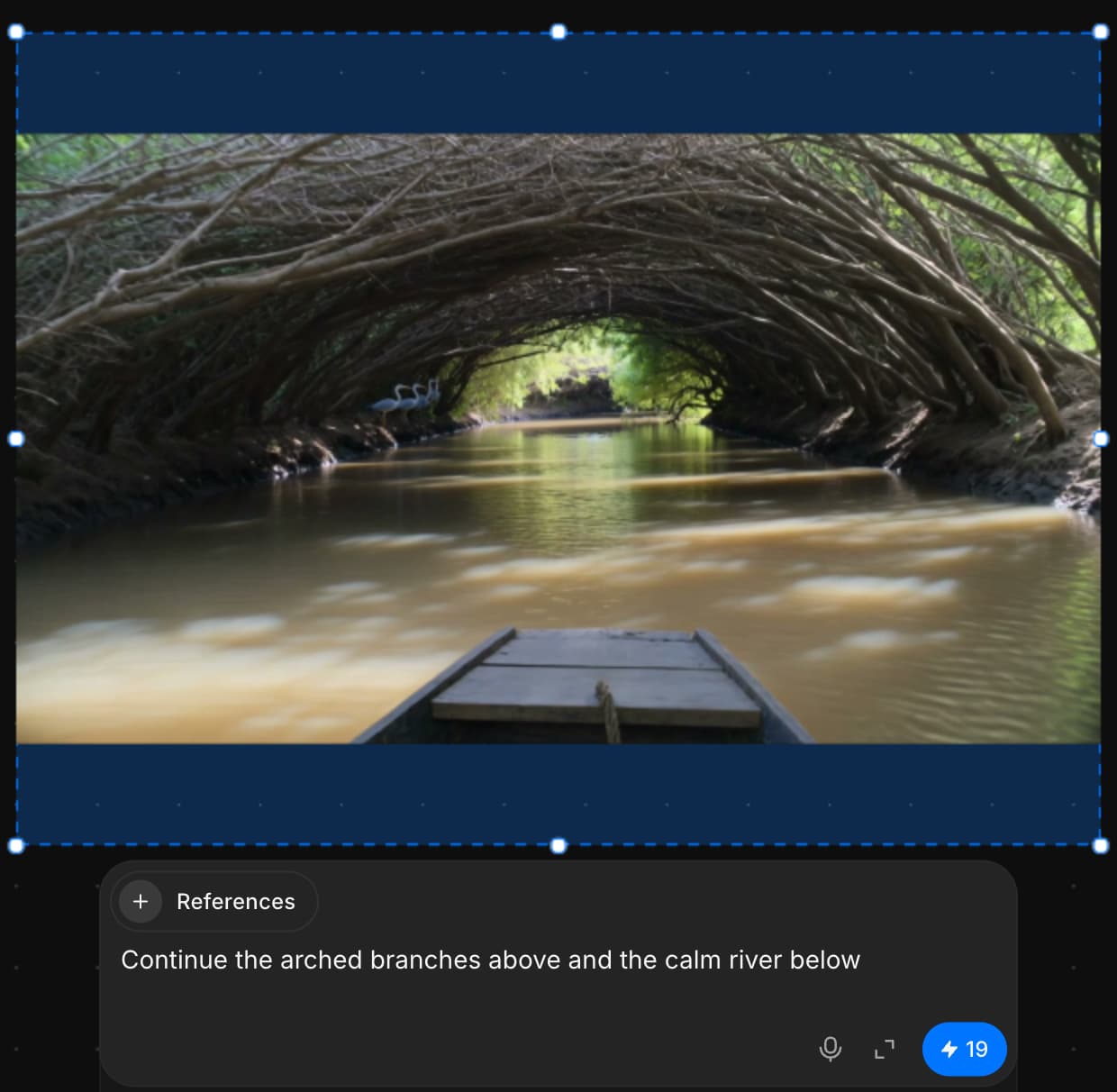
Mevcut çerçevenin ötesine yeni görsel içerik eklemek ve bunu özgün görüntüyle kusursuzca harmanlamak için Outpainting’i böyle kullanırsınız.
Herhangi bir sorun yaşarsanız ya da sorularınız olursa, bizimle iletişime geçmekten çekinmeyin. Yardım etmeye memnuniyet duyarız. Bize şu adresten yazın: support@morphic.com.
İnpainting
Morphic'teki İnpainting, bir istem kullanarak bir görselin belirli alanlarında hedefe yönelik düzenlemeler yapmanızı sağlar; bütüne dokunmadan parçaları ince ayarlamak, değiştirmek veya iyileştirmek için idealdir.
Troubleshooting generations
Fixes for results that come out wrong on Morphic: the wrong person, a face that drifts, ignored instructions, missing sound, misspelled text and blocked generations.