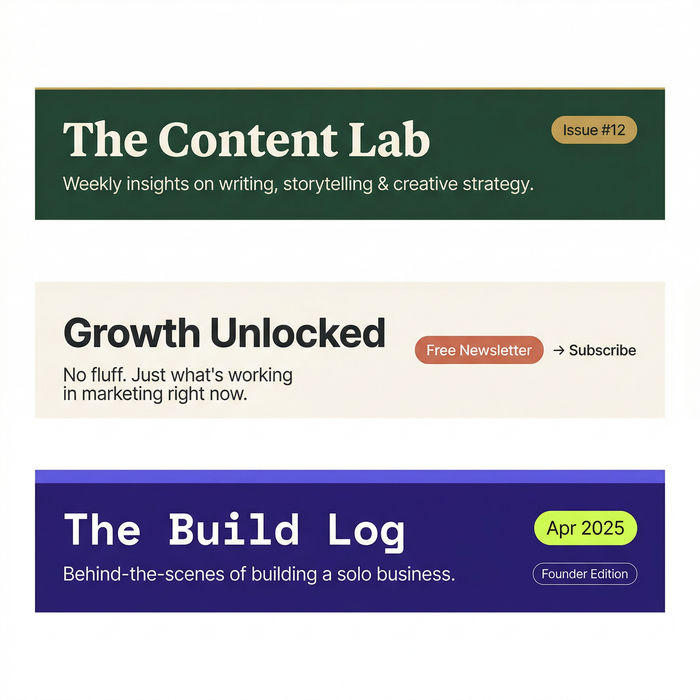



AI visuals for consulting firms

Every report, pitch deck, and LinkedIn post reflects the firm, and the imagery rarely keeps up with the thinking. Describe the visual you need in one line and get back a polished, on-brand result that looks like it came from your studio. No stock slide, no design backlog, no late-night deck cleanup.

Example for AI visuals for consulting firms

How it works

  1. 1
    drop image

    Describe the visual

    Say what you need in one plain line: a report cover, a section divider, a LinkedIn graphic. Name the theme and the tone you want it to carry.

  2. 2

    Set the firm look

    Add your palette, the level of restraint, and the style of imagery in the same sentence. Nudge the wording and run it again until it feels like the firm.

  3. 3

    Generate and export

    Get a set of variants at full resolution, sized and ready to drop straight into the deck, the report, or the post.

The visuals your firm ships every week

Every asset a firm puts its name on, from a report cover and a slide graphic to a LinkedIn visual and a thought-leadership hero, all made on brand from a single plain-language brief you write in one line.

Report cover

A refined cover visual for a research report or client deliverable, the kind that signals rigor before a single page is read.

Editar prompt

Report cover for AI visuals for consulting firms

Presentation slide graphic

A clean supporting graphic for a pitch or findings deck, built to hold a room without pulling focus from the point.

Editar prompt

Presentation slide graphic for AI visuals for consulting firms

LinkedIn and social visual

A polished square visual for a partner post or firm update, on brand enough to stand out in a feed of stock photos.

Editar prompt

LinkedIn and social visual for AI visuals for consulting firms

Thought-leadership hero

A wide hero image for an insight piece or landing page, staged with real depth so the ideas arrive with weight.

Editar prompt

Thought-leadership hero for AI visuals for consulting firms

What it handles, and what to check

AI covers most of the production here. A few things, from implied figures to exact brand color, still want your eye before anything reaches a client, so here is where each one sits and who signs it off.

What Morphic handles well

  • A consistent visual language across reports, decks, and social
  • Quick variations for testing covers and section art
  • Turning a one-line brief into deck-ready sizes in minutes
  • Fresh on-brand imagery that clears the firm off generic stock

Where you still want a person

  • Any figure, chart, or finding a visual implies, since client work is held to account
  • Exact brand color values and logo placement against firm guidelines
  • Final art direction and partner sign-off before it reaches a client
  • Confidentiality and compliance review on anything client-specific

Precios simples

Comienza gratis hoy, con la opción de mejorar tu plan o cancelar cuando quieras.

Basic

$9/ mes
facturado como $0 por año

1100 mensual créditos

1 usuario

Todos los modelos

Workflows

Standard

$24/ mes
facturado como $0 por año

3625 mensual créditos

1 usuario

Todos los modelos

Workflows

Pro

$45/ mes
facturado como $0 por año

6350 compartidos mensual créditos

1 usuario

+ hasta 4 más con costo adicional

Todos los modelos

Workflows

Pro Max

$170/ mes
facturado como $0 por año

24650 compartidos mensual créditos

1 usuario

+ hasta 9 más con costo adicional

Todos los modelos

Workflows

Enterprise

Para límites más altos

Personalizado

términos de precios y facturación

Créditos de alto volumen
Límites de asientos personalizados
Todos los modelos
Workflows
Pricing Gradient

Free

Para experimentar

$0

gratis para siempre

Hasta 20 créditos
Solo 1 usuario
Modelos limitados
Workflows

Preguntas frecuentes

Will the visuals actually look like our firm?
Yes, as far as the look and feel go. Describe your palette, the level of restraint, and the imagery style and Morphic builds to it, and you can refine the wording until a set reads as yours. For exact brand color values and logo placement, check against your firm guidelines before it ships.
Do I need design skills to use it?
No. The whole loop is a prompt bar: describe the visual in one line, then generate. If a result is close but off, you adjust a few words and run it again, so a consultant can produce finished covers and slides without a designer in the loop.
Can it hold a consistent style across a whole report or deck?
Yes. Reuse the same palette and style wording across the cover, the dividers, and the supporting graphics and the set reads as one system. It is the fastest way to make a long deliverable feel deliberately designed.
Is it appropriate for client-facing work?
The imagery is, but treat anything client-specific as something a human owns. Route confidential material and any figure a visual implies through your normal review, and get partner sign-off before it reaches a client, exactly as you would with any other deliverable.
How many visuals do I get from one brief?
You get as many variants as you ask for, from a handful to fifty, and you can keep running it again for new layouts, crops, and directions from the same brief until one fits the deliverable.
Can it replace our stock image library for slides?
For most deck and report work, yes. Instead of settling for a generic slide photo, you describe the exact abstract or scene you want and get something that fits the firm. Specific client sites or named people are still worth a real photograph or a human check.