Una calle de barrio pintada
Un fondo pintado a mano con casitas de colores y ropa tendida. El primer plano va en cel plano con luz cálida, y un personaje cruza el cuadro caminando.
Editar prompt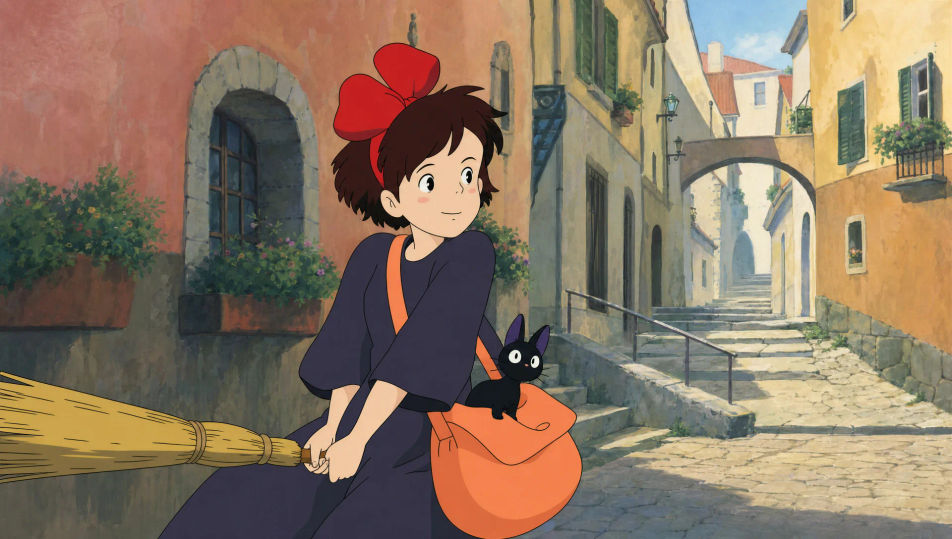
Anima a mano desde tu navegador con el generador de animación 2D con IA de Morphic. Pide un ciclo de caminata por una calle de barrio pintada, un primer plano lleno de emoción o una secuencia de acción con línea limpia. Cada toma lleva voz y música con Speech y Music. Después armas el corto en el Canvas y lo publicas en YouTube o en Reels.
Un fondo pintado a mano con casitas de colores y ropa tendida. El primer plano va en cel plano con luz cálida, y un personaje cruza el cuadro caminando.
Editar promptUn personaje en plena acción, con cuadros deformados y líneas de velocidad. El fondo pintado es simple y el color, plano y vibrante, con entintado limpio.
Editar prompt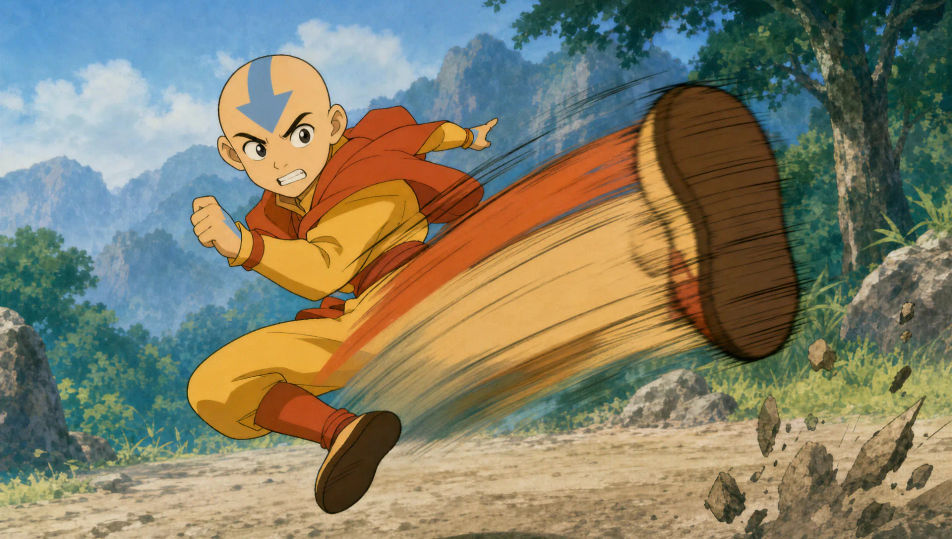
Un primer plano cerrado sobre la cara de un personaje que reacciona. La expresión es exagerada, la línea limpia y el color cel plano.
Editar prompt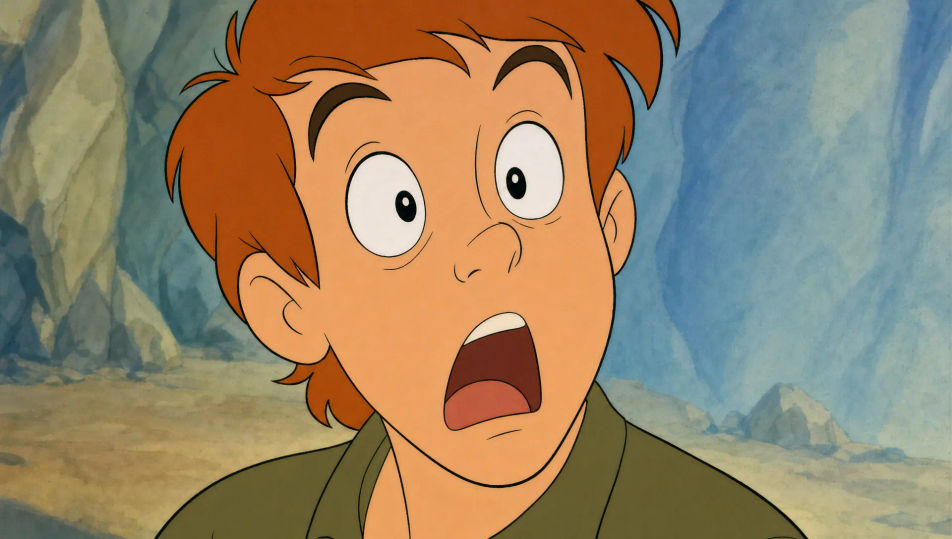
Personajes bailando a mitad de paso frente al kiosco de la plaza. El telón pintado y las luces cálidas dan el aire de fiesta, con movimiento fluido en color plano.
Editar prompt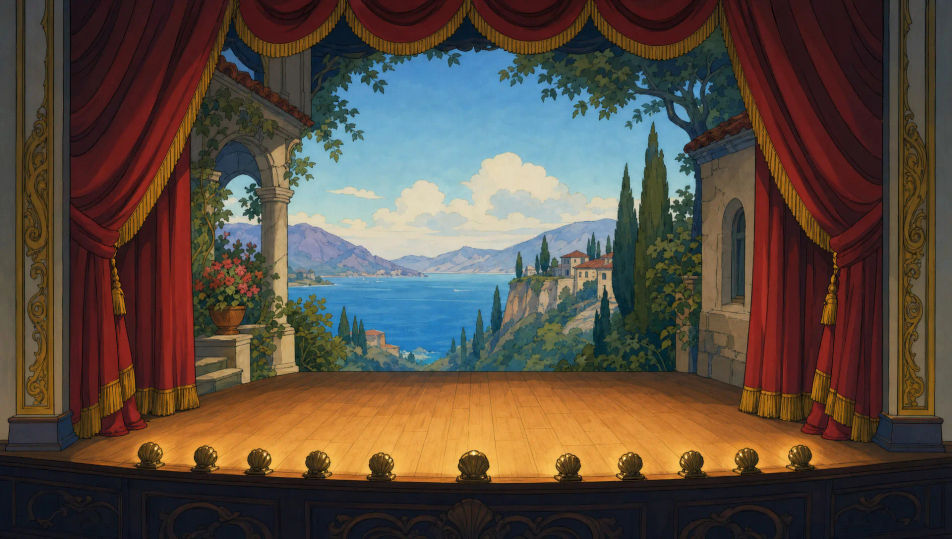
Escribe la escena de animación 2D que quieres, en palabras simples.
Morphic genera un clip cinematográfico y listo para usar en tu canvas en segundos.
Ajusta el prompt, regenera variaciones y luego descarga o comparte la toma.

Pick any anime illustration as your style guide. Apply its look to any image.

Turn any sketch or drawing into a finished render.

Take any character image and generate 6 distinct facial expressions on a single reference sheet.

All your characters on a single lineup image, side by side with height comparison.

Turn any photo or description into an animated chibi sprite. Dance, jump, wave, attack, and more.
Upload a character image and make it dance in any style.
Videos de animación 3D con IA
Crea videos de animación 3D en Morphic: personajes CGI, mundos renderizados y cámaras que recorren el espacio, desde un prompt en español.
Videos de caricatura con IA
Crea videos de caricatura con IA en Morphic: estilos 2D, 3D y de cuento, personajes que no cambian entre escenas y todo desde el navegador.
Videos de anime con IA
Crea videos de anime con IA en Morphic: escenas de slice of life, pilotos de mecha, transformaciones mágicas y capítulos completos a partir de un prompt.
Videos de claymation con IA
Crea videos de claymation con IA en Morphic: personajes de plastilina, textura de huellas y sets artesanales, todo desde un prompt en español.
Comienza gratis hoy, con la opción de mejorar tu plan o cancelar cuando quieras.
Basic
2400 mensual créditos
1 usuario
Todos los modelos
Workflows
Standard
3625 mensual créditos
1 usuario
Todos los modelos
Workflows
Pro
6350 compartidos mensual créditos
1 usuario
Todos los modelos
Workflows
Max
24650 compartidos mensual créditos
1 usuario
Todos los modelos
Workflows
Enterprise
Para límites más altos
Personalizado
términos de precios y facturación

Free
Para experimentar
$0
gratis para siempre