A winner reaction on a lit stage
A wide frame of a person's face lighting up with joy as applause breaks around them on a warmly lit stage, the human moment carrying the reveal instead of a name card.
Editar prompt
Produce an awards announcement video in your browser with Morphic's awards announcement video generator. Generate a winner name-card reveal, a nominee montage, a hosted intro, or a trophy close-up in one matching look. Voice the announcement with Speech, then assemble the reveals into one polished sequence on the Canvas.
A wide frame of a person's face lighting up with joy as applause breaks around them on a warmly lit stage, the human moment carrying the reveal instead of a name card.
Editar promptA reflective set where a polished award turns slowly under a moving spotlight, catching detail on each facet while the camera drifts in a quarter-circle around it under low warm light.
Editar prompt
A lit stage frame where a presenter opens to camera with a confident line, shallow depth of field holding them sharp against a soft blurred audience and a steady eye-level angle.
Editar prompt
A wide elegant frame where a warm spotlight sweeps across a polished empty stage through soft haze, an anticipatory beat that leads cleanly into the next reveal.
Editar prompt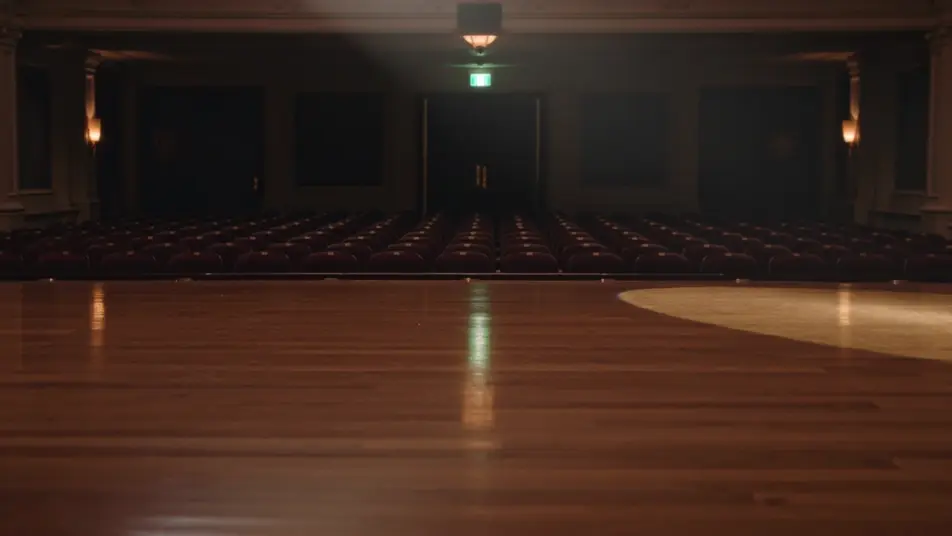
Escribe la escena de awards announcement video que quieres, en palabras simples.
Morphic genera un clip cinematográfico y listo para usar en tu canvas en segundos.
Ajusta el prompt, regenera variaciones y luego descarga o comparte la toma.

Dramatize any text conversation into a cinematic multi-shot video.
Cinematic time-freeze short film for any scene

Generate a professional film title card from scratch, with optional cinematic animation.
Photo of any real-estate becomes a cinematic renovation timelapse video with construction SFX and music.
One image to a 9-scene cinematic video.

Describe a first-person scenario. Get sequential POV frames animated into video clips with audio.
AI Employee spotlight videos
Employee spotlight video for your team page. Feature one colleague with a title card, a short interview cut, and a role montage. Create it today.
Milestone announcement video maker
Make a milestone announcement video in minutes. Reveal the number, add a founder note and a company timeline, then update the figure later. Create now.
AI Partner announcement videos
Partner announcement video, produced in-house on Morphic. Build a joint-logo reveal, a what-it-means segment, and a first use case. Publish the same day.
AI Funding announcement videos
Funding announcement video, produced in-house on Morphic. Cut a founder address, a milestone card, and an investor thank-you, then export the same day.
Comienza gratis hoy, con la opción de mejorar tu plan o cancelar cuando quieras.
Basic
2400 mensual créditos
1 usuario
Todos los modelos
Workflows
Standard
3625 mensual créditos
1 usuario
Todos los modelos
Workflows
Pro
6350 compartidos mensual créditos
1 usuario
Todos los modelos
Workflows
Max
24650 compartidos mensual créditos
1 usuario
Todos los modelos
Workflows
Enterprise
Para límites más altos
Personalizado
términos de precios y facturación

Free
Para experimentar
$0
gratis para siempre