Afternoon window, one cat, no cuts
A Maine Coon in a bay window, dust visible in the shaft of light, the cat shifting weight once and settling. Slow push-in over fifteen seconds.
Editar prompt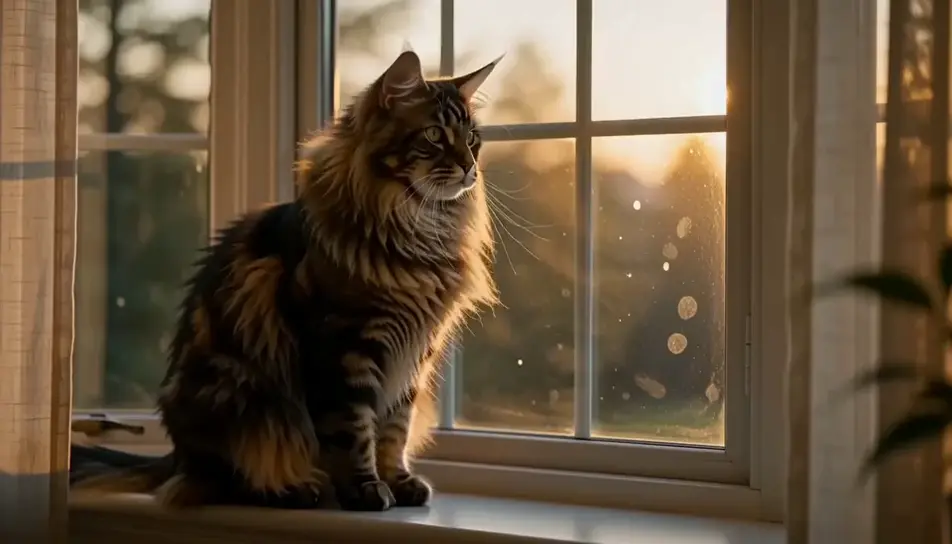
Direct a cat in your browser with Morphic's cat video AI generator. Generate a Maine Coon's ruff catching low window light, or a kitten asleep in a laundry basket, then score the sequence with the Music tool.
A Maine Coon in a bay window, dust visible in the shaft of light, the cat shifting weight once and settling. Slow push-in over fifteen seconds.
Editar promptLiving room at dusk, a Siamese on the back of a sofa following a moth along the ceiling. The camera stays on the cat, never on the moth.
Editar prompt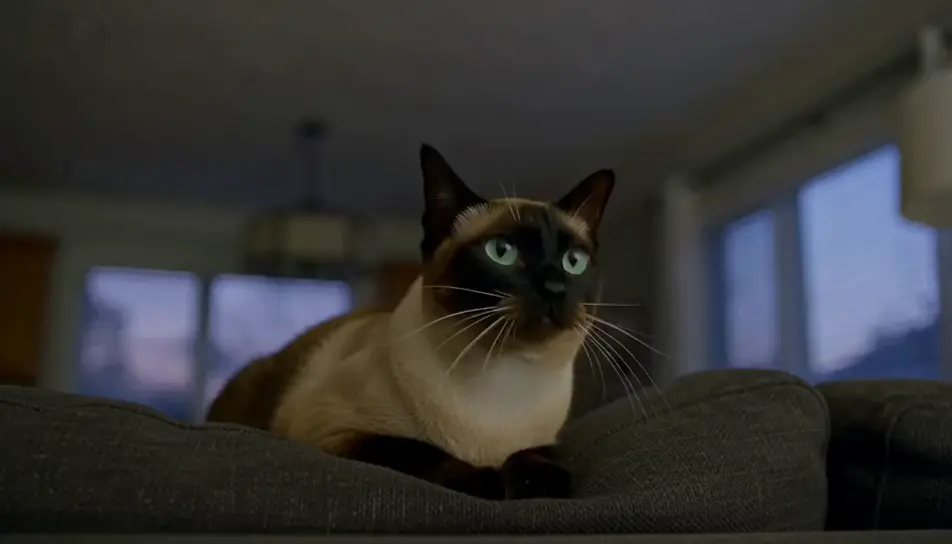
Close on a basket of folded washing with a black kitten asleep in the fold. Warm daylight, very shallow focus, only the breathing moves.
Editar prompt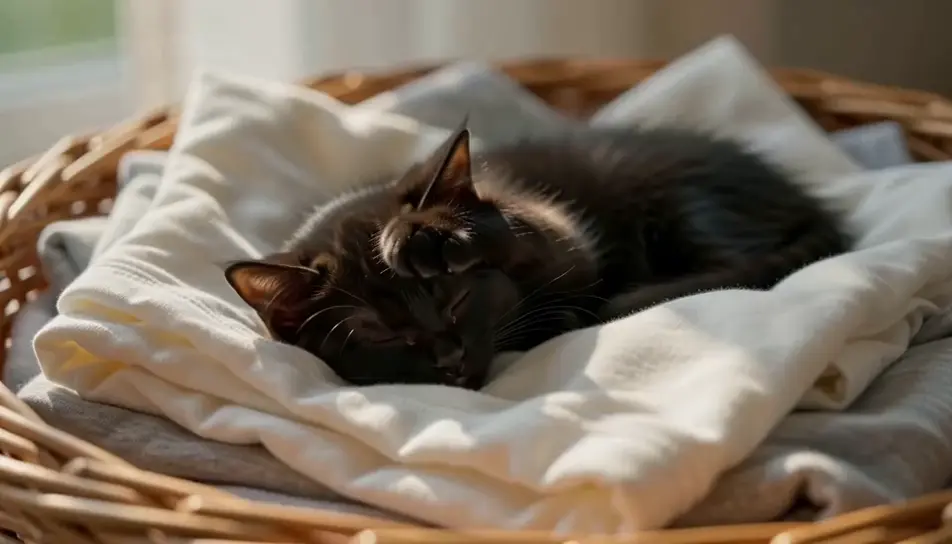
A grey cat silhouetted against a rain-streaked window in flat grey light, drops running down the pane in front of its face, reflections doubling the eyes.
Editar prompt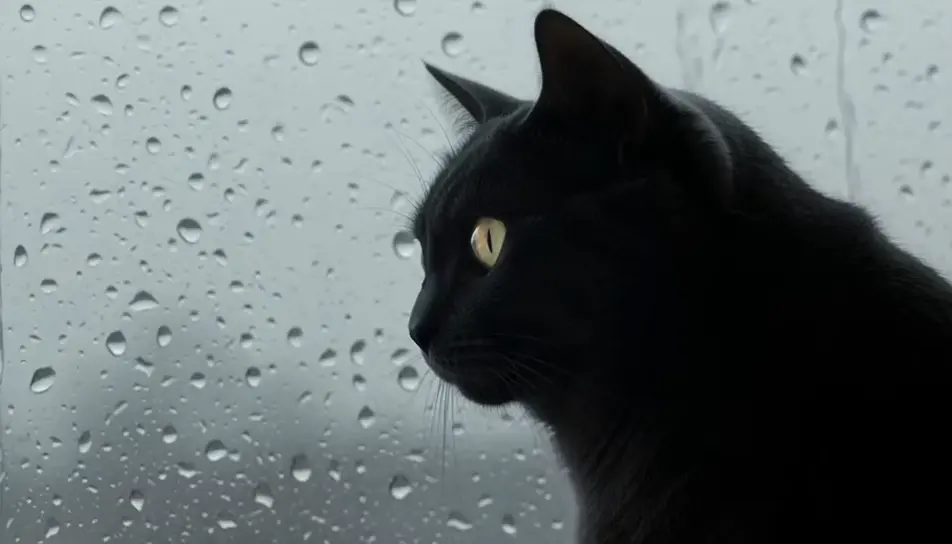
Escribe la escena de cat que quieres, en palabras simples.
Morphic genera un clip cinematográfico y listo para usar en tu canvas en segundos.
Ajusta el prompt, regenera variaciones y luego descarga o comparte la toma.

Dramatize any text conversation into a cinematic multi-shot video.
Cinematic time-freeze short film for any scene

Generate a professional film title card from scratch, with optional cinematic animation.
Photo of any real-estate becomes a cinematic renovation timelapse video with construction SFX and music.
One image to a 9-scene cinematic video.
Drop in a photo of yourself. Get a 12-second cinematic movie with animation and a matched soundtrack.
AI funny cat videos
Browse funny cat videos and generate your own shots at the exact length, ratio and look the cut needs. Morphic makes video, image, voice and sound.
AI funny videos
Browse funny videos and generate your own shots at the length, ratio and look the cut needs. Morphic makes video, image, voice and sound in one workspace.
AI Nature Ambience videos
Generate AI nature ambience videos with Morphic. Sunlit forests, mountain streams, and calming nature loops for sleep, focus, and background screens.
Videos ASMR con IA
Crea videos ASMR con IA en Morphic: loops de triggers en primer plano, paisajes sonoros y narración susurrada, listos para YouTube, TikTok o Reels.
Comienza gratis hoy, con la opción de mejorar tu plan o cancelar cuando quieras.
Basic
2400 mensual créditos
1 usuario
Todos los modelos
Workflows
Standard
3625 mensual créditos
1 usuario
Todos los modelos
Workflows
Pro
6350 compartidos mensual créditos
1 usuario
Todos los modelos
Workflows
Max
24650 compartidos mensual créditos
1 usuario
Todos los modelos
Workflows
Enterprise
Para límites más altos
Personalizado
términos de precios y facturación

Free
Para experimentar
$0
gratis para siempre