Cafe conversation rack
Two-person table scene where focus racks between a sharp foreground listener and a distant speaker as each takes a turn, warm window light, shallow plane, slow deliberate pulls timed to the beats of the exchange.
Editar prompt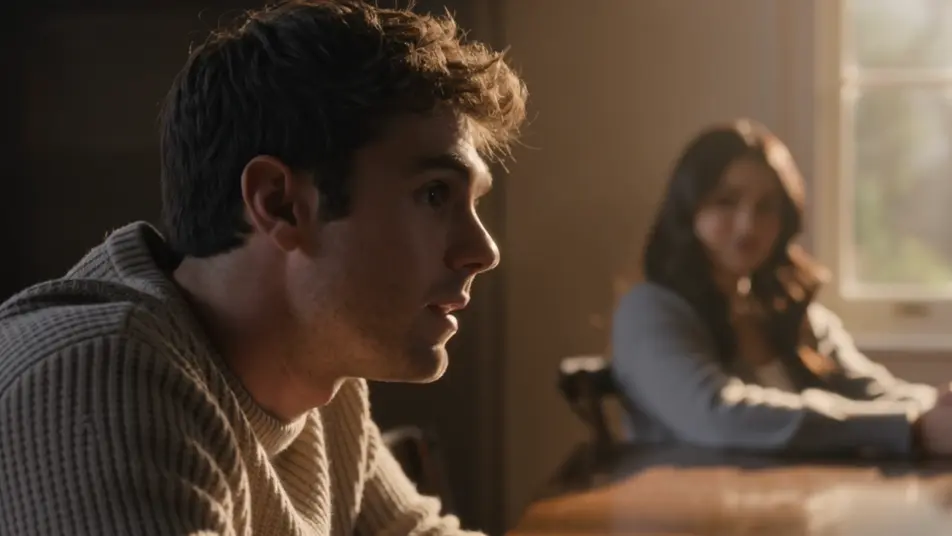
Direct cinematic focus in your browser with Morphic's depth of field effect AI video generator. Generate a subject snapping into razor focus as the room dissolves behind them, or a rack focus sliding to a distant face. Pair with Music to time the focus pull, then stitch the shots on the Canvas.
Two-person table scene where focus racks between a sharp foreground listener and a distant speaker as each takes a turn, warm window light, shallow plane, slow deliberate pulls timed to the beats of the exchange.
Editar promptClose shallow shot of one still face held razor sharp while a churning crowd behind dissolves into soft shapes and drifting color, cool overcast key, subtle push-in that deepens the isolation.
Editar prompt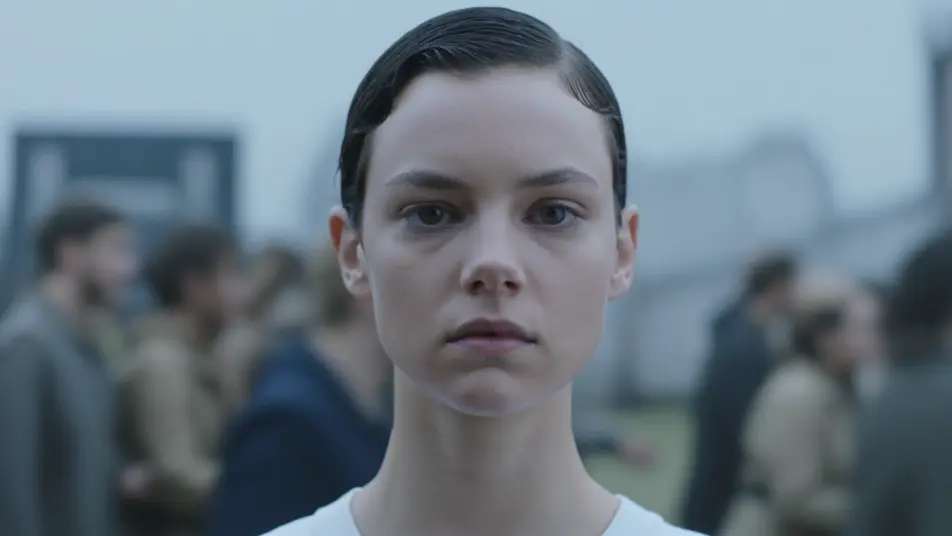
High overhead of a busy intersection where a sharp central band turns cars and pedestrians into a moving miniature, top and bottom melting into blur, bright midday light, slow lateral drift across the toy world.
Editar prompt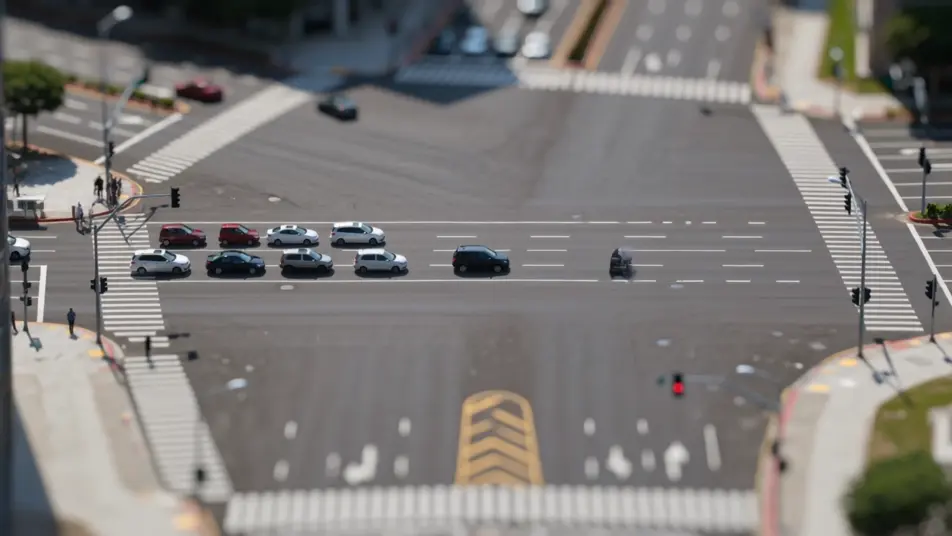
Side tracking shot of a runner held in continuous sharp focus while the tree line and path smear into speed blur on either side, dappled morning light, camera pacing alongside at a steady clip.
Editar prompt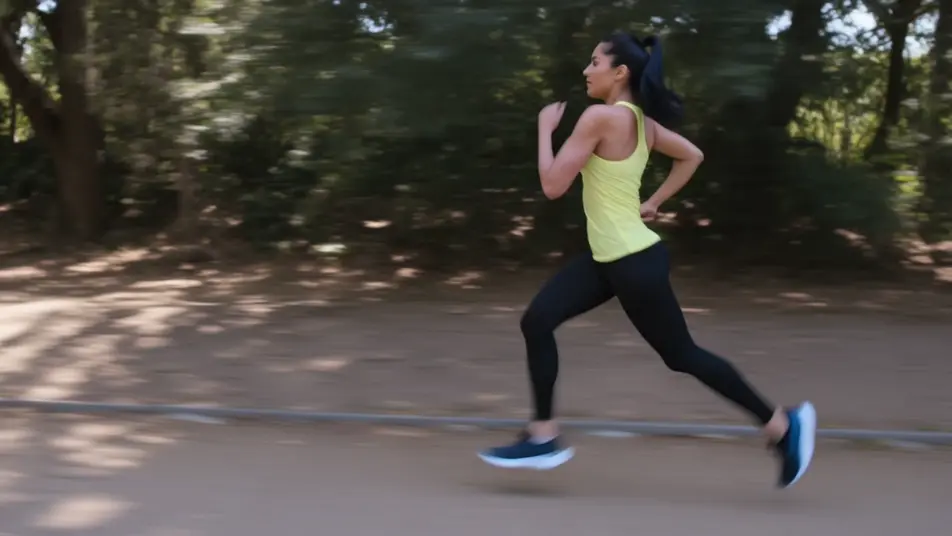
Escribe la escena de depth of field effect que quieres, en palabras simples.
Morphic genera un clip cinematográfico y listo para usar en tu canvas en segundos.
Ajusta el prompt, regenera variaciones y luego descarga o comparte la toma.
Cinematic time-freeze short film for any scene

Dramatize any text conversation into a cinematic multi-shot video.

Generate a professional film title card from scratch, with optional cinematic animation.
Photo of any real-estate becomes a cinematic renovation timelapse video with construction SFX and music.
One image to a 9-scene cinematic video.
Drop in a photo of yourself. Get a 12-second cinematic movie with animation and a matched soundtrack.
AI bokeh effect
Generate an AI bokeh effect on video with Morphic. Creamy background blur, floating light orbs, rack-focus reveals, and paste-ready prompts.
AI lens flare
Generate AI lens flare videos with Morphic. Anamorphic streaks, sun bloom, spotlight halos, and paste-ready flare prompts that run end to end in your browser.
Videos de VFX con IA
Crea videos de VFX con IA en Morphic. Explosiones, energía, destrucción de ciencia ficción y partículas a partir de un prompt, sin pantalla verde.
Videos morph con IA
Crea videos morph con IA en Morphic: transiciones suaves, transformaciones, morphs de envejecimiento facial y cortes sincronizados al ritmo, listos para usar.
Comienza gratis hoy, con la opción de mejorar tu plan o cancelar cuando quieras.
Basic
2400 mensual créditos
1 usuario
Todos los modelos
Workflows
Standard
3625 mensual créditos
1 usuario
Todos los modelos
Workflows
Pro
6350 compartidos mensual créditos
1 usuario
Todos los modelos
Workflows
Max
24650 compartidos mensual créditos
1 usuario
Todos los modelos
Workflows
Enterprise
Para límites más altos
Personalizado
términos de precios y facturación

Free
Para experimentar
$0
gratis para siempre