Eyes settling on the lens
A tight frame across the bridge of the nose as both eyes settle directly on camera and hold, one catchlight from a window.
Editar prompt
Generate eyes stock video in Morphic's AI video generator: a pair finding the lens and holding, or a glance sliding off to one side and back. Try variants side by side on Canvas.
A tight frame across the bridge of the nose as both eyes settle directly on camera and hold, one catchlight from a window.
Editar promptThe gaze slides away to one side, waits a beat, then returns to camera under an even key light.
Editar prompt
Both eyes follow something passing off screen, the head held still so only the gaze travels across the frame.
Editar prompt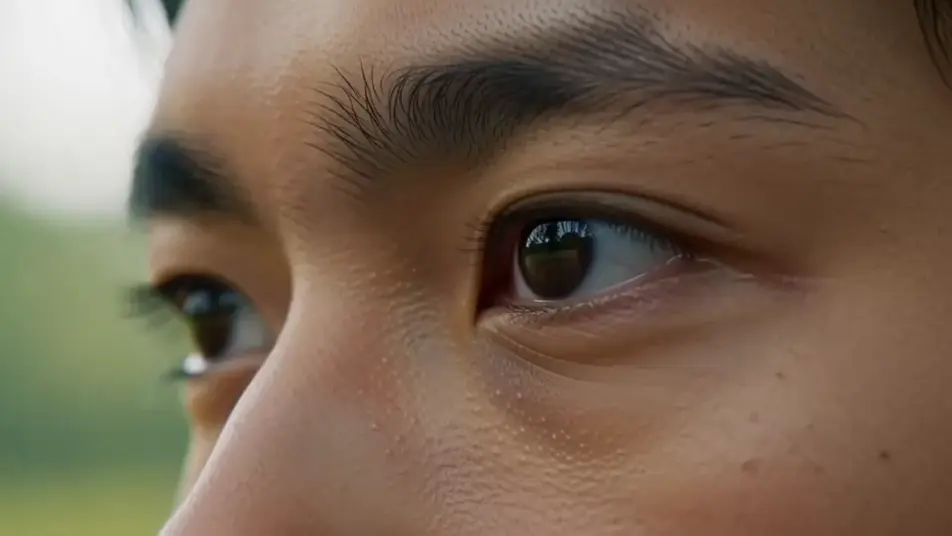
The outer corners crease and the lower lids lift as a smile arrives, the mouth cropped out of frame in warm soft light.
Editar prompt
Escribe la escena de eyes stock video que quieres, en palabras simples.
Morphic genera un clip cinematográfico y listo para usar en tu canvas en segundos.
Ajusta el prompt, regenera variaciones y luego descarga o comparte la toma.

Dramatize any text conversation into a cinematic multi-shot video.
Cinematic time-freeze short film for any scene

Generate a professional film title card from scratch, with optional cinematic animation.
Photo of any real-estate becomes a cinematic renovation timelapse video with construction SFX and music.
One image to a 9-scene cinematic video.

Describe a first-person scenario. Get sequential POV frames animated into video clips with audio.
AI eye stock footage
Browse eye stock footage and generate your own shots at the exact length, ratio and look the cut needs. Morphic makes video, image, voice and sound.
AI people stock footage
Browse people stock footage and generate your own shots at the exact length, ratio and look the cut needs. Morphic makes video, image, voice and sound.
AI hand stock video
Browse hand stock video and generate your own shots at the exact length, ratio and look the cut needs. Morphic makes video, image, voice and sound.
AI happy stock footage
Browse happy stock footage and generate your own shots at the exact length, ratio and look the cut needs. Morphic makes video, image, voice and sound.
Comienza gratis hoy, con la opción de mejorar tu plan o cancelar cuando quieras.
Basic
2400 mensual créditos
1 usuario
Todos los modelos
Workflows
Standard
3625 mensual créditos
1 usuario
Todos los modelos
Workflows
Pro
6350 compartidos mensual créditos
1 usuario
Todos los modelos
Workflows
Max
24650 compartidos mensual créditos
1 usuario
Todos los modelos
Workflows
Enterprise
Para límites más altos
Personalizado
términos de precios y facturación

Free
Para experimentar
$0
gratis para siempre