An apparition in a Victorian hallway
A translucent figure drifts down a long, dim hallway lined with old portraits, the wallpaper showing faintly through it. Cold blue moonlight from a far window, a slow static frame that lets it pass.
Editar prompt
Direct translucent ghost overlays in your browser with Morphic's ghost overlay AI video generator. Generate a semi-transparent figure drifting through a dim hallway, or a spectral face fading up behind a mirror. Score the reveal with Music, then stitch the hauntings together on the Canvas.
A translucent figure drifts down a long, dim hallway lined with old portraits, the wallpaper showing faintly through it. Cold blue moonlight from a far window, a slow static frame that lets it pass.
Editar promptA dim bedroom where a faint spectral face slowly resolves in a standing mirror while the room reflected around it stays empty. Low warm lamplight, a slow push-in on the glass.
Editar prompt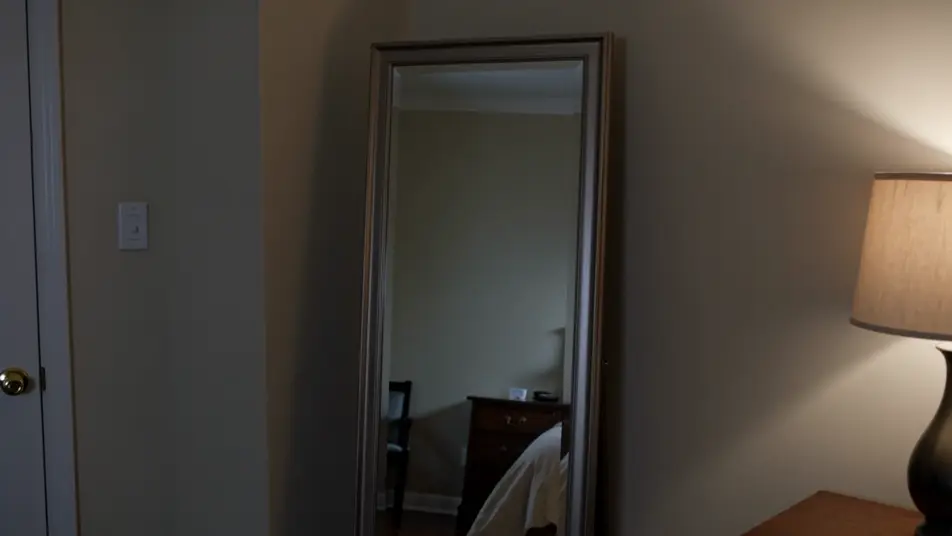
Dust-filled attic light where a curl of luminous mist gathers into a vague human shape before scattering apart. Hard shafts through a small window, a locked wide shot holding the still air.
Editar prompt
A translucent figure climbs a shadowed stone stairwell, growing more opaque with each step until it nearly blocks the light behind it. Cold top light, a slow tilt that follows it up.
Editar prompt
Escribe la escena de ghost overlay que quieres, en palabras simples.
Morphic genera un clip cinematográfico y listo para usar en tu canvas en segundos.
Ajusta el prompt, regenera variaciones y luego descarga o comparte la toma.

Dramatize any text conversation into a cinematic multi-shot video.
Cinematic time-freeze short film for any scene

Generate a professional film title card from scratch, with optional cinematic animation.
Photo of any real-estate becomes a cinematic renovation timelapse video with construction SFX and music.
One image to a 9-scene cinematic video.
Drop in a photo of yourself. Get a 12-second cinematic movie with animation and a matched soundtrack.
AI Invisibility Effect videos
Generate AI invisibility videos with Morphic. Fade a subject transparent, cloak a figure, and stage empty-space reveals with paste-ready prompts that just run.
AI Double Exposure videos
Generate AI double exposure videos with Morphic. Silhouettes filled with moving landscapes, ghosted portraits, and layered blends from a single prompt.
Videos de VFX con IA
Crea videos de VFX con IA en Morphic. Explosiones, energía, destrucción de ciencia ficción y partículas a partir de un prompt, sin pantalla verde.
Videos morph con IA
Crea videos morph con IA en Morphic: transiciones suaves, transformaciones, morphs de envejecimiento facial y cortes sincronizados al ritmo, listos para usar.
Comienza gratis hoy, con la opción de mejorar tu plan o cancelar cuando quieras.
Basic
2400 mensual créditos
1 usuario
Todos los modelos
Workflows
Standard
3625 mensual créditos
1 usuario
Todos los modelos
Workflows
Pro
6350 compartidos mensual créditos
1 usuario
Todos los modelos
Workflows
Max
24650 compartidos mensual créditos
1 usuario
Todos los modelos
Workflows
Enterprise
Para límites más altos
Personalizado
términos de precios y facturación

Free
Para experimentar
$0
gratis para siempre