Direct the crossing-over moment in your browser with Morphic's isekai fantasy AI video generator. Generate an office worker pulled through a glowing portal mid-commute, or a newcomer stumbling into a medieval market. Score the arrival with Speech and Music, then stitch the short on the Canvas.

Isekai fantasy characters you can create

Isekai fantasy scenes you can direct

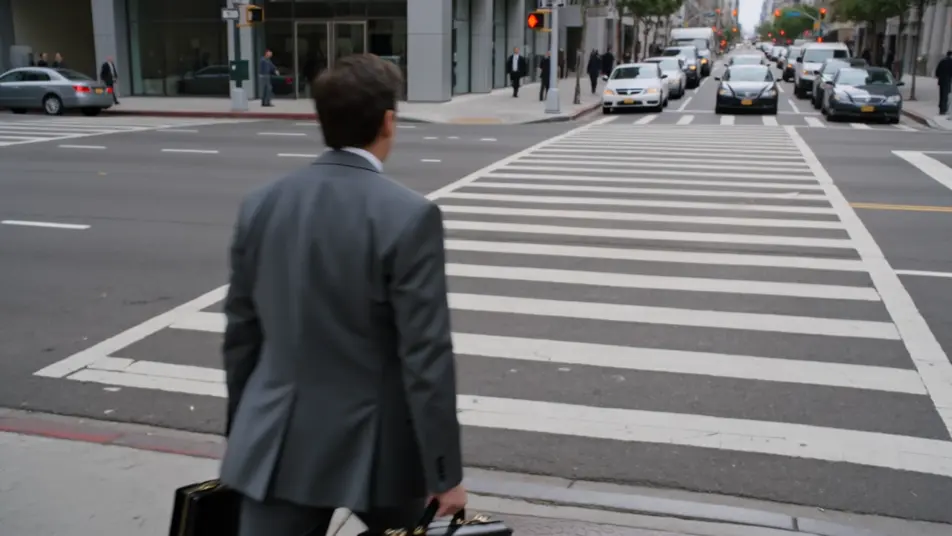
Pulled through the portal mid-commute

A grey city crosswalk at rush hour, a swirling portal of golden light tearing open in front of the everyman, papers and briefcase scattering as the body is drawn forward, the modern street stretching and dissolving behind, fast push-in into the light.

Editar prompt
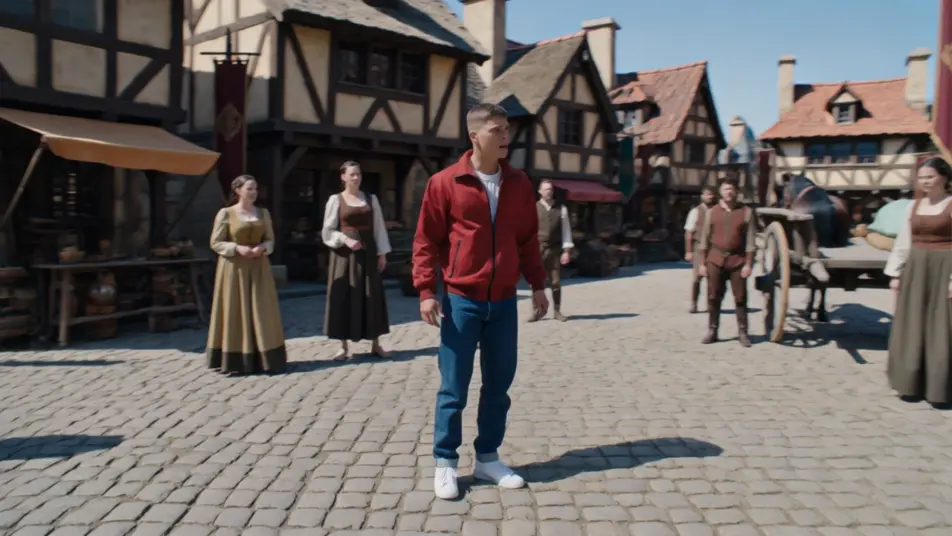
First steps in the medieval square

A sunlit cobblestone market square of timber-framed shops and horse carts, the newcomer in modern clothes turning slowly in disbelief as locals stare, banners and a distant castle on the hill, slow 360 orbit around the bewildered arrival.

Editar prompt

The summoning array ignites

A vast throne-room floor inscribed with a glowing summoning array, light surging up the runes as the everyman materializes at the center mid-fall, the princess and court recoiling in the rune-light, slow crane move rising over the circle.

Editar prompt

Forest-crossroads meeting at dawn

A misty forest crossroads at dawn, the otherworld guide extending a hand to the newcomer as drifting glyphs of a strange language hover in the air, dappled gold light through the canopy, slow dolly in on the meeting hands.

Editar prompt

Crea videos de isekai fantasy en tres pasos

  1. 01

    Describe tu escena de isekai fantasy

    Escribe la escena de isekai fantasy que quieres, en palabras simples.

  2. 02

    Genera el video

    Morphic genera un clip cinematográfico y listo para usar en tu canvas en segundos.

  3. 03

    Refina tu video de isekai fantasy

    Ajusta el prompt, regenera variaciones y luego descarga o comparte la toma.

Workflows relacionados

También te puede gustar

Precios simples

Comienza gratis hoy, con la opción de mejorar tu plan o cancelar cuando quieras.

Basic

$9/ mes
facturado como $0 por año

900 mensual créditos

1 usuario

Todos los modelos

Workflows

Standard

$24/ mes
facturado como $0 por año

3200 mensual créditos

1 usuario

Todos los modelos

Workflows

Pro

$45/ mes
facturado como $0 por año

6200 compartidos mensual créditos

1 usuario

+ hasta 4 más con costo adicional

Todos los modelos

Workflows

Pro Max

$170/ mes
facturado como $0 por año

24000 compartidos mensual créditos

1 usuario

+ hasta 9 más con costo adicional

Todos los modelos

Workflows

Enterprise

Para límites más altos

Personalizado

términos de precios y facturación

High-volume credits
Límites de asientos personalizados
Todos los modelos
Workflows
Pricing Gradient

Free

Para experimentar

$0

gratis para siempre

Hasta 20 créditos
Solo 1 usuario
Modelos limitados
Workflows

Preguntas frecuentes

What is isekai fantasy?
Isekai fantasy is a subgenre about an ordinary person transported out of daily life into another world. On screen it reads through the crossing-over beat (a portal tearing open, a summoning array igniting, waking in a new body), a sharp contrast between the everyday origin and the fantasy destination (modern clothes in a medieval square, a commuter pulled into a rune circle), and a moment of bewildered arrival. The portal-crossing is the heart of the genre.
How do I make isekai fantasy videos with AI?
Make isekai fantasy videos in your browser on Morphic with the Text to Video tool. Describe the crossing-over moment, the world the hero lands in, and a camera move, and Morphic generates the clip. No installs or specialist software are needed, and you can refine the prompt and regenerate until the isekai fantasy portal-crossing lands.
How do I write a good isekai fantasy video prompt?
Name the crossing-over beat, the ordinary-to-fantasy contrast, and a camera move, keeping one foot in each world. A strong isekai fantasy prompt reads like "a golden portal tearing open on a rush-hour crosswalk as an office worker is drawn in, papers scattering, the modern street dissolving behind, fast push-in into the light." The jump between worlds should be the subject of the shot.
What isekai fantasy scenes work best for AI video?
Isekai fantasy scenes built around the portal-crossing and the bewildered arrival work best for AI video, such as an office worker pulled through a portal mid-commute, a newcomer in modern clothes taking first steps in a medieval square, a summoning array igniting under a transported hero, and a dawn meeting with an otherworld guide at a forest crossroads. Each stages the jump from the ordinary world into the new one.
How do I keep characters consistent across isekai fantasy scenes?
Use the Character Lineup workflow to lock the wardrobe and posture for each isekai fantasy character, then reference those character cards in every prompt. Morphic preserves the everyman’s rumpled office clothes and lanyard, the guide’s flowing robes, and the princess’s layered court gown across every shot so the continuity holds from the crossing-over through the new world.
Can I add music and narration to my isekai fantasy videos?
Yes, add music and narration to your isekai fantasy videos with the Music tool and the Speech tool. The Music tool generates an original sweeping arrival score that swells at the portal beat under the crossing-over and market-square scenes, and the Speech tool produces inner-monologue narration and dialogue in the voice you choose, layered onto the footage to publish a complete isekai fantasy short.
What is the best AI video generator for isekai fantasy videos?
Morphic is one of the best AI video generators for isekai fantasy videos. It runs in your browser: describe a scene in plain language and the Text to Video tool generates the isekai fantasy clip, the Character Lineup workflow keeps your cast consistent across shots, and the Music and Speech tools add an original score and narration. You can direct, refine, and assemble a full isekai fantasy video on a single canvas with no installs.





