Euforia en el estadio
La mascota del equipo levanta a un estadio lleno con los brazos arriba, entre confeti y reflectores. La afición es una mancha que ruge detrás y el ángulo bajo la vuelve heroica.
Editar prompt
En español, mascota es tanto el animal de la casa como el personaje disfrazado que prende al estadio. Aquí hablamos del segundo. Con el generador de videos de mascotas con IA de Morphic diriges a la mascota del equipo levantando a la afición, a un personaje de marca haciendo un anuncio o a una mascota de caricatura bailando en el escenario. Fija el diseño con Character Lineup y ponle música con Music en el Canvas.
La mascota del equipo levanta a un estadio lleno con los brazos arriba, entre confeti y reflectores. La afición es una mancha que ruge detrás y el ángulo bajo la vuelve heroica.
Editar promptLa mascota de marca gesticula a cámara en un set limpio de colores fuertes. El producto aparece en un corte rápido, con un encuadre comercial a la altura de los ojos.
Editar prompt
La mascota de la feria saluda y choca palmas a lo largo de un desfile soleado. Hay globos y gente animando a los lados de la calle, con la cámara siguiéndola de cerca.
Editar prompt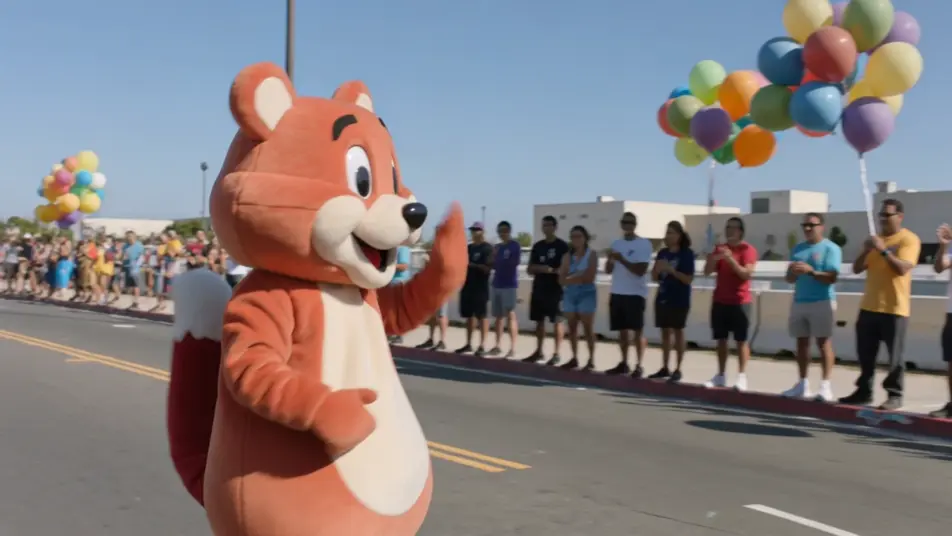
Una mascota baila una rutina chistosa en un escenario brillante, con luces de colores y el público prendido. El movimiento es exagerado y elástico, en un plano abierto.
Editar prompt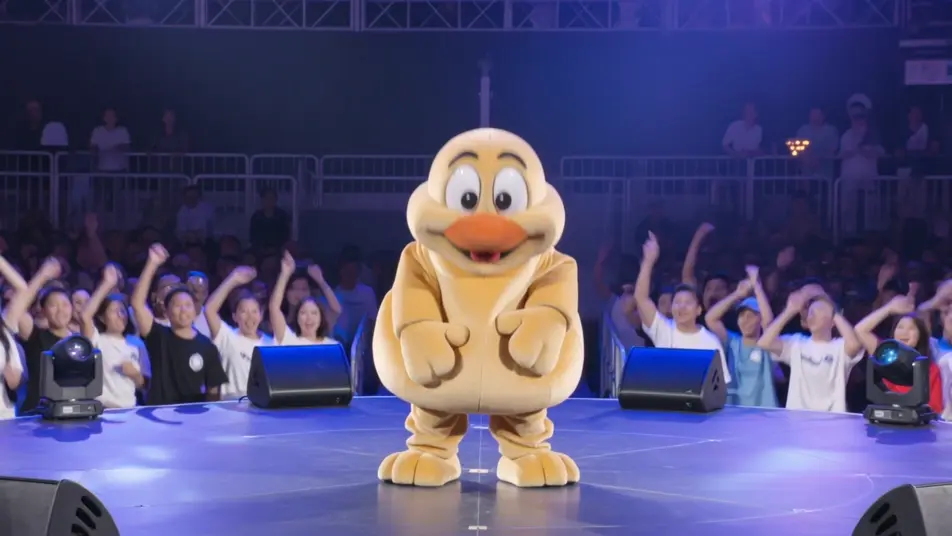
Escribe la escena de mascota que quieres, en palabras simples.
Morphic genera un clip cinematográfico y listo para usar en tu canvas en segundos.
Ajusta el prompt, regenera variaciones y luego descarga o comparte la toma.
Cinematic time-freeze short film for any scene

Dramatize any text conversation into a cinematic multi-shot video.
One image to a 9-scene cinematic video.
Drop in a photo of yourself. Get a 12-second cinematic movie with animation and a matched soundtrack.

Share a scene description with character references. Get a full storyboard with shot angles and mood.

Feed in a single image. Get 9 cinematic beats laid out as a 3x3 storyboard grid.
Videos de porristas con IA
Genera videos de porristas con Morphic. Capitana, gimnasta, voladora y base del escuadrón, con prompts de rutina de estadio, pirámide y rally escolar.
Videos de caricatura con IA
Crea videos de caricatura con IA en Morphic: estilos 2D, 3D y de cuento, personajes que no cambian entre escenas y todo desde el navegador.
Punk Rocker AI Videos
Generate punk rocker videos with Morphic. Mohawk frontman, bassist, drummer, and riot-grrrl archetypes with basement-show, stage-dive, and alley scene prompts.
Videos de cíborgs con IA
Crea videos de cíborgs con la IA de Morphic: combate, humano aumentado, androide y street-tech, con escenas de neón, laboratorio y azotea.
Comienza gratis hoy, con la opción de mejorar tu plan o cancelar cuando quieras.
Basic
2400 mensual créditos
1 usuario
Todos los modelos
Workflows
Standard
3625 mensual créditos
1 usuario
Todos los modelos
Workflows
Pro
6350 compartidos mensual créditos
1 usuario
Todos los modelos
Workflows
Max
24650 compartidos mensual créditos
1 usuario
Todos los modelos
Workflows
Enterprise
Para límites más altos
Personalizado
términos de precios y facturación

Free
Para experimentar
$0
gratis para siempre