Wet-neon Tokyo alley reflected in oily asphalt
Rain-slick Tokyo alley at 2am, ramen-shop signage bleeding red and cyan, oily asphalt mirroring the neon, single coat-collar figure walking away from camera, slow tracking pull-back.
Editar prompt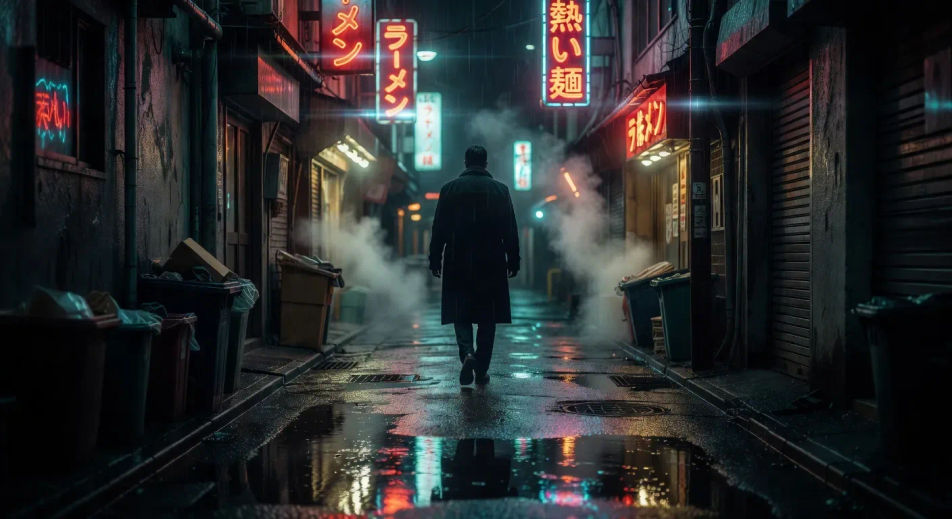
Direct neo-noir on demand in your browser with Morphic's neo-noir AI video generator. Generate a rain-slicked Tokyo alley reflected in oily asphalt, a sun-blown LA private eye, or a corporate-night assassin in a downtown cab. Pair with Music to score each shot, then cut the modes on the Canvas.
Rain-slick Tokyo alley at 2am, ramen-shop signage bleeding red and cyan, oily asphalt mirroring the neon, single coat-collar figure walking away from camera, slow tracking pull-back.
Editar promptSun-blown LA vacant lot at 3pm, dust haze and dry palms, faded private eye in beige linen crossing diagonally toward a 70s sedan, ochre haze and side-rake light. The Chinatown register.
Editar prompt
High-contrast pure black-and-white ink corridor with a single red blood streak as the only colour accent, line-art enforcer silhouetted against a frosted door at the far end. The Sin City register.
Editar prompt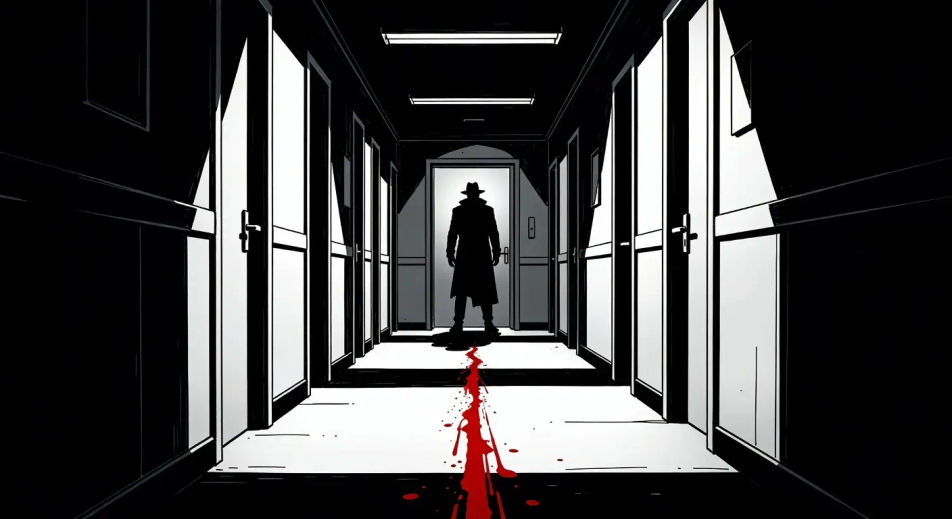
Glass-tower facade at 2am, single lit corner office on the 38th floor, taxi headlights raking the lobby, rain pulsing across the glass. The Michael Clayton corporate register.
Editar prompt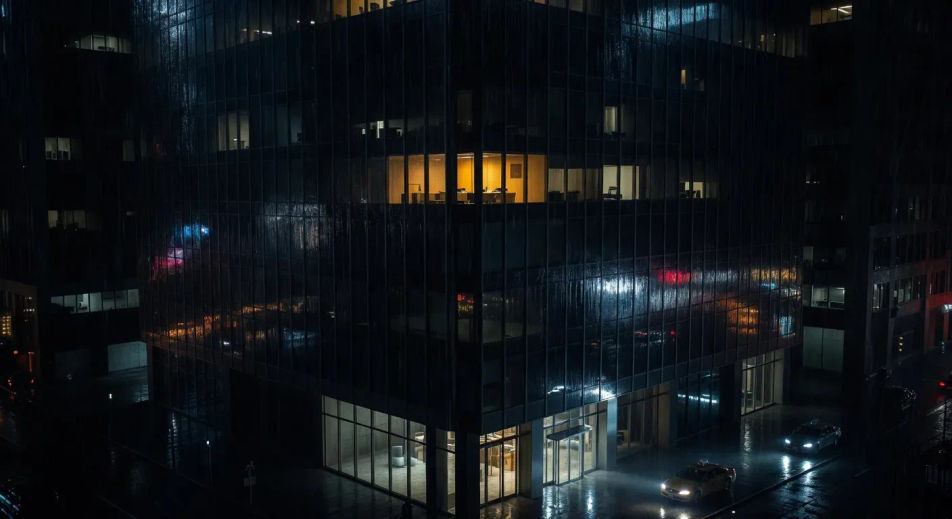
Escribe la escena de neo-noir que quieres, en palabras simples.
Morphic genera un clip cinematográfico y listo para usar en tu canvas en segundos.
Ajusta el prompt, regenera variaciones y luego descarga o comparte la toma.
Cinematic time-freeze short film for any scene

Dramatize any text conversation into a cinematic multi-shot video.
One image to a 9-scene cinematic video.
Drop in a photo of yourself. Get a 12-second cinematic movie with animation and a matched soundtrack.

Share a scene description with character references. Get a full storyboard with shot angles and mood.

Feed in a single image. Get 9 cinematic beats laid out as a 3x3 storyboard grid.
Paranoia Thriller AI Videos
Generate paranoia thriller AI videos with Morphic. Surveillance, long lenses, and being-followed scene prompts you can direct in the browser.
Videos de ciencia ficción con IA
Crea videos de ciencia ficción con IA en Morphic. Naves, mundos alienígenas, estaciones y ciudades orbitales, desde un prompt en español.
Techno-thriller AI Videos
Create powerful AI Techno-thriller videos with Morphic. Generate unique, cinematic Techno-thriller scenes for any project in seconds.
Videos de drama romántico con IA
Crea videos de drama romántico con IA usando nuestro generador. Encuentra escenas únicas y cinematográficas para cualquier proyecto en segundos.
Comienza gratis hoy, con la opción de mejorar tu plan o cancelar cuando quieras.
Basic
2400 mensual créditos
1 usuario
Todos los modelos
Workflows
Standard
3625 mensual créditos
1 usuario
Todos los modelos
Workflows
Pro
6350 compartidos mensual créditos
1 usuario
Todos los modelos
Workflows
Max
24650 compartidos mensual créditos
1 usuario
Todos los modelos
Workflows
Enterprise
Para límites más altos
Personalizado
términos de precios y facturación

Free
Para experimentar
$0
gratis para siempre