Avenida invadida al atardecer
Atardece sobre una avenida llena de escombros. Los autos quedaron abandonados con las puertas abiertas y las vitrinas están rotas. Al fondo, entre la bruma, se mueven algunas figuras a tropezones.
Editar prompt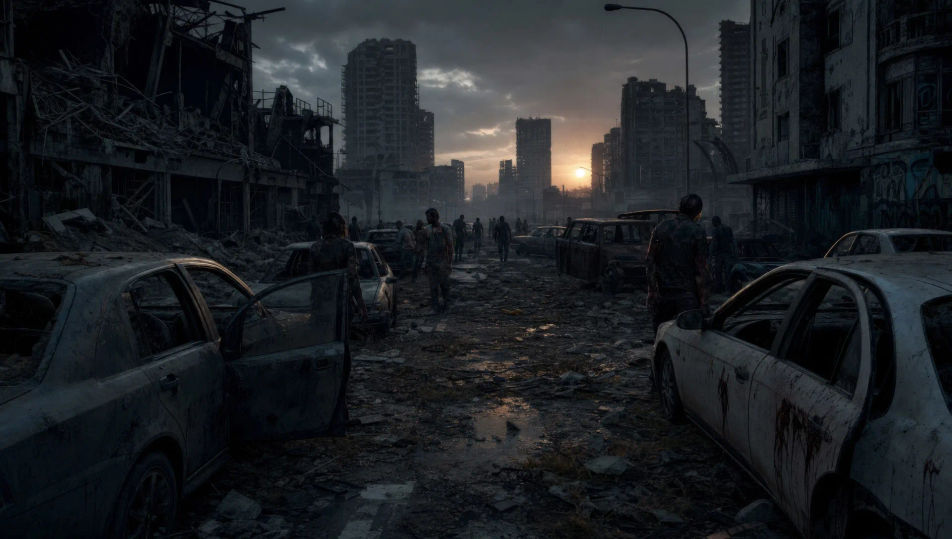
This page covers mature themes for adult audiences making film, games and other creative work.
Convierte el navegador en el set del brote. Le pides a Morphic un sobreviviente que cruza una avenida invadida al atardecer y lo genera. Lo mismo con un cuarto tapiado de noche o con la horda recargada contra la malla ciclónica. La tensión la ponen Speech y Music, con narración en español para tu canal de terror. El corto completo se arma en el Canvas y sale listo para YouTube, o en vertical para TikTok y Reels.
Atardece sobre una avenida llena de escombros. Los autos quedaron abandonados con las puertas abiertas y las vitrinas están rotas. Al fondo, entre la bruma, se mueven algunas figuras a tropezones.
Editar promptLas ventanas están tapiadas con tablas disparejas y adentro solo queda una lámpara encendida. Los sobrevivientes se pegan a las paredes. Por las rendijas se alcanzan a ver sombras que se mueven.
Editar prompt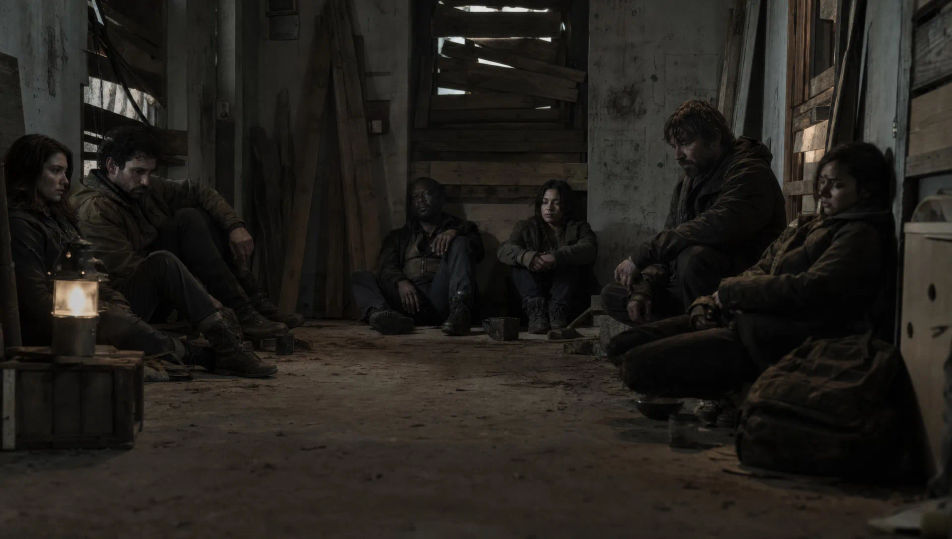
La carretera quedó trabada hasta donde alcanza la vista. Cada auto está vacío, cubierto de polvo y con las puertas entreabiertas. Por el carril central camina una sola figura.
Editar prompt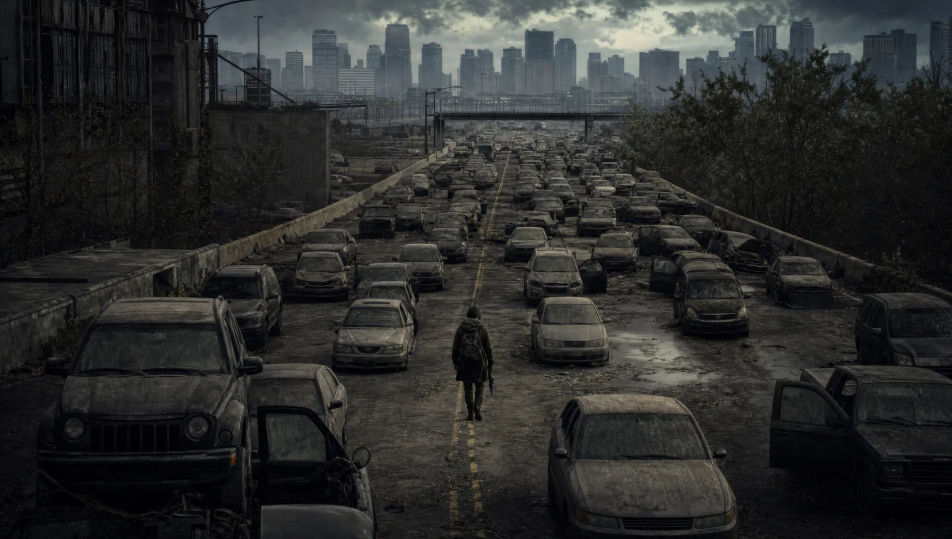
Una masa de cuerpos descompuestos empuja una malla ciclónica que ya se está venciendo. Los brazos se meten por los huecos y el alambre cede. Detrás de todos, un reflector deslumbra.
Editar prompt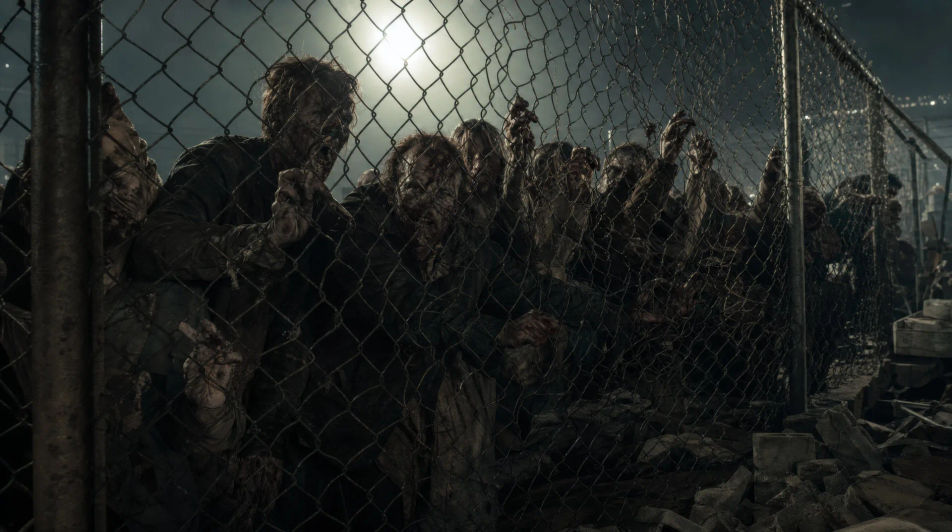
Escribe la escena de zombis que quieres, en palabras simples.
Morphic genera un clip cinematográfico y listo para usar en tu canvas en segundos.
Ajusta el prompt, regenera variaciones y luego descarga o comparte la toma.
Cinematic time-freeze short film for any scene

Dramatize any text conversation into a cinematic multi-shot video.
One image to a 9-scene cinematic video.
Drop in a photo of yourself. Get a 12-second cinematic movie with animation and a matched soundtrack.

Share a scene description with character references. Get a full storyboard with shot angles and mood.

Feed in a single image. Get 9 cinematic beats laid out as a 3x3 storyboard grid.
Videos de terror con IA
Crea videos de terror en Morphic: casas embrujadas, bosques con niebla, pasillos que parpadean y escenas de suspenso a fuego lento desde prompts sencillos.
Videos de monstruos con IA
Crea videos de monstruos en Morphic. Criaturas originales, bestias entre la neblina, monstruos de laguna y amenazas al acecho desde un prompt en español.
Videos de ciencia ficción con IA
Crea videos de ciencia ficción con IA en Morphic. Naves, mundos alienígenas, estaciones y ciudades orbitales, desde un prompt en español.
Videos de Frankenstein con IA
Crea escenas de Frankenstein con Morphic: el laboratorio de Ingolstadt, el primer aliento de la criatura y la cacería en el Ártico, todo desde un prompt.
Comienza gratis hoy, con la opción de mejorar tu plan o cancelar cuando quieras.
Basic
2400 mensual créditos
1 usuario
Todos los modelos
Workflows
Standard
3625 mensual créditos
1 usuario
Todos los modelos
Workflows
Pro
6350 compartidos mensual créditos
1 usuario
Todos los modelos
Workflows
Max
24650 compartidos mensual créditos
1 usuario
Todos los modelos
Workflows
Enterprise
Para límites más altos
Personalizado
términos de precios y facturación

Free
Para experimentar
$0
gratis para siempre
Everything on this page is fictional depiction for film, games and creative work. It does not depict real events, and does not place real, identifiable people in them.
Results vary by model. Some models apply stricter content policies than others, so a shot one model declines may generate on another.