Strip Gag 4 Panel
Strip horizontal empat panel sama besar dengan garis tepi bersih. Tiga panel bangun cerita, panel terakhir kasih punchline, sisa ruang buat balon dialog.
Edit prompt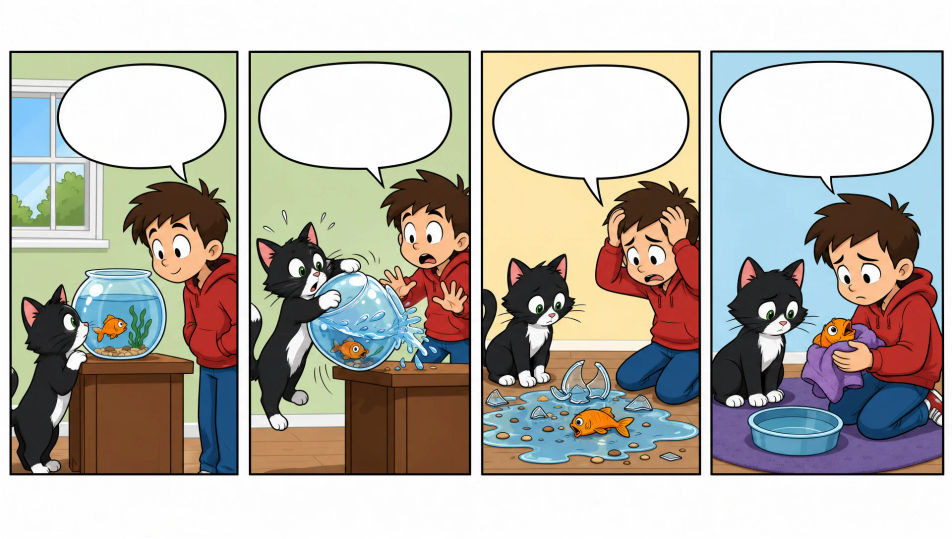
Bikin komik strip langsung di browser pakai generator gambar AI dari Morphic. Anda bisa membuat gag kantor 4 panel, twist 3 panel, atau lelucon visual tanpa teks. Kunci wajah karakter dengan Character Lineup, lalu susun panel dan lettering di Canvas.
Strip horizontal empat panel sama besar dengan garis tepi bersih. Tiga panel bangun cerita, panel terakhir kasih punchline, sisa ruang buat balon dialog.
Edit promptStrip horizontal tiga panel, dua buat bangun cerita dan satu buat pembalik. Garis tepinya bersih, komposisinya simpel, ada ruang kosong buat lettering.
Edit prompt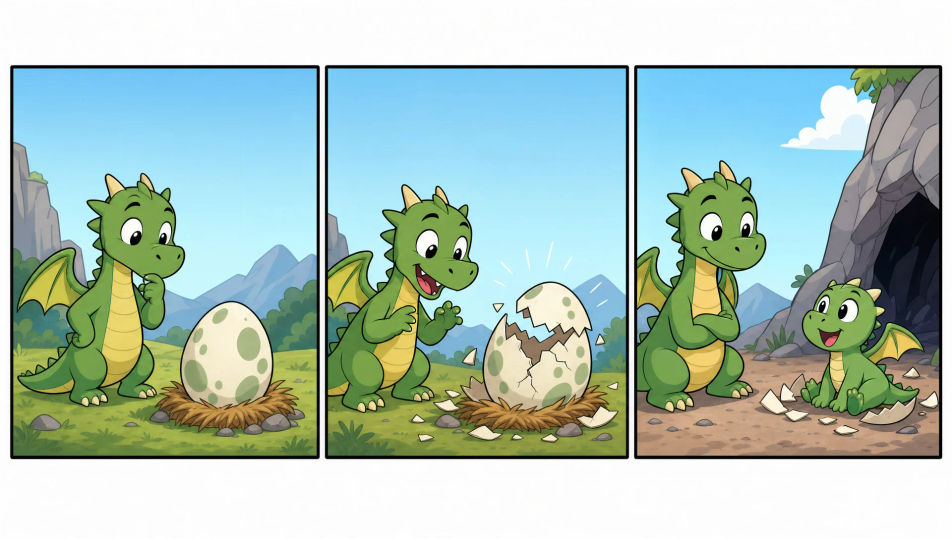
Satu panel bergaris tepi yang memuat lelucon utuh dalam satu gambar. Linework kartunnya bersih dengan satu titik fokus dan ruang buat caption di bawah.
Edit prompt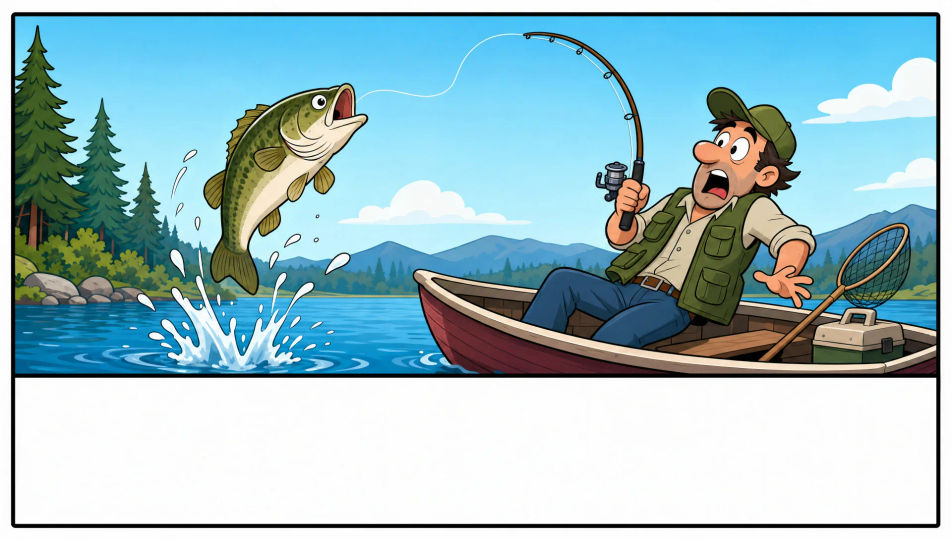
Strip komik dua-tiga panel yang disusun jadi banner promo warung atau UMKM. Warnanya cerah dan ada ruang kosong buat nama toko dan harga.
Edit prompt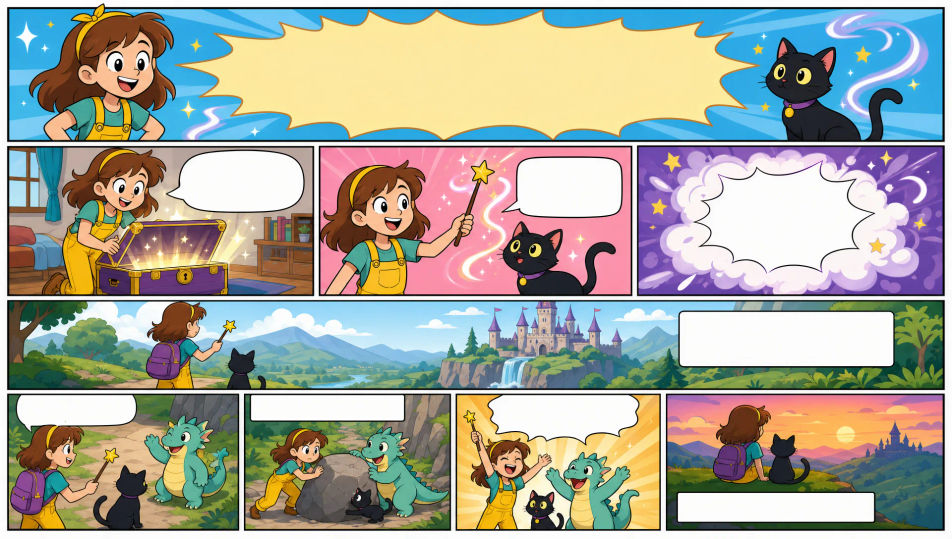
Jelaskan komik strip yang Anda inginkan, dengan kata-kata sederhana.
Morphic membuat gambar bersih yang siap diterbitkan di canvas Anda dalam hitungan detik.
Ubah prompt, buat ulang variasi, lalu unduh atau bagikan frame-nya.

Share a scene description with character references. Get a full storyboard with shot angles and mood.

Feed in a single image. Get 9 cinematic beats laid out as a 3x3 storyboard grid.
One image to a 9-scene cinematic video.

Take any character image and generate 6 distinct facial expressions on a single reference sheet.
Cinematic time-freeze short film for any scene
Drop in a photo of yourself. Get a 12-second cinematic movie with animation and a matched soundtrack.
Comic book AI Images
Create comic book panels, character designs, and full pages with Morphic. Splash pages, action sequences, decompressed beats, and indie-comic styles from a single prompt.
Graphic novel art AI generator
Create graphic novel art with Morphic. Painterly ink-and-colour panels, cinematic framing, moody palettes, and on-model characters from a single prompt.
Kawaii art AI generator
Create kawaii art with Morphic. Rounded pastel mascots, oversized-eye characters, sticker sheets, and super-cute illustrations from a single prompt.
Picture book character AI generator
Create picture book characters with Morphic. Original character designs, turnaround sheets, expression sets, and on-model art across every page.
Mulai gratis hari ini, dengan opsi untuk upgrade atau membatalkan kapan saja.
Basic
2400 bulanan kredit
1 pengguna saja
Semua model
Workflows
Standard
3625 bulanan kredit
1 pengguna saja
Semua model
Workflows
Pro
6350 bersama bulanan kredit
1 pengguna
Semua model
Workflows
Max
24650 bersama bulanan kredit
1 pengguna
Semua model
Workflows
Enterprise
Untuk batas yang lebih tinggi
Khusus
ketentuan harga dan penagihan

Free
Untuk bereksperimen
$0
gratis selamanya