City at dusk, color swung
A wide dusk cityscape rendered in a heavy cross-process color swing, sky pushed cyan, streetlights nuclear yellow, blacks crushed to olive, grain across the whole frame.
Edit prompt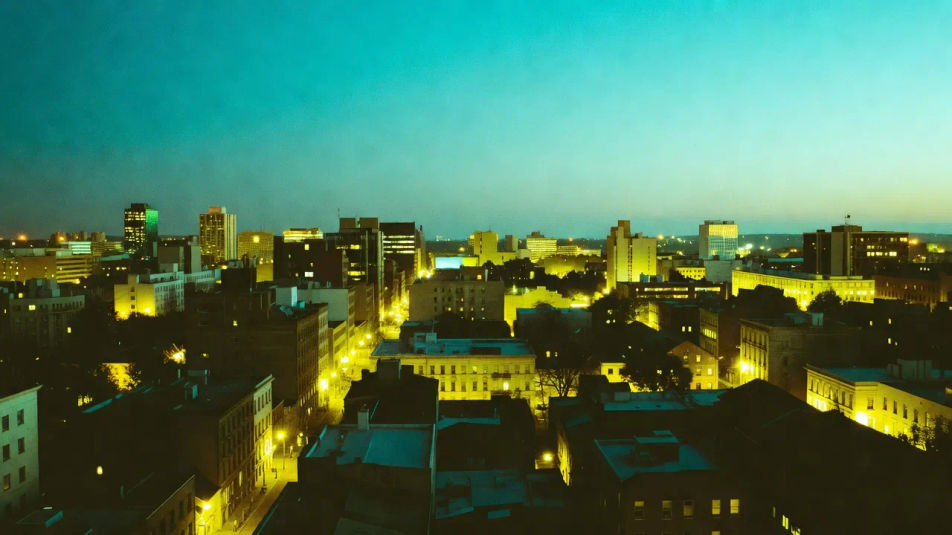
Build cross processing images in your browser with Morphic's AI image generator. Generate a portrait with acid-green shadows, a street scene with crushed contrast, or a still life with that E6-in-C41 color swing. Lock the color cast with Style Transfer, then animate any still with Image to Video.
A wide dusk cityscape rendered in a heavy cross-process color swing, sky pushed cyan, streetlights nuclear yellow, blacks crushed to olive, grain across the whole frame.
Edit promptA wide overexposed garden party in high summer light, faces going waxy, whites yellowed, highlights clipping to pale cyan, chalky pastel cast over the crowd.
Edit prompt
A wide rain-slicked alley at night with neon signage smeared into oversaturated magenta and lime, wet reflections stained teal, heavy film grain throughout.
Edit prompt
A wide studio fashion set against seamless paper, the entire frame swung cyan-green with clipped magenta rim light and hard contrast, editorial cross-process mood.
Edit prompt
Jelaskan Cross processing yang Anda inginkan, dengan kata-kata sederhana.
Morphic membuat gambar bersih yang siap diterbitkan di canvas Anda dalam hitungan detik.
Ubah prompt, buat ulang variasi, lalu unduh atau bagikan frame-nya.
Fix plastic-looking AI skin. Adds natural texture, pores, and imperfections for realism.
One selfie becomes a set of professional headshots. Studio-quality, multiple styles.
Convert any image to a new aspect ratio. Smart crop or extend the edges to fit.
Set the look with one reference image. Apply that exact grade to any scene or batch.
Choose your viewing angles and get precise perspective shifts of any image with full camera control.
Bring back any damaged, blurry, or low-res image. Get a sharp, detailed 4K version with natural clarity restored.
Solarization photography AI images
Make solarization photography AI images in your browser: silvery reversed portraits, Mackie-line halos, inverted metallic skies. Start creating.
Sabattier effect AI images
Make Sabattier effect AI images: part-positive part-negative portraits, luminous outlines, silvery reversals. Build a dreamlike print now. Start creating.
Lith printing AI images
Make lith printing AI images in your browser: peachy warm midtones, gritty coal-black shadows, infectious grain. Build the darkroom look. Start creating.
Chromogenic print AI images
Make chromogenic print AI images in your browser: smooth continuous-tone color, glossy C-print surface, deep blacks. Build the vintage look. Start creating.
Mulai gratis hari ini, dengan opsi untuk upgrade atau membatalkan kapan saja.
Basic
2400 bulanan kredit
1 pengguna saja
Semua model
Workflows
Standard
3625 bulanan kredit
1 pengguna saja
Semua model
Workflows
Pro
6350 bersama bulanan kredit
1 pengguna
Semua model
Workflows
Max
24650 bersama bulanan kredit
1 pengguna
Semua model
Workflows
Enterprise
Untuk batas yang lebih tinggi
Khusus
ketentuan harga dan penagihan

Free
Untuk bereksperimen
$0
gratis selamanya