Meadow in soft pigment
A wide summer meadow printed as a gum bichromate, layered green and ochre pigment coats slightly misregistered, brushed edges and matte watercolor-paper texture.
Edit prompt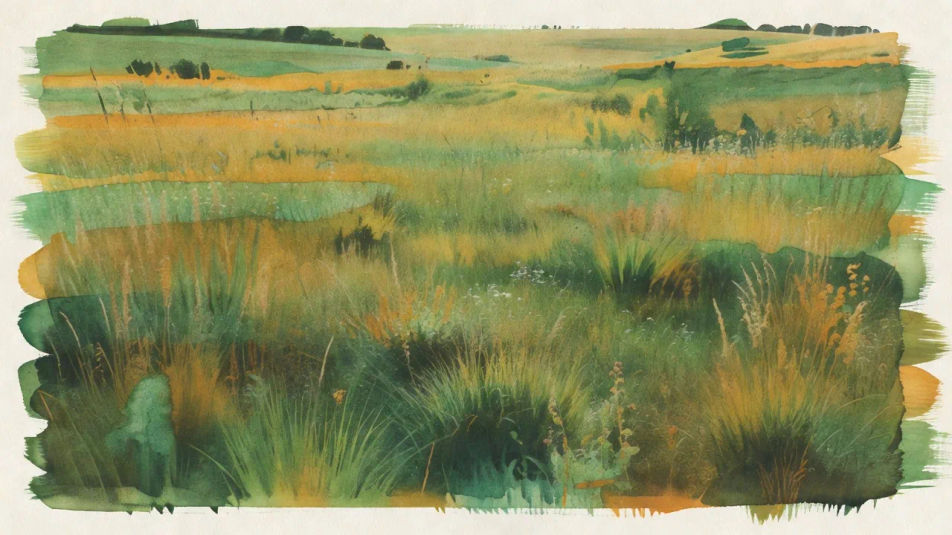
Build gum bichromate images in your browser with Morphic's AI image generator. Generate a painterly portrait with brushed pigment edges, a landscape built from layered color coats, or a still life with visible brushstrokes and paper texture. Lock the palette with Style Transfer, then animate.
A wide summer meadow printed as a gum bichromate, layered green and ochre pigment coats slightly misregistered, brushed edges and matte watercolor-paper texture.
Edit promptA wide old town square in muted earthy pigment, low contrast and grainless, visible brush edges around the frame, soft matte gum-bichromate surface throughout.
Edit prompt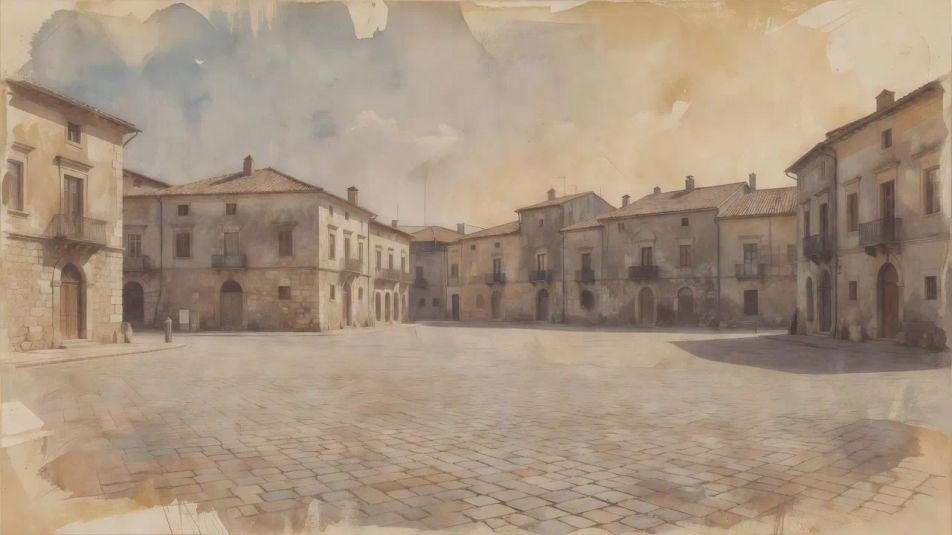
A wide riverbank scene printed in a single deep Prussian-blue pigment, sensitizer brushmarks visible at the borders, chalky matte tones over rough paper.
Edit prompt
A wide flower garden built from three separated pigment layers, softly misregistered so colors fringe, hand-brushed borders and painterly matte gum texture.
Edit prompt
Jelaskan Gum bichromate yang Anda inginkan, dengan kata-kata sederhana.
Morphic membuat gambar bersih yang siap diterbitkan di canvas Anda dalam hitungan detik.
Ubah prompt, buat ulang variasi, lalu unduh atau bagikan frame-nya.
Fix plastic-looking AI skin. Adds natural texture, pores, and imperfections for realism.
One selfie becomes a set of professional headshots. Studio-quality, multiple styles.
Convert any image to a new aspect ratio. Smart crop or extend the edges to fit.
Set the look with one reference image. Apply that exact grade to any scene or batch.
Choose your viewing angles and get precise perspective shifts of any image with full camera control.
Bring back any damaged, blurry, or low-res image. Get a sharp, detailed 4K version with natural clarity restored.
Carbon transfer print AI images
Make carbon transfer print AI images in your browser: deep pigment blacks, subtle surface relief, glossy gelatin depth. Build from a prompt. Start creating.
Bromoil print AI images
Make bromoil print AI images in your browser: dabbed oil pigment, broken painterly texture, warm ink tone, soft pictorialist look. Build one. Start creating.
Salt print AI images
Make salt print AI images in your browser: matte russet-brown tones, soft low contrast, visible paper fibers, irregular coating edges. Start creating.
Platinum palladium print AI images
Make platinum palladium print AI images: long luminous tonal scale, warm neutral blacks, matte silvery midtones. Build the fine-art print. Start creating.
Mulai gratis hari ini, dengan opsi untuk upgrade atau membatalkan kapan saja.
Basic
2400 bulanan kredit
1 pengguna saja
Semua model
Workflows
Standard
3625 bulanan kredit
1 pengguna saja
Semua model
Workflows
Pro
6350 bersama bulanan kredit
1 pengguna
Semua model
Workflows
Max
24650 bersama bulanan kredit
1 pengguna
Semua model
Workflows
Enterprise
Untuk batas yang lebih tinggi
Khusus
ketentuan harga dan penagihan

Free
Untuk bereksperimen
$0
gratis selamanya