Radiology software product hero
Radiographer at a workstation viewing a scan, open space beside screens for a headline.
Edit prompt
Compose medical imaging images in your browser with Morphic's AI photo generator. Try a patient sliding into an MRI scanner, a radiologist reviewing scans on a lightwall, or a close detail of a control console. Adjust the crop and color in the Canvas, then download each in HD.
Radiographer at a workstation viewing a scan, open space beside screens for a headline.
Edit promptMRI scanner in a bright imaging suite, horizontal shot for a healthcare article top.
Edit prompt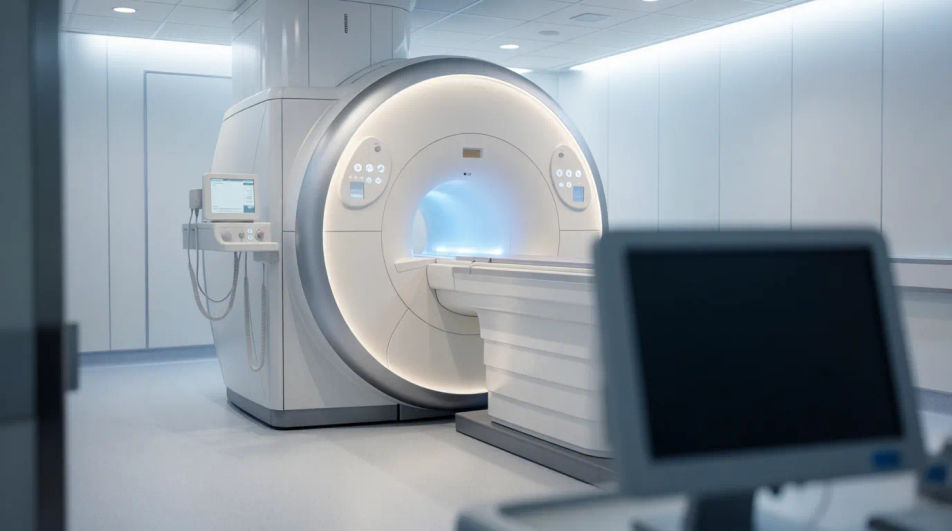
Close up of a monitor showing a detailed body scan, crisp frame for a diagnostics report.
Edit prompt
Reassuring tech guiding a patient into a scanner, warm print-ready portrait for a leaflet.
Edit prompt
Jelaskan medical imaging image yang Anda inginkan, dengan kata-kata sederhana.
Morphic membuat gambar bersih yang siap diterbitkan di canvas Anda dalam hitungan detik.
Ubah prompt, buat ulang variasi, lalu unduh atau bagikan frame-nya.
Cinematic time-freeze short film for any scene
Upload a character image and make it dance in any style.

Share a scene description with character references. Get a full storyboard with shot angles and mood.
Pair a character image with a reference video. Your character picks up that exact motion.

Feed in a single image. Get 9 cinematic beats laid out as a 3x3 storyboard grid.

Dramatize any text conversation into a cinematic multi-shot video.
3D Printing AI Images
Produce 3d printing images in any style you need. Generate the exact scene rather than the nearest stock photo. No stock licence needed.
Agriculture Technology AI Images
Produce agriculture technology images in any style you need. Generate the exact scene rather than the nearest stock photo.
Airport Lounge Business AI Images
Make airport lounge business images from a text prompt. Control the setting, people and mood instead of browsing for a compromise.
Construction Site AI Images
Produce construction site images in any style you need. Skip the stock library and generate the exact scene you need. No stock licence needed.
Mulai gratis hari ini, dengan opsi untuk upgrade atau membatalkan kapan saja.
Basic
2400 bulanan kredit
1 pengguna saja
Semua model
Workflows
Standard
3625 bulanan kredit
1 pengguna saja
Semua model
Workflows
Pro
6350 bersama bulanan kredit
1 pengguna
Semua model
Workflows
Max
24650 bersama bulanan kredit
1 pengguna
Semua model
Workflows
Enterprise
Untuk batas yang lebih tinggi
Khusus
ketentuan harga dan penagihan

Free
Untuk bereksperimen
$0
gratis selamanya