A single-shot product punch
One bold frame where the product snaps into center against a bright color field, a fast key light hitting the surface and the item holding steady for the full six seconds so it reads on the first watch.
Edit prompt
Direct a 6 second bumper ad in your browser with Morphic's bumper ad generator. Generate the one image, one line, and one product beat that a non-skippable bumper has to land in six seconds. Voice it with Speech, then produce the fifteen and thirty second versions from the same concept on Compose.
One bold frame where the product snaps into center against a bright color field, a fast key light hitting the surface and the item holding steady for the full six seconds so it reads on the first watch.
Edit promptA high-contrast frame with one short line of bold text landing over a clean product shot, the type snapping in and locking center while the product stays fixed behind it under even light.
Edit prompt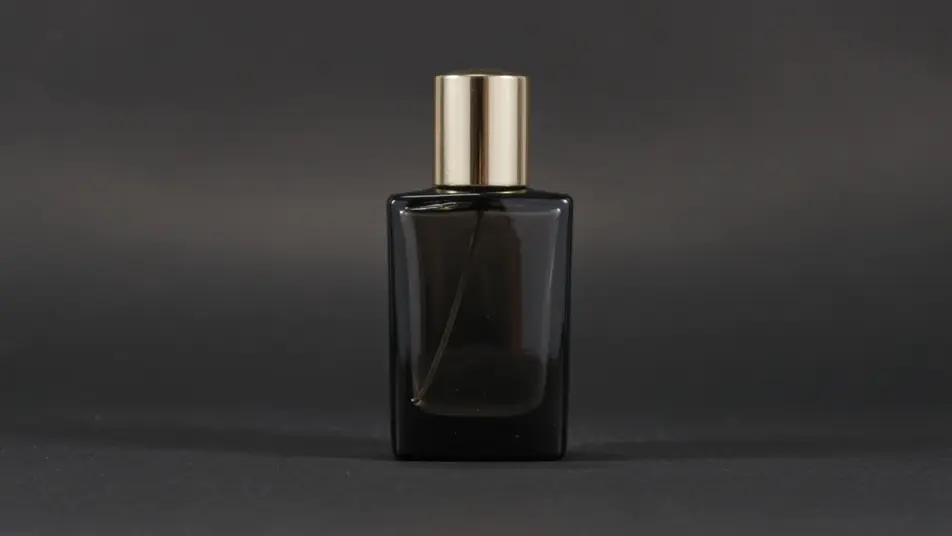
A quick snap or push-in that uncovers the product in the first second and holds on it, crisp key light rolling across the surface as the item settles, the camera locking tight for the remaining beats.
Edit prompt
A closing frame where the brand mark and a short tagline land together over a bold color field, the elements snapping in cleanly and holding centered as a single memorable memory cue.
Edit prompt
Tuliskan adegan 6 second bumper ad yang Anda inginkan, dengan kata-kata sederhana.
Morphic membuat klip sinematik yang siap dijadikan frame di canvas Anda dalam hitungan detik.
Ubah prompt, buat ulang variasi, lalu unduh atau bagikan shot-nya.

Dramatize any text conversation into a cinematic multi-shot video.
Cinematic time-freeze short film for any scene
Drop in a photo of yourself. Get a 12-second cinematic movie with animation and a matched soundtrack.

Generate a professional film title card from scratch, with optional cinematic animation.
Photo of any real-estate becomes a cinematic renovation timelapse video with construction SFX and music.
One image to a 9-scene cinematic video.
AI 15 second ad videos
Generate a 15 second ad video with AI on Morphic. Build the hook, product beat, and end card, then re-cut the same idea to 6 and 30 seconds. Create now.
AI 30 second commercials
Make a 30 second commercial with no crew or shoot day. Build the setup, the story, and a sign-off, then re-cut to every length and aspect. Create now.
AI Pre-roll ad videos
Produce a pre-roll ad video that lands your brand in the first five seconds. Cut a cold open and a value beat, then reformat to any duration. Produce.
AI YouTube Shorts ads
Produce a YouTube Shorts ad with AI on Morphic. Build a fast 9:16 hook, product beat, and loop-ready end card, then cut 6, 15, and 30 second versions.
Mulai gratis hari ini, dengan opsi untuk upgrade atau membatalkan kapan saja.
Basic
2400 bulanan kredit
1 pengguna saja
Semua model
Workflows
Standard
3625 bulanan kredit
1 pengguna saja
Semua model
Workflows
Pro
6350 bersama bulanan kredit
1 pengguna
Semua model
Workflows
Max
24650 bersama bulanan kredit
1 pengguna
Semua model
Workflows
Enterprise
Untuk batas yang lebih tinggi
Khusus
ketentuan harga dan penagihan

Free
Untuk bereksperimen
$0
gratis selamanya