Cafe conversation rack
Two-person table scene where focus racks between a sharp foreground listener and a distant speaker as each takes a turn, warm window light, shallow plane, slow deliberate pulls timed to the beats of the exchange.
Edit prompt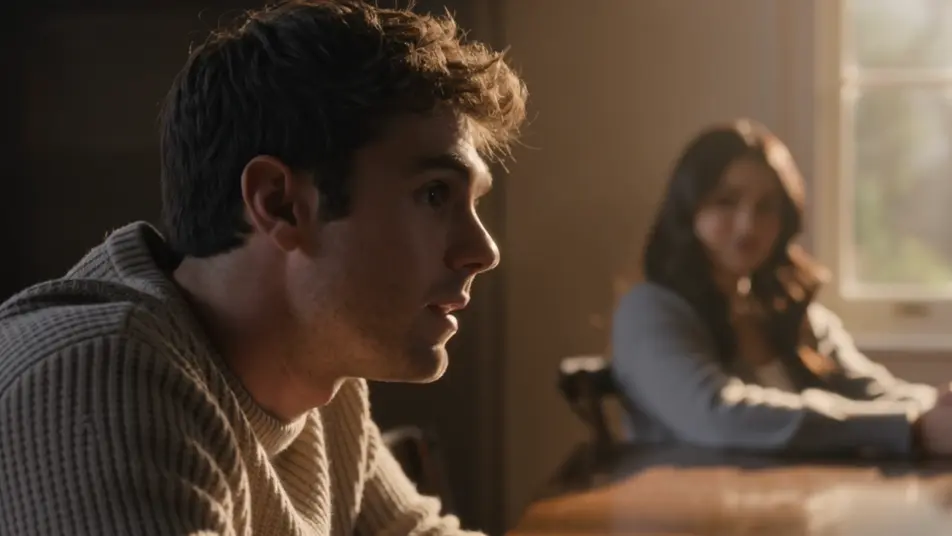
Direct cinematic focus in your browser with Morphic's depth of field effect AI video generator. Generate a subject snapping into razor focus as the room dissolves behind them, or a rack focus sliding to a distant face. Pair with Music to time the focus pull, then stitch the shots on the Canvas.
Two-person table scene where focus racks between a sharp foreground listener and a distant speaker as each takes a turn, warm window light, shallow plane, slow deliberate pulls timed to the beats of the exchange.
Edit promptClose shallow shot of one still face held razor sharp while a churning crowd behind dissolves into soft shapes and drifting color, cool overcast key, subtle push-in that deepens the isolation.
Edit prompt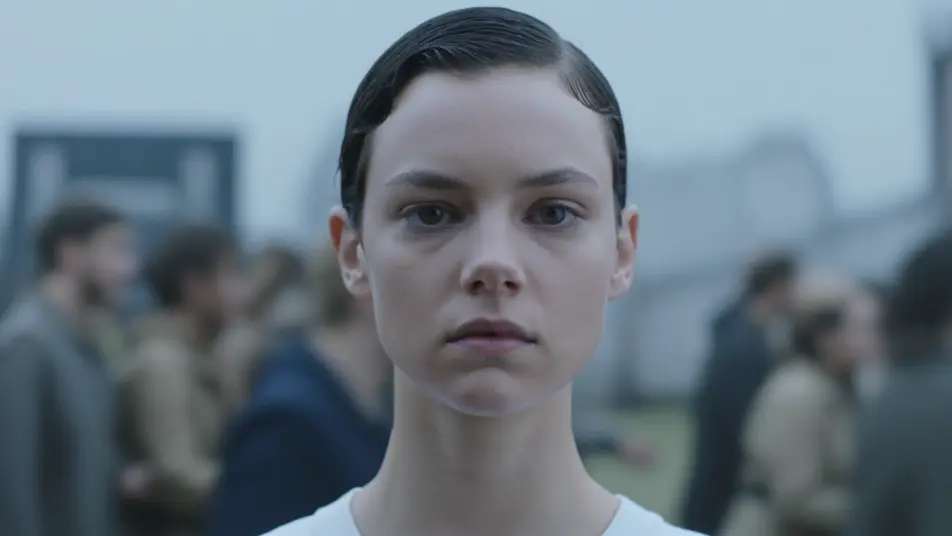
High overhead of a busy intersection where a sharp central band turns cars and pedestrians into a moving miniature, top and bottom melting into blur, bright midday light, slow lateral drift across the toy world.
Edit prompt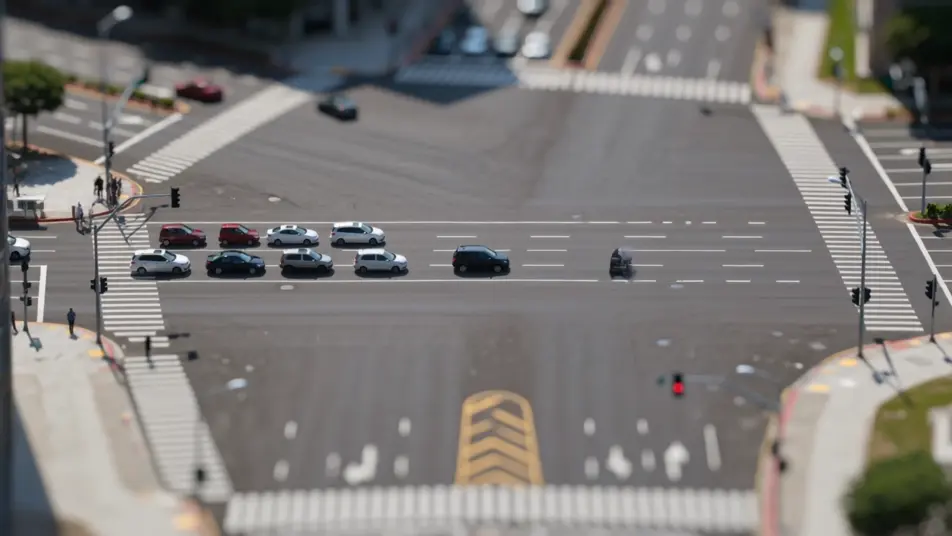
Side tracking shot of a runner held in continuous sharp focus while the tree line and path smear into speed blur on either side, dappled morning light, camera pacing alongside at a steady clip.
Edit prompt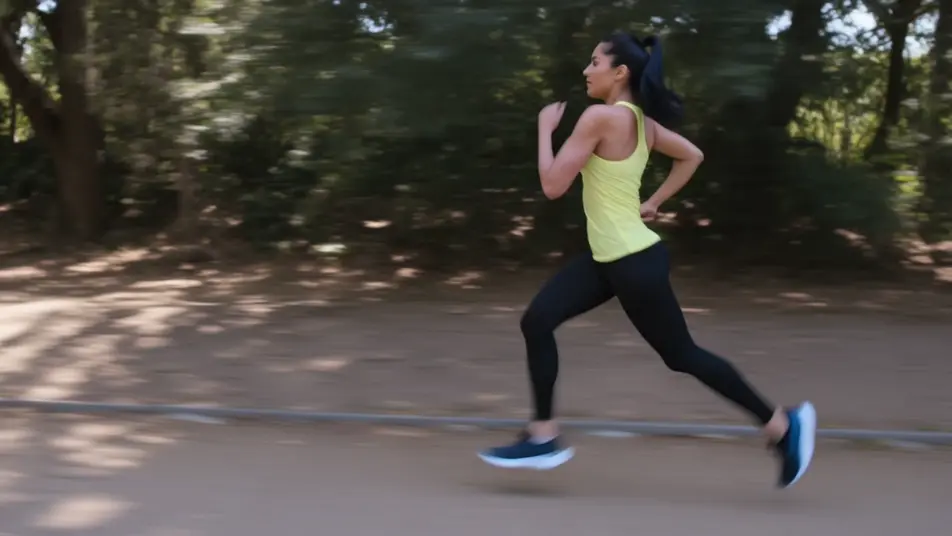
Tuliskan adegan depth of field effect yang Anda inginkan, dengan kata-kata sederhana.
Morphic membuat klip sinematik yang siap dijadikan frame di canvas Anda dalam hitungan detik.
Ubah prompt, buat ulang variasi, lalu unduh atau bagikan shot-nya.
Cinematic time-freeze short film for any scene

Dramatize any text conversation into a cinematic multi-shot video.

Generate a professional film title card from scratch, with optional cinematic animation.
Photo of any real-estate becomes a cinematic renovation timelapse video with construction SFX and music.
One image to a 9-scene cinematic video.
Drop in a photo of yourself. Get a 12-second cinematic movie with animation and a matched soundtrack.
AI bokeh effect
Generate an AI bokeh effect on video with Morphic. Creamy background blur, floating light orbs, rack-focus reveals, and paste-ready prompts.
AI lens flare
Generate AI lens flare videos with Morphic. Anamorphic streaks, sun bloom, spotlight halos, and paste-ready flare prompts that run end to end in your browser.
Video AI VFX
Buat video AI VFX dengan Morphic. Ledakan, efek energi, kehancuran sci-fi, partikel, dan adegan makhluk dari sebuah prompt. Tanpa green screen, tanpa.
Video Morph AI
Buat video morph AI dengan Morphic. Transisi morph yang halus, reveal berubah bentuk, morph penuaan wajah, dan prompt morph-cut selaras ketukan yang tinggal jalan.
Mulai gratis hari ini, dengan opsi untuk upgrade atau membatalkan kapan saja.
Basic
2400 bulanan kredit
1 pengguna saja
Semua model
Workflows
Standard
3625 bulanan kredit
1 pengguna saja
Semua model
Workflows
Pro
6350 bersama bulanan kredit
1 pengguna
Semua model
Workflows
Max
24650 bersama bulanan kredit
1 pengguna
Semua model
Workflows
Enterprise
Untuk batas yang lebih tinggi
Khusus
ketentuan harga dan penagihan

Free
Untuk bereksperimen
$0
gratis selamanya