AI Double Exposure videos

Direct double-exposure blends in your browser with Morphic's double exposure AI video generator. Generate a profile silhouette filled with a forest, or a runner's outline holding a city skyline. Swell the score as the image bleeds through with Music, then stitch it into a montage on the Canvas.

Double exposure variations you can direct

Double exposure sequences you can stage

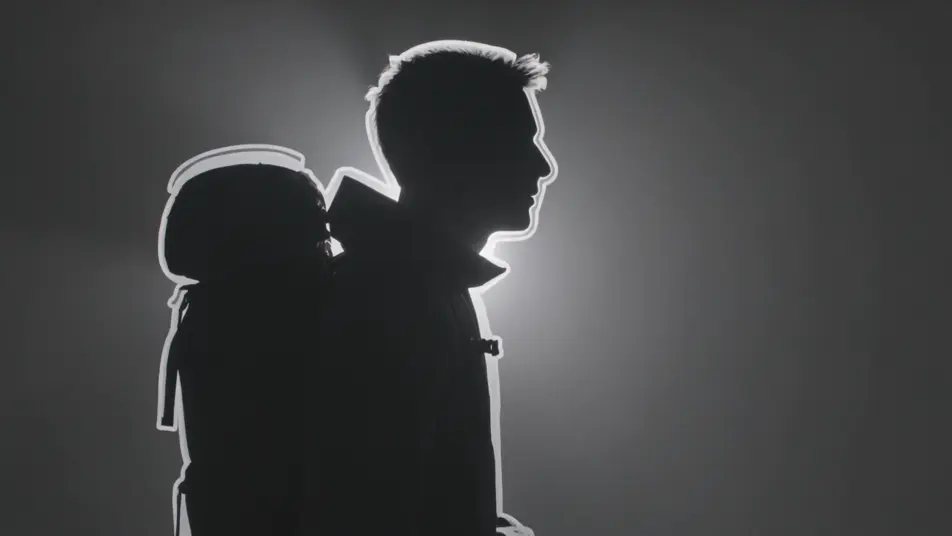
A traveler holding a mountain range

A profile silhouette of a traveler fills the frame while a moving mountain range lives inside the outline, mist rolling over ridges and light shifting across peaks, soft rim light on the contour, slow push-in.

Edit prompt
A dancer blended with falling rain

A dancer moves in half-exposure over a curtain of falling rain, the two layers sliding across each other as she turns, cool blue key light, steady wide shot letting both images breathe.

Edit prompt

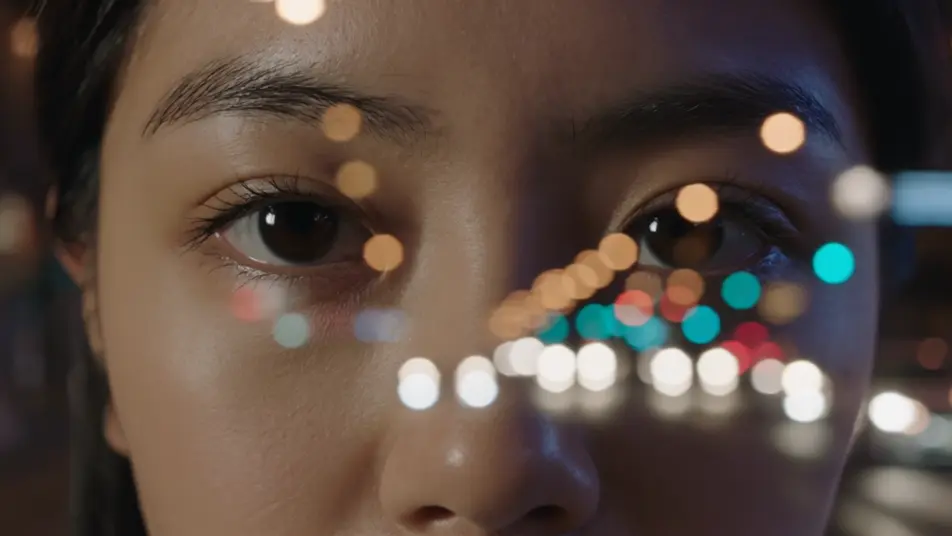
A face full of city lights

A tight portrait dissolves into a night city, headlights and neon streaking through the features while the eyes stay legible, warm and cool light mixing, locked-off frame with a gentle drift.

Edit prompt

A hand cradling a blooming garden

An open hand fills with a time-lapse garden, flowers opening and vines climbing across the palm in layered exposure, soft diffused daylight, slow overhead tilt down onto the blend.

Edit prompt

Buat video double exposure dalam tiga langkah

  1. 01

    Jelaskan adegan double exposure Anda

    Tuliskan adegan double exposure yang Anda inginkan, dengan kata-kata sederhana.

  2. 02

    Buat video

    Morphic membuat klip sinematik yang siap dijadikan frame di canvas Anda dalam hitungan detik.

  3. 03

    Sempurnakan video double exposure Anda

    Ubah prompt, buat ulang variasi, lalu unduh atau bagikan shot-nya.

Workflow terkait

Anda mungkin juga suka

Harga sederhana

Mulai gratis hari ini, dengan opsi untuk upgrade atau membatalkan kapan saja.

Basic

$9/ bulan
ditagih sebagai $0 per tahun

900 bulanan kredit

1 pengguna saja

Semua model

Workflows

Standard

$24/ bulan
ditagih sebagai $0 per tahun

3200 bulanan kredit

1 pengguna saja

Semua model

Workflows

Pro

$45/ bulan
ditagih sebagai $0 per tahun

6200 bersama bulanan kredit

1 pengguna

+ hingga 4 lainnya dengan biaya tambahan

Semua model

Workflows

Pro Max

$170/ bulan
ditagih sebagai $0 per tahun

24000 bersama bulanan kredit

1 pengguna

+ hingga 9 lainnya dengan biaya tambahan

Semua model

Workflows

Enterprise

Untuk batas yang lebih tinggi

Khusus

ketentuan harga dan penagihan

High-volume credits
Batas kursi khusus
Semua model
Workflows
Pricing Gradient

Free

Untuk bereksperimen

$0

gratis selamanya

Hingga 20 kredit
Hanya 1 pengguna
Model terbatas
Workflows

FAQ

Where can I make double exposure videos with AI?
You can create double exposure videos directly in your browser on Morphic. Open the Text to Video tool, describe the outline layer and the moving world that fills it, and Morphic renders the blend. No masking and no compositing software needed.
What kinds of double exposure shots work best with AI video?
Silhouette-and-landscape blends, ghosted portraits, and body-and-cityscape overlays read the strongest. A clear anchoring shape with a second image that moves gently inside it gives the eye one legible outline plus a living interior, which is what makes the effect land.
How do I write a good prompt for a double exposure video?
Describe two layers plus the blend: the silhouette or portrait that holds the frame, the moving scene that fills it, and how strongly they overlap. Add the light on the contour and a slow camera move. The clearer the two layers, the cleaner the exposure Morphic returns.
How do I keep the blend consistent between scenes?
Reuse the same anchor shape and the same light treatment across your prompts so every clip reads as one series. On the Canvas you can place the blends side by side and tune the opacity and framing of each until the montage flows as a single piece.
Can I add music and narration to my double exposure videos?
Yes. The Music tool scores an original track that can swell as the second image bleeds through, and the Speech tool generates narration in the voice you choose. Layered together, a silhouette montage can carry a spoken-word line over the blend.
Do I need video editing experience to make a double exposure video?
No. Morphic runs in your browser and you direct it with plain-language prompts. If you can name the outline and the world that fills it, you can produce the effect. The prompts on this page are written to paste and run as they are.